Can I change the language on the individual elements of Address field?
In this article group
- Intro to POWR Forms
- Why Was My POWR Account Deactivated?
- Why Is CAPTCHA Showing Even Though I Disabled it?
- Intro to POWR Form on Wix
- Huge header gap in the mobile version of Formbuilder
- Is it possible to have a POWR form appear only when the product is selected with the "Buy" button?
- Align checkbox within the forms
- Limit Form submissions in Wix
- I need to add Subsription bar to my site. Which POWR app I can use?
- How can I make the fields required in my form?
- Will I be able to limit form fields to 50 characters?
- Oops! Your POWR form hit the maximum number of admin emails per hour.
- How to change color of label text in my Form Builder?
- Does the Form have Input Validation feature?
- Set a limit or deadline for Form Submissions
- Unlock Venmo, Google Pay and more with "PayPal Complete Payments"
- Form Builder: Elements not visible in IE11
- My POWR App is Taking Too Long to Load
- How to use POWR Form Builder in Shopify POS
- How do I get emotional feedback using Emojis in my form?
- Fixed Positioning in Form Builder
- Why am I getting a form submission error?
- How to add Terms and Conditions to a Form
- Accepting File Attachments and File Uploads with POWR Forms
- How to add Elements to POWR Forms
- Manage memberships with POWR forms
- Can I use Multi-Steps / Pages in my Forms?
- Allow Users to Print your Forms
- How to change date format (US vs. International)
- How to add images to Forms
- Numbers Element in POWR Forms
- How to create Multiple Choice questions in Forms
- How do Conditional Logic elements work?
- Collecting Digital Signatures in Forms
- Can I collect secure information with POWR Forms?
- How do I create side-by-side elements in forms?
- How to change Text Size, Color, or Font in Forms
Not directly. The Address field in POWR Form Builder is treated as a single element, which means the sub-labels within it (Address Line 1, Address Line 2, City, State/Province, ZIP/Postal Code, Country) aren't individually editable in your language of choice.
The alternative: use individual text fields
If you need each address element to be labeled in your preferred language (e.g., German, French, Spanish, or any other), you can rebuild the Address field using separate Short Text fields, one for each element.
How to do it:
In your form editor, remove the existing Address field if you have one
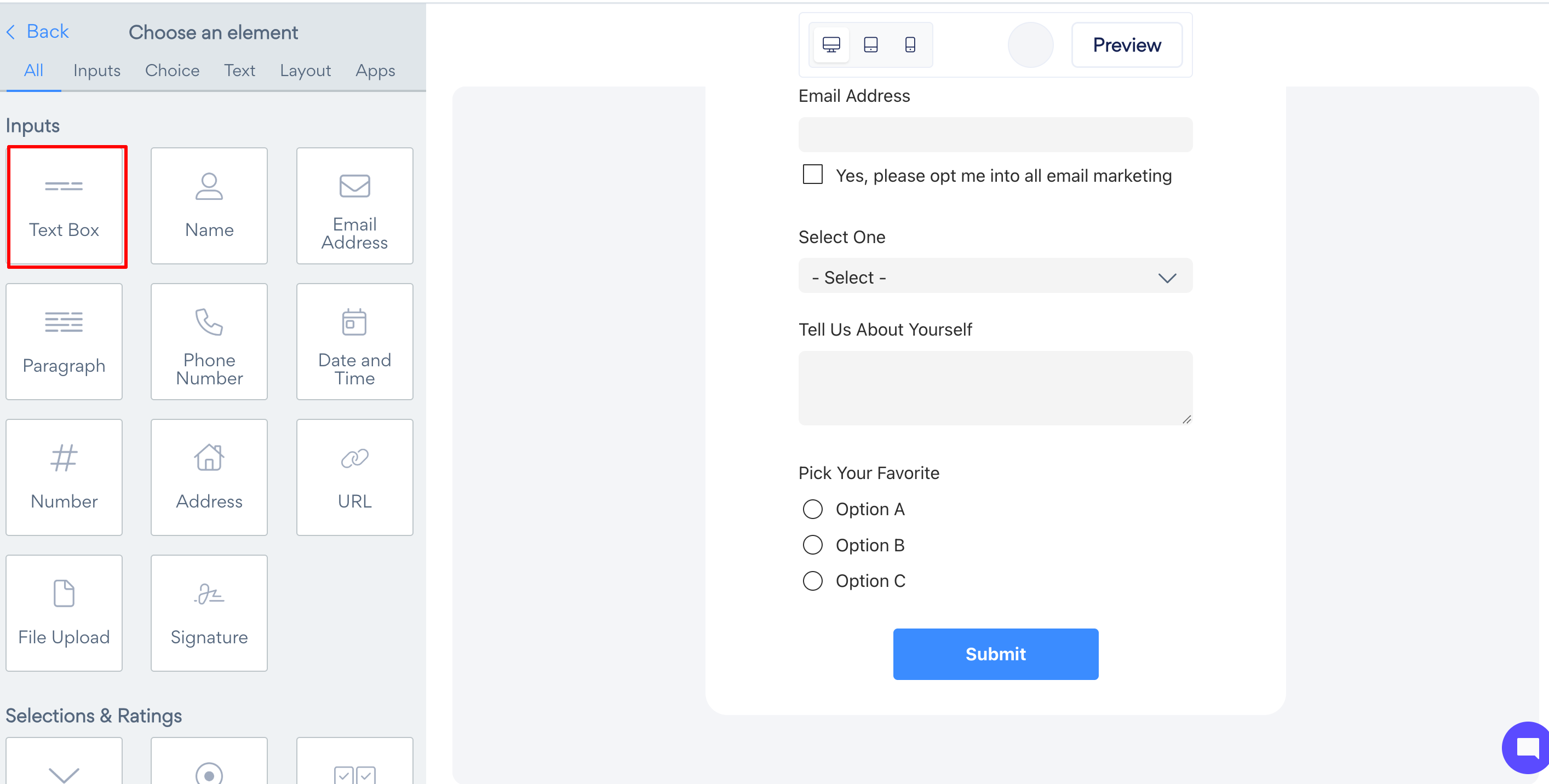
Add individual Short Text Box in the order you want them to appear:
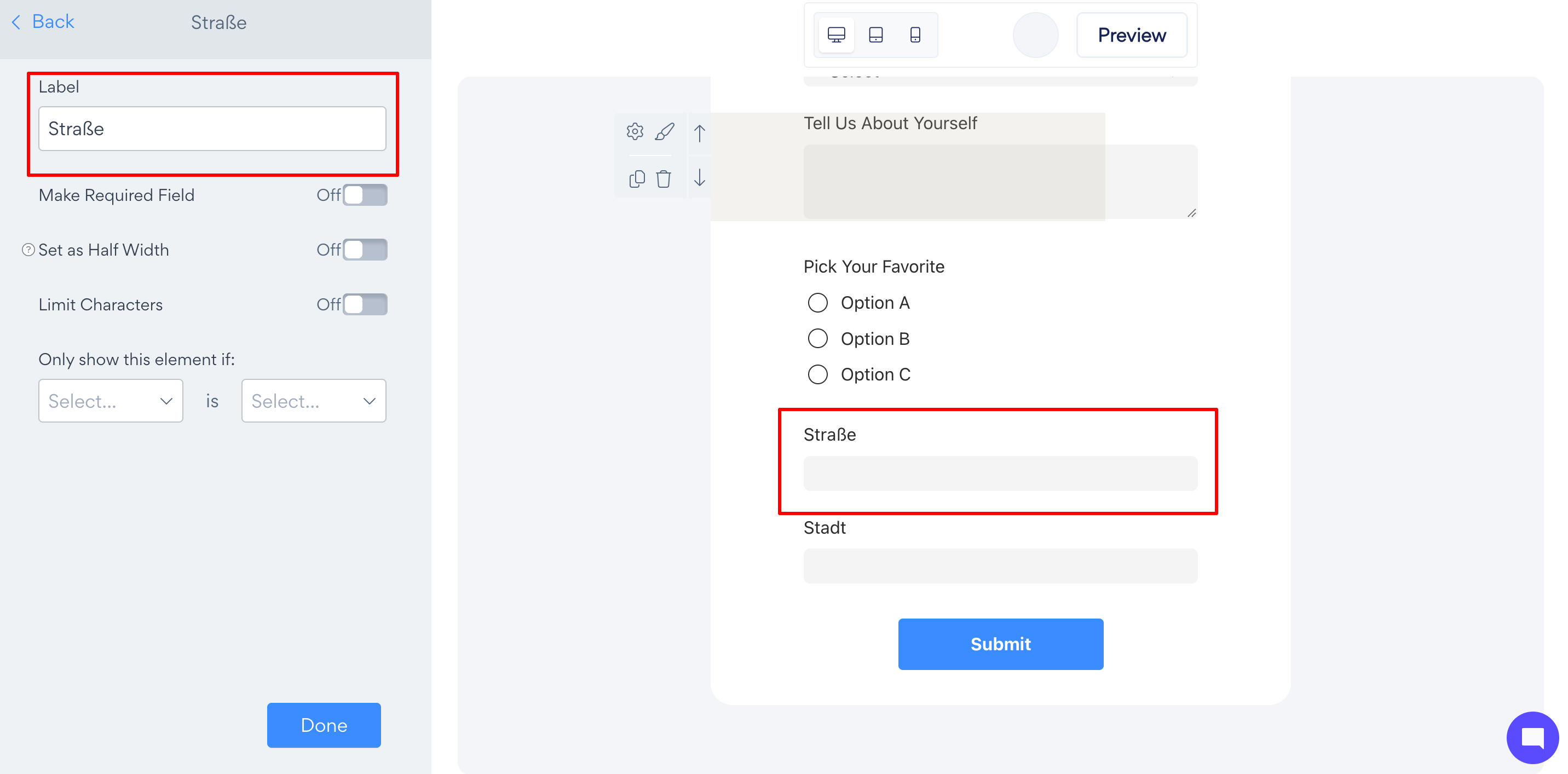
Straße / Rue / Calle (Street)
Stadt / Ville / Ciudad (City)
Postleitzahl / Code postal / Código postal (Postal Code)
Land / Pays / País (Country)
Customize each field's label in your preferred language
Optionally, mark each field as required if you need all elements filled in
Save and publish