
How to add Terms and Conditions to a Form
Adding a Terms and Conditions checkbox to your form is an important step for any business that wants to ensure visitors explicitly agree to their policies before submitting their information. Whether you're collecting customer data, processing payments or signing people up for a service, a Terms and Conditions field helps protect both you and your users.
It's worth noting that while Terms and Conditions and the GDPR consent field may seem similar, they serve different purposes — the GDPR element is specifically designed to comply with EU data protection laws around personal data collection, while Terms and Conditions is a broader general agreement covering your business policies. POWR Form Builder supports both and in this article we'll walk you through how to add a Terms and Conditions field to your form in just a few simple steps.
Here's how:
Open your Form Editor (or App Settings in Wix)
Add a new Element. We recommend using the Checkbox element.
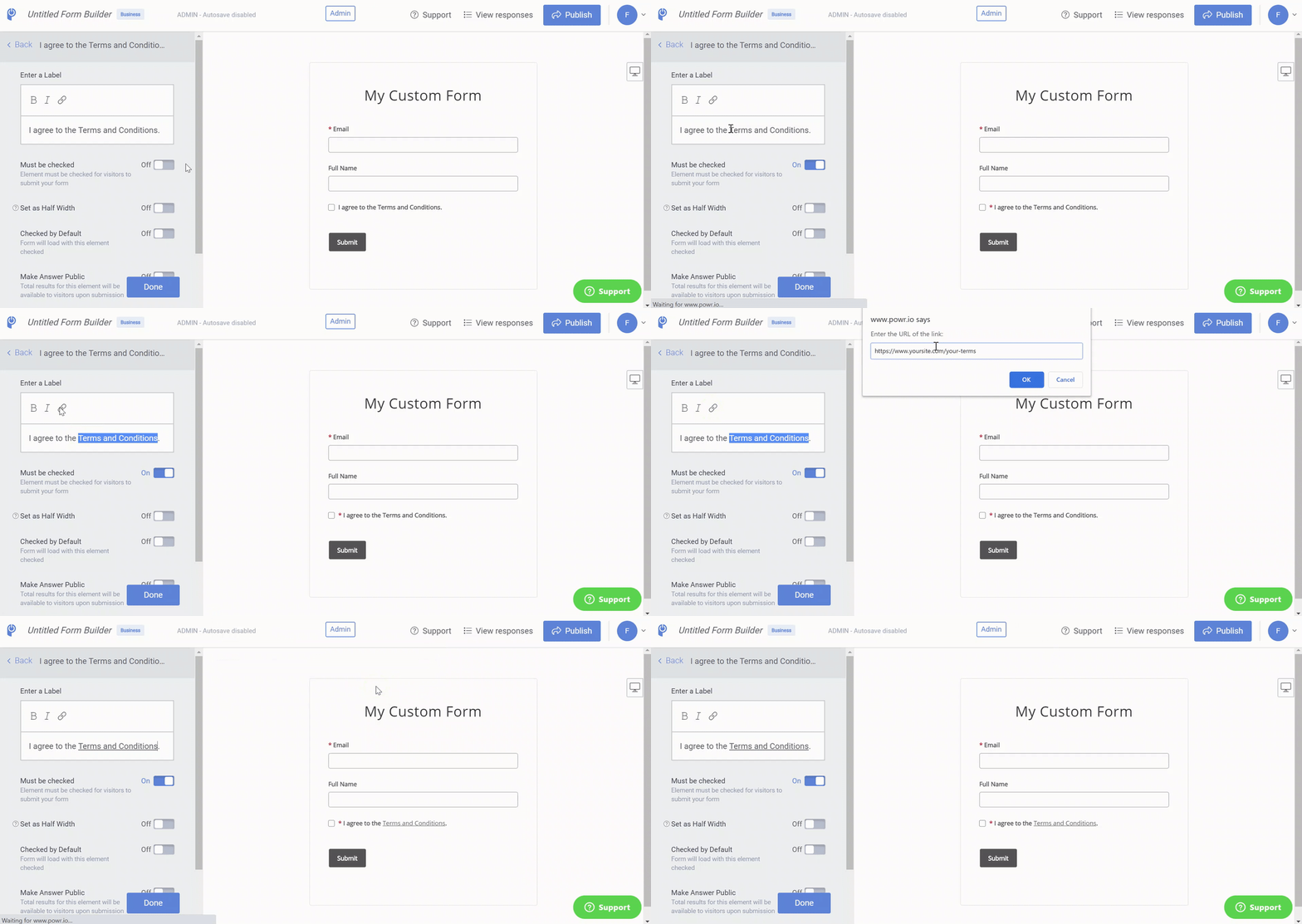
Enter a Label and select the link icon while highlighting your text to create the hyperlink.
Toggle On 'Must be checked' to make this a required field.
Save your Form.
Adding a Terms and Conditions checkbox to your POWR form is a quick and effective way to make sure your visitors are fully informed and have explicitly agreed to your policies before they submit. If your business collects data from visitors in the EU or UK, you may also want to consider adding the GDPR consent element alongside your Terms and Conditions to ensure full compliance with data protection regulations. If you have any questions about either field or need help setting them up, our support team is always happy to help!
Need Help?
If you need any help or have any questions about our Form Builder, our support team is happy to help.
Contact our support team
Note: You need to sign up with your email to contact us.
For more information about available features, visit our Pricing Page