
Why am I getting a form submission error?
If you or your visitors are seeing the error message "Please fill in required fields" when trying to submit a form, don't worry — this is one of the most common and straightforward errors in POWR Form Builder. This message appears when one or more fields marked as required have been left empty or not filled in correctly before hitting the submit button. In this article we'll walk you through exactly why this happens and how to make sure your form submits successfully every time.
When this appears, please review the following steps:
1. Open the POWR Editor
2. Make sure all your required elements are labeled with a name.
If your element is missing a label, your user will not know what to fill out nor that it must be filled out.
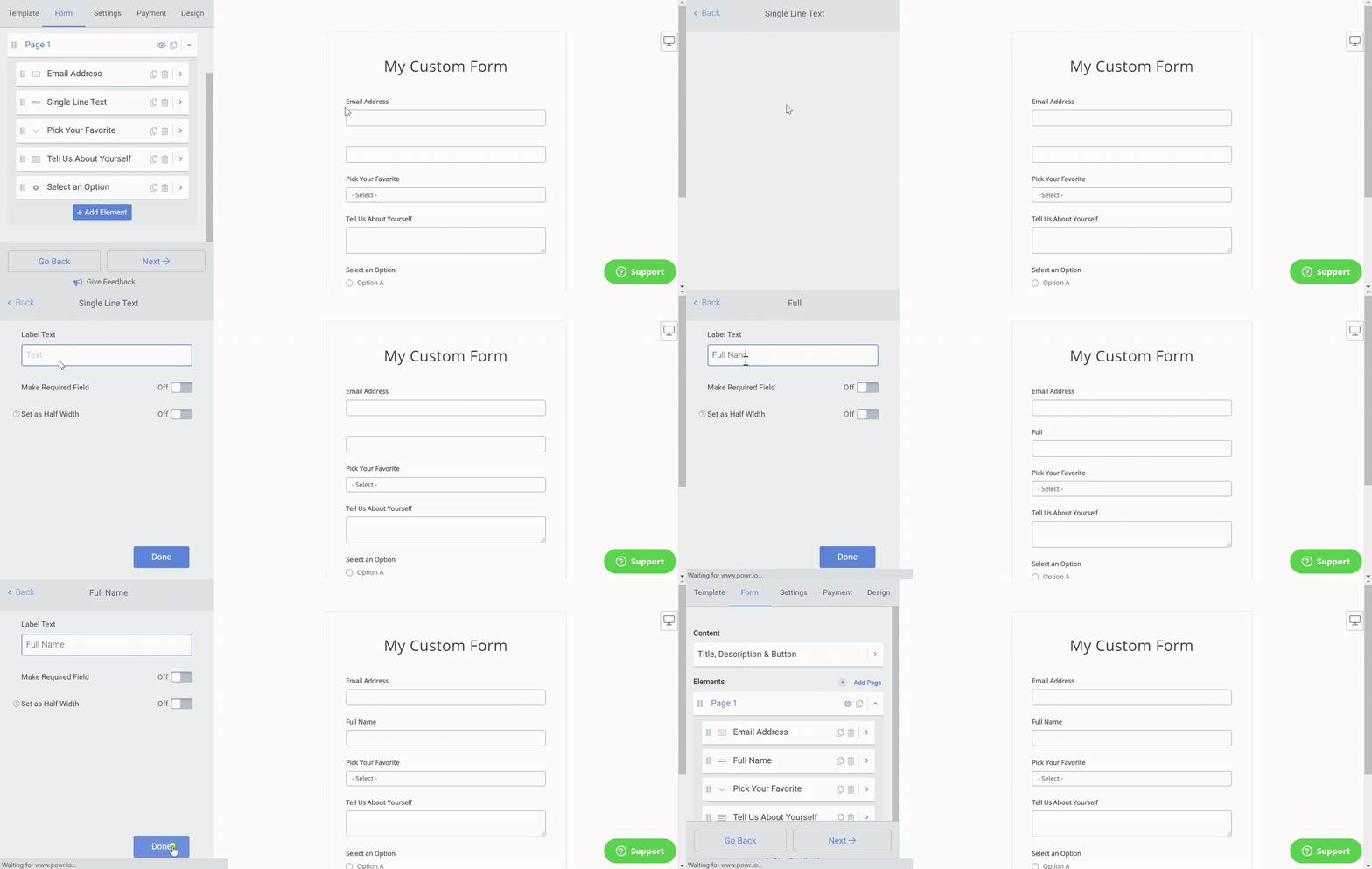
3. Review you Form field elements and make sure you are using the correct Element Type.
For example, you should only use the Email element for requesting email addresses and use the Number element only if expecting just a number input. Always use the Text element for regular text fields.
4. Review all elements in your form to ensure Required is turned off/on as you've intended.
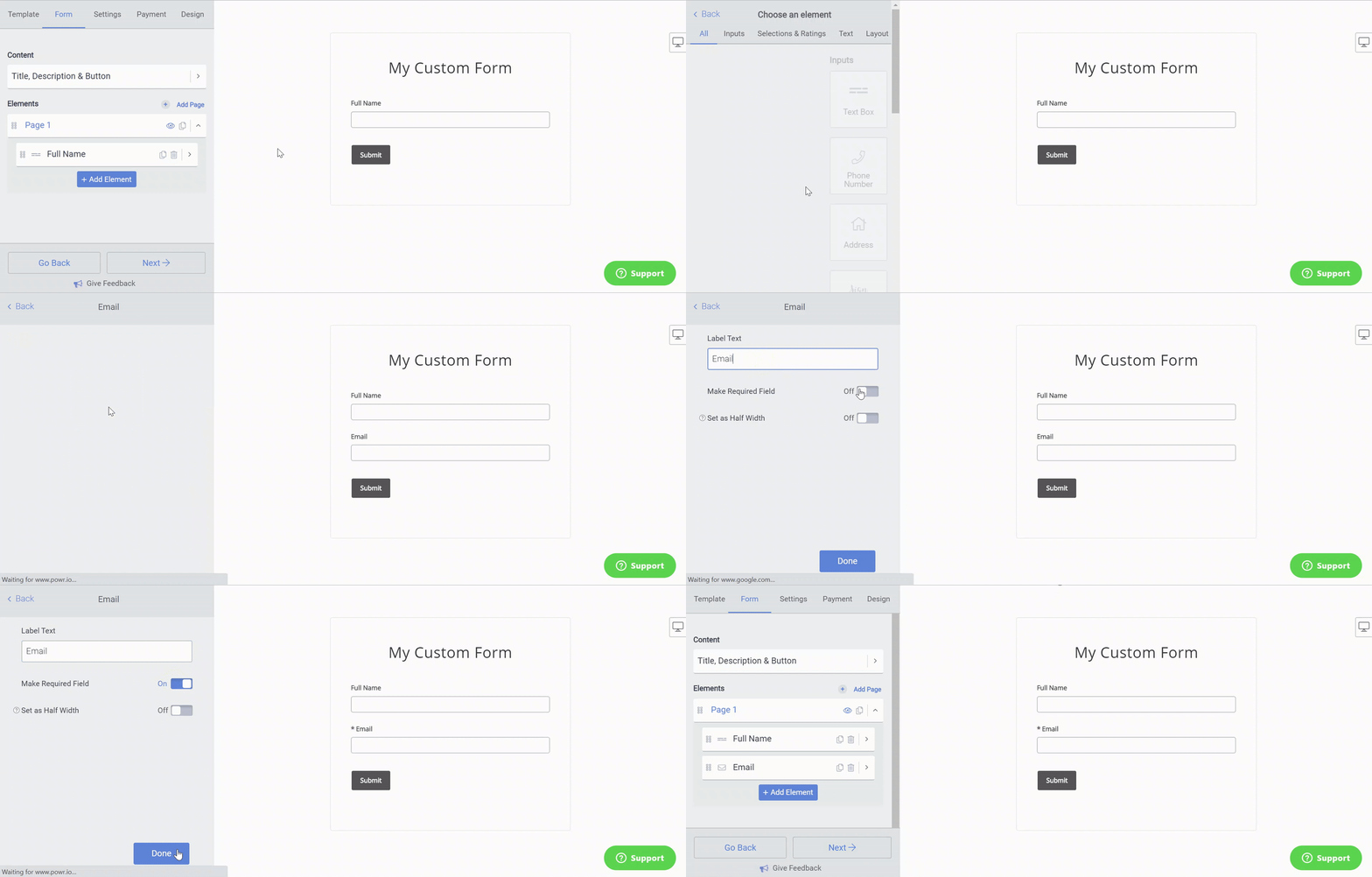
Note: When using a Number element, please advise your end users to refrain from inputting any characters or punctuations. If a decimal, letter, or anything but a whole number had been entered, your Form will also return the same error.
The "Please fill in required fields" error is simply your form's way of making sure no important information gets missed before a submission goes through. By double checking that all required fields are filled in correctly — including any hidden or conditional fields that may have appeared — the error should clear and your form will submit without any issues. If you're still seeing the message after filling everything in, feel free to reach out to our support team with a screenshot and a link to your live form and we'll take a closer look for you!
Need Help?
If you need any help or have any questions about our Form Builder, our support team is happy to help.
Contact our support team
Note: You need to sign up with your email to contact us.
For more information about available features, visit our Pricing Page