
Fixed Positioning in Form Builder
When embedding a form on your website, keeping it visible and accessible to your visitors at all times can make a big difference in conversion rates and user experience. POWR Form Builder's Fixed Positioning feature allows you to pin your form to a specific location on the screen — such as the bottom corner or side of the page — so it stays in place as visitors scroll through your content. Whether you're using it as a persistent contact button, a quick feedback form or a lead capture tool, fixed positioning ensures your form is always just one click away without interrupting the browsing experience.
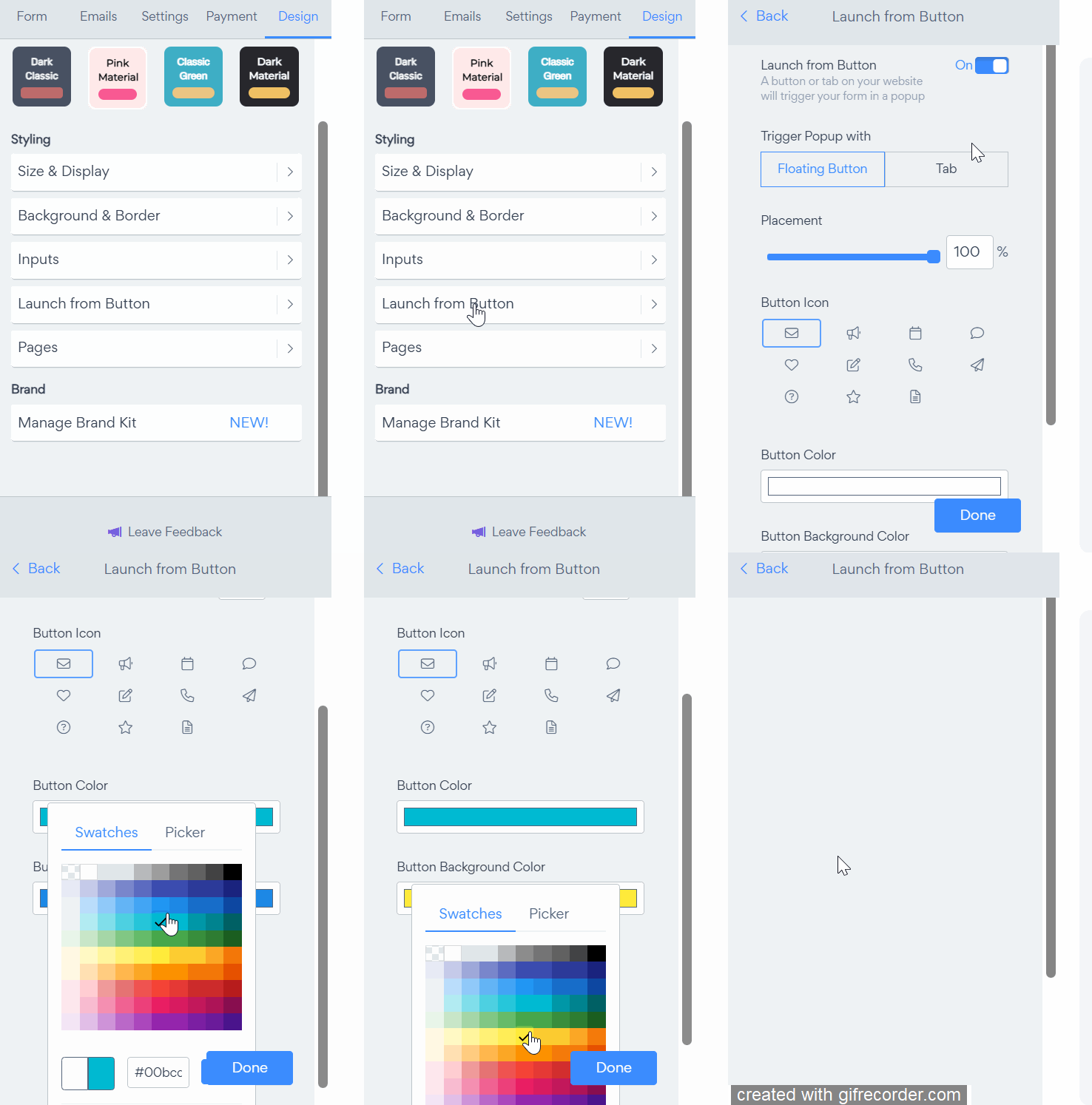
To do this, go to your Form editor and select the Design tab > Launch from Button > Toggle on. Here, you can decide whether to display a Floating Button or Tab on your website to trigger the Form.
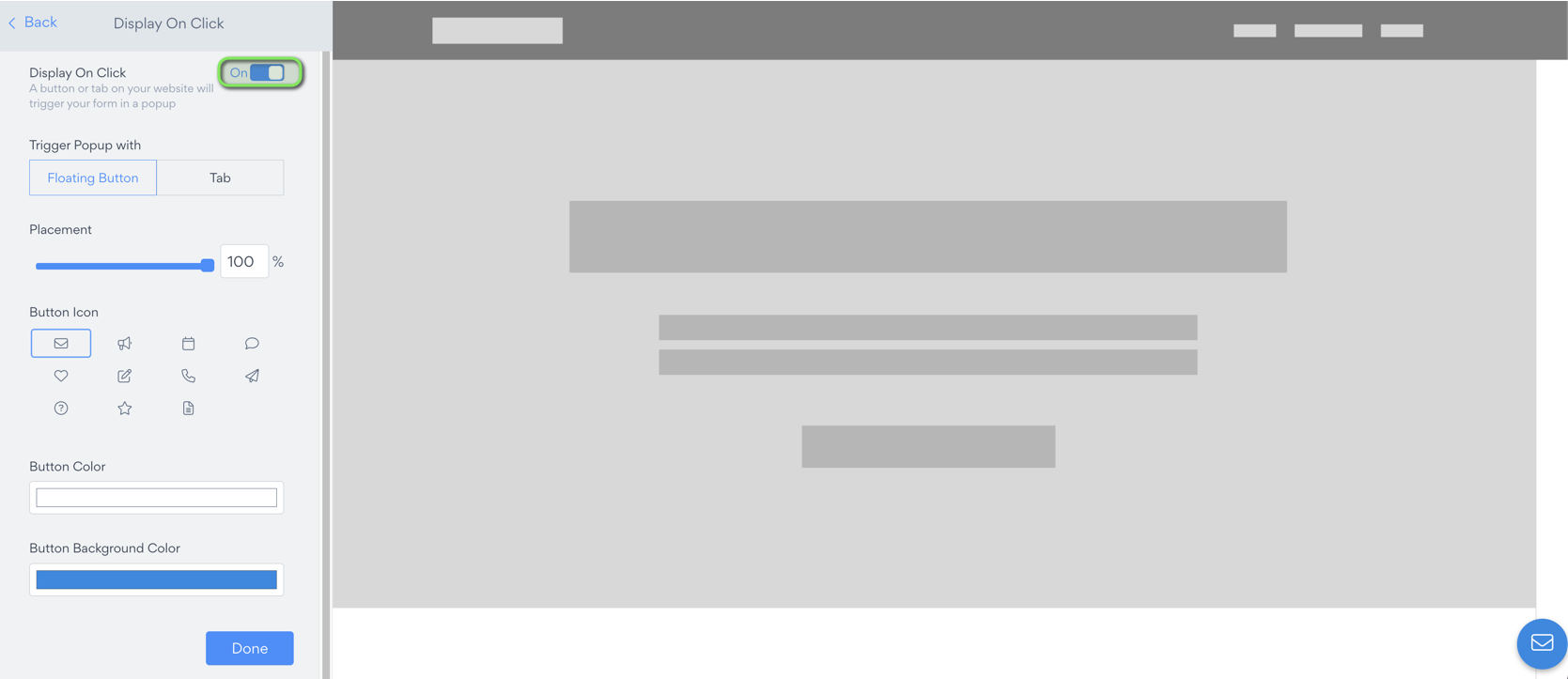
This feature works on all platforms where HTML embed is the primary install mode (such as Shopify, Bigcommerce, Weebly, Squarespace, Jimdo, etc.).
This feature does not currently work on iframe platforms, like Wix, Google Sites, and Facebook.
Changing Colors
You can change the Tab or Floating Button color in the Form's settings panel. Simply navigate to the Design tab and select Launch from button > Button color or Button background color
Positioning Your Form Tab
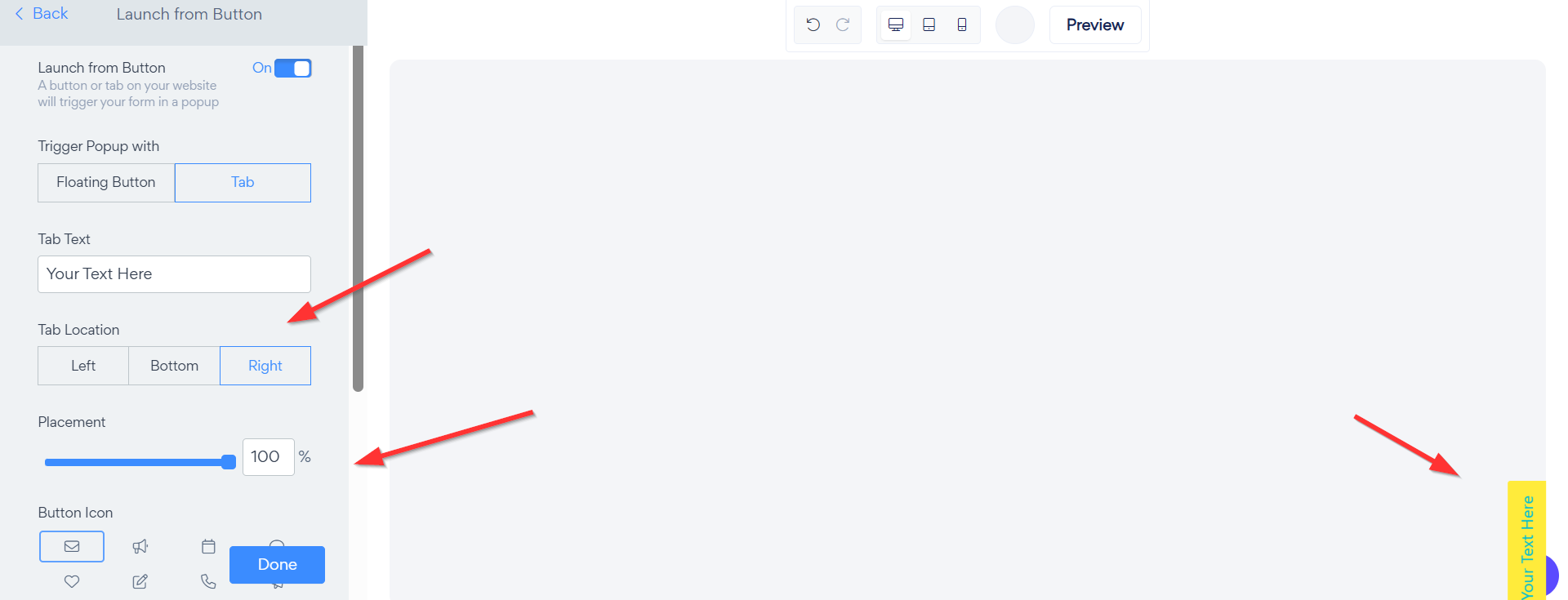
Once you've enabled the Launch from Button feature and selected the Tab option, you have full control over where the tab appears on your page. Under Tab Location you can choose to place the tab on the Left, Bottom or Right side of the screen — simply click your preferred option to switch between them.
You can also fine-tune the exact placement using the Placement slider, which allows you to adjust the tab's position along the chosen edge as a percentage from 0% to 100%. For example setting it to 50% would place the tab in the center of that edge, while 100% pushes it to the far end. This gives you pixel-perfect control over where the tab sits so it fits seamlessly with your site's layout without overlapping any important content.
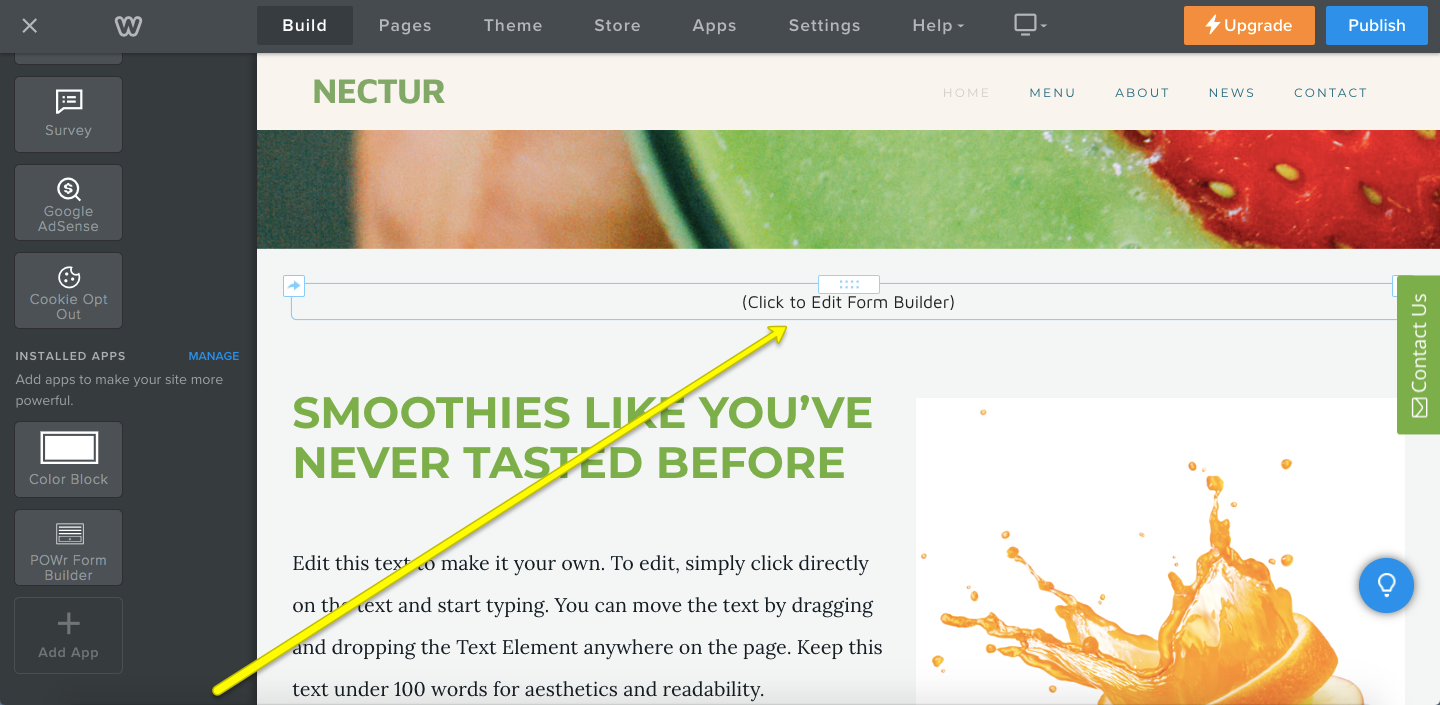
Weebly: Editing a Form with Fixed Positioning:
In the Weebly editor, you cannot select the Tab or Floating Button in order to open your Form Builder settings. Rather, return to where you originally dragged the Form on your Weebly site and click the corresponding area to edit the Form.
Fixed Positioning is a simple but powerful way to keep your form front and center without getting in the way of your site's content. By pinning your form to a consistent location on the screen you make it effortless for visitors to reach out, leave feedback or take action at any point during their visit — no scrolling required. Give it a try and see how a small positioning change can make a big impact on your form's visibility and engagement!
Need Help?
If you need any help or have any questions about our Form Builder, our support team is happy to help.
Contact our support team
Note: You need to sign up with your email to contact us.
For more information about available features, visit our Pricing Page