
How do I get emotional feedback using Emojis in my form?
Collecting emotional feedback through emojis is a simple and engaging way to gauge how your visitors feel about your content, products, or services. With POWr Form Builder, you can add an Emoji Feedback element to any form in just a few clicks — no coding required.
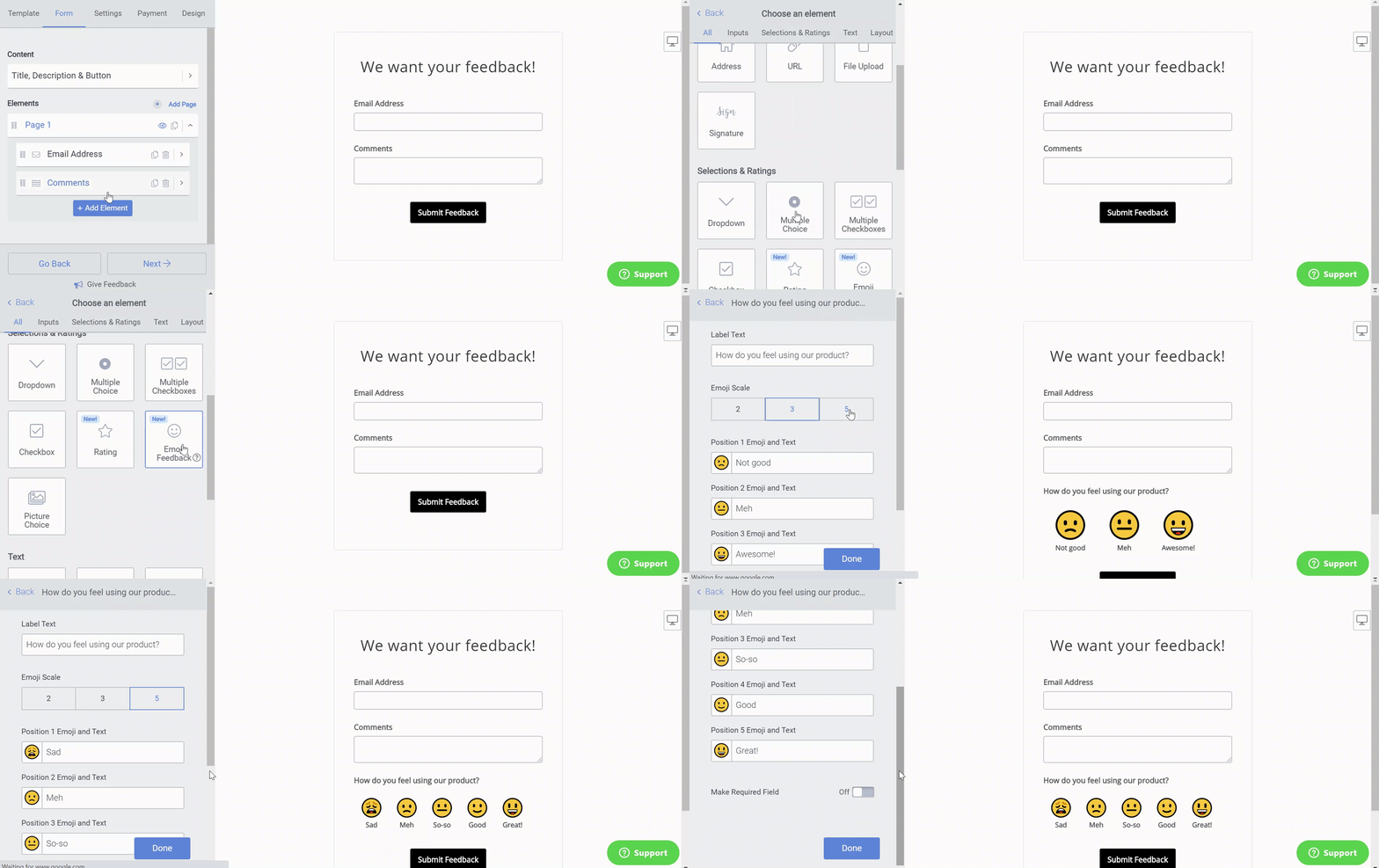
Follow these steps to add emojis anywhere on your form using the Emoji Feedback Element:
Open the POWr Editor (or App Settings in Wix)
Go to the Form section
Click + Add Element
Select Emoji Feedback from the element panel. You can now select how many emojis to include as options, and add a short description for each option.
Customizing Your Emoji Scale and Text
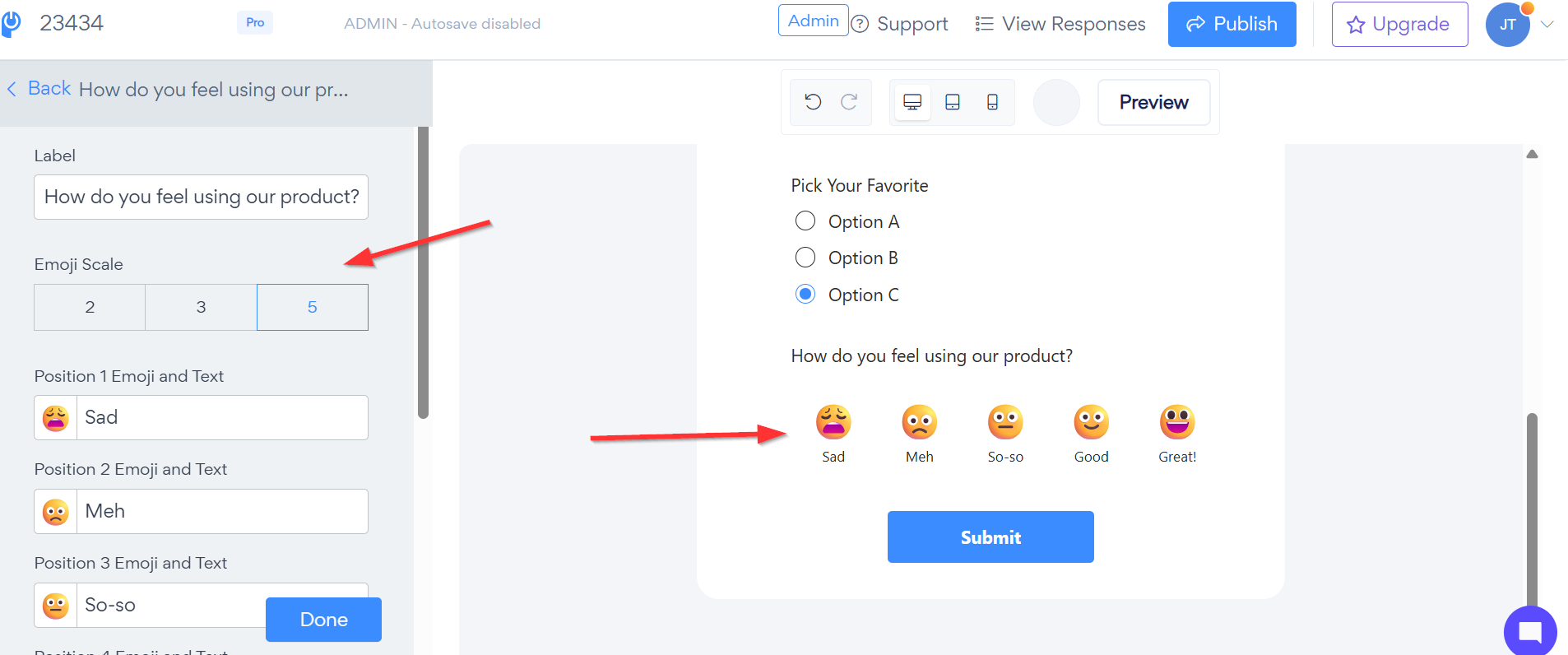
You also have full control over how the emoji rating scale appears in your form. By default the emoji scale is set to a range of 2 to 3, but you can easily expand this up to a scale of 5 to give your respondents more granular rating options. To adjust the scale simply open your form in the POWR Editor, click on the emoji field and look for the Emoji Scale setting where you can increase the number of emojis displayed.
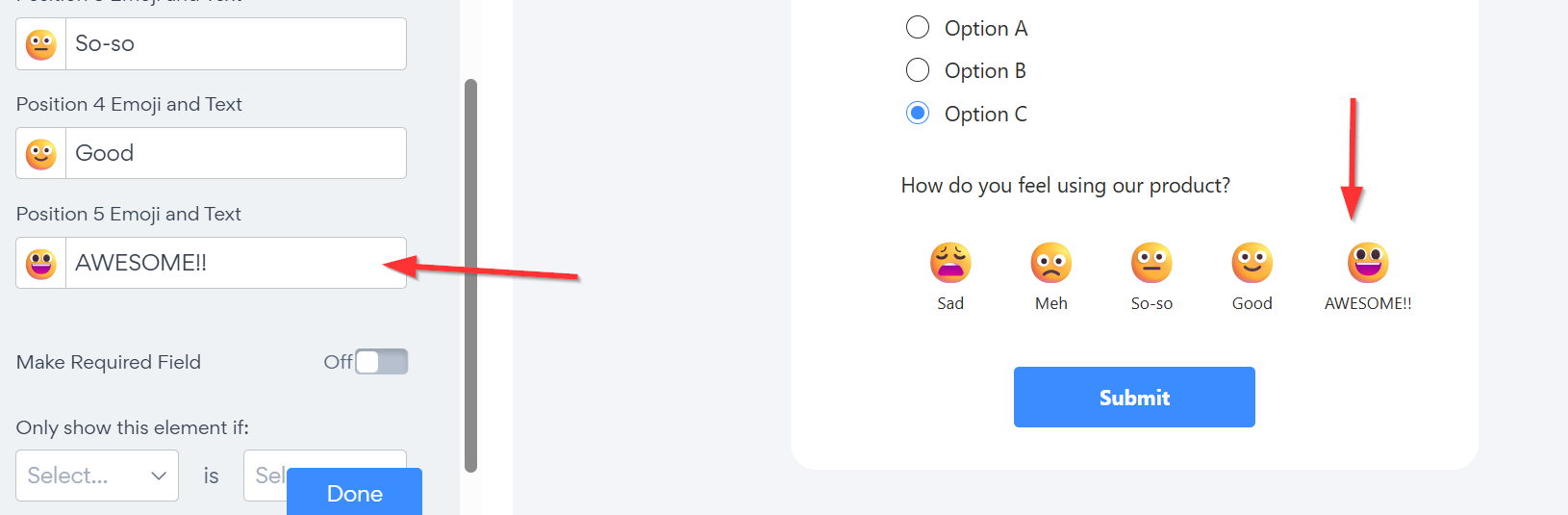
Additionally each emoji in the scale comes with its own customizable label text — so instead of generic descriptions you can personalize the text beneath each emoji to match your brand voice or the specific question you're asking. For example instead of "Bad, Okay, Good" you could use "Not Likely, Maybe, Absolutely!" or any other custom wording that fits your needs. Simply click on each emoji label in the editor to edit the text directly.
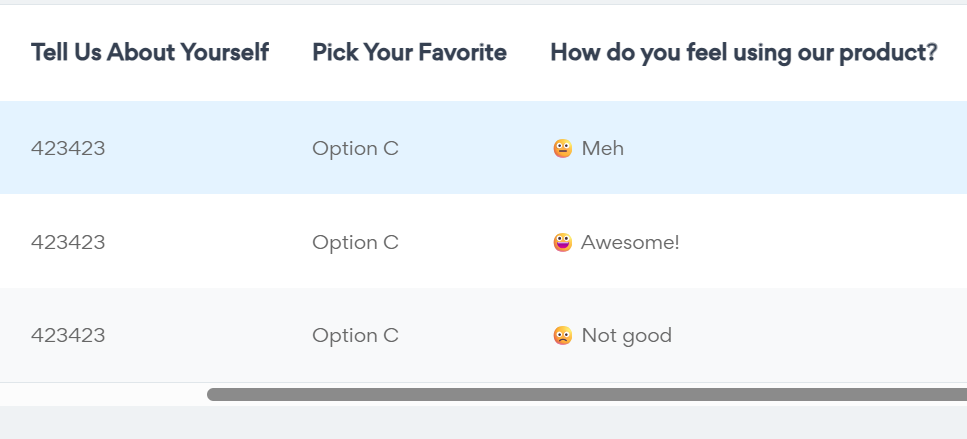
You've successfully added an Emoji Feedback element to your form. Your visitors can now express how they feel at a glance, giving you richer, more actionable insights alongside your other form responses. Review emoji responses alongside all other submission data in the POWr Dashboard under your form's submissions.
Need Help?
If you need any help or have any questions about our Form Builder, our support team is happy to help.
Contact our support team
Note: You need to sign up with your email to contact us.
For more information about available features, visit our Pricing Page