
How to change color of label text in my Form Builder?
To change the color of label text please follow the steps below:
1. Open app settings
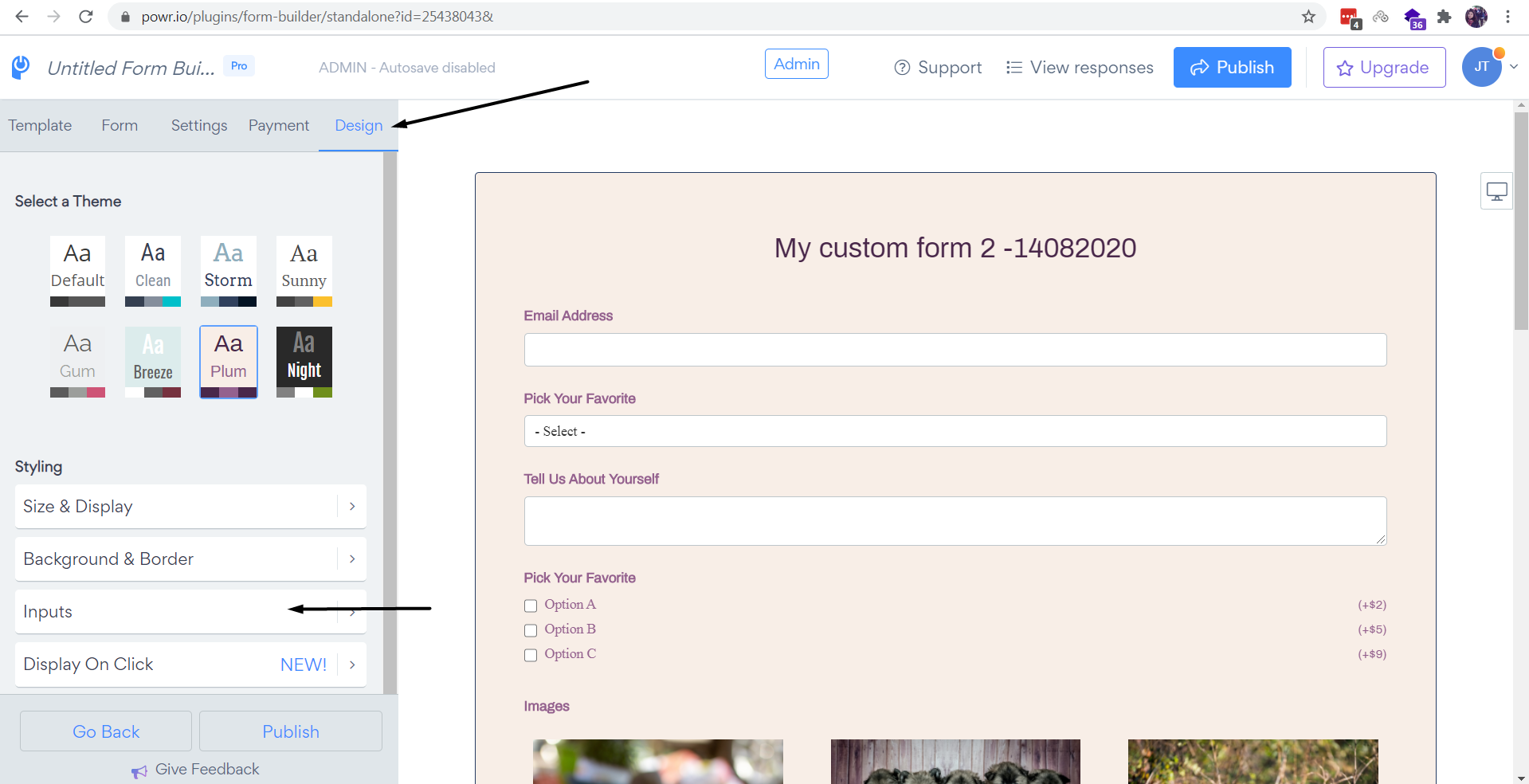
2. Press on "Design" > Inputs section
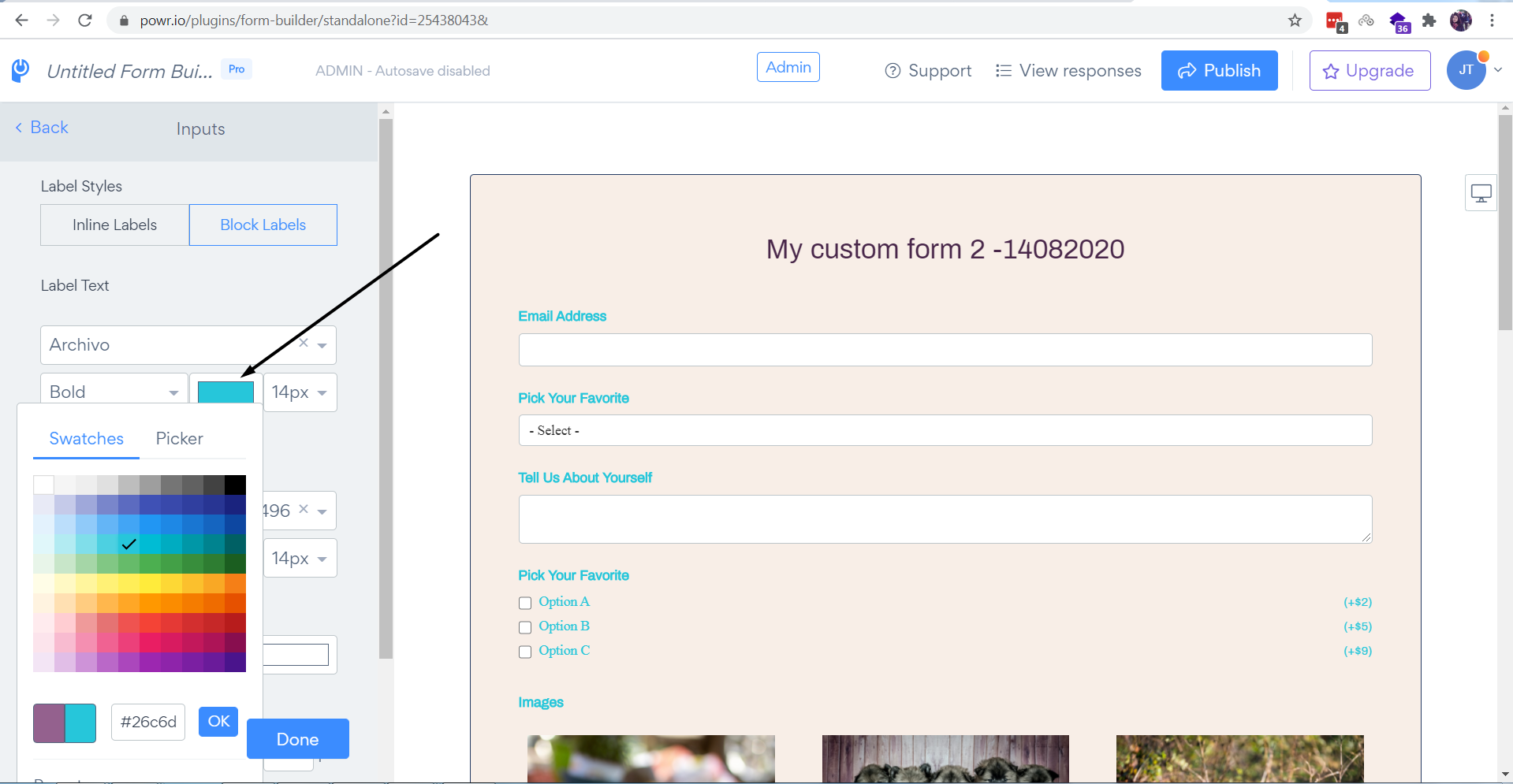
3. Please select the color and make sure to hit on "Publish" button to save the changes:
Need Help?
If you need any help or have any questions about our Form Builder, our support team is happy to help.
👉 Contact our support team
When contacting us, you'll be prompted to authenticate your email by signing in, and a confirmation code will be emailed to you. This helps ensure our support team's reply will be delivered to you with no issues.
For more information about available features, visit our Pricing Page:
https://www.powr.io/pricing