
Huge header gap in the mobile version of Formbuilder
A large blank gap at the top of your form on mobile makes it look unfinished and can confuse visitors before they even reach your questions. In this article, you'll learn what causes the gap and how to remove it in a few steps.
The example below shows how this issue looks on a mobile screen — a large blank space appears at the very top of the form, above the first question, before the fix is applied:
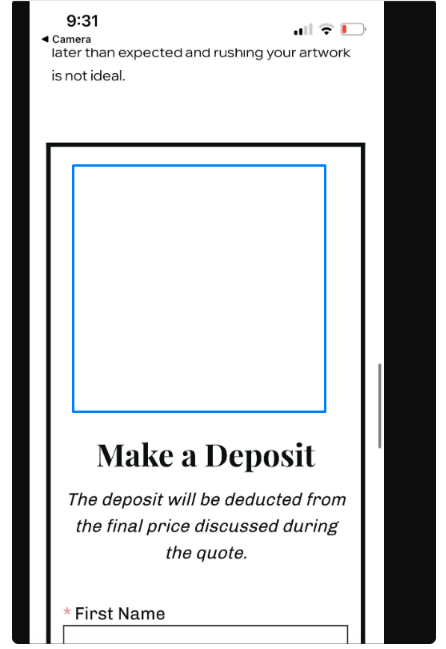
To resolve the issue please follow these steps:
In your Form Builder, open App settings.
Go to Form and select Header image.
Set the layout to No image.
Click Save to apply the change.

Need Help?
If you need any help or have any questions about our Form Builder, our support team is happy to help.
👉 Contact our support team
When contacting us, you'll be prompted to authenticate your email by signing in, and a confirmation code will be emailed to you. This helps ensure our support team's reply will be delivered to you with no issues.
For more information about available features, visit our Pricing Page:
https://www.powr.io/pricing