
Intro to POWR Forms
POWR Forms are a powerful way to collect information from visitors on your website (no coding required) — whether you're capturing leads, gathering feedback, taking orders, payments, or receiving job applications.
The app can be added to any website, including platforms like Wix, Shopify, Squarespace, WordPress, BigCommerce, and custom HTML sites.
This article covers the basics of how POWR Form Builder works, what you can use it for, and how to get started in just a few minutes.
- Common Use Cases for POWR Forms
- How to Create Your First Form
- Key Features and Benefits
- Need Help? Contact Support
Common Use Cases for POWR Forms
You can use POWR Form Builder for:
- Contact forms
- Newsletter signups
- Order forms (with PayPal or Stripe for payments)
- Feedback or survey forms
- Appointment or event registration
- Job applications
- Donations or membership forms
With over 20+ field types and integrations, POWR Forms can be tailored to almost any goal
How to Create Your First Form
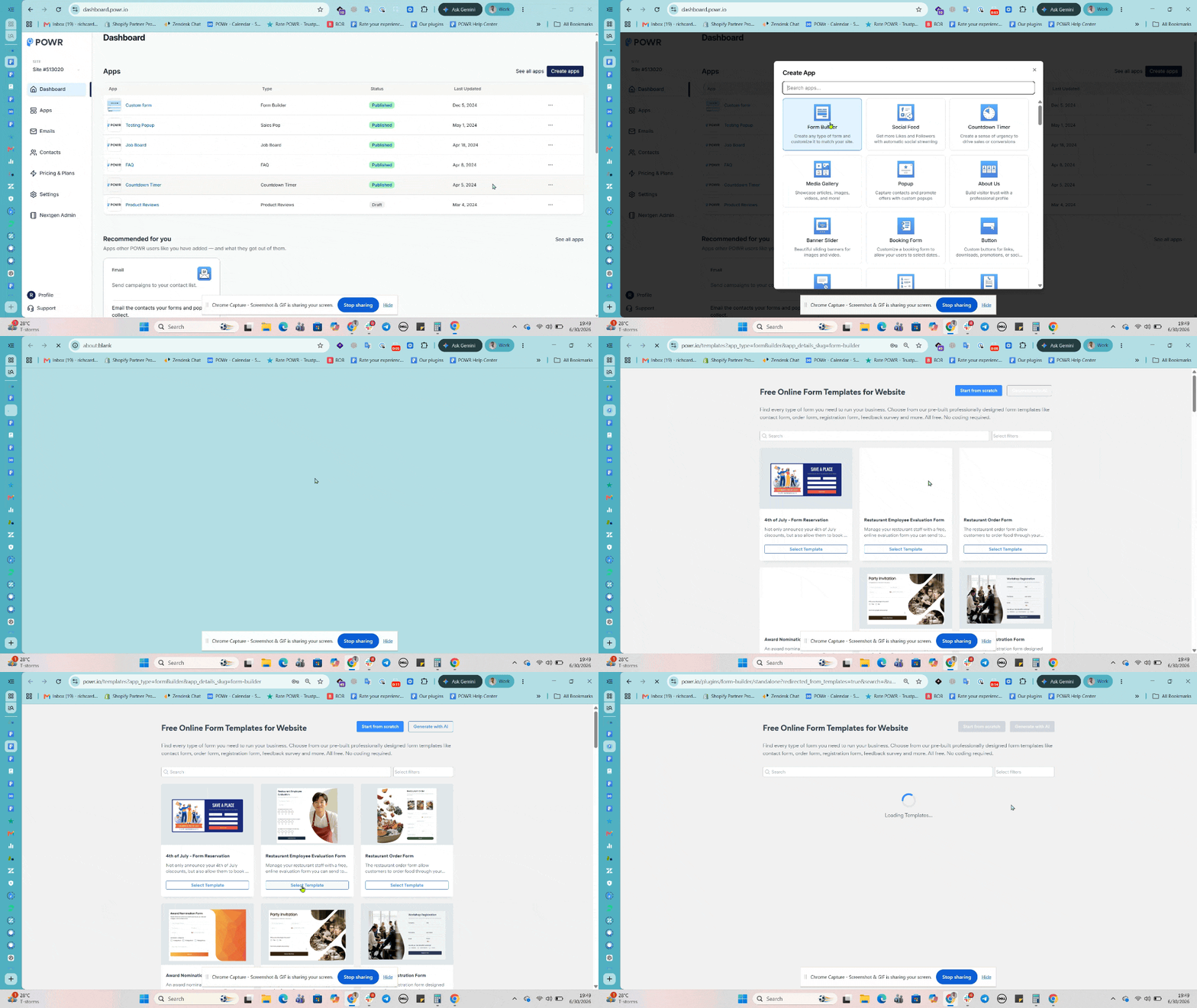
- Log into dashboard.powr.io and click Create Apps (contact support if you need help logging in) If you're using Shopify, Wix or BigCommerce, you can install the form directly from your platform's app market using the following link (Shopify - Wix - BigCommerce).
- Click the "Form Builder" app from the list
- Choose a template or start from scratch
- Once in the app editor, use the "Form" tab in left panel to edit and add the fields/elements you need (e.g. Name, Email, Dropdowns, File Upload, etc.).
- Head to the "Settings" tab to configure email notifications, integrations, behaviors and more.
- Click "Payment" to connect with Stripe and/or PayPal to receive payments, and Design for further customization.
- Once you're done editing, click Publish at the top right of the screen, then follow the instructions to install the form on your website or share with others.
Key Features and Benefits
Here are some standout features that make POWR Form Builder popular:
- Built-in fields/elements — no technical skills needed
- File uploads — allow users to submit images, PDFs, and documents
- Payments — collect payments, donations, or orders using PayPal or Stripe
- Conditional logic — show or hide fields based on user responses
- Autoresponder emails — send instant confirmation emails to users
- Multi-page forms — organize longer forms across multiple steps
- Integrations — connect with Klaviyo, Mailchimp, Zapier, Google Sheets, and more
- Custom design — fully match your brand using layouts, colors, fonts, and button styles
Want to remove POWR branding or unlock advanced features? See POWR Form Pricing here.
Adding Form Elements
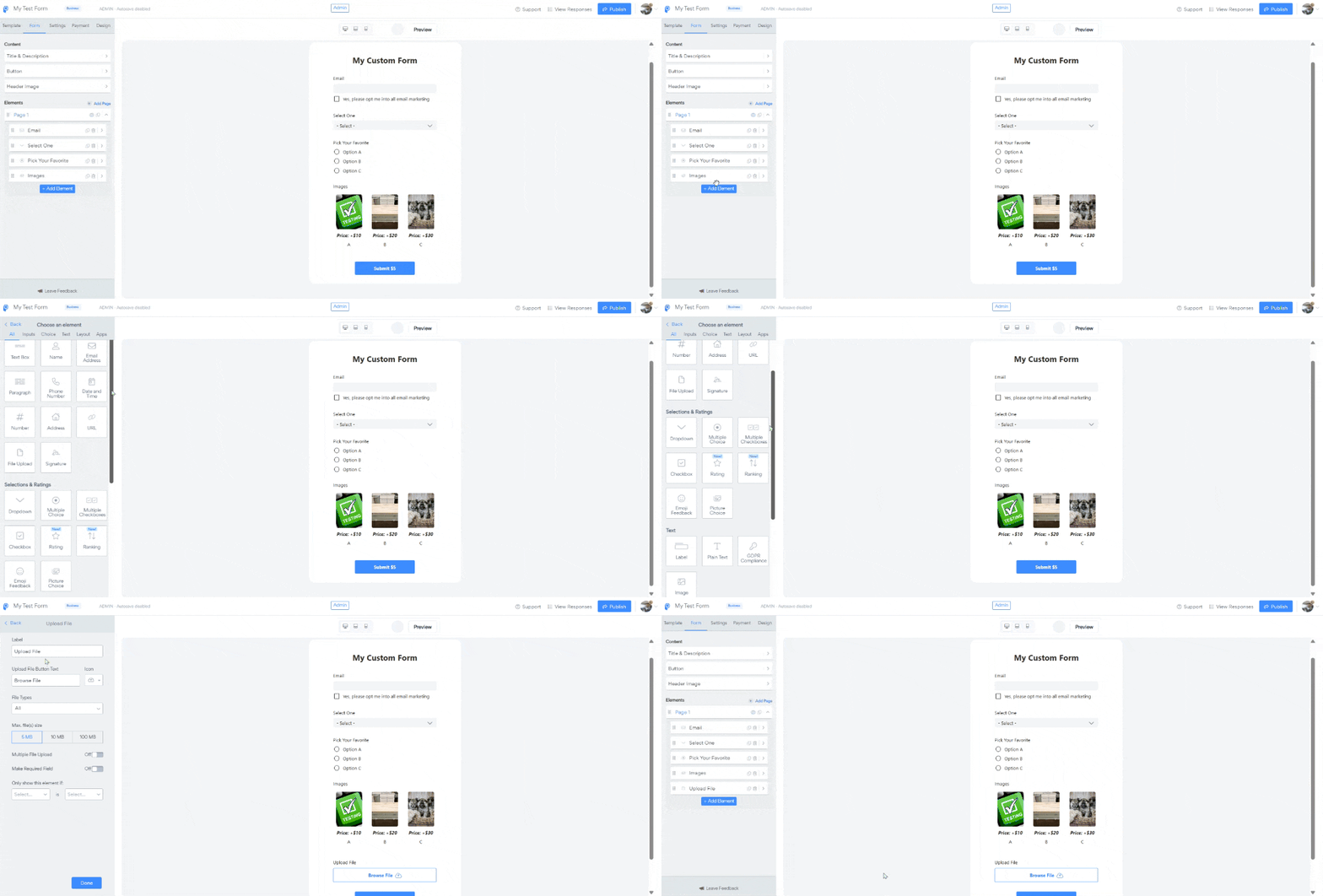
Form elements or fields are the basic units of a form. They are the information your visitors will fill out. You can add form elements to collect text, emails, dates, multiple choice answers, numbers, and more. To add a new form element, head to the "Form" tab in the left panel and click Add Element. Then select the type of element you want from the emerging window.
Common Questions
- How do I rearrange elements? - Can I make certain fields required? - Can I create multiple choice questions? - Can I collect numbers? - Can I use Multi-steps/pages in my forms? - Can I change the color of the text? - Can I limit form fields to 50 characters? - Can I add images to the form? - Can I create side-by-side elements?
Setting Up Email Alerts
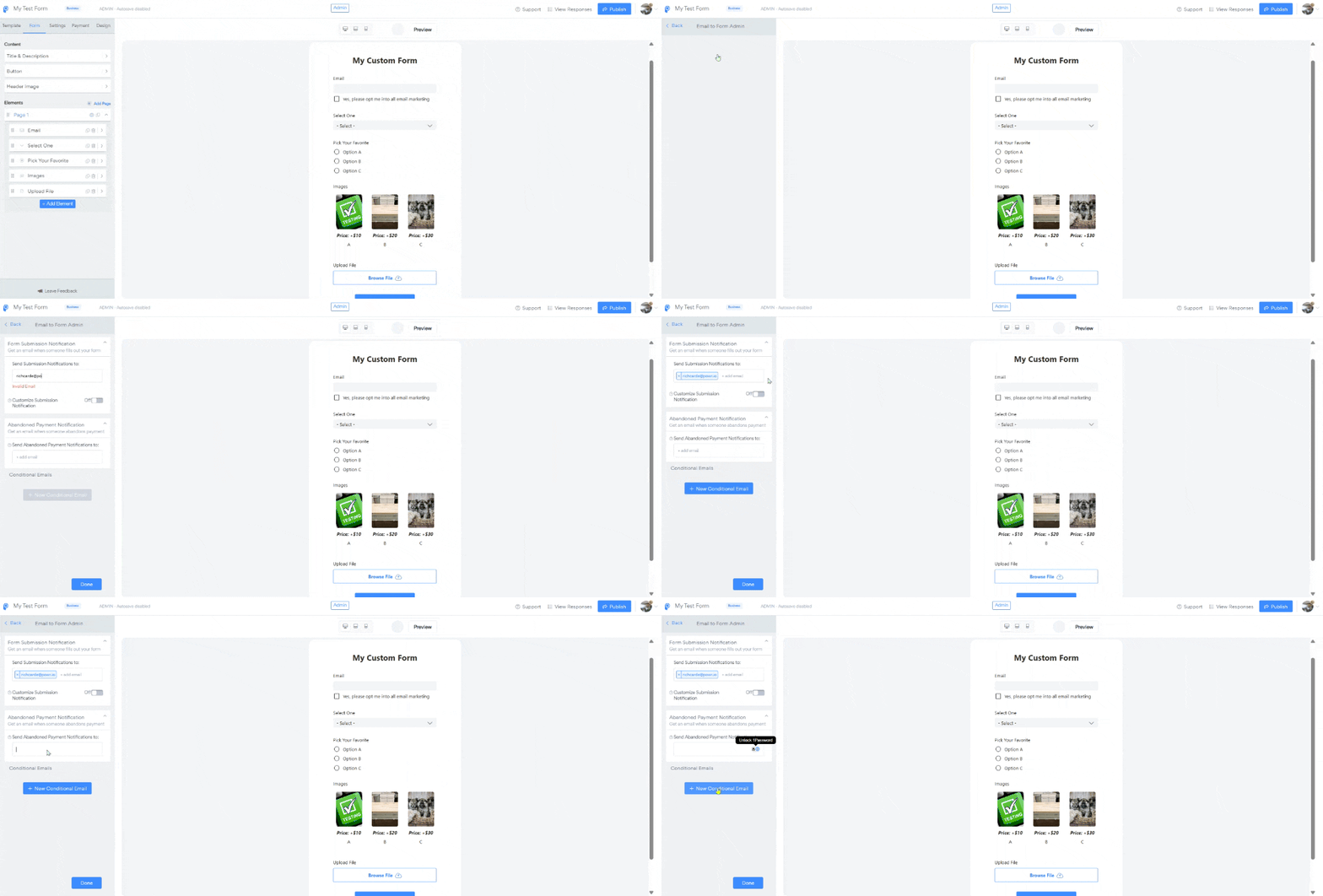
You have the option to receive instant notification emails when a visitor fills out your form and for any abandoned payement. You can set this up under the Settings --> Notifications --> Email to Form Admin by entering your email address. A confirmation email will then be sent right away. If not, try to remove and re-enter the email or contact support.
Common Questions
- Where can I view and export my form responses? - I'm not receiving the email alerts
Requiring Payments
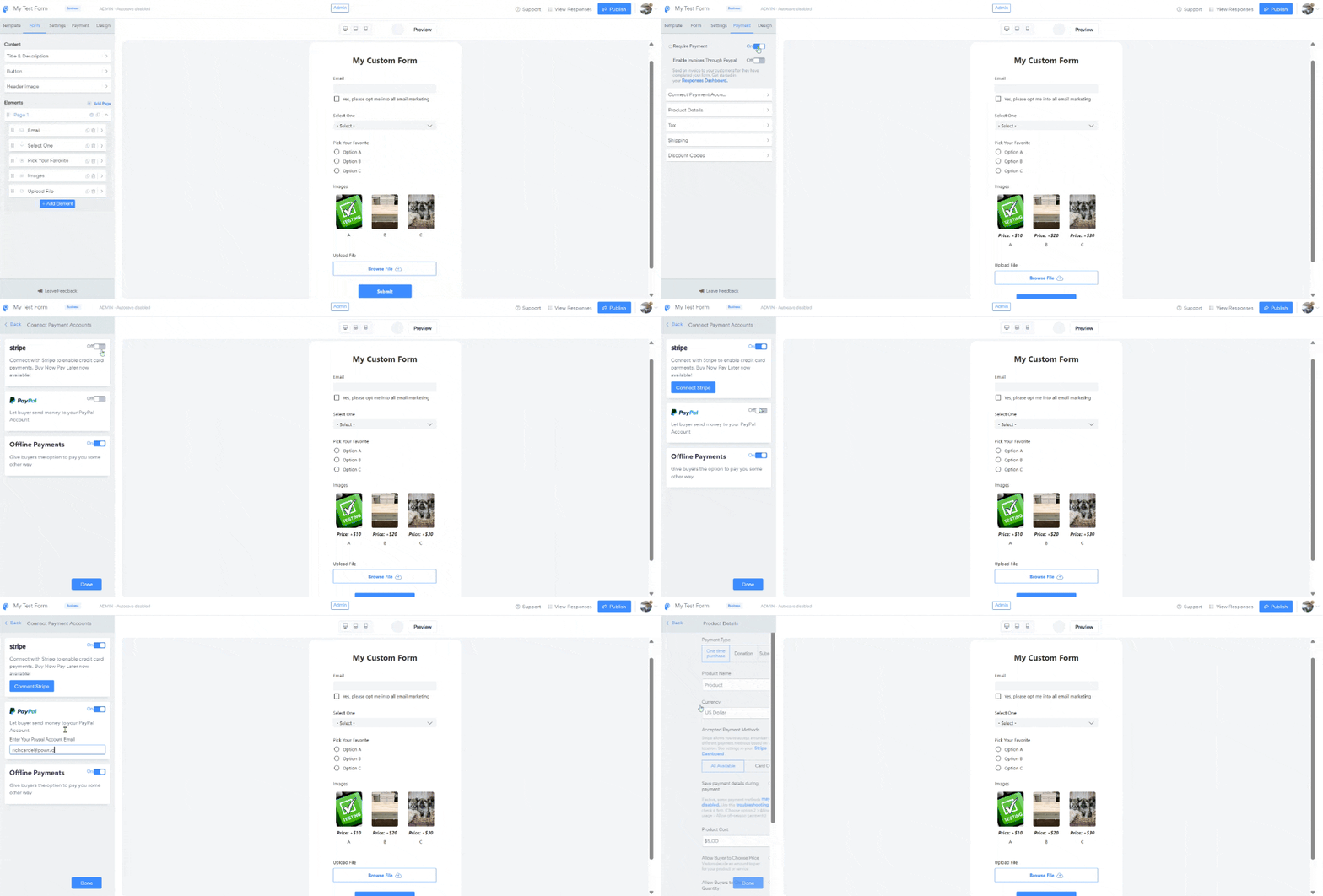
With POWR forms, you can accept payments through Stripe and PayPal either as fixed costs or subscription based pricing. Just toggle on the Require Payment option under the Payment tab to connect your Stripe/PayPal account. Click into each of the sections to fill out the necessary details to sell your product or service. The payment type (one-time payment, donation or recurring subscription) can be selected from the Product details section.
Common Questions
- How do I set up payments - How do I sell subscriptions? - How do I add different pricing options? - Can I collection donations?
Integrations
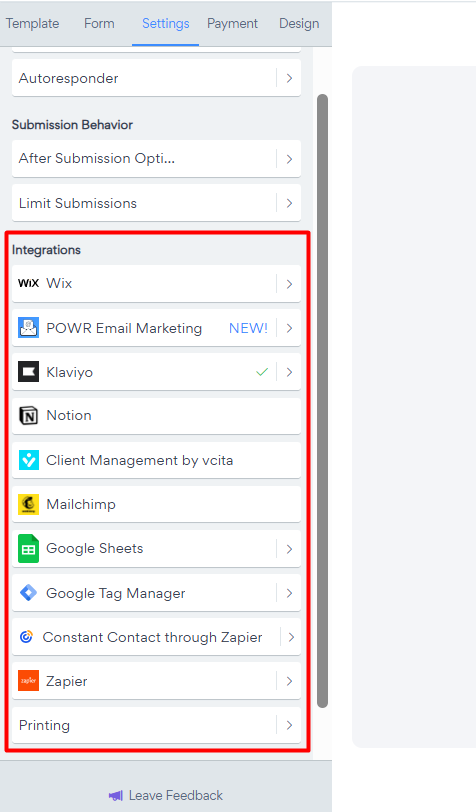
Still under the Settings, we offer a list of integration options such as Google Sheets, Klaviyo, Mailchimp, Zapier, Shopify Customers or Wix. However to ensure a seamless integration, we've launched our new Email Marketing app to help you create and grow your mailing list directly from your form submission contacts. Try it out today for free and send up to 10,000 emails per month!
Common Questions
- Integrate with Email Marketing app - Integrate with Klaviyo - Integrate with Shopify Customers - Integrate with Mailchimp
Conditional logic
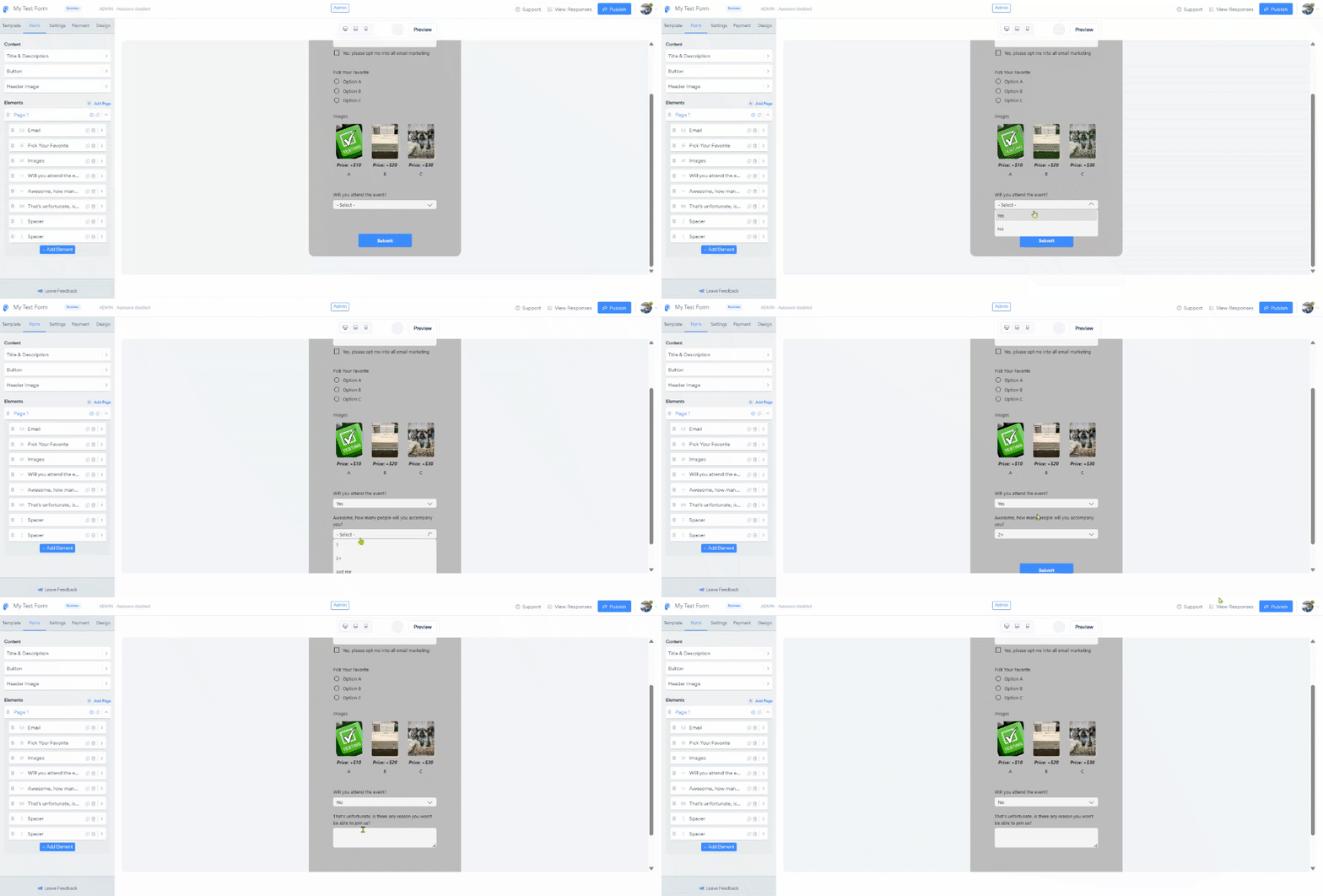
Conditional logic is a feature that allows you to create dynamic, personalized forms that respond to a visitor’s choices in real time. Instead of showing every question up front, you can reveal specific follow-up fields only when they’re relevant — making your form shorter, smarter, and easier to complete.
Think of conditional logic like a branching tree: Each answer a user selects sends them down a different “branch” of the form, unlocking new questions or hiding ones that don’t apply.
Currently, you can create conditional rules based on multiple-choice elements such as Dropdown, Multiple choices, Checkbox.
Common Questions:
- How do I set up conditional logic? - How can I control emails or redirects with conditional logic?
Need Help? Contact Support
If you're having trouble building your form or need help with advanced setup, we're here for you.
Click here to contact our support team
Want to explore premium form features and unlock integrations? Visit our Pricing Page to compare plans.