
How to disconnect Shopify customer integration
In this article group
- How to Approve a POWR Collaborator Request on Shopify
- How to Install POWR Apps on Shopify Using the PageFly Theme Editor
- How to Find Your POWR App ID to Install on Shopify
- Automatic Installation of POWR Apps on Shopify
- How to Install POWR Apps Manually to Custom Locations on Shopify
- How to Install POWR Apps Using Theme App Extensions in Shopify
- How to Remove Old POWR App Code from Your Shopify Theme (Post-December 2023 Update)
- How to collect customers' country (location) in Shopify customers?
- How can I enable Payments in Forms purchased via Shopify
- How to Install POWR apps on Shopify (Automatic and Manual methods)
- How to disconnect integration with Omnisend
- How to sync My Contacts with Omnisend for Shopify Users.
- My users are not getting tagged as 'subscribed' on Shopify Customer List
- How To Install POWR on PageFly
- Sync My Contacts with Google Sheets
- Sync your POWR Popup or Form with Shopify Customers
- Advanced Shopify install: Add apps to your Products
- How to use POWR on Shopify
- How to uninstall POWR from Shopify
- App still appears after uninstalling from Shopify
- White space on Homepage after uninstalling POWR from Shopify
- Adding POWR apps to a Shopify Theme with Custom liquid
- Adding POWR to a Shopify Homepage Section
- Countdown Timer Compatibility with Shopify Debut Theme
- App too small on Shopify page with width=100%
- Pay for your POWR subscription with Shopify
- Using POWR Popup in Shopify
If you want to disconnect the Shopify Customer Integration, please follow these steps:
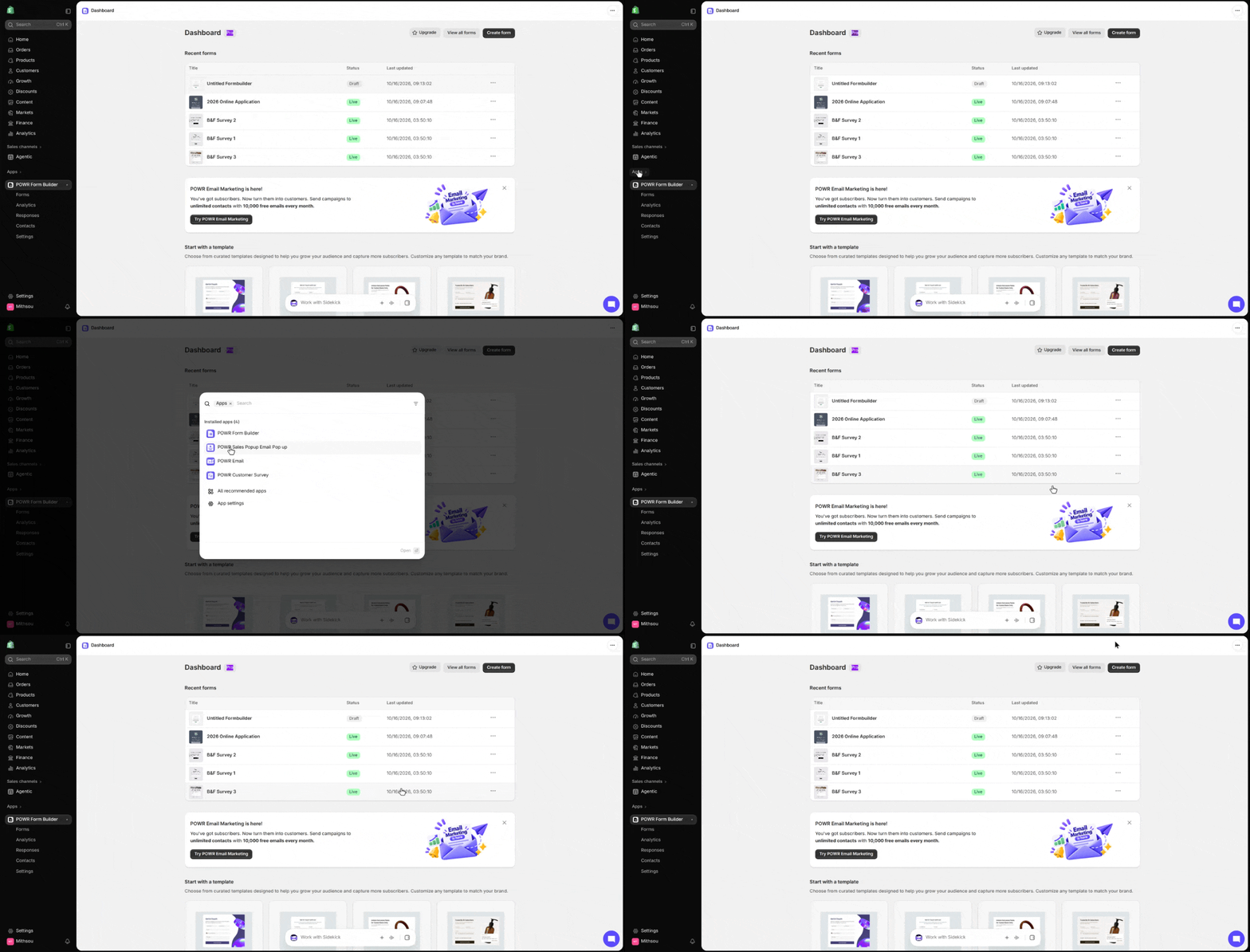
Log in to your Shopify store
Go to Apps> POWR Form Builder> and click on any of your forms
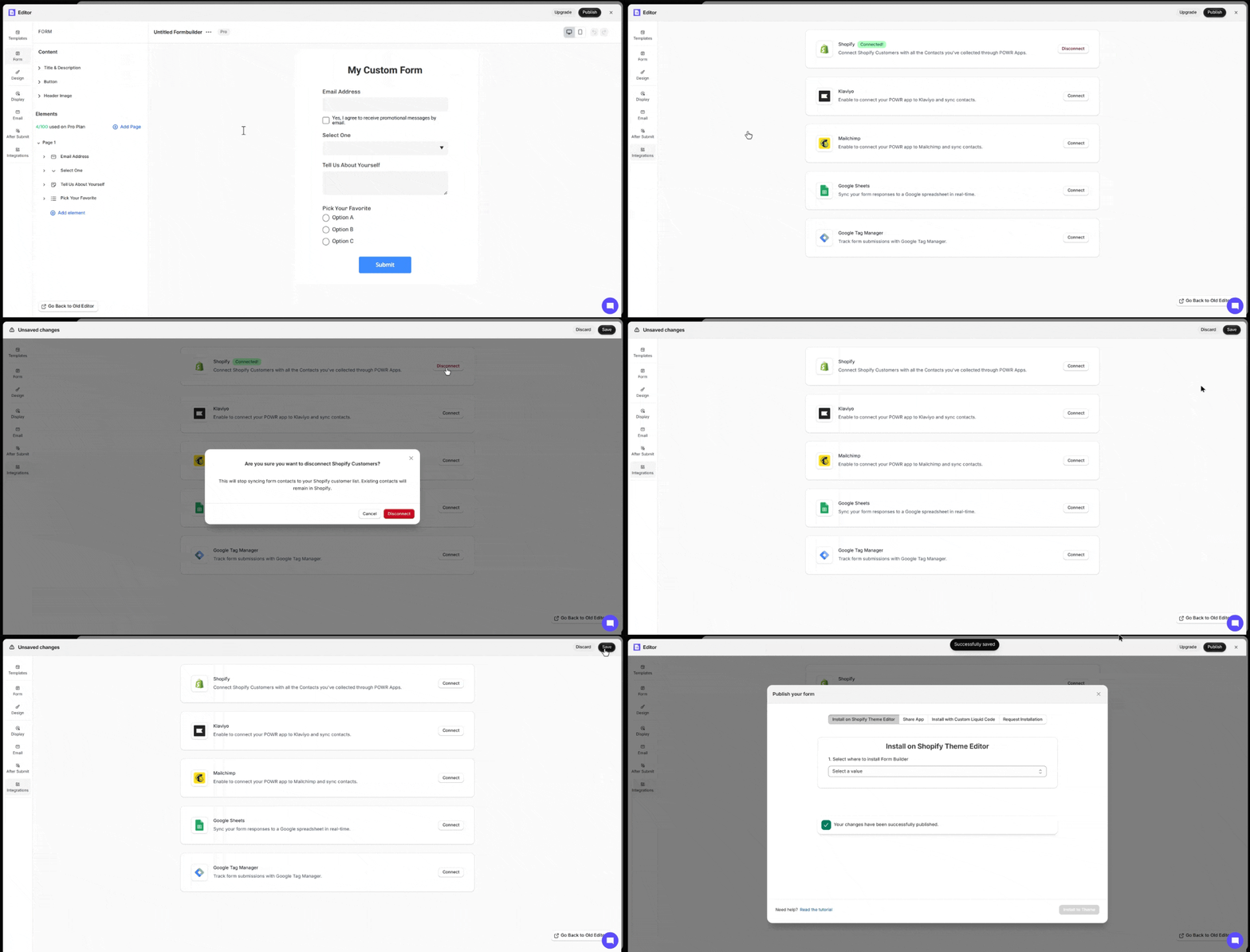
Once you're in the editor, click Integration on the left side
Go to Shopify and click Disconnect. A pop-up window will display asking: "Are you sure you want to disconnect Shopify Customers?"
Click Disconnect one more time
Click save/Published to save the changes
Need Help?
If you need any help or have any questions about our Form Builder, our support team is happy to help.
👉 Contact our support team
When contacting us, you'll be prompted to authenticate your email by signing in, and a confirmation code will be emailed to you. This helps ensure our support team's reply will be delivered to you with no issues.
For more information about available features, visit our Pricing Page:
https://www.powr.io/pricing