
My users are not getting tagged as 'subscribed' on Shopify Customer List
POWR doesn't auto-tag users as "subscribed." A user is tagged only if they check the opt-in checkbox on a form or popup, so the checkbox has to be enabled in the app first:
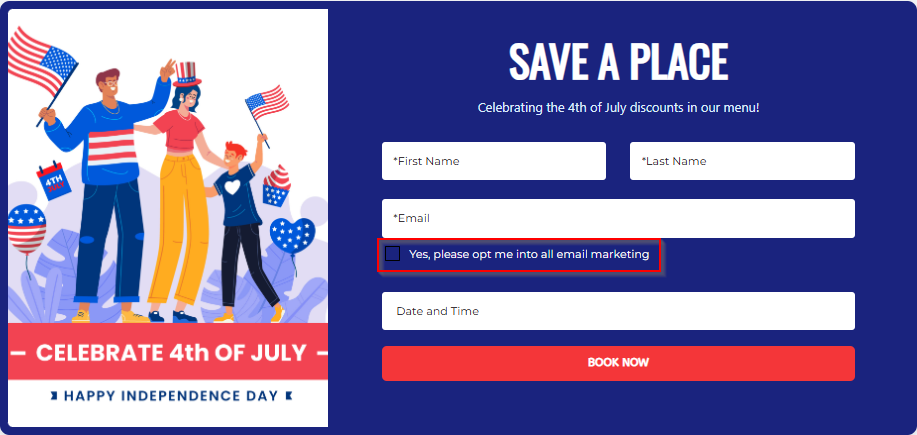
How to make users tagged as "subscribed" on Shopify Customers list?
This can be set in the POWR editor
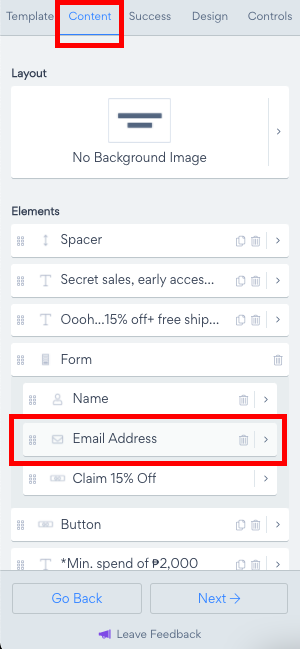
Choose the Content tab
Click on Email Address
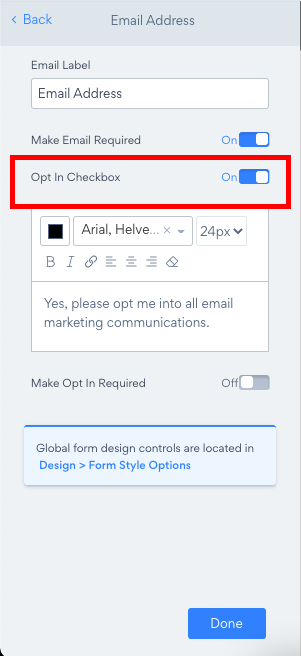
Toggle on Make opt-in required.
Need Help?
If you need help or have questions about our apps, our support team is happy to assist.
👉 Contact our support team
When you contact us, you'll be prompted to authenticate your email by signing in, and we'll email you a confirmation code. This helps ensure our support team's reply reaches you without issues.
For more information about available features, visit our Pricing Page:
https://www.powr.io/pricing