
How To Install POWR on PageFly
To install POWR Apps on PageFly, please follow the following steps:
Go to PageFly, click

to add an element.
Find and drag the HTML/Liquid region onto the page.
On the right side of the page, open the Code Editor
Paste the embedded CSS code, then Save & Close
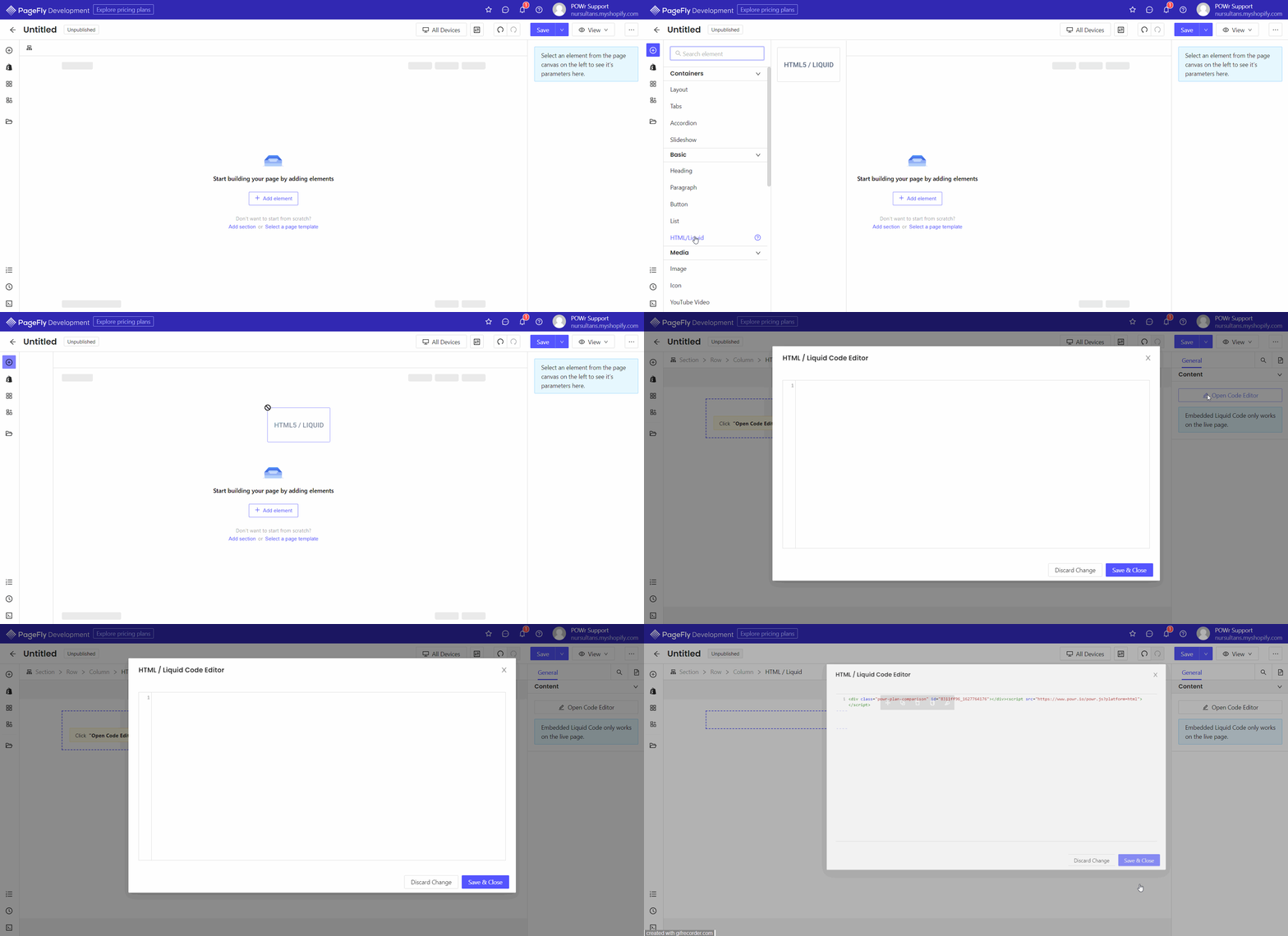
Please be informed that Embedded Liquid Code only works on the live page.
Need Help?
If you need help or have questions about our apps, our support team is happy to assist.
👉 Contact our support team
When you contact us, you'll be prompted to authenticate your email by signing in, and we'll email you a confirmation code. This helps ensure our support team's reply reaches you without issues.
For more information about available features, visit our Pricing Page:
https://www.powr.io/pricing