
Advanced Shopify install: Add apps to your Products
Taking your Shopify store to the next level often means going beyond the basics — and one of the most impactful ways to do that is by adding POWR apps directly to your product pages. Whether you want to display a contact form, a FAQ section, a countdown timer or a social feed alongside your products, embedding POWR apps on individual product pages gives your customers a richer, more engaging shopping experience. While this is considered an advanced installation, it's more straightforward than it might sound — and in this article we'll walk you through exactly how to get it done step by step.
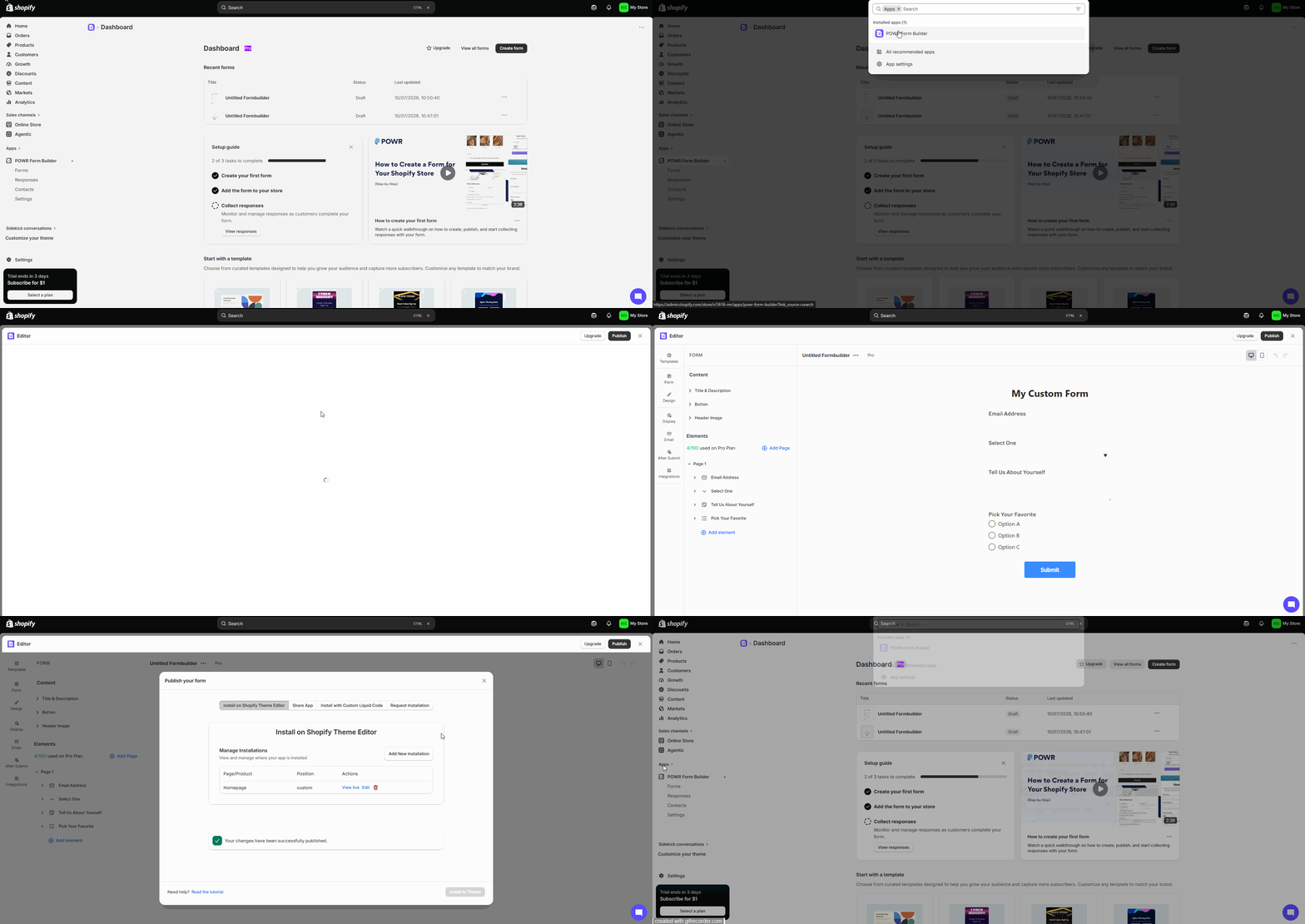
To install your POWR app on a specific product page, please follow the steps below:
1. Log into your Shopify Store
2. Locate and select your POWR app
4. Select the POWR app instance you would like to install. This will open up the POWR app editor.
5. Select Publish/Add To Site.
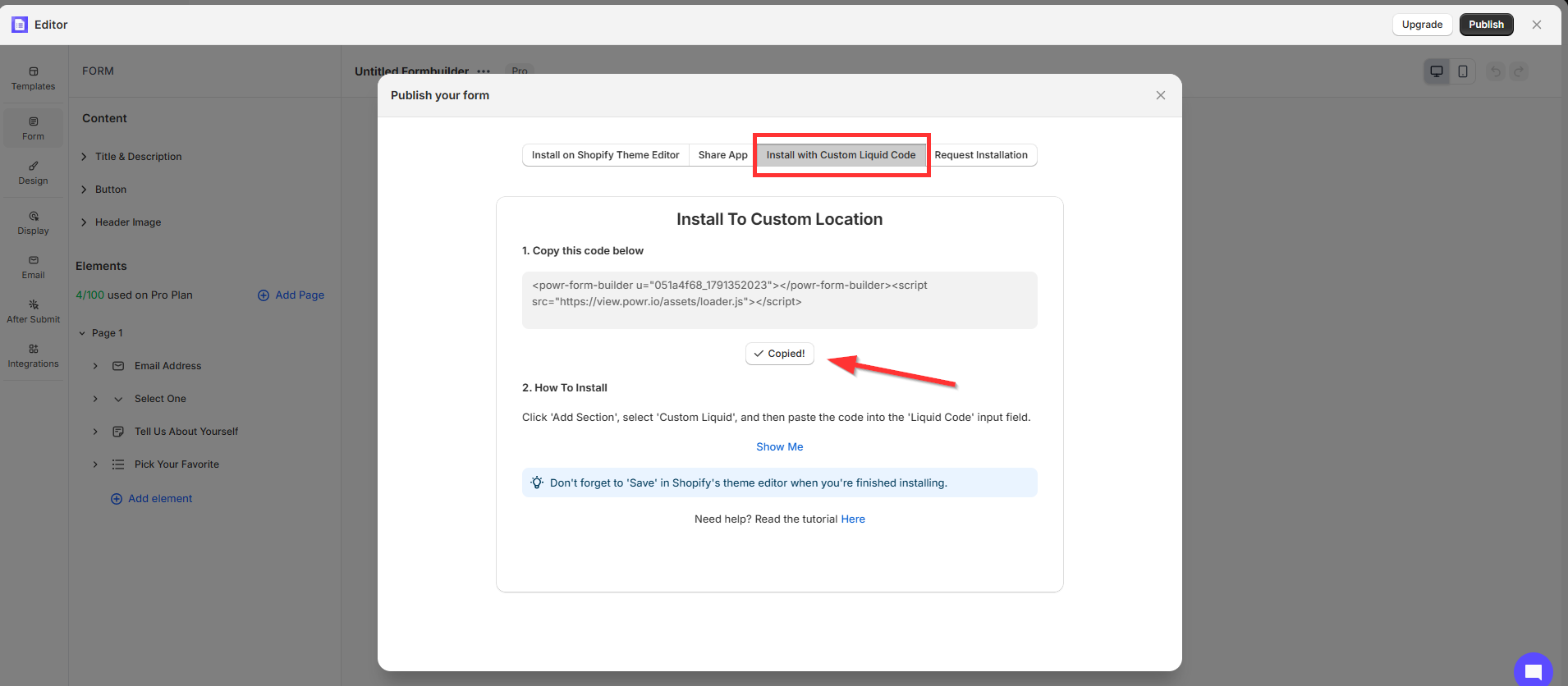
6. Copy the HTML shortcode.
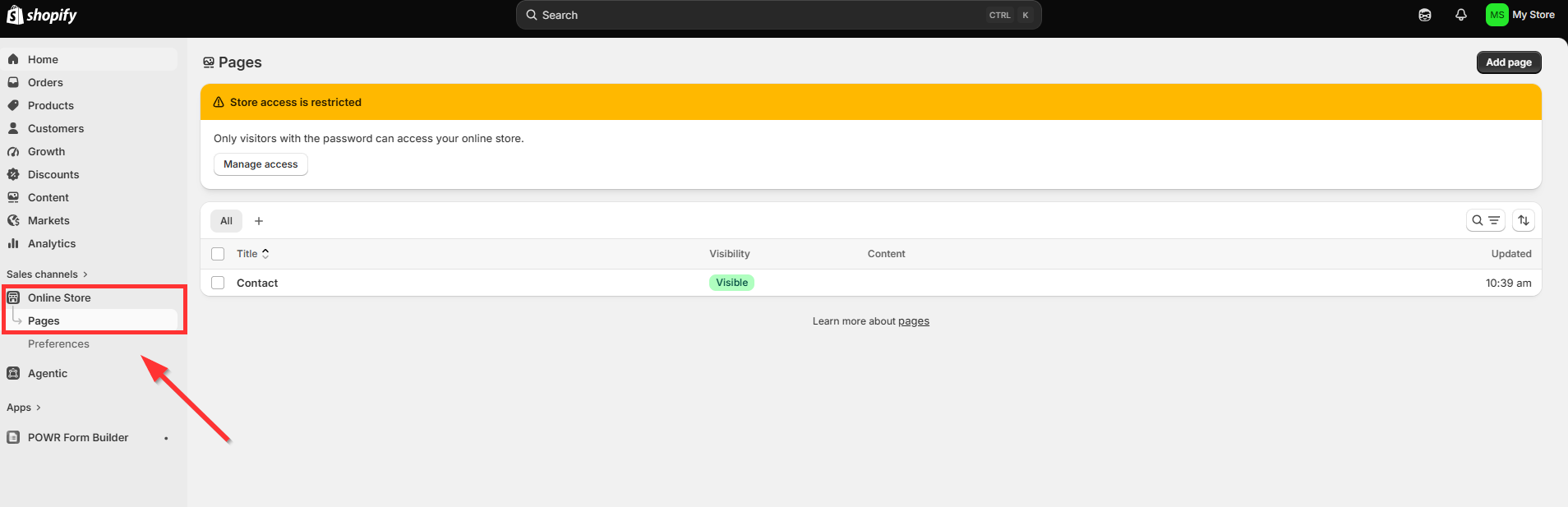
7. Locate your Product Page by going back to your Shopify Store and selecting Products.
8. Enable HTML by clicking the < > icon to the top right-hand corner of your Description box.
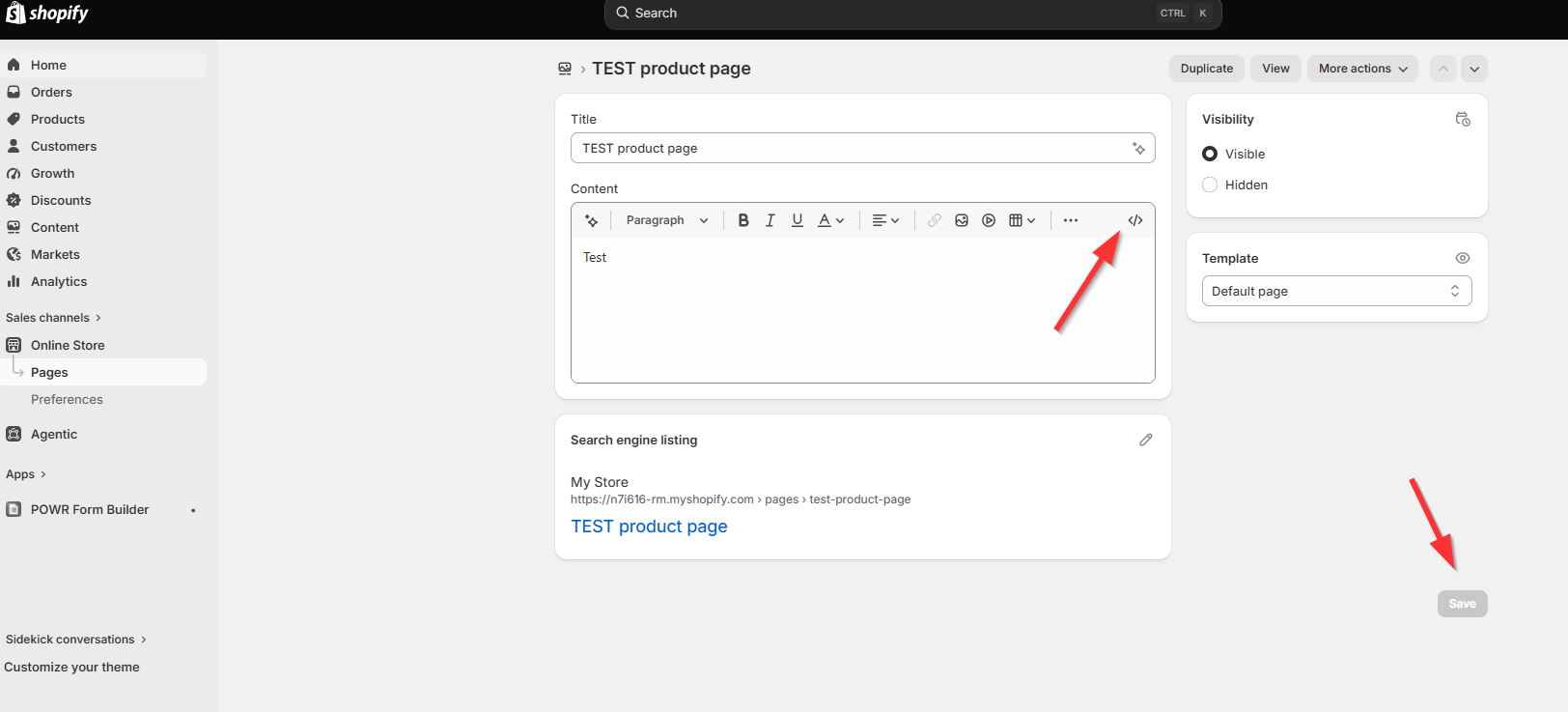
9. Paste your HTML shortcode in the Description box.
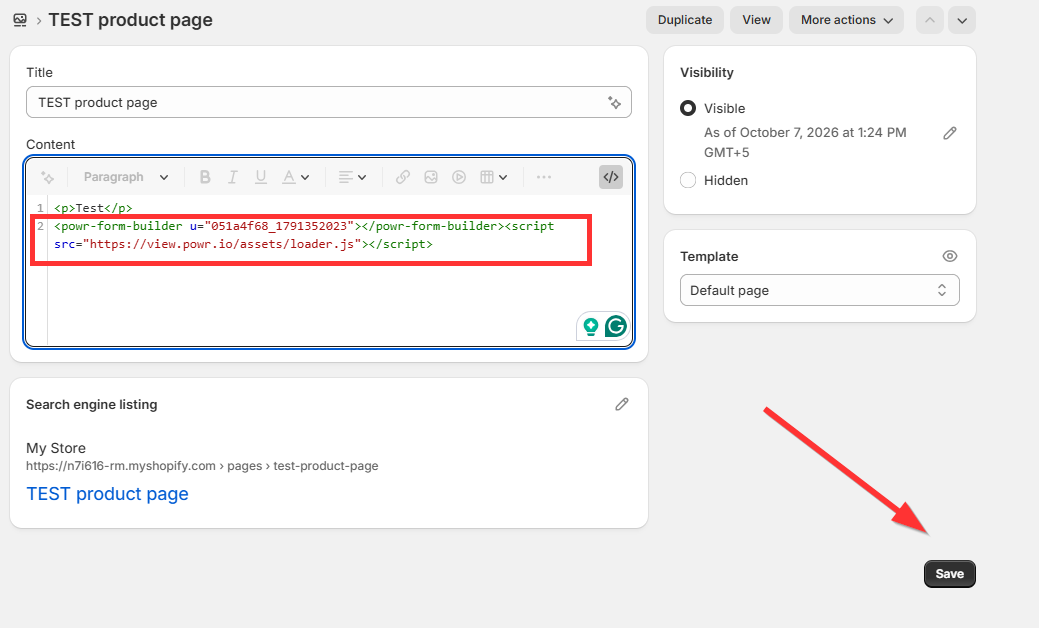
10. Save.
If you would like your POWR app to appear on multiple product pages with different content on each, please ensure that you create a separate app instance for each product page. This will allow you to customize the information displayed independently for each product.
Adding POWR apps to your Shopify product pages is a powerful way to enhance the shopping experience and give your customers everything they need right where they're making their purchasing decisions. Whether it's answering frequently asked questions, showcasing social proof or capturing leads directly on the product page, the possibilities are virtually endless. If you run into any trouble during the installation or need a hand getting things set up just right, our support team is always here and happy to help — don't hesitate to reach out!
Need Help?
If you need any help or have any questions about the POWR app, our support team is happy to help.
Contact our support team
When contacting us, you'll be prompted to authenticate your email by signing in, and a confirmation code will be emailed to you. This helps ensure our support team's reply will be delivered to you with no issue.
For more information about available features, visit our Pricing Page:
https://www.powr.io/pricing