
How to Remove Old POWR App Code from Your Shopify Theme (Post-December 2023 Update)
Starting in December 2023, Shopify officially deprecated its legacy API that allowed automatic installation and removal of third-party app code, including POWR apps. As a result, you can no longer use the old auto-install/uninstall method for POWR apps.
If you installed a POWR app before this change, you'll need to manually remove its code from your Shopify theme to fully uninstall it from your store.
Why the Old Installation Flow No Longer Works
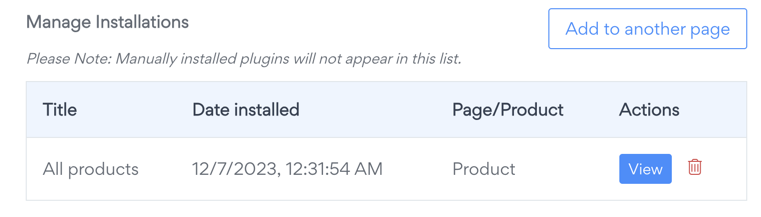
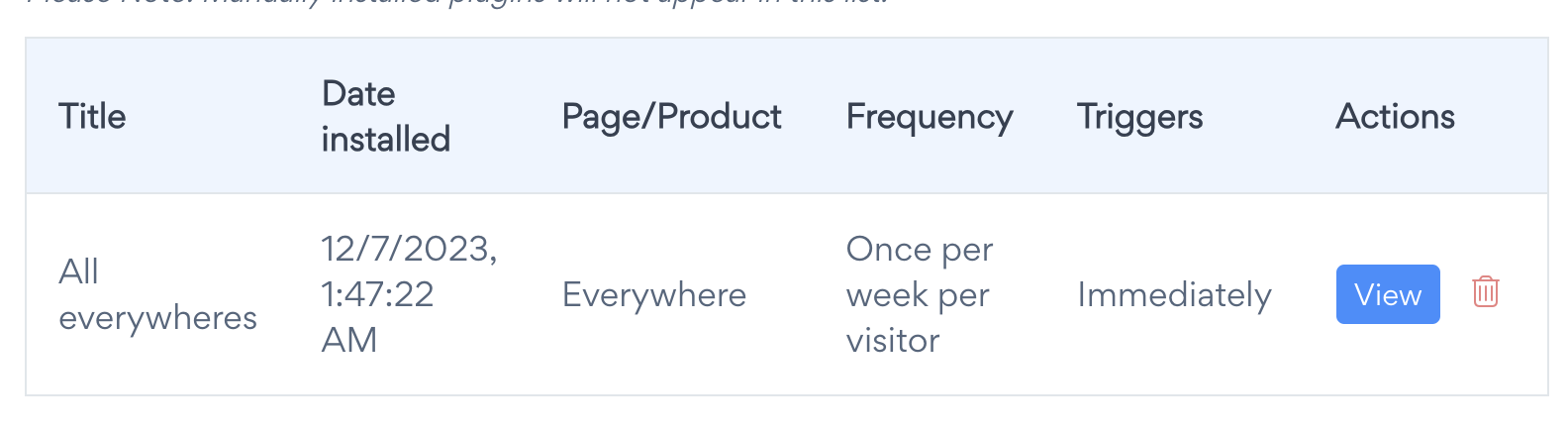
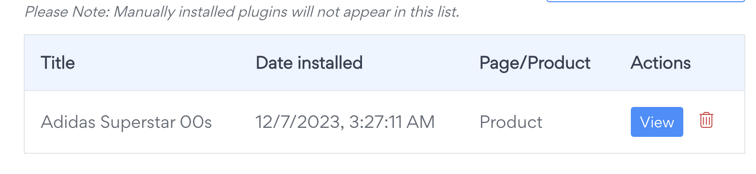
Previously, POWR apps could auto-install into your Shopify theme using the legacy API, and you may have seen a screen like this:
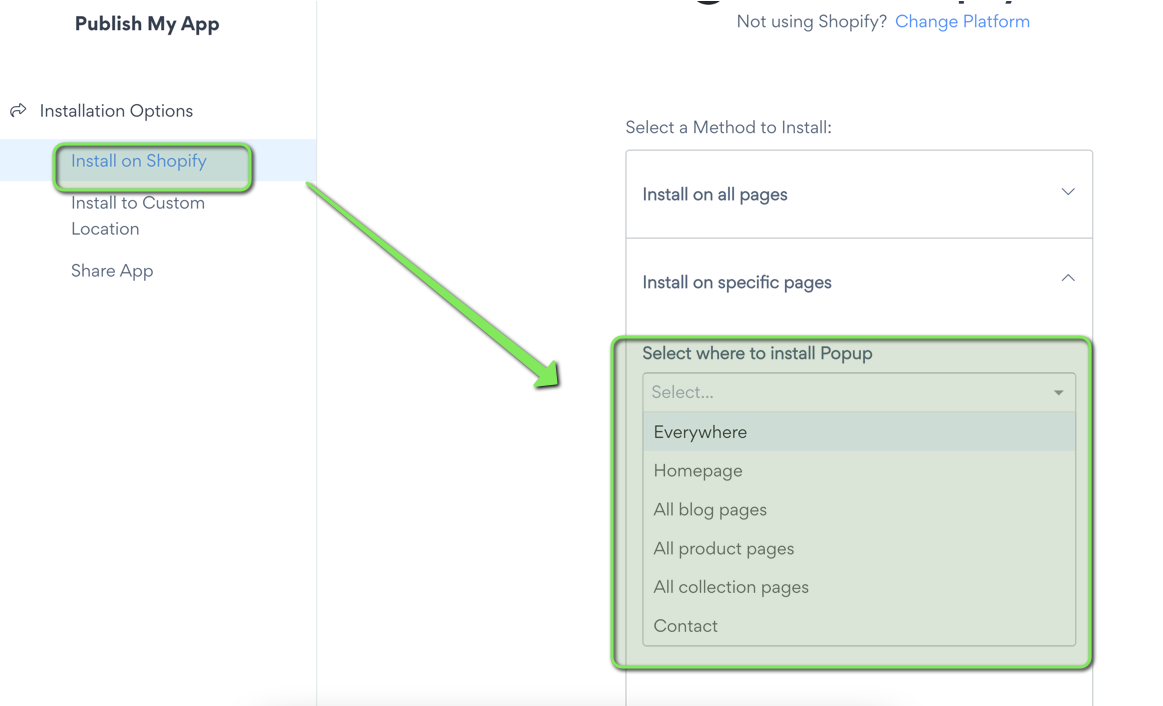
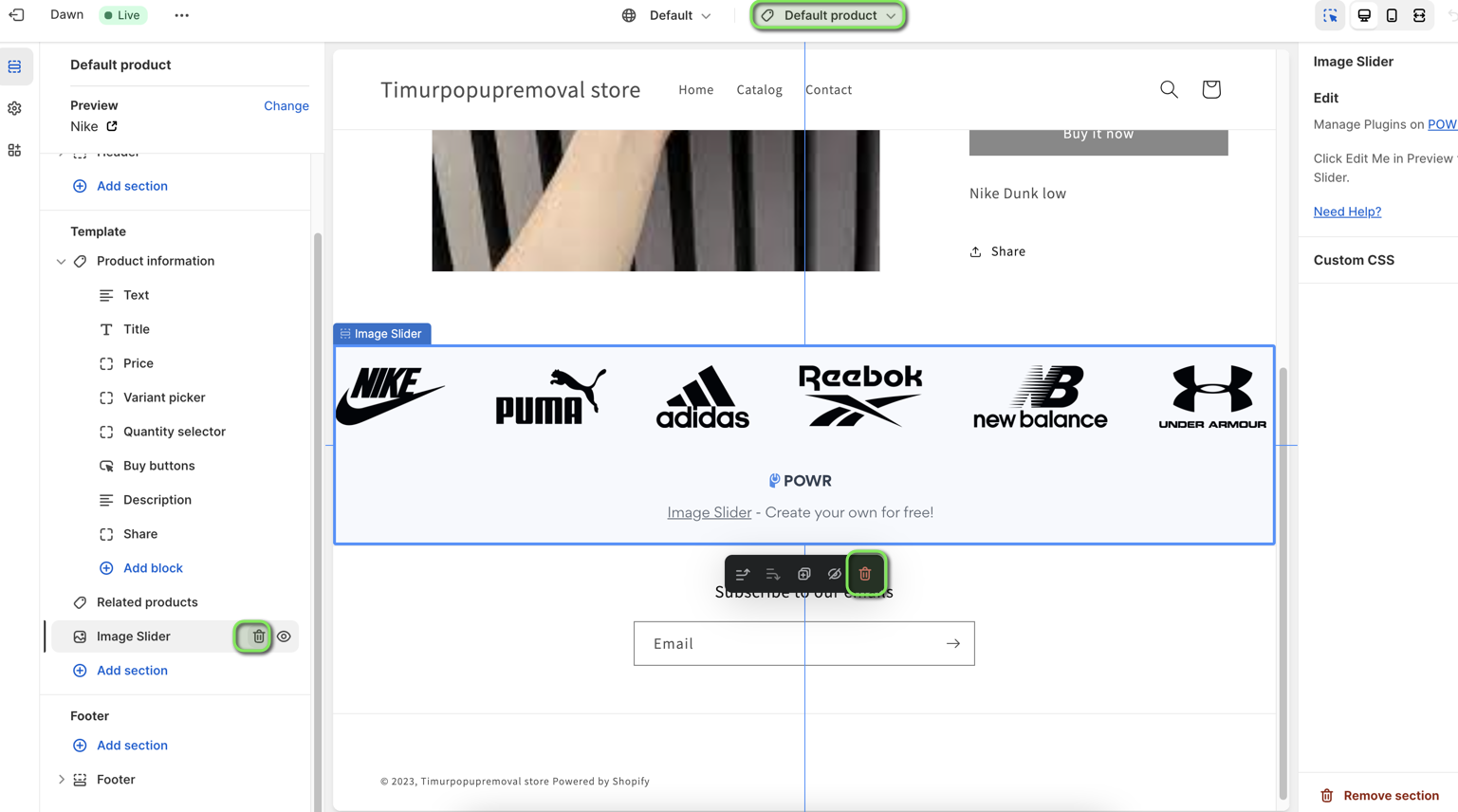
and removing the app flow looked as below:
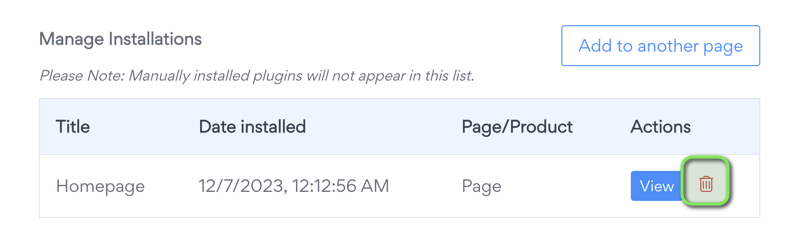
But with the API shutdown, this auto-installation/removal flow is no longer supported. That means:
POWR code is no longer automatically added or removed
You’ll need to manually remove any leftover code if the app was installed before the update
How to Remove POWR Code from Your Shopify Store
Follow the instructions below based on where your POWR app was installed:
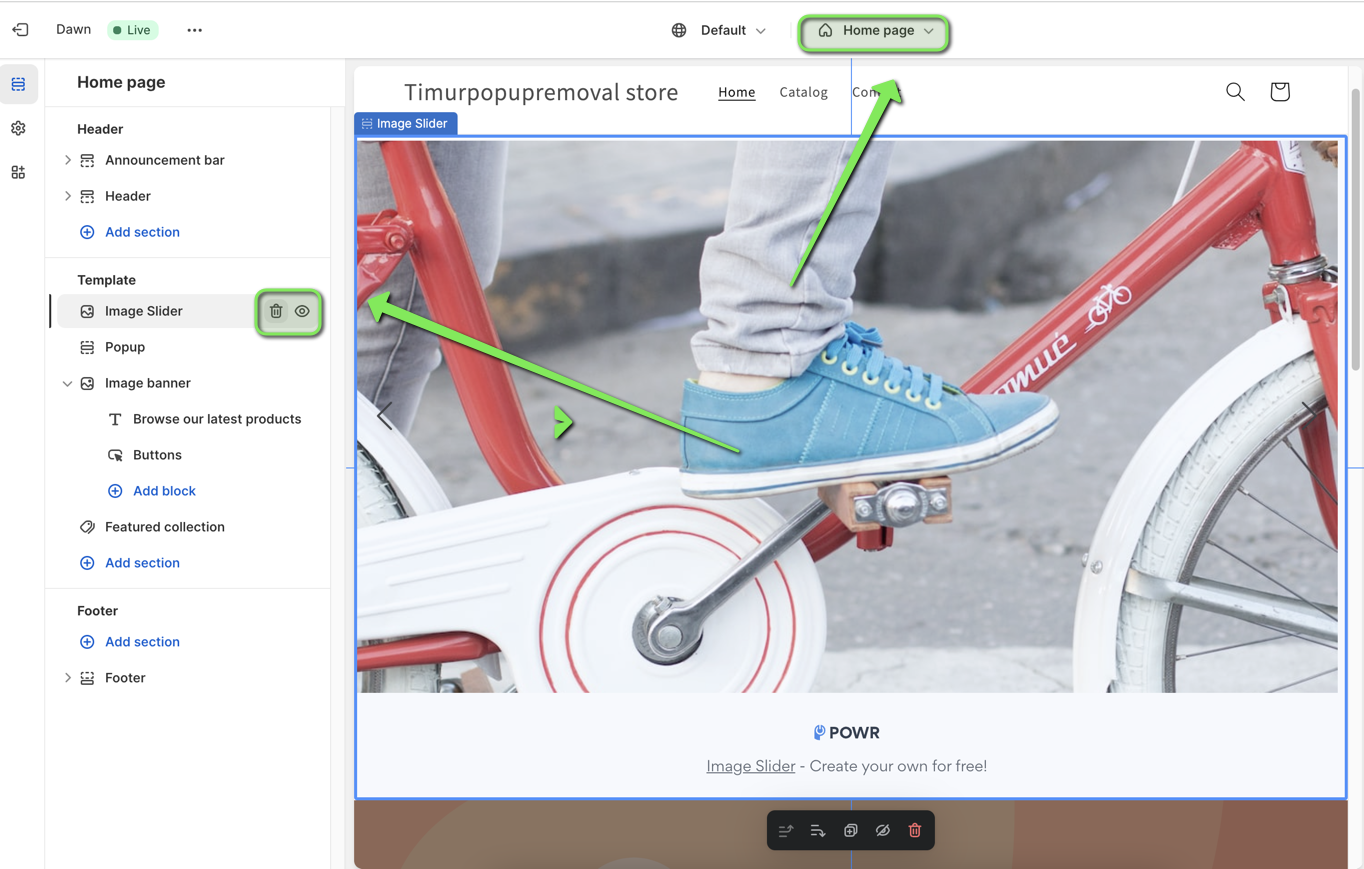
🔹 If the app was installed on your Homepage
Go to Online Store > Themes > Customize.
Select the Homepage.
Look for the POWR app section and click Remove Section.
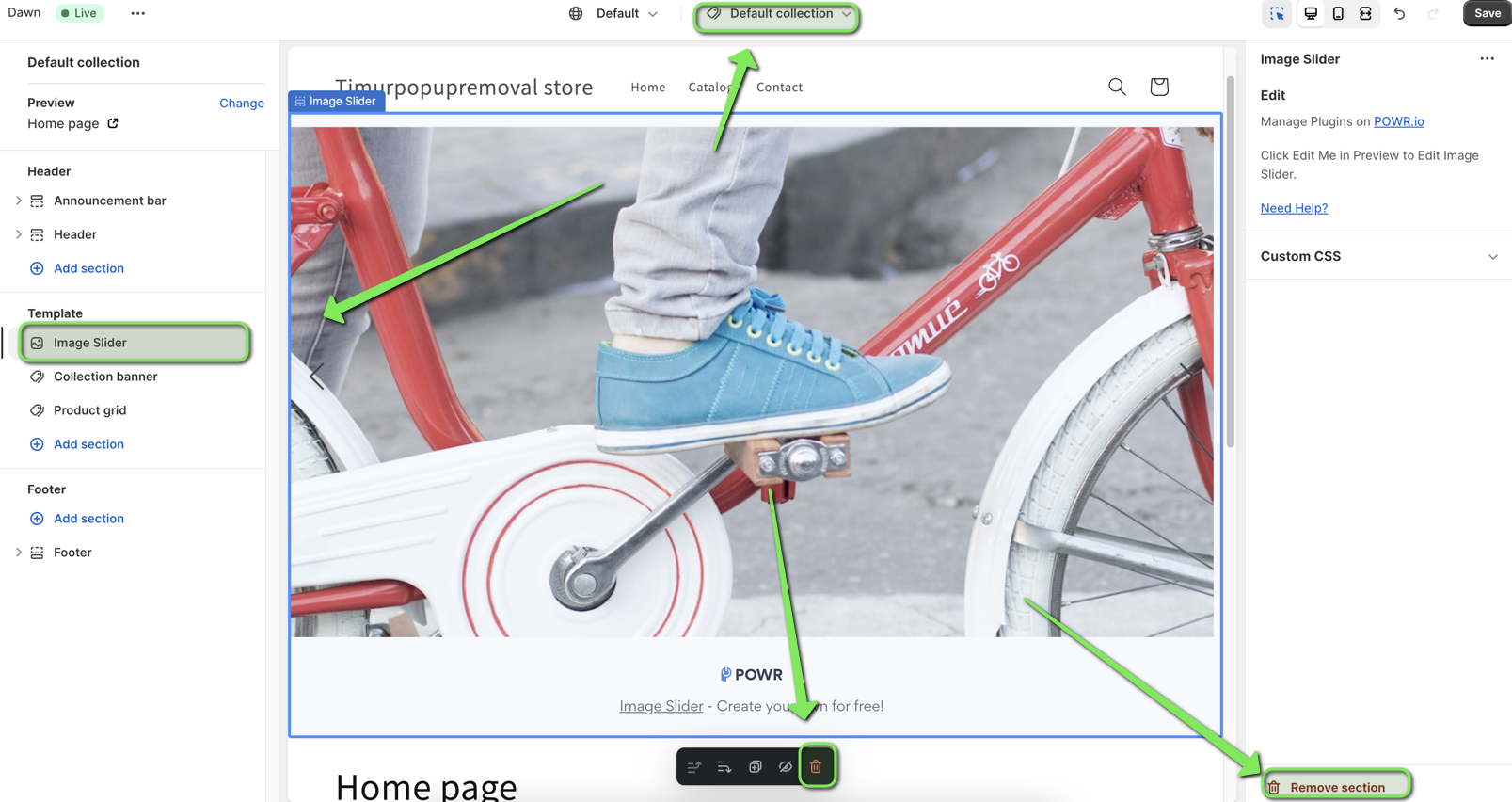
🔹 If the app was installed on all Collection Pages
Go to Online Store > Themes > Customize.
Open the Collection Pages section.
Find and remove the POWR app block.

🔹 If the app was installed on all Product Pages
Go to Online Store > Themes > Customize.
Open the Default Product Page.
Remove the POWR section or app block.
🔹 If the app was installed on All Pages (e.g., Popup or Form Builder)
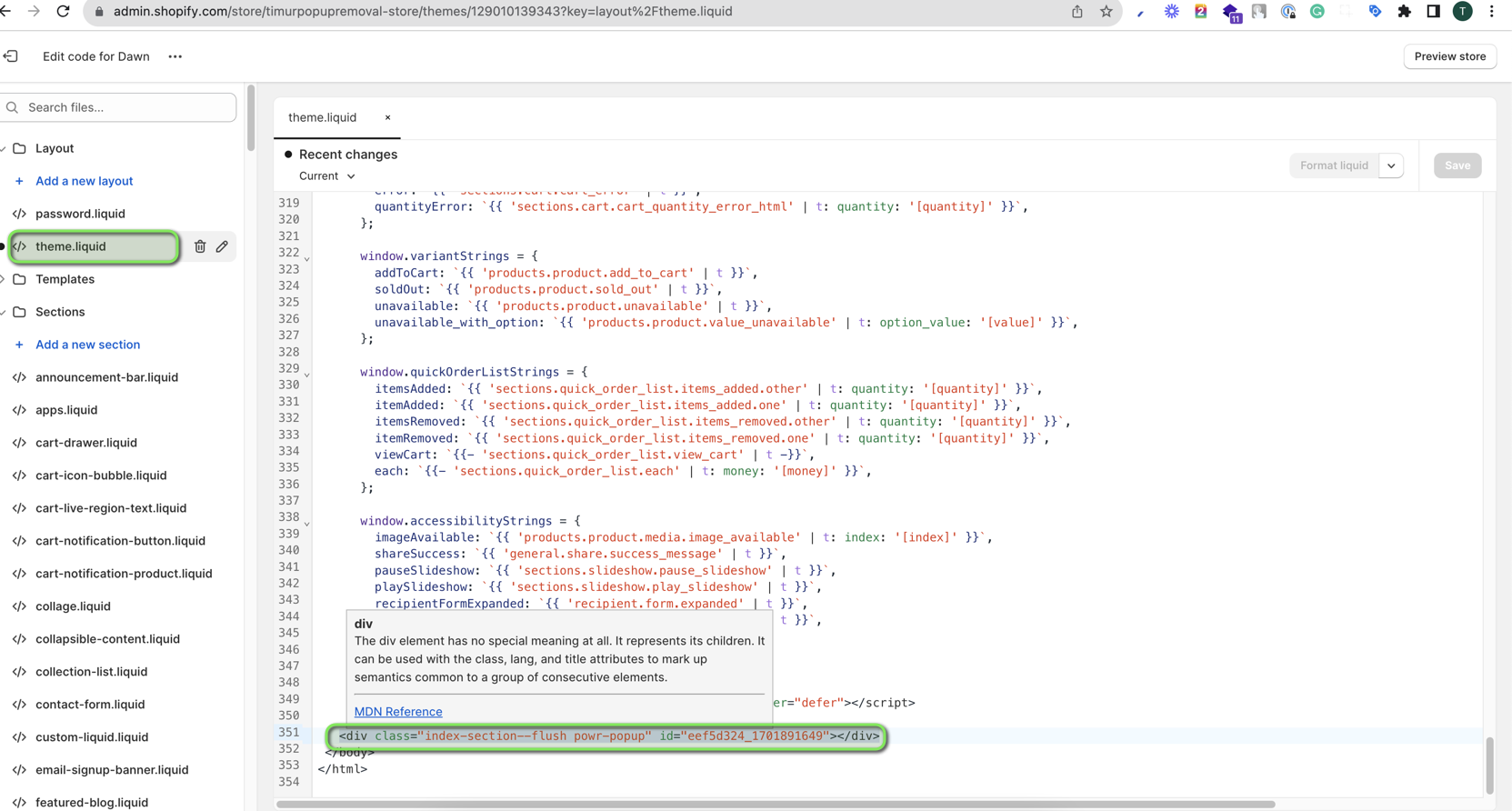
Go to Online Store > Themes > Edit Code.
Open your
theme.liquidfile.Scroll to the very bottom and locate a line like:
<div class="Index-section--flush-POWR popup">...</div>Delete this line of code.
Save the changes.
🔹 If the app was added to a Single Product Page
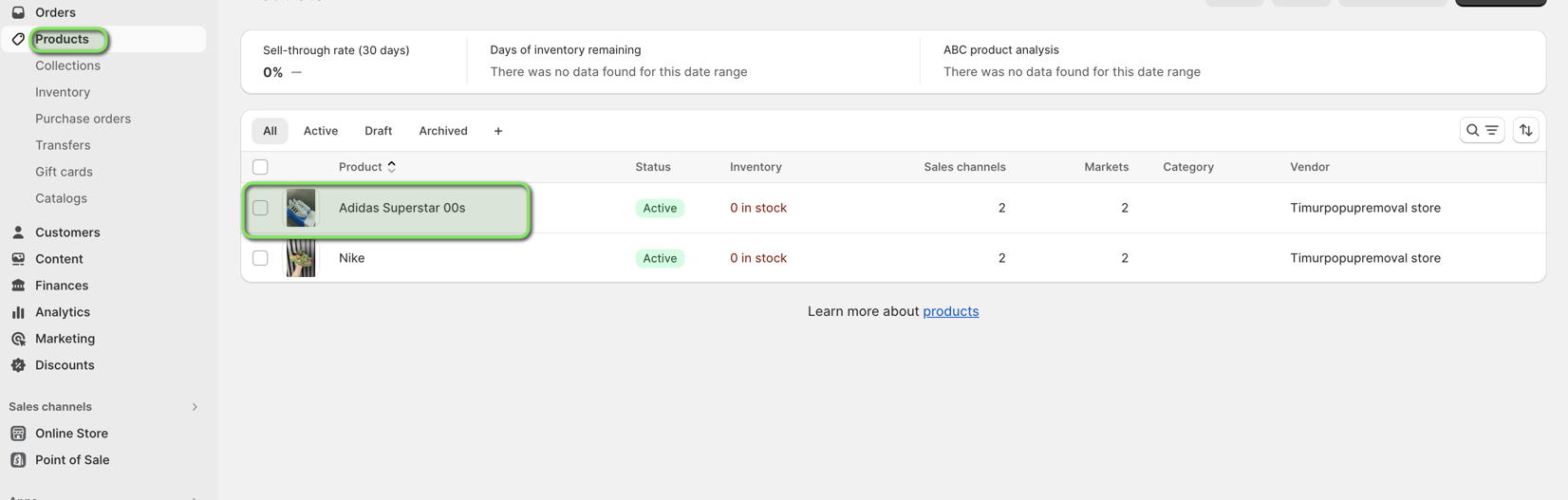
Go to Products in your Shopify admin.
Click on the specific product.
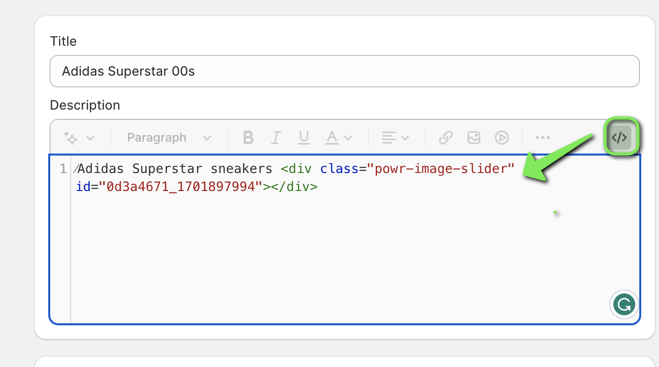
Scroll to the Description section and switch to HTML view.
Find and delete the POWR embed code (it starts with
<div class="powr-...">).Save your product
🔹 If the app was installed on your Contact Page (or other custom pages)

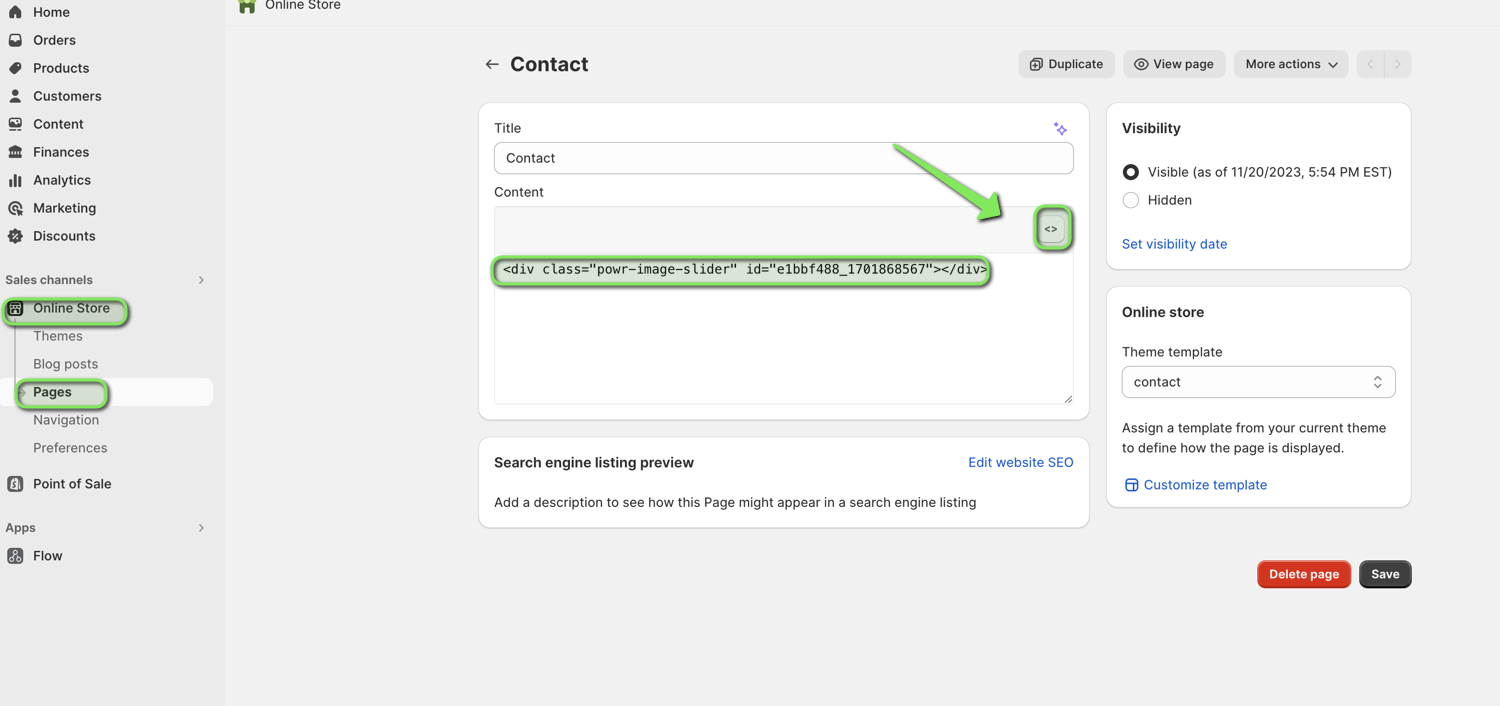
Go to Online Store > Pages.
Select the relevant page (e.g., Contact).
Switch the content editor to HTML view.
Delete any POWR embed code present.
Save the page.
What If You Still See the App After Uninstalling?
Deleting the POWR app from your Shopify dashboard does not remove the code from your theme — it only hides the app from the live site.
✅ Good to know: The remaining code will not slow down your website, as POWR scripts do not send requests to the server or load the app UI once uninstalled.
However, if you want to fully clean up the code, follow the removal steps above or get in touch with us.
Related Articles
You can find following articles useful:
How to Install POWR Apps with the Shopify Themes App Extension
How to Install POWR Apps in Custom Locations (Everywhere, Product Pages, Blogs, etc.)
Need Help?
If you need any help or have any questions about our Form Builder, our support team is happy to help.
👉 Contact our support team
When contacting us, you'll be prompted to authenticate your email by signing in, and a confirmation code will be emailed to you. This helps ensure our support team's reply will be delivered to you with no issues.
For more information about available features, visit our Pricing Page:
https://www.powr.io/pricing