
How can I enable Payments in Forms purchased via Shopify
I created a form and cannot enable Payments.
⚠️ As per Shopify requirements, starting from 25th August 2022, POWR forms that were purchased via Shopify cannot accept payments. POWR apps purchased directly at www.powr.io are not affected by the changes.
I previously created a payment-enabled form, but cannot create a new one with the Payment tab.
Forms created before 25th August 2022 with Payment options enabled are not affected by the updates. Only newly created forms have no Payment options anymore.
Are there any workarounds to enable Payments?
You can enable Payment options by switching your platform from Shopify to HTML in your account dashboard. ⚠️ Before doing so, please note that this will DISABLE the automatic installation wizard for Shopify.
1. Go to www.powr.io
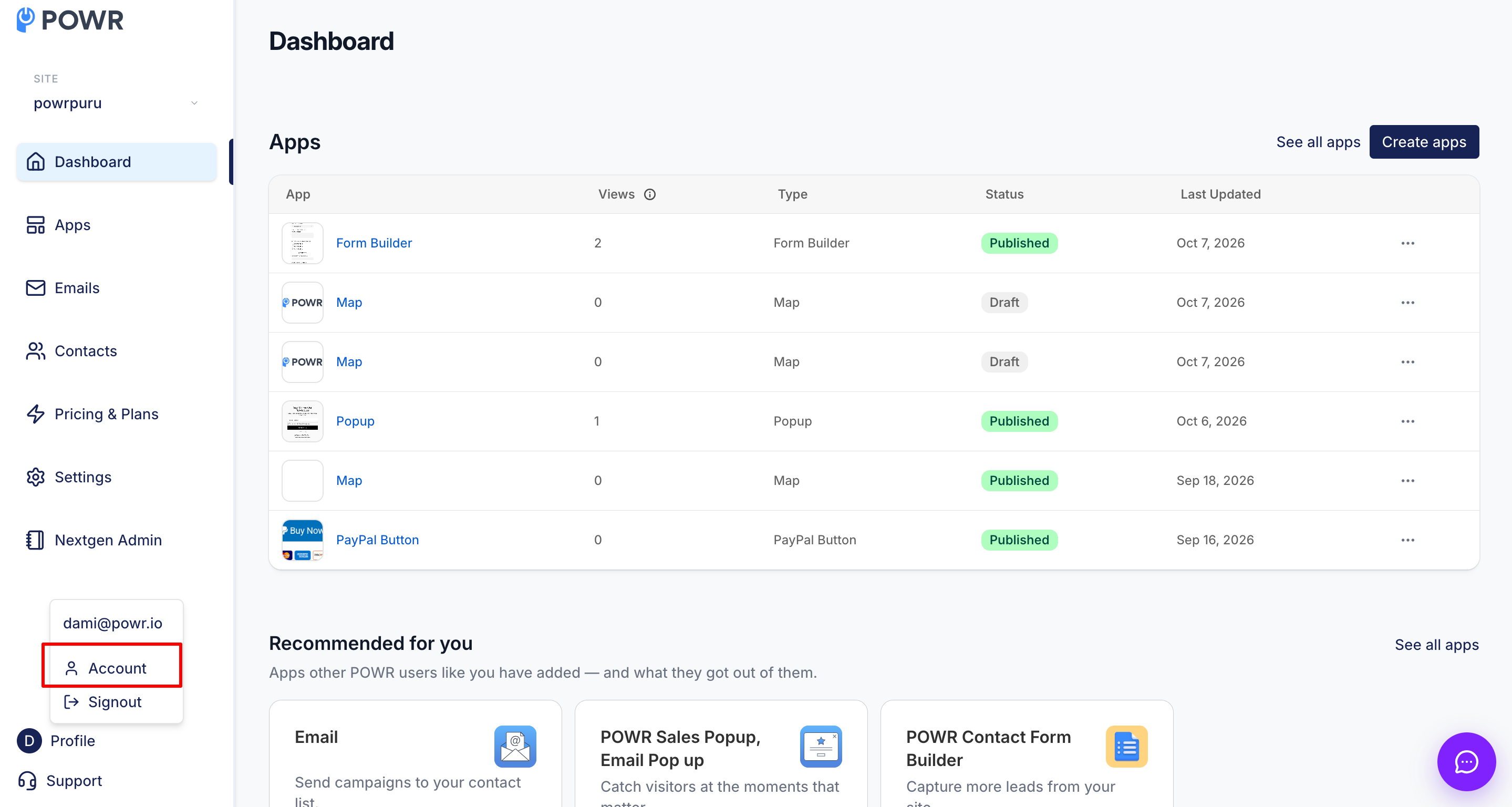
2. Click on the account icon and choose My account.
3. Change the Website Platform from Shopify to HTML:
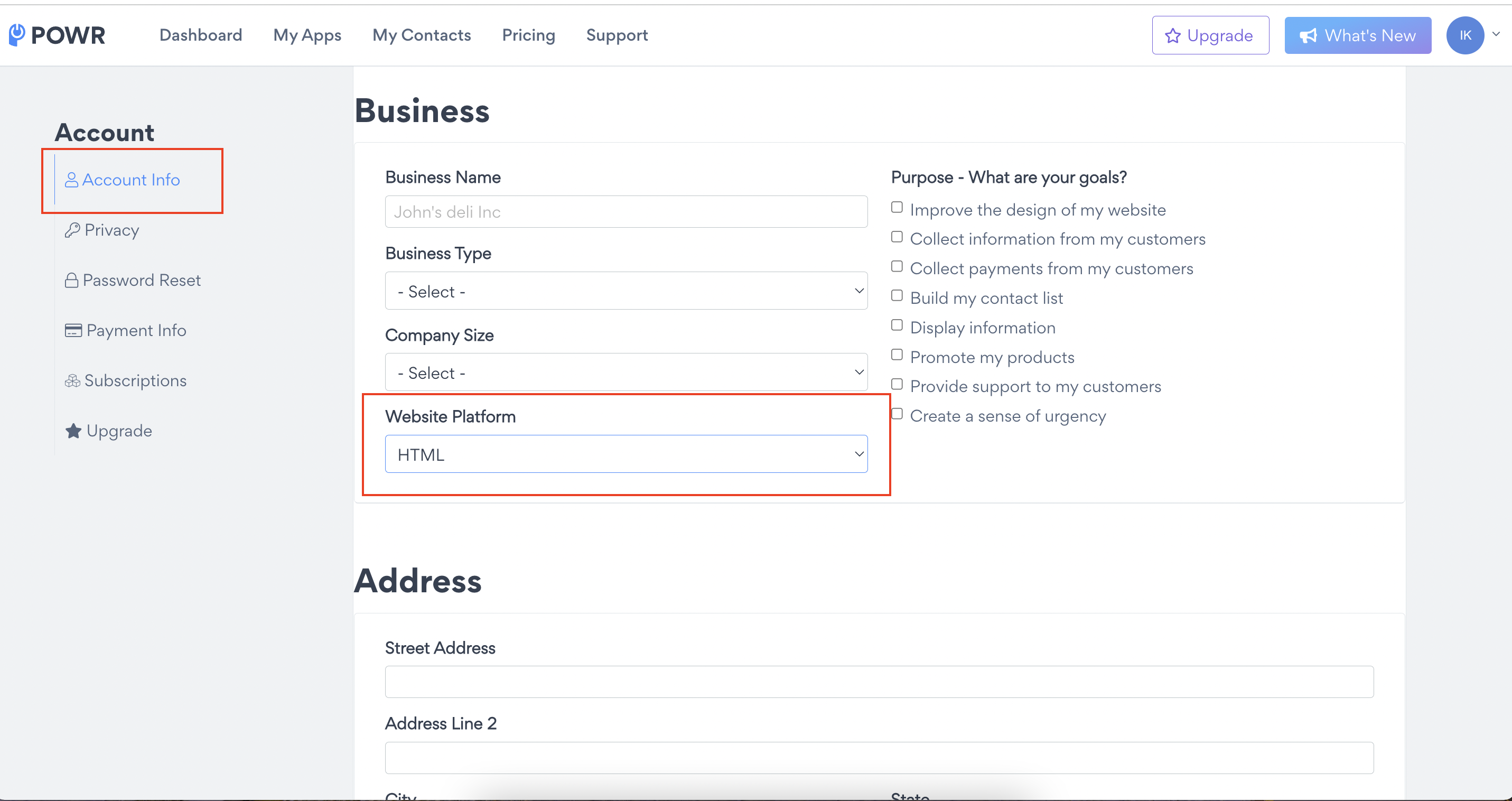
This will allow you to use the previous version of the app.
Also, the following article might be helpful for installing your Payment Enabled app in Shopify:
Adding POWR apps to a Shopify Theme with HTML
Need Help?
If you need any help or have any questions about our Form Builder, our support team is happy to help.
👉 Contact our support team
When contacting us, you'll be prompted to authenticate your email by signing in, and a confirmation code will be emailed to you. This helps ensure our support team's reply will be delivered to you with no issues.
For more information about available features, visit our Pricing Page:
https://www.powr.io/pricing