
Create and Share a POWR Pay Me Payment Link
In this article
In this article group
- Getting Started with POWR Pay Me
- Connect PayPal or Stripe to POWR Pay Me
- Your POWR Pay Me Payments
- Refunds and Disputes in POWR Pay Me
- Add a Payment Link to a POWR Email
- Automations When Someone Pays You
- Use POWR Pay Me from Claude or ChatGPT
- POWR Pay Me Limits and FAQs
- Paying on powrpay.me: Help for Customers
A payment link is one item at one price, like a deposit, a ticket or an invoice amount. Every link has its own QR code. In this article we'll show you how to create a link, use its options, share it and retire it.
In This Article
Create a Link
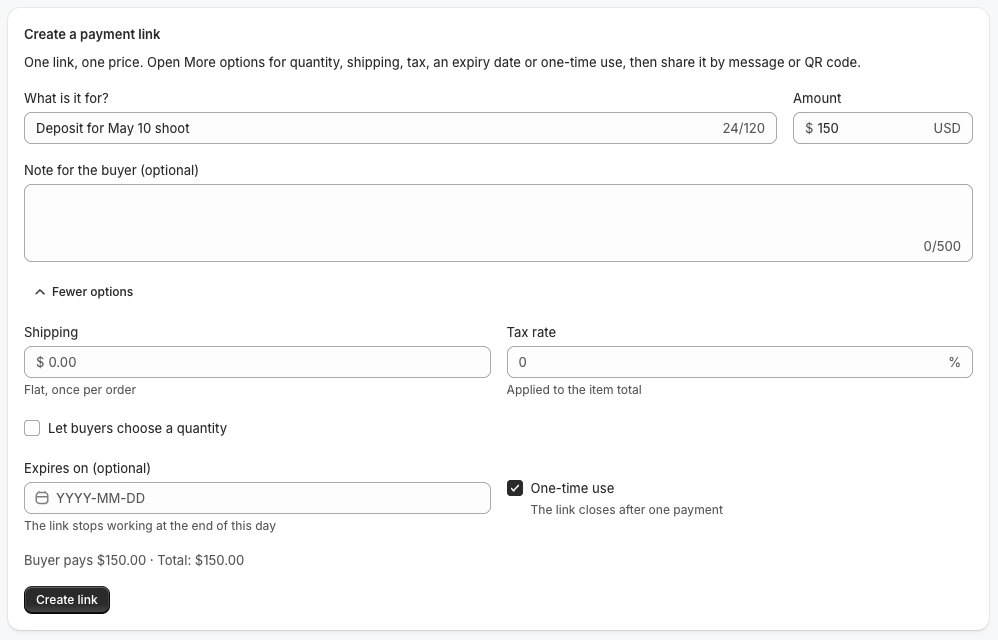
Go to Pay Me and open the Links tab.
Under What is it for?, describe the payment (up to 120 characters).
Enter the Amount. Links start at $0.50.
Optionally add a Note for the buyer.
Click Create link.
Before you create it, the preview shows exactly what your customer will pay.
More Options
Click More options to add any of these:
Let buyers choose a quantity: set a max quantity from 1 to 99.
Shipping: a flat amount, charged once per order.
Tax rate: from 0 to 25%, applied to the item total.
Expires on: the link stops working at the end of that day (up to one year ahead).
One-time use: the link closes after one payment. Handy for a single customer's invoice.
Share Your Link
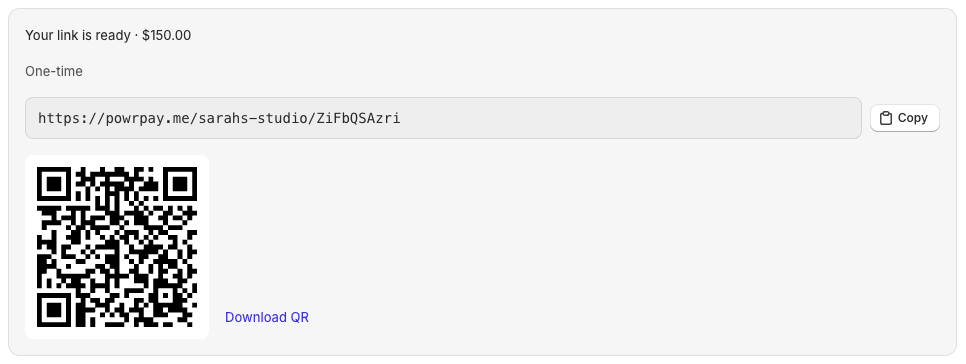
Click Copy to paste the link anywhere.
Click Download QR to print the QR code.
Click Open to see the page your customer sees.
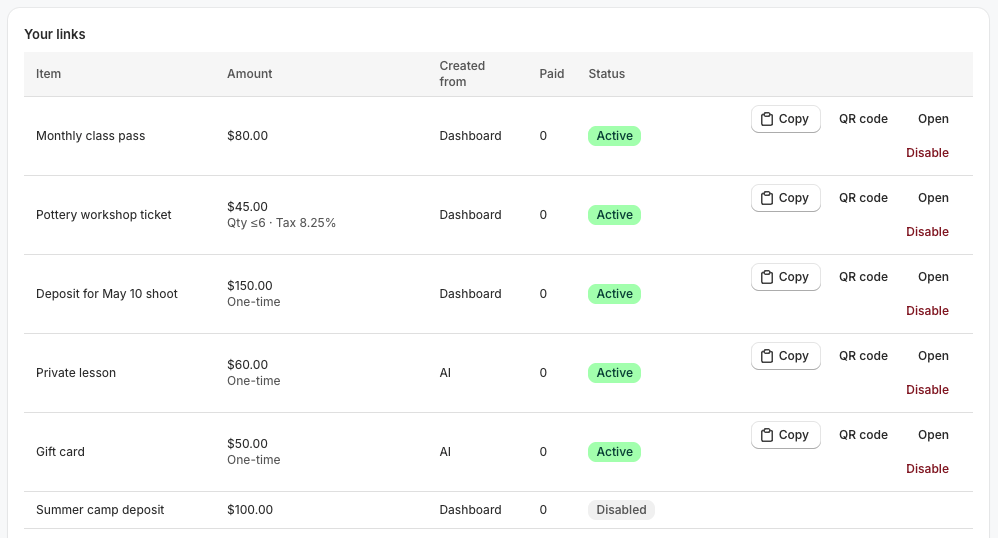
Your links list shows every link with its amount, status, how many times it was paid and where it was created (the dashboard, an AI assistant or your any-amount page).
Change or Retire a Link
Links can't be edited, so a customer always pays the price they saw. To change a price, Disable the old link and create a new one.
To disable a link, click Disable in your links list and confirm. Customers who open it can no longer pay. This can't be undone.
Frequently Asked Questions
Can customers choose their own amount?
Yes, on your page itself, powrpay.me/your-handle. Customers type any amount from $1 to $10,000 and can add a note.
Can I sell sizes, colors or several items in one link?
Not yet. Each link is one item at one price, with an optional quantity.
My link says "This link isn't available right now".
The link was paused, usually after a run of unusual failed payments. Check your email for details, then contact our support team and we'll review it.
Need Help?
If you have any questions about POWR Pay Me, our support team is happy to help.