
Paying on powrpay.me: Help for Customers
In this article
In this article group
- Getting Started with POWR Pay Me
- Create and Share a POWR Pay Me Payment Link
- Connect PayPal or Stripe to POWR Pay Me
- Your POWR Pay Me Payments
- Refunds and Disputes in POWR Pay Me
- Add a Payment Link to a POWR Email
- Automations When Someone Pays You
- Use POWR Pay Me from Claude or ChatGPT
- POWR Pay Me Limits and FAQs
powrpay.me is POWR's secure payment page for small businesses. If a business sent you a powrpay.me link or QR code, your payment goes straight to that business's PayPal or Stripe account.
How to Pay
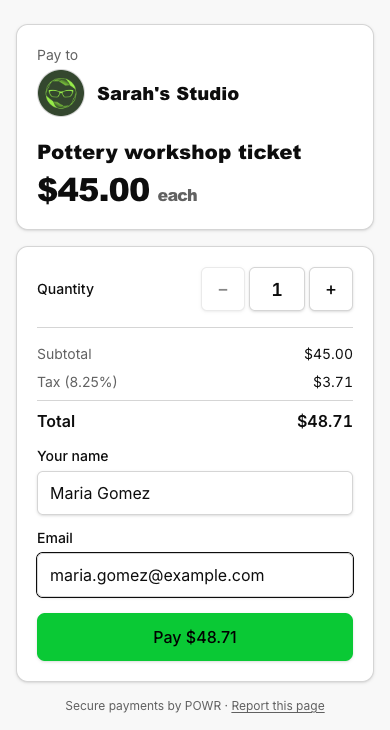
Check the business name on the page.
Enter your name and email (and the amount, if the page asks for one).
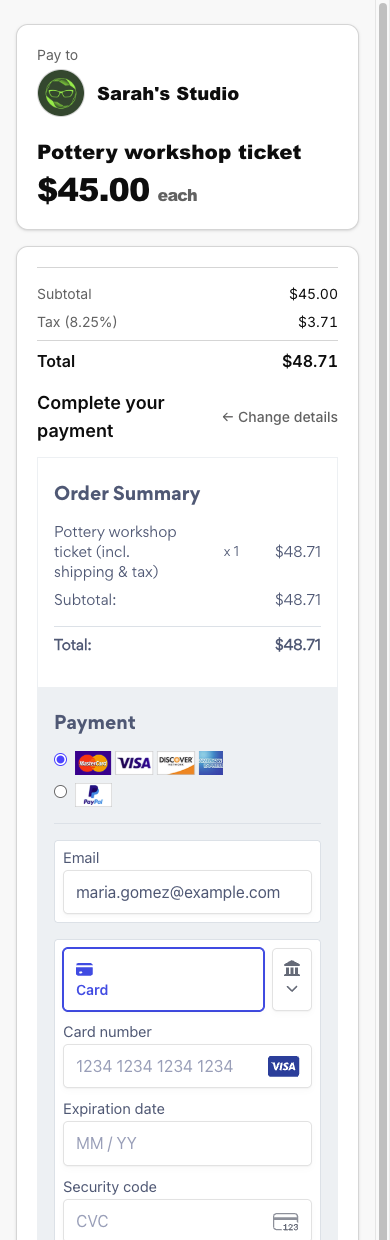
Pay with PayPal or a card. Your details are prefilled in the payment window.
Need to fix something partway through? Click Change details. A receipt is sent to the email you entered.
Report a Page
If something about a page looks wrong, use Report this page at the bottom of any powrpay.me page. POWR reviews every report. If you don't recognize the business, don't pay.
Frequently Asked Questions
Is powrpay.me legitimate?
Yes. It's POWR's checkout for the business named on the page, and the money goes to that business's PayPal or Stripe account.
I want a refund.
Contact the business you paid. Only they can refund you, because POWR never holds the money.
I didn't get a receipt.
Check your spam folder. PayPal always emails its own receipt; for card payments, the receipt goes to the email you typed on the page.
It asked me for a code.
That's Stripe Link: you have a Link account under that email. Enter the code, or close it and pay by card.
It says "Too many attempts".
Payments are limited per network for a short time. Wait a little and try again, or contact the business.
It says "This link isn't available right now".
The business's link or page is paused. Contact the business.
Need Help?
If you have any questions about POWR Pay Me, our support team is happy to help.