
Add a Payment Link to a POWR Email
In this article
In this article group
- Getting Started with POWR Pay Me
- Create and Share a POWR Pay Me Payment Link
- Connect PayPal or Stripe to POWR Pay Me
- Your POWR Pay Me Payments
- Refunds and Disputes in POWR Pay Me
- Automations When Someone Pays You
- Use POWR Pay Me from Claude or ChatGPT
- POWR Pay Me Limits and FAQs
- Paying on powrpay.me: Help for Customers
Any button in a POWR Email Marketing app on Shopify or Wix can become a payment link. Customers click it and pay on your powrpay.me page.
Insert a Payment Link
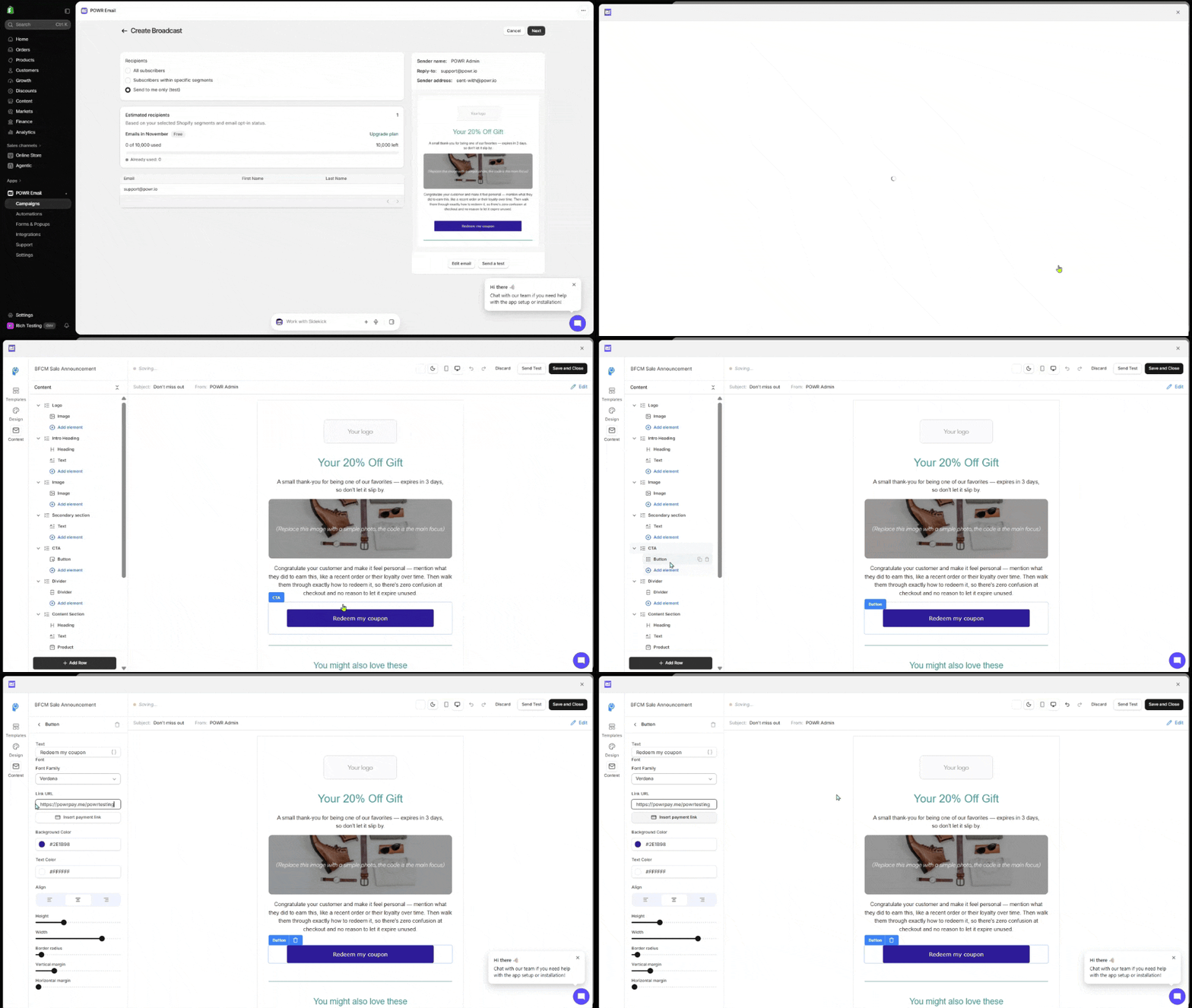
Open your email in the POWR email editor and select a button.
In the button's settings, click Insert payment link or add the link manually.
On Choose existing, search your links and click Use this link, or switch to Create new to make one.
The button now opens that payment link.
Haven't Set Up Pay Me Yet?
Getting Started with POWR Pay Mee walks you through it: pick your handle, then connect PayPal or Stripe (or click Skip for now and do it later in Settings → Payments). Customers can't pay until a provider is connected.
Frequently Asked Questions
Can I add payment links to forms or popups?
Not yet. Payment links work in email buttons today, and anywhere you can paste a link.
What if I disable the link later?
Customers who click it see that it's no longer available. Insert a new link in the email if you resend it.
Need Help?
If you have any questions about POWR Pay Me, our support team is happy to help.