
Your POWR Pay Me Payments
In this article
In this article group
- Getting Started with POWR Pay Me
- Create and Share a POWR Pay Me Payment Link
- Connect PayPal or Stripe to POWR Pay Me
- Refunds and Disputes in POWR Pay Me
- Add a Payment Link to a POWR Email
- Automations When Someone Pays You
- Use POWR Pay Me from Claude or ChatGPT
- POWR Pay Me Limits and FAQs
- Paying on powrpay.me: Help for Customers
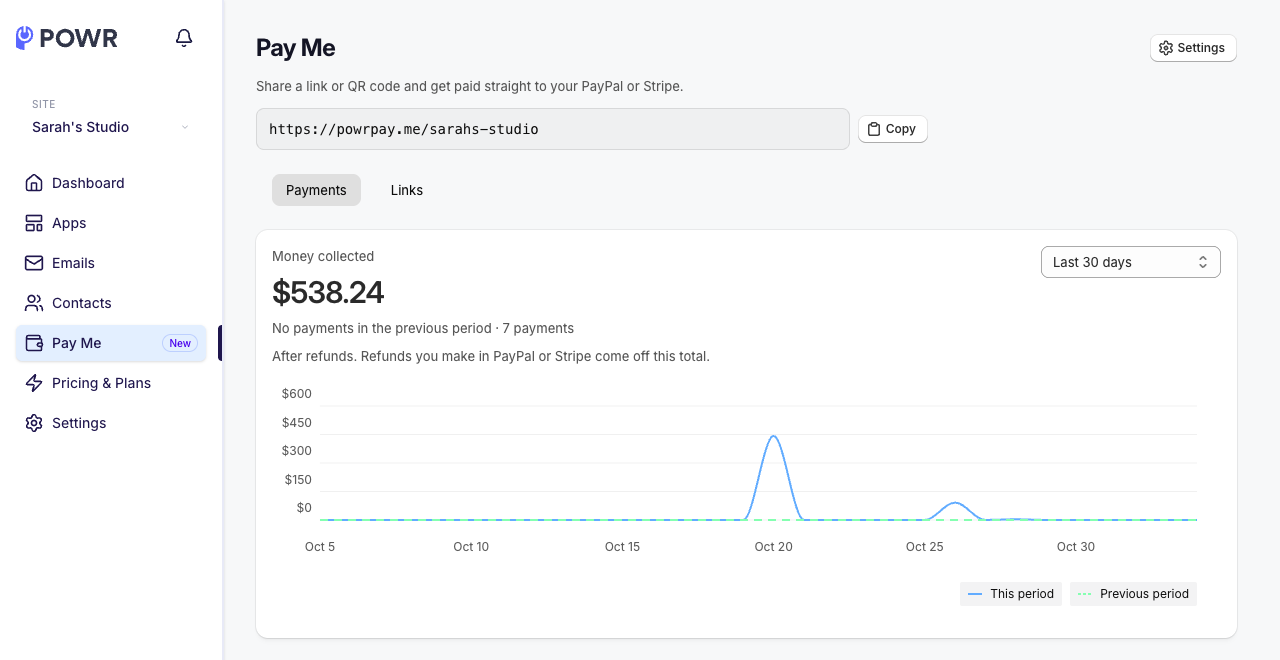
The Payments tab on your Pay Me page lists every payment from your links and your page, newest first. It updates every 15 seconds.
Money Collected
At the top, Money collected shows your total for the last 7, 30 or 90 days compared with the period before. Totals are after refunds: refunds you make in PayPal or Stripe come off this total.
The Payments List
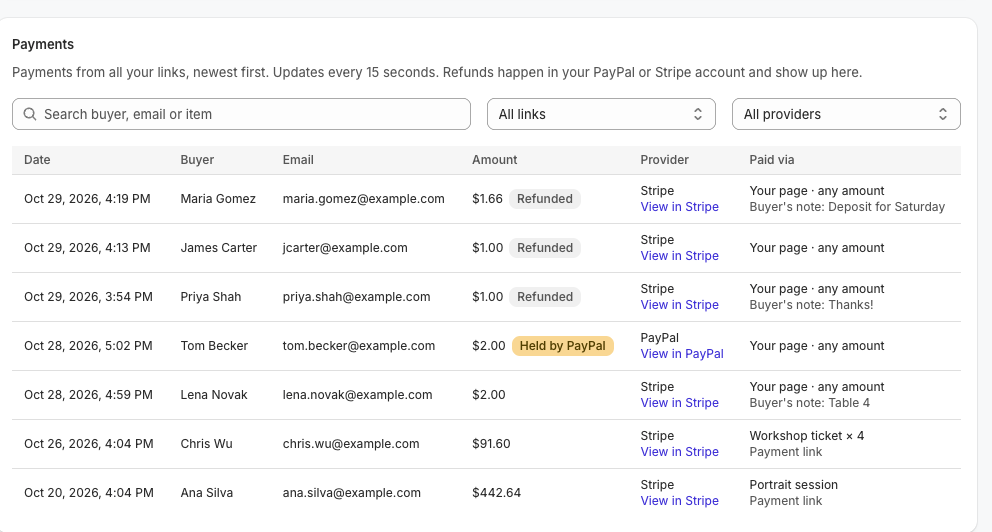
Each payment shows the date, the buyer's name and email, the item, the amount, the provider and Paid via: a payment link, or your page (any amount). Search by buyer, email or item, or filter by link or provider.
Click View in PayPal or View in Stripe to open the payment in your account, for example to refund it.
Payment Statuses
Held by PayPal: PayPal is holding the payment until you finish PayPal setup.
Pending at PayPal: PayPal hasn't finished processing it yet.
Refunded or Partially refunded: you refunded it in PayPal or Stripe; partial refunds show the amount refunded.
Returned to buyer: a held PayPal payment went back to the customer after 30 days.
Other Places Payments Show Up
You get a Payment received email for every payment.
The customer is added to your Contacts when they pay (they aren't subscribed to marketing).
Frequently Asked Questions
A customer says they paid, but I don't see it.
If you connected PayPal with just your email, PayPal may be holding it; finish PayPal setup. Otherwise contact our support team with the time, amount and customer email.
Can I refund from POWR?
No. Refunds happen in PayPal or Stripe, and show up here afterwards. See Refunds and Disputes in POWR Pay Me.
Need Help?
If you have any questions about POWR Pay Me, our support team is happy to help.