
Accept payments with Square
In this article
In this article group
Take card payments through Square on your POWR Payment Buttons and payment forms. Buyers pay by card on your page, and the money goes straight to your Square account. POWR adds no fee.
In This Article
Where it works
Form Builder, built in the older form editor. Forms built in the newer form editor don't have Square yet.
Square works for businesses located in the US, Canada, the UK, Ireland, France, Spain, Australia and Japan. Your buyers can be anywhere.
What it costs
POWR adds no fee on Square payments. Square charges its own processing fees, listed on Square's pricing page for your country. Square's terms for your country apply to your Square account.
Your business is in | Square pricing | Square terms |
|---|---|---|
United States | ||
Canada | ||
United Kingdom | ||
Ireland | ||
France | ||
Spain | ||
Australia | ||
Japan |
Set it up
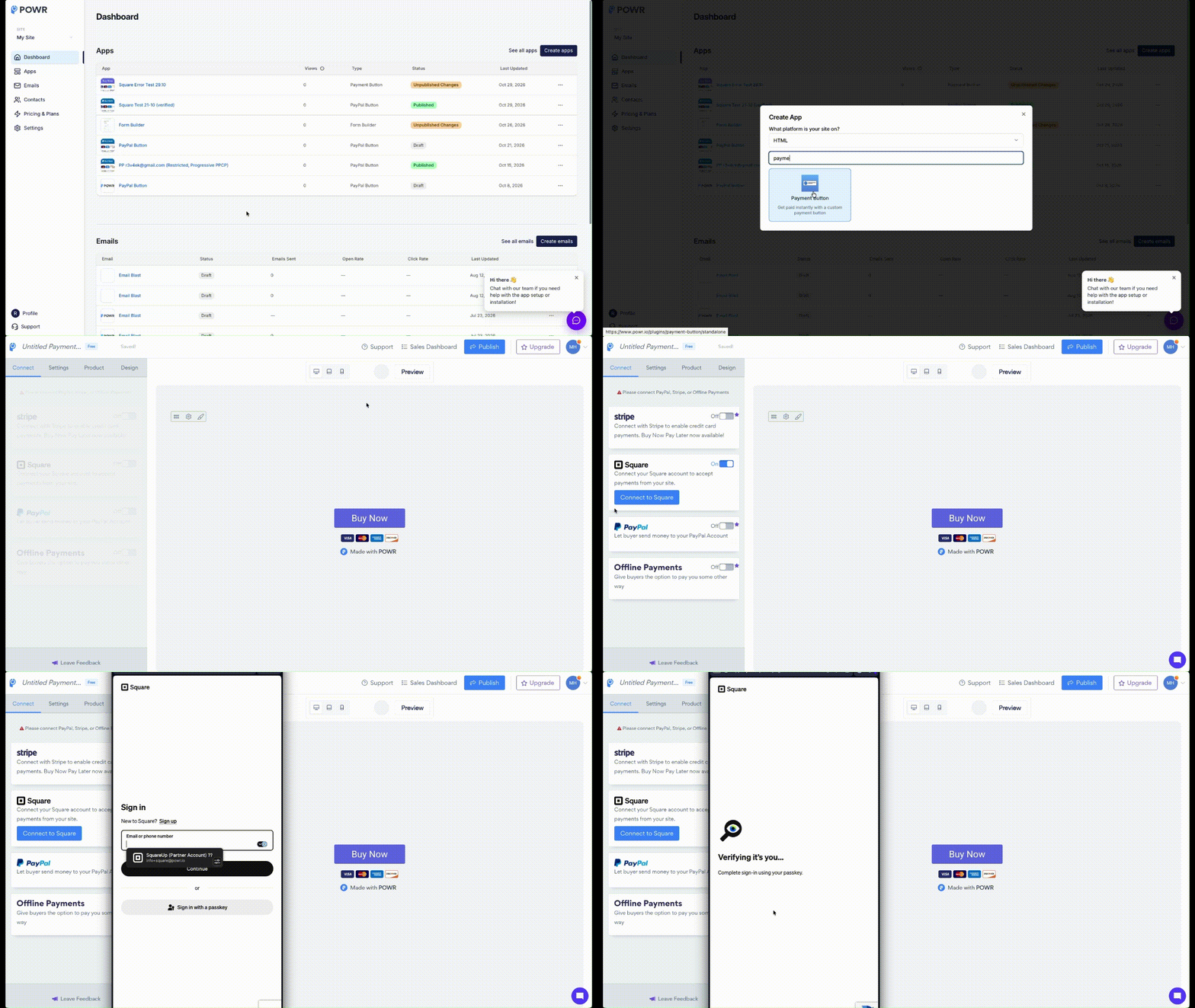
Do these in order (same process applies if you're using Form Builder or PayPal Button app):
Create a Square account at squareup.com, in the country where your business is located. If you already use Square, skip this step and connect the account you have.
In POWR, open your app's editor and go to its Payment settings. On a Payment Button, that's the Connect tab. Find the Square card.
Switch the Square card On, then click Connect to Square.
Sign in to Square in the window that opens and click Allow. Stay signed in to Square in the same browser.
Back in POWR, the card shows Connected to and your business name, plus Verification pending. Click Verify with Square and finish identity verification and bank linking in Square. Square takes no payments until this is done. See Square verification: why buyers can't pay yet.
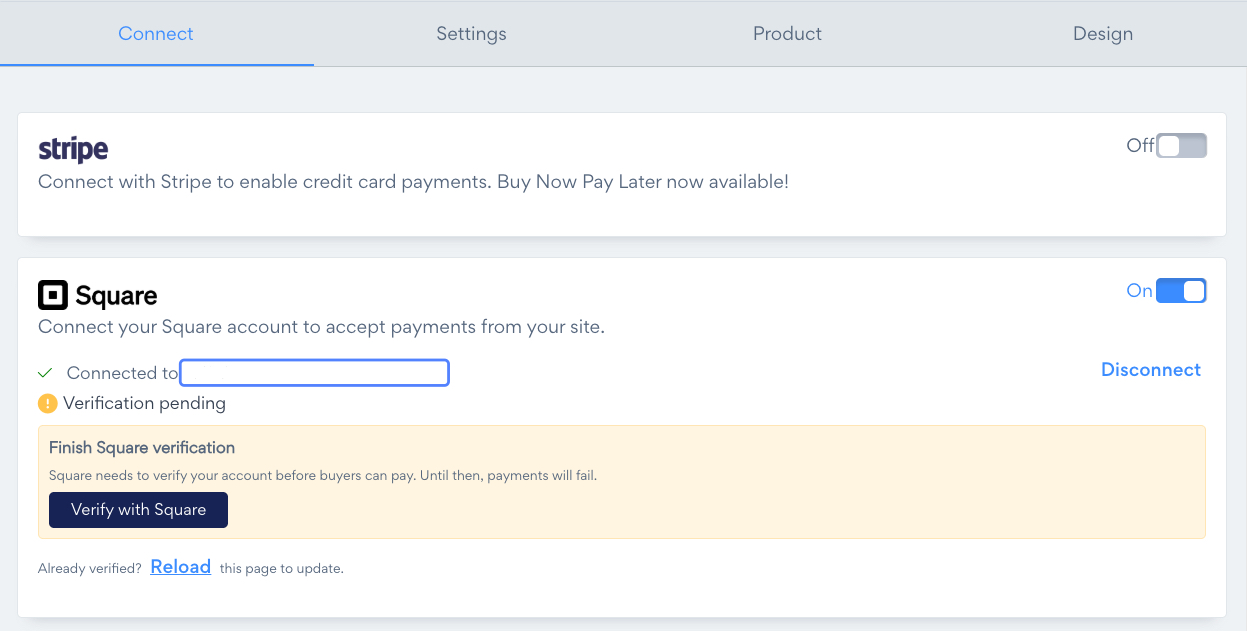
Once Square has verified you, click Reload and the card shows Account verified.
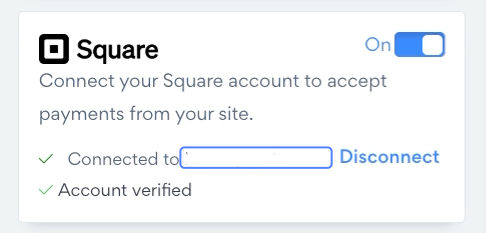
Your other payment methods stay connected and keep working.
Use Square next to Stripe or PayPal
Each payment method is its own switch. Connecting Square doesn't change your other connections.
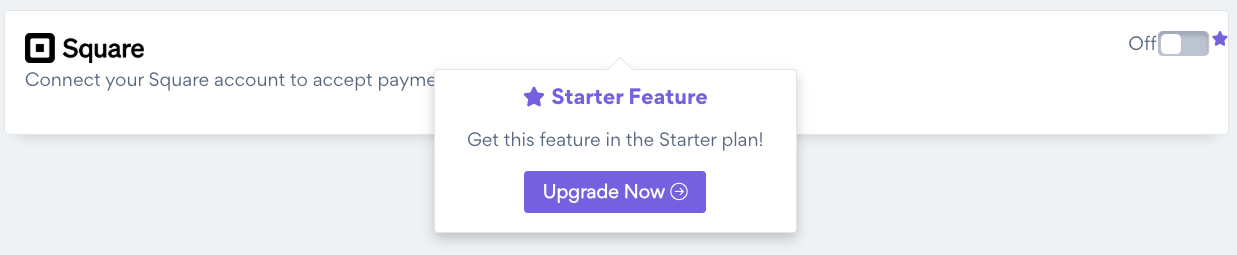
The Free plan includes one payment method. Running a second one, such as Square next to Stripe, is a Starter feature: on Free, the Square card shows Starter Feature with an Upgrade Now button. Starter and above can run more than one.
What your buyers see
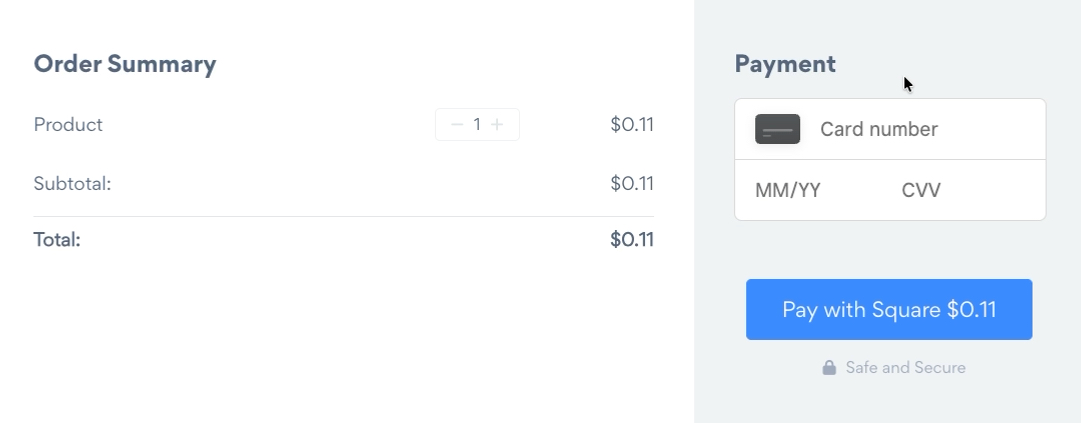
The buyer enters their card details in the Payment panel on your page and pays with a button that reads Pay with Square and the amount. They stay on your page the whole time.
Currency and locations
Square charges in your Square account's home currency. Set your app's currency to match it.
If you have more than one Square location, payments go to your main location.
Where your payments show up
Your Square Dashboard has the full record of every payment. In POWR, a form's Responses show the Square payment under Purchase Details, with a Confirmation Code. The confirmation code is the Square payment ID.
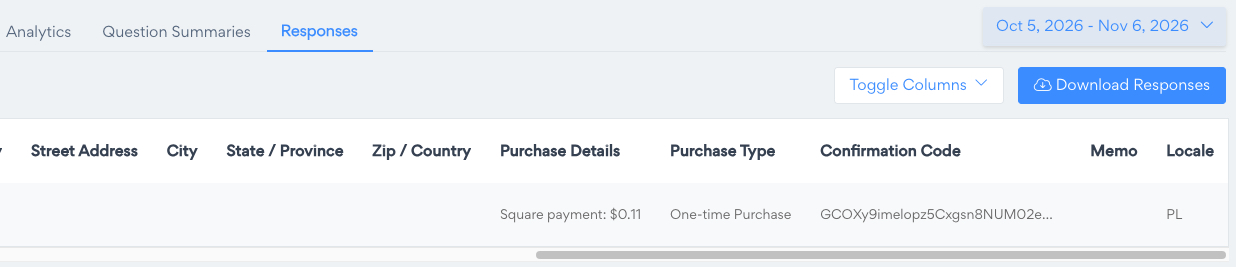
Square doesn't pass the buyer's name, billing address or shipping address to POWR, so those columns stay empty. Add them as fields on your form if you need them.
Disconnect Square
Open your app's payment settings.
Click Disconnect on the Square card, then Disconnect Square to confirm.
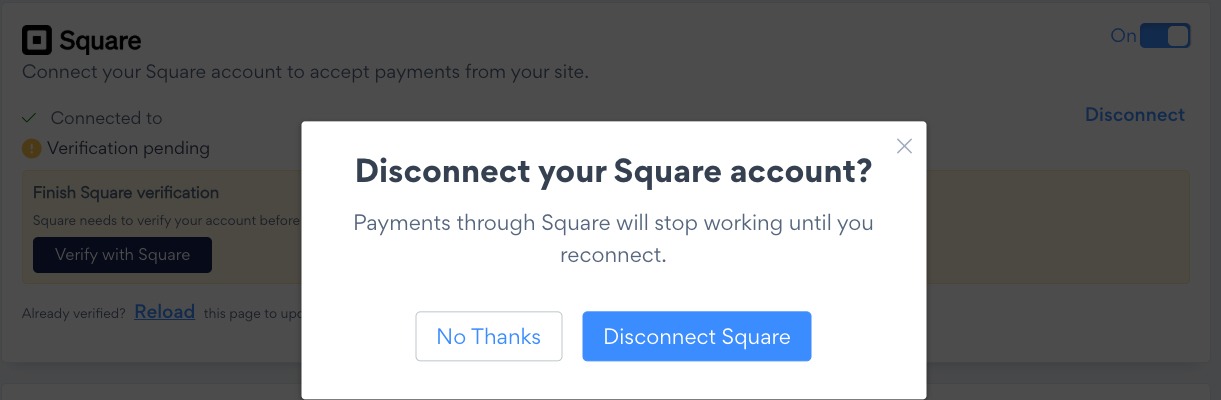
Payments through Square stop working until you reconnect. Your past payment records stay as they are, and you can reconnect any time.
If you disconnect POWR from inside your Square account instead, POWR can no longer charge through it. Open the payment settings and connect again.
Related articles
Need Help?
If you have any questions about Square payments, our support team is happy to help.