
Paying with Square on a POWR page
In this article
In this article group
This article is for buyers paying a business that uses POWR. The business takes the payment through its own Square account.
In This Article
How do I pay?
Enter your card details in the Payment panel and click Pay with Square. You stay on the business's page the whole time.
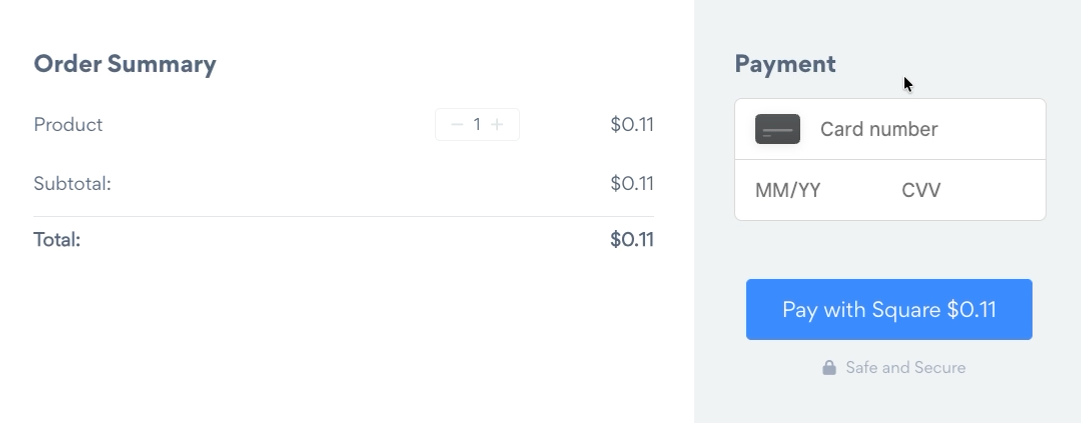
Do I need a Square account?
No. You only need a card.
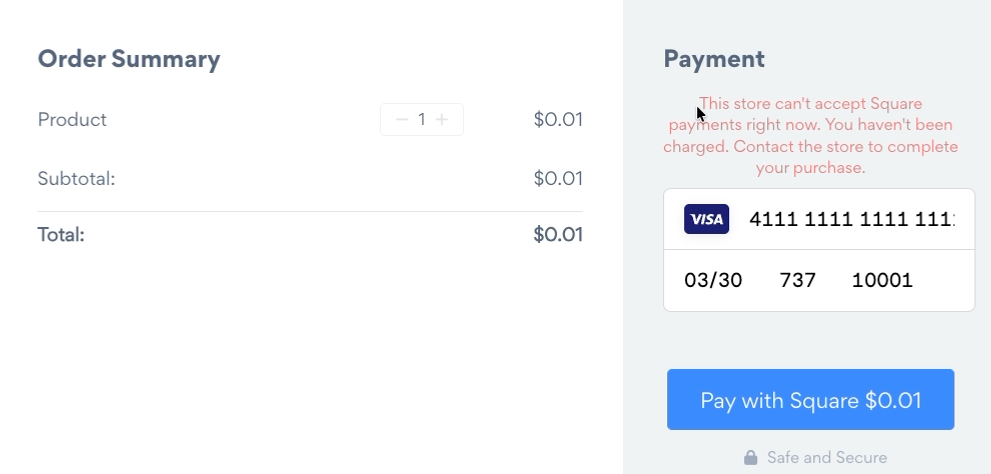
I see "This store can't accept Square payments right now."
You haven't been charged. The business hasn't finished setting up Square yet. Contact the business to complete your purchase, or pay another way if the page offers one.
My card was declined
Square decides whether a card is accepted, and you'll see its decline message. Try again with another card, or contact your card issuer.
I want a refund
Contact the business you paid. Only the business can refund a Square payment, from its own Square account.
Can I pay with Apple Pay, Google Pay or a subscription?
Not through Square on POWR. Square takes one-time card payments only.
Have a question about your order? Contact the business you paid. For problems with the page itself, the business can reach POWR support.