
Square verification: why buyers can't pay yet
In this article
In this article group
Square checks who you are before it lets you take payments. Until that check is done, your Square connection in POWR is in place, but buyers can't pay with Square.
In This Article
Connected isn't the same as verified
POWR shows Connected to and your business name as soon as you approve the connection. Until Square has verified you, the Square card also shows Verification pending and a Finish Square verification box: "Square needs to verify your account before buyers can pay. Until then, payments will fail."
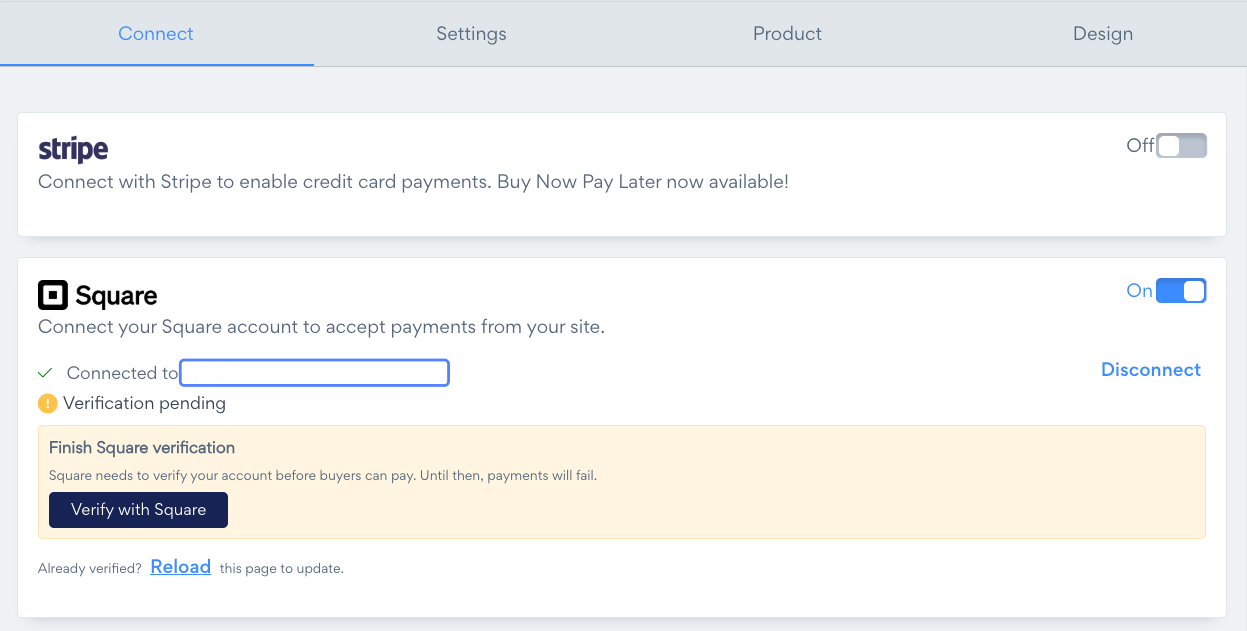
Click Verify with Square and finish in your Square account. If it opens Square's US site and your business is in another country, sign in to Square from your own country's site instead.
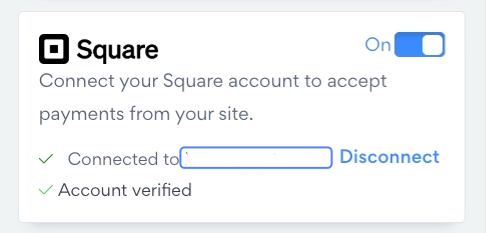
When you're done, click Reload next to "Already verified?". The card then shows Account verified.
What Square asks for
Square asks for details about you and your business, and for a bank account in your country. The exact requirements depend on where your business is located, and your Square account shows you each step.
Square's Support Center for your country lists the requirements and how to reach Square Support: US, Canada, UK, Ireland, France, Spain, Australia, Japan.
How long it takes
That depends on Square's checks and on your bank. Your Square account shows where verification stands. When Square is done, click Reload on the Square card in POWR.
What a buyer sees in the meantime
If a buyer tries to pay with Square before you're verified, they see this message and aren't charged:
This store can't accept Square payments right now. You haven't been charged. Contact the store to complete your purchase.
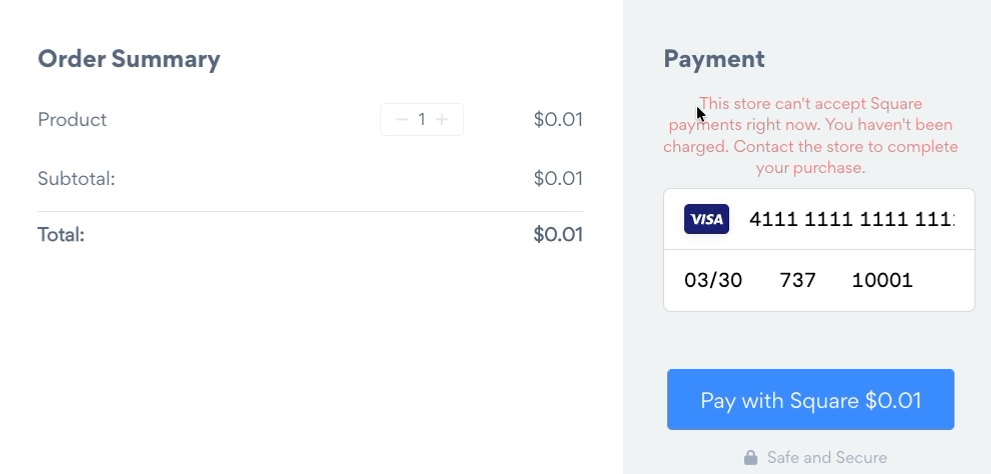
Finish verification in Square and the next payment goes through. Nothing needs to change in POWR.
Related articles
Need Help?
If you have any questions about Square payments, our support team is happy to help.