
Quick Start Guide for POWR Email on Shopify
Go from installing POWR Email to your first send, and reviewing the results, in about 15 minutes. This guide covers the whole path: install, set up, build and send your first broadcast, and check your analytics.
1. Install POWR Email
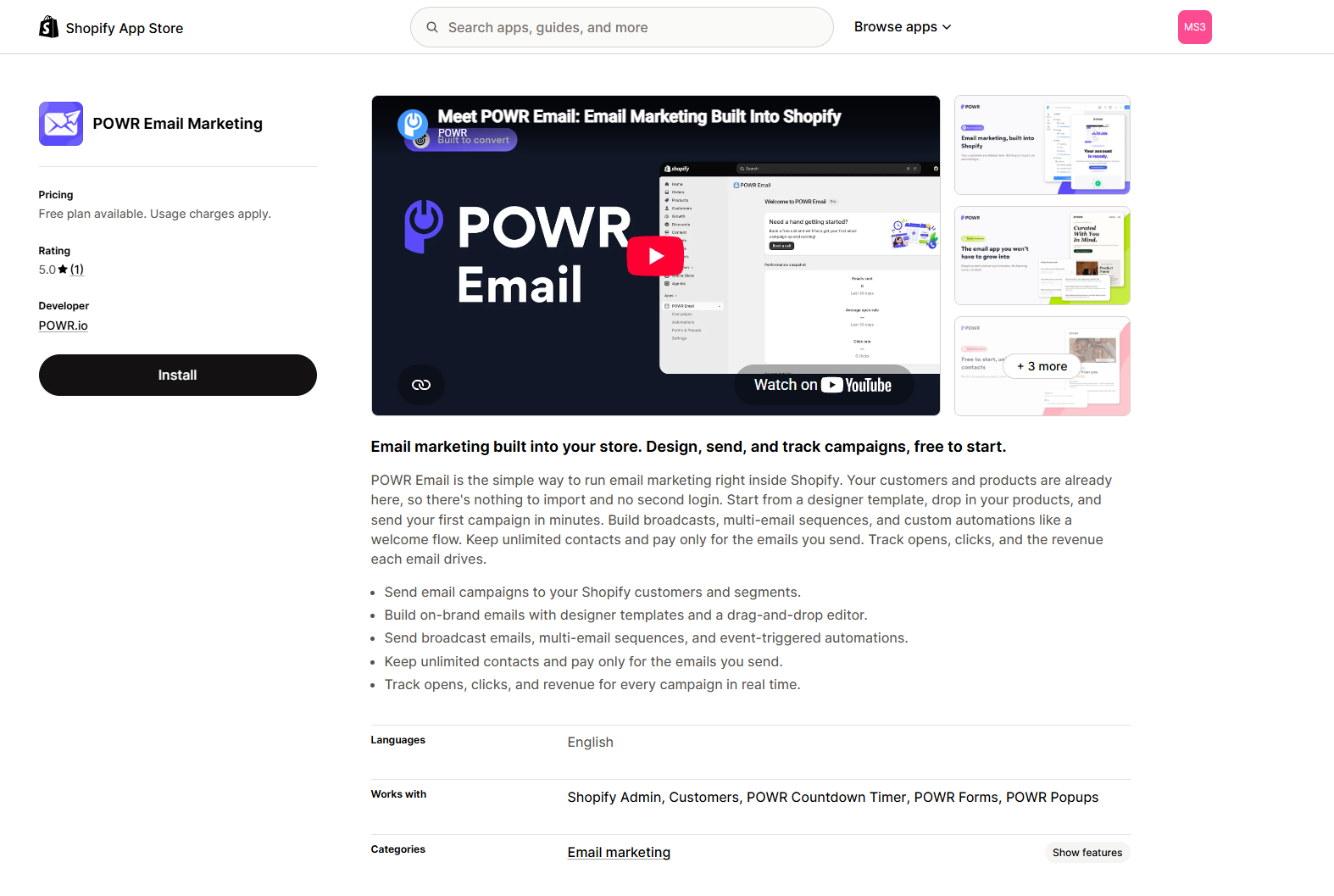
Add POWR Email from the Shopify App Store. It installs right into your Shopify admin and uses your Shopify Customers as your contact list, so there is nothing to import.
Get POWR Email on the Shopify App Store
2. Set up your account
The first time you open the app, a short setup covers the essentials. You can finish it now or skip and come back.
Email details. Your sender name, reply-to email, and mailing address (required in every email footer). These carry over to every campaign.
Brand style. Your logo, colors, and fonts. If they already exist in your Shopify store settings, POWR Email offers them automatically.
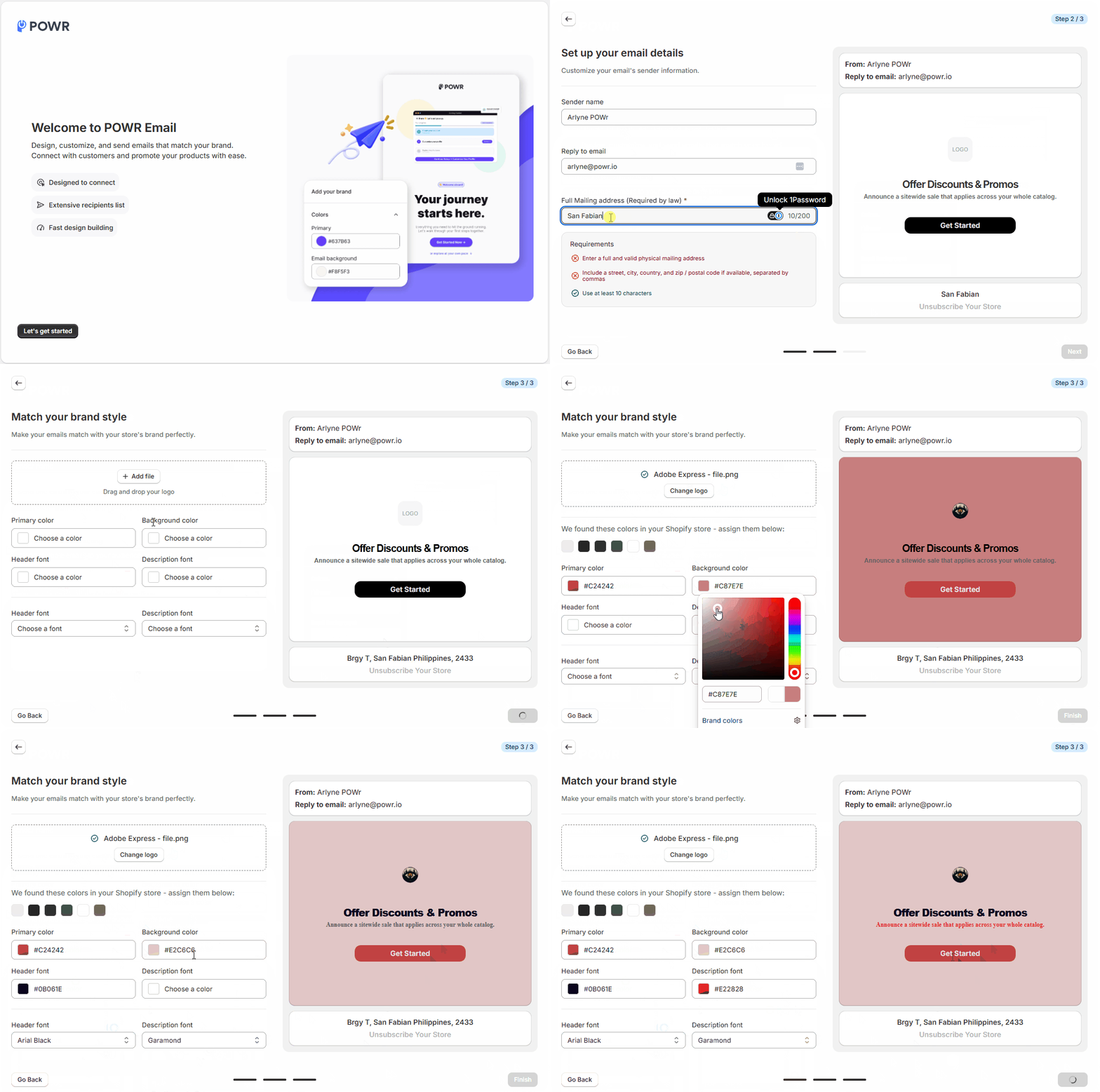
When you're done, you land on your dashboard, ready to send.
3. Build your first broadcast
A broadcast is one email sent once to your list or a segment. It's the fastest way to send something today.
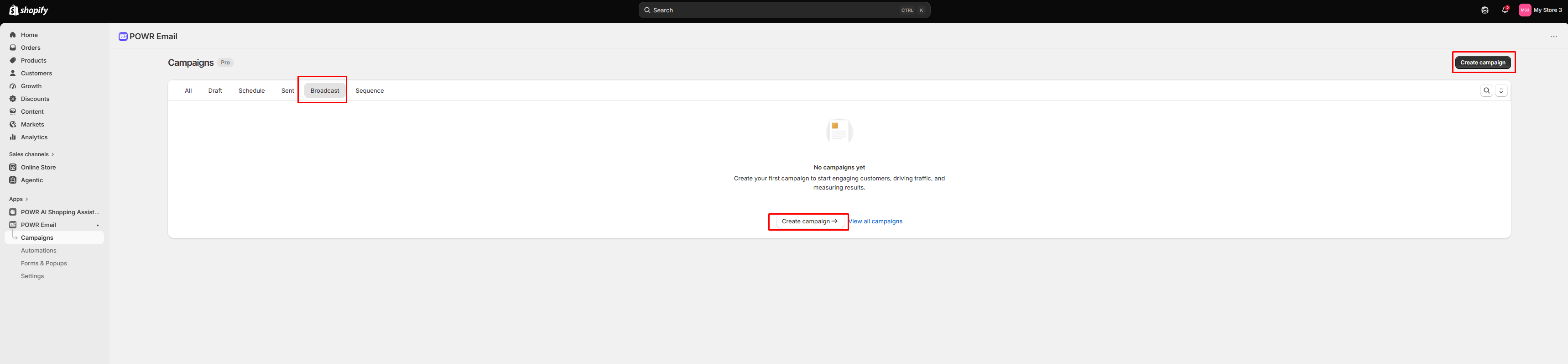
From the dashboard or Campaigns, create a campaign and choose Broadcast.
Pick a template or start from scratch.
In Mail settings, add a title (for your reference), a subject line, and preview text.
In the builder, make it yours: edit the text, drop in your products, and adjust the design from the sidebar.
Click Send Test to check it in your own inbox, on desktop and mobile.
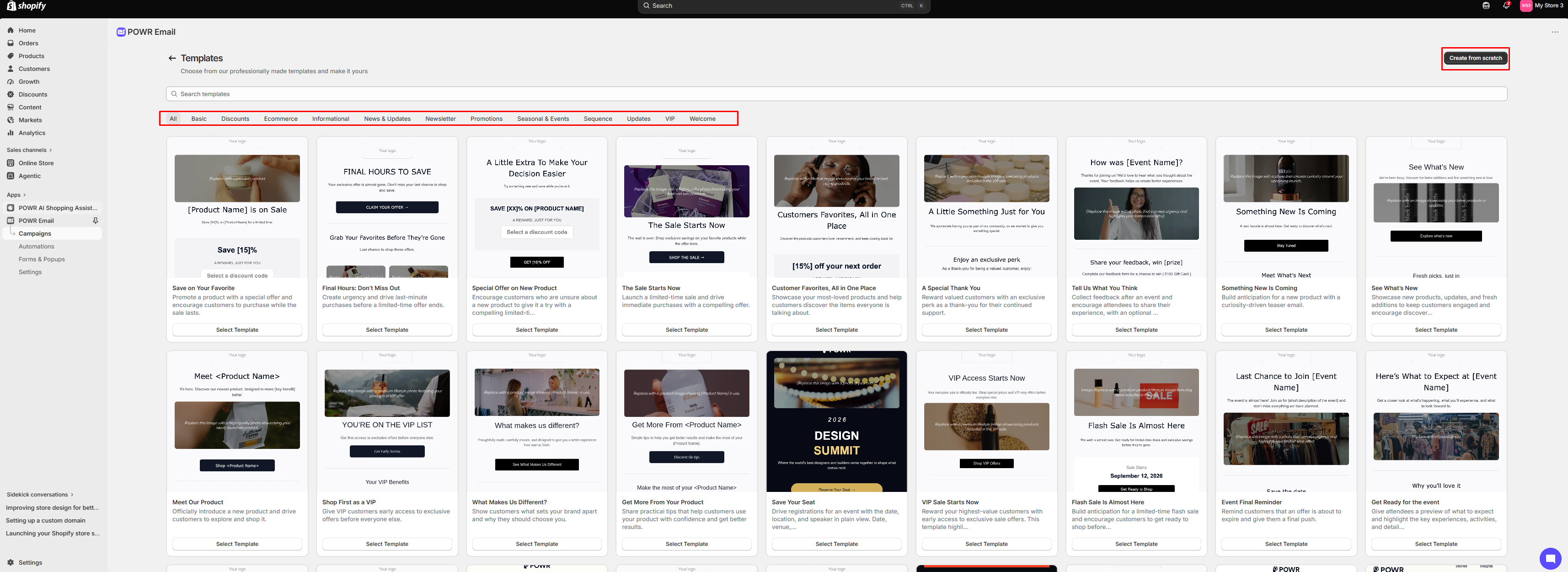
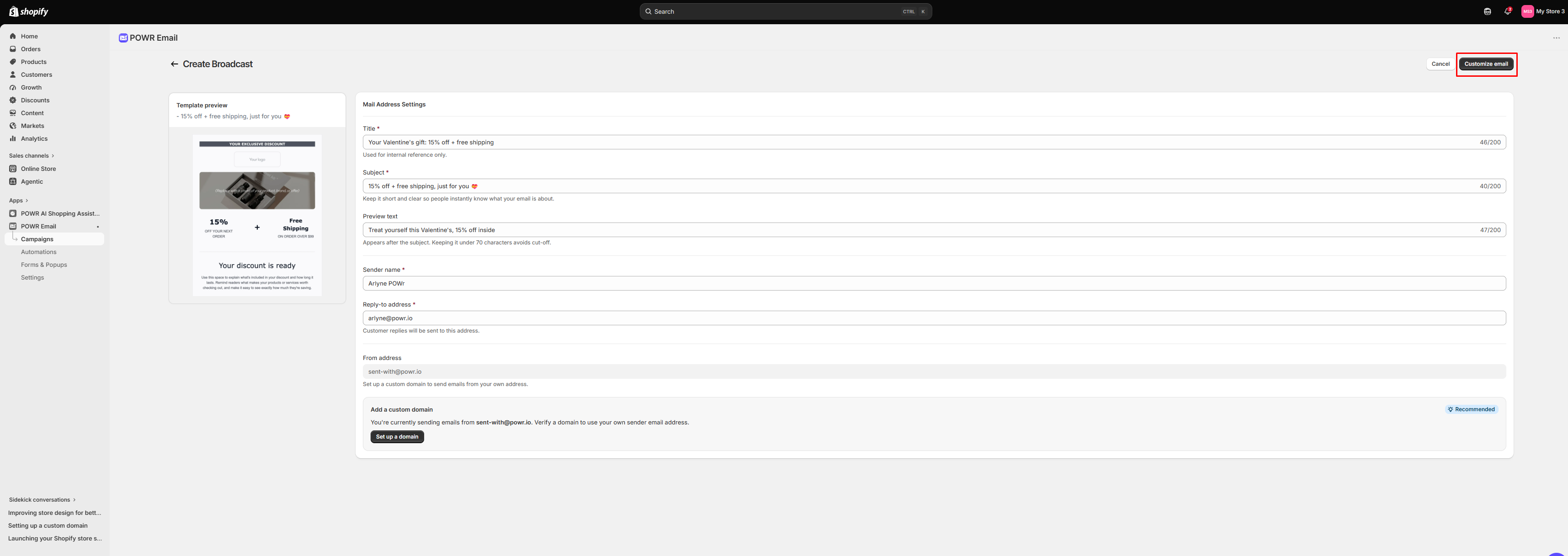
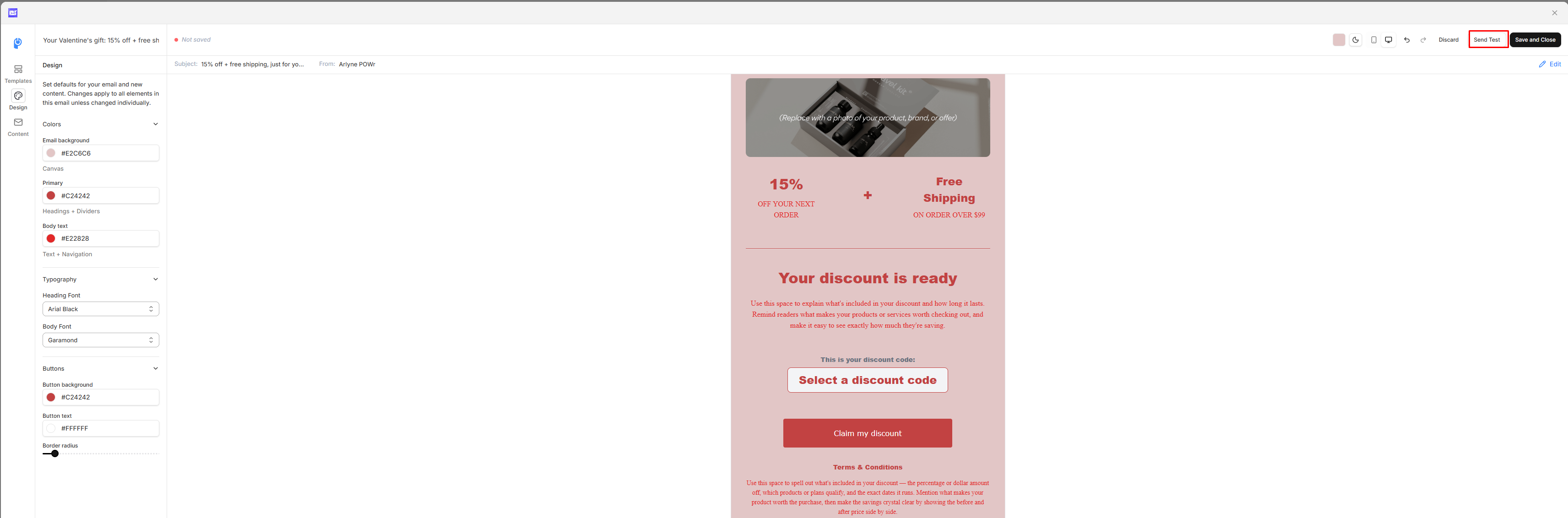
Click here to learn more about designing broadcasts, and here to learn more about testing your sends.
4. Choose who gets it, and send
Click Save and close, then choose your recipients: all subscribers, or a specific Shopify segment (like customers who haven't purchased).
Review the details, then choose Schedule or Send: send now, or schedule for later.
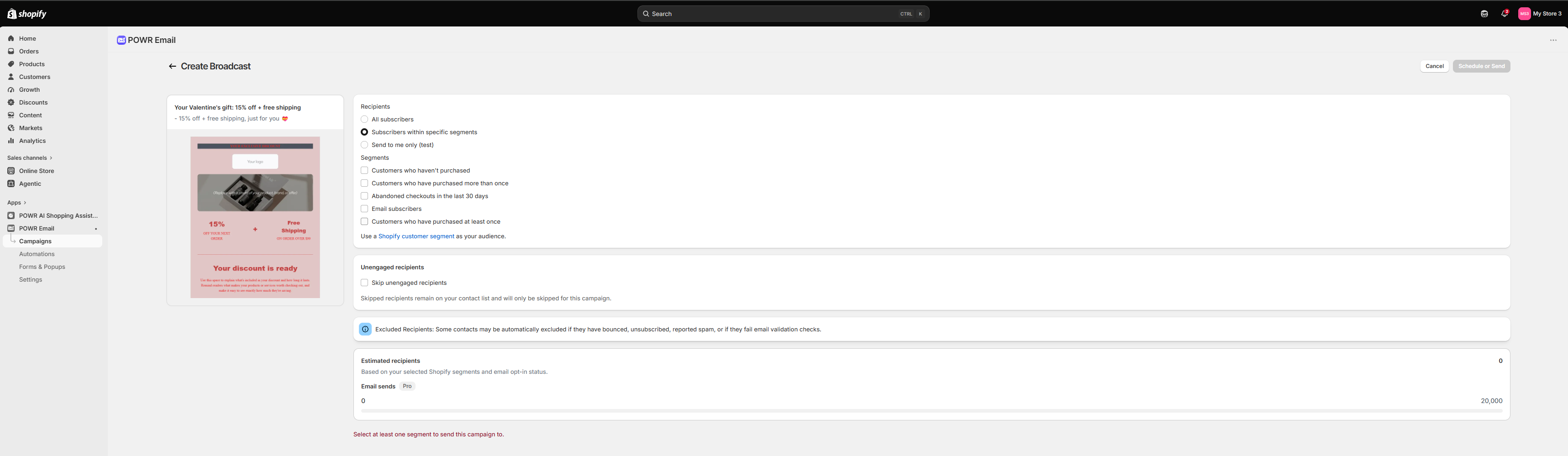
That's your first send done.
5. Review your analytics
After you send, you land on the analytics screen. Give it a few minutes to populate, then check:
Delivery rate. How many reached inboxes.
Open rate. How many opened.
Click rate. How many clicked a link.
Revenue. The orders and sales your email drove.
Use what you learn to sharpen your next send. Want to send again quickly? Duplicate this campaign, make your changes, and send.
What's next
Set up an automation, like a welcome email that sends on its own when someone subscribes. See Setting up sequences and automations.
Grow your list with a POWR Popup or Form. See Collecting more emails with forms and popups.
Send from your own domain. See How to add DNS records for your custom sending domain.