
Broadcasts, sequences, and automations
POWR Email gives you three ways to send, covering everything from a one-off promo to messages that run on their own. Here's what each one is, when to use it, and how to choose.
Broadcast: one email, sent once
A broadcast is a single email you send one time, to your whole list or to a segment. It's the simplest and fastest way to send something today.

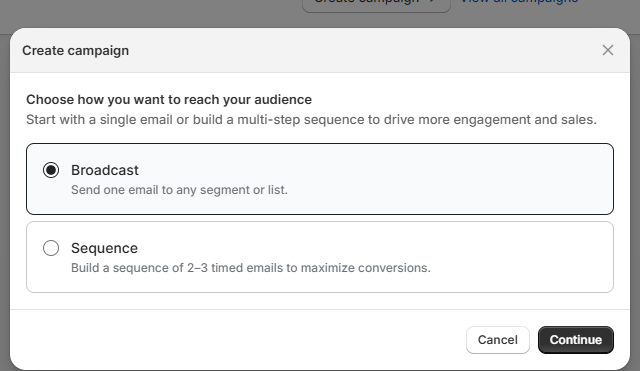
Use a broadcast for:
A promo or sale announcement
A newsletter or store update
A "we just restocked" or new-product note
A one-off message to a specific segment, like customers who haven't purchased
You write it, choose who gets it, and send now or schedule it for later.
Sequence: a series of emails, sent once
A sequence is a set of emails sent over time to a list you choose. You pick the audience once, set how long to wait between emails, and it runs through that group a single time.
Between steps you can add filters based on what people did, for example only continuing to the next email for people who opened or clicked the last one (or those who didn't).
Use a sequence for:
A product launch told across a few emails, like a teaser, the launch, and a last call
A limited-time sale with a build-up and a final reminder
A welcome series to your current subscribers
Presets to start from: Flash Sale, Product Launch, Seasonal Promotion, and VIP Sale. Each comes pre-filled with suggested emails, timing, and filters that you can change.
Automation: sends on its own, continuously
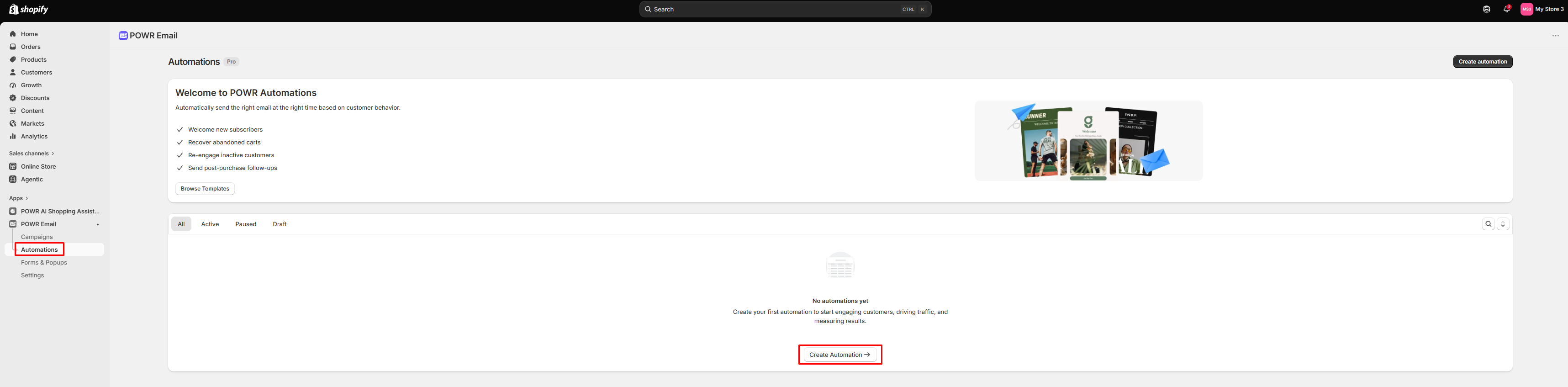
An automation is triggered by a customer entering a segment, and it runs on an ongoing basis. Every time someone new matches, they flow through, without you doing anything.
Use an automation for messages that should always happen:
A welcome email when someone subscribes
A win-back for customers who've gone quiet
Ongoing nurture based on a segment
Presets to start from: Welcome, Win Back, Product Education, and New VIP Customer. Once an automation is live, you can view its performance and edit, pause, duplicate, or delete it at any time.
The simple way to remember it
Broadcast: one email, sent once, right now.
Sequence: several emails, sent once, to a list you pick.
Automation: set it up once, and it runs continuously as customers qualify.
How to choose
Broadcast | Sequence | Automation | |
|---|---|---|---|
Emails | One | A few, over time | One or more, ongoing |
Audience | A list or segment you pick now | A list you pick | A segment, used as a trigger |
Runs | Once | Once through the group | Continuously |
Best for | Promos, newsletters, updates | Launches, sale build-ups | Welcomes, win-backs |
Quick rule of thumb:
Sending one thing today? Use a broadcast.
Telling a story across a few emails to your current list? Use a sequence.
Want a message to send automatically whenever a customer qualifies? Use an automation.
Most merchants start with a broadcast, then add a welcome automation once they're comfortable. See Setting up sequences and automations to build your first one.