
Creating a broadcast
A broadcast is a single email sent one time, to your whole list or a segment. It's the fastest way to send something today, like a promo, a newsletter, or a restock note. Learn more about the difference between Broadcasts, Sequences, and Automations here.
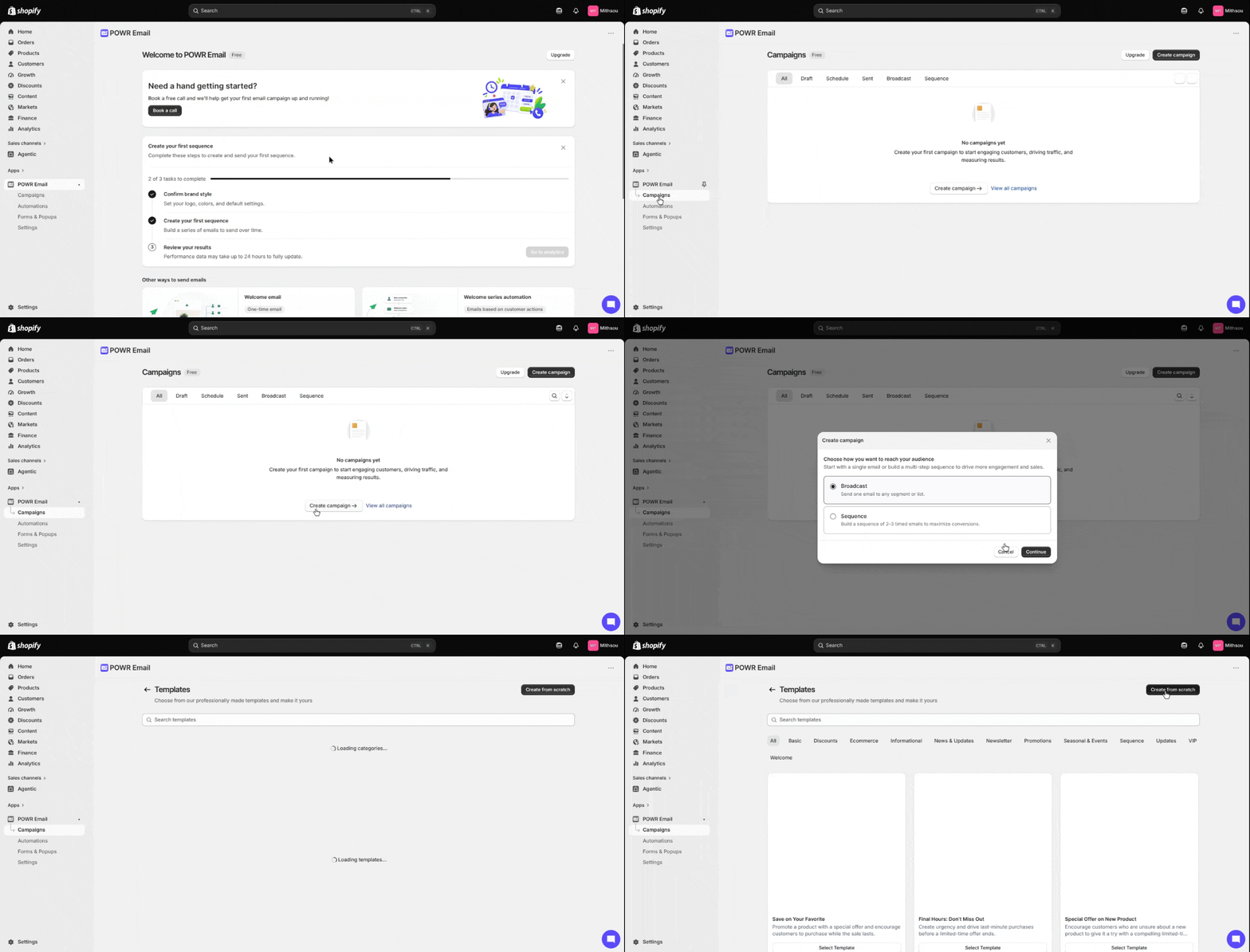
In Campaigns, create a campaign and choose Broadcast.
Pick a template or start from scratch.
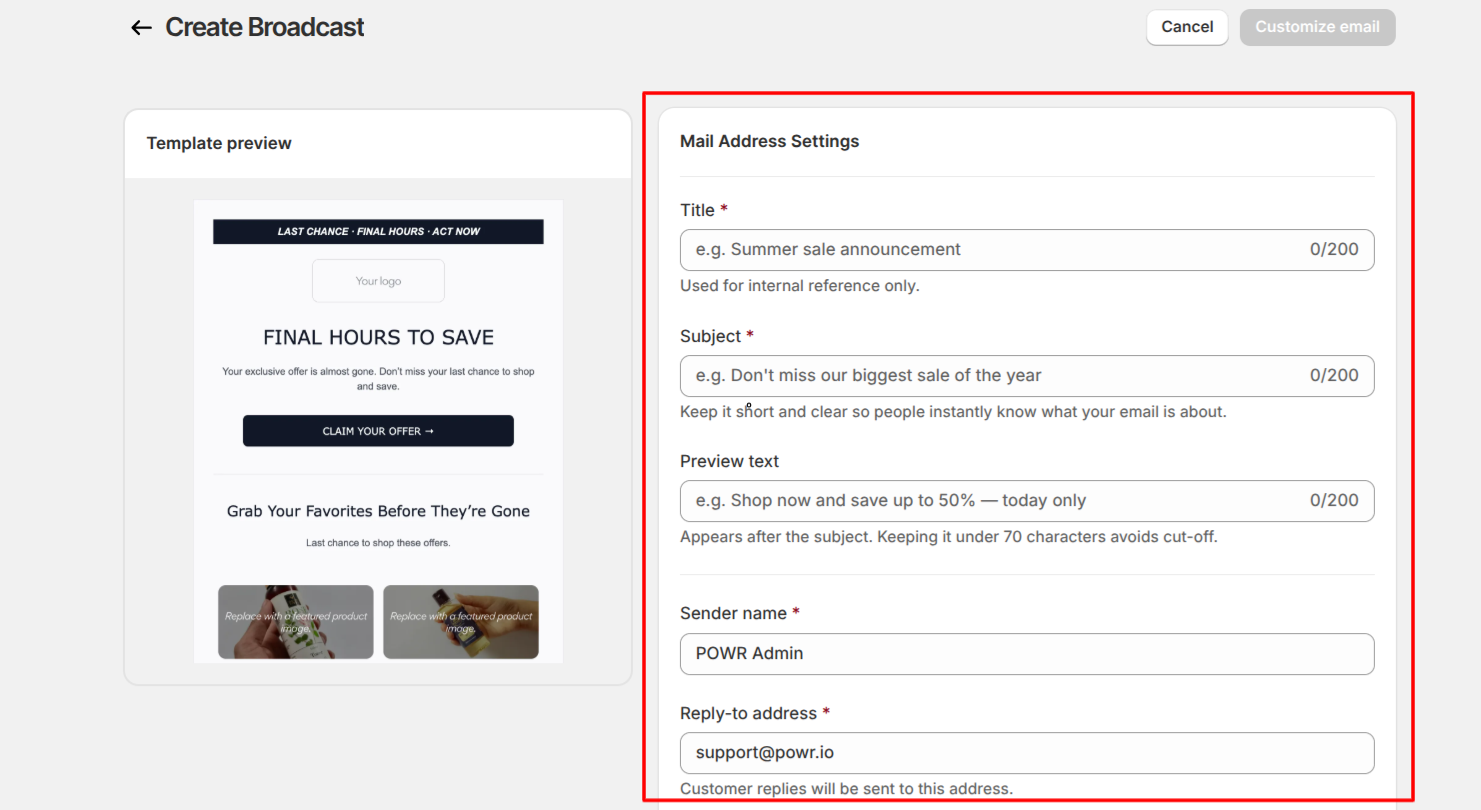
Mail settings. Give your broadcast:
Title. An internal name for your reference only. Recipients never see it.
Subject line. Keep it short and clear so people know what the email is about.
Preview text. The short line that appears after the subject in the inbox.
Sender name and Reply-to. Pre-filled from onboarding, and editable here.
To send from your own domain instead of the default POWR address, set up and verify a custom domain. See How to add DNS records for your custom sending domain.
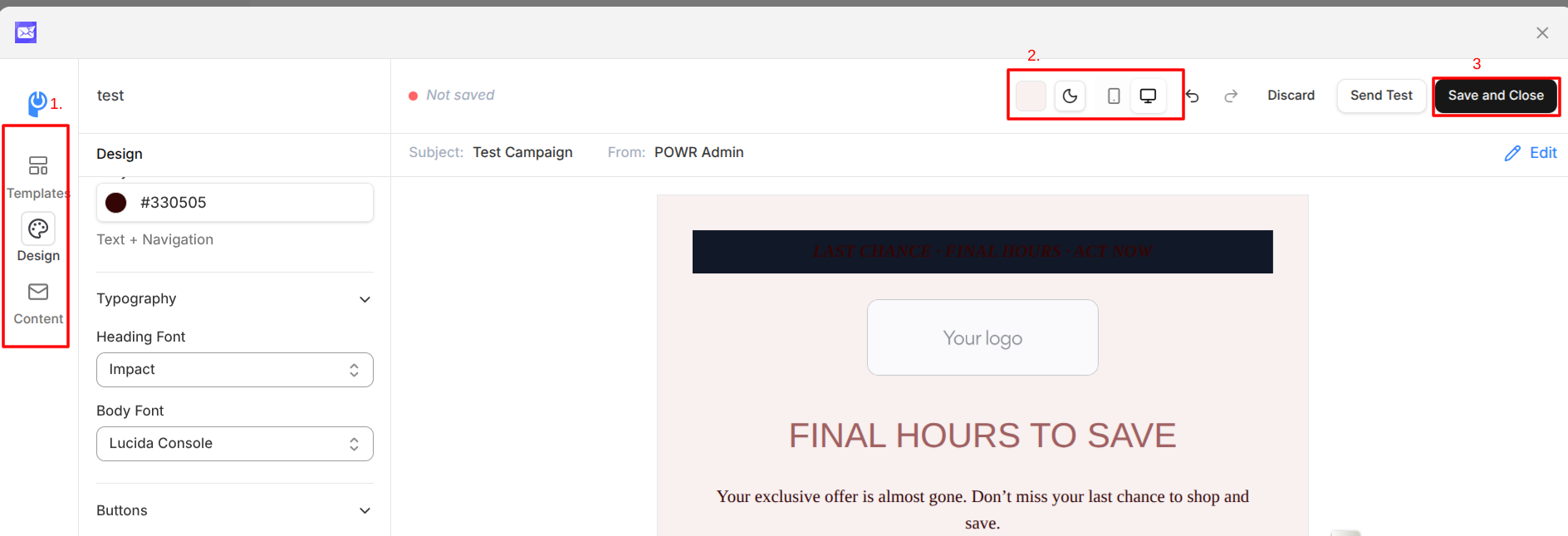
Email builder. Design your email using the sidebar (Templates, Design, Content). Add and edit sections and elements, drop in your products, and adjust your branding.
Preview and test. Check how it looks in light or dark mode and on desktop or mobile, then click Send Test to send yourself a copy.
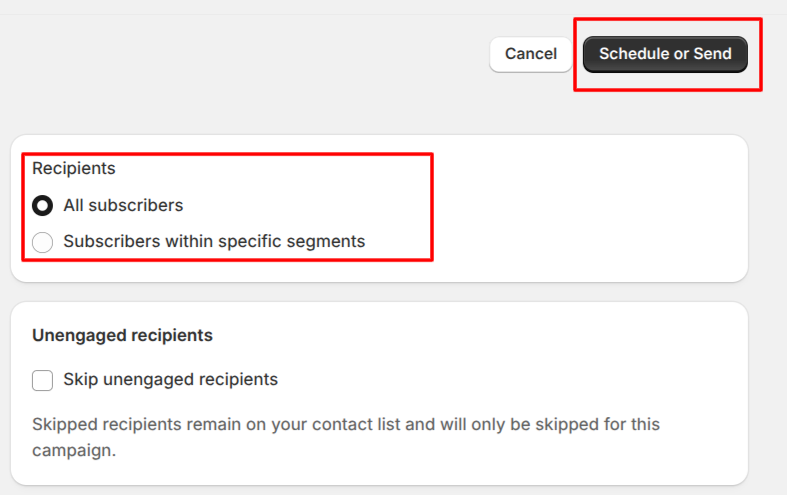
Save and close, then choose your recipients: all subscribers, or specific Shopify segments (like customers who haven't purchased). You can select more than one segment.
Schedule or Send. Review the details, then send now or schedule for later. You can edit your email before it goes out.
After you send
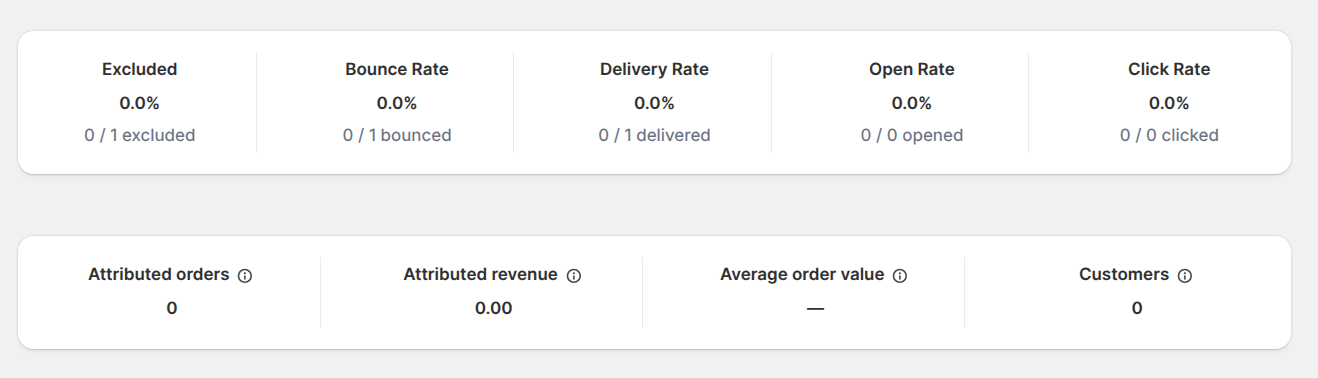
You land on the analytics screen, where you can track delivery, open, and click rates, plus the revenue your email drove. Want to send something similar again? Duplicate the campaign, make your changes, and send.
Good to know
Only subscribed contacts appear as recipients. Anyone who has unsubscribed, hard bounced, reported spam, or failed a validation check is excluded automatically.
Your email isn't auto-saved. Use Save and close to keep your work.