
Setting up sequences and automations
If you haven't yet, read Broadcasts, sequences, and automations explained first so the difference is clear.
Sequences
A sequence sends a series of emails to a list you choose, with timing and filters between steps.
In Campaigns, create a campaign and choose Sequence.
Pick a preset or start from scratch. Presets include Flash Sale, Product Launch, Seasonal Promotion, and VIP Sale.
In the Sequence Editor, build your flow from nodes:
Contact list. Choose the audience for this sequence, such as all subscribers or customers who have purchased more than once.
Email. Set the subject, preview text, and design for each email.
Delay or Schedule. Set how long to wait before the next step in days, hours, and minutes, or schedule by date and time.
Filter. Continue contacts based on their actions, for example, only those who opened or clicked (or did not) the previous email.
Add or delete actions to shape the flow, edit each email in the builder, then click Send Campaign and track results on the analytics screen.
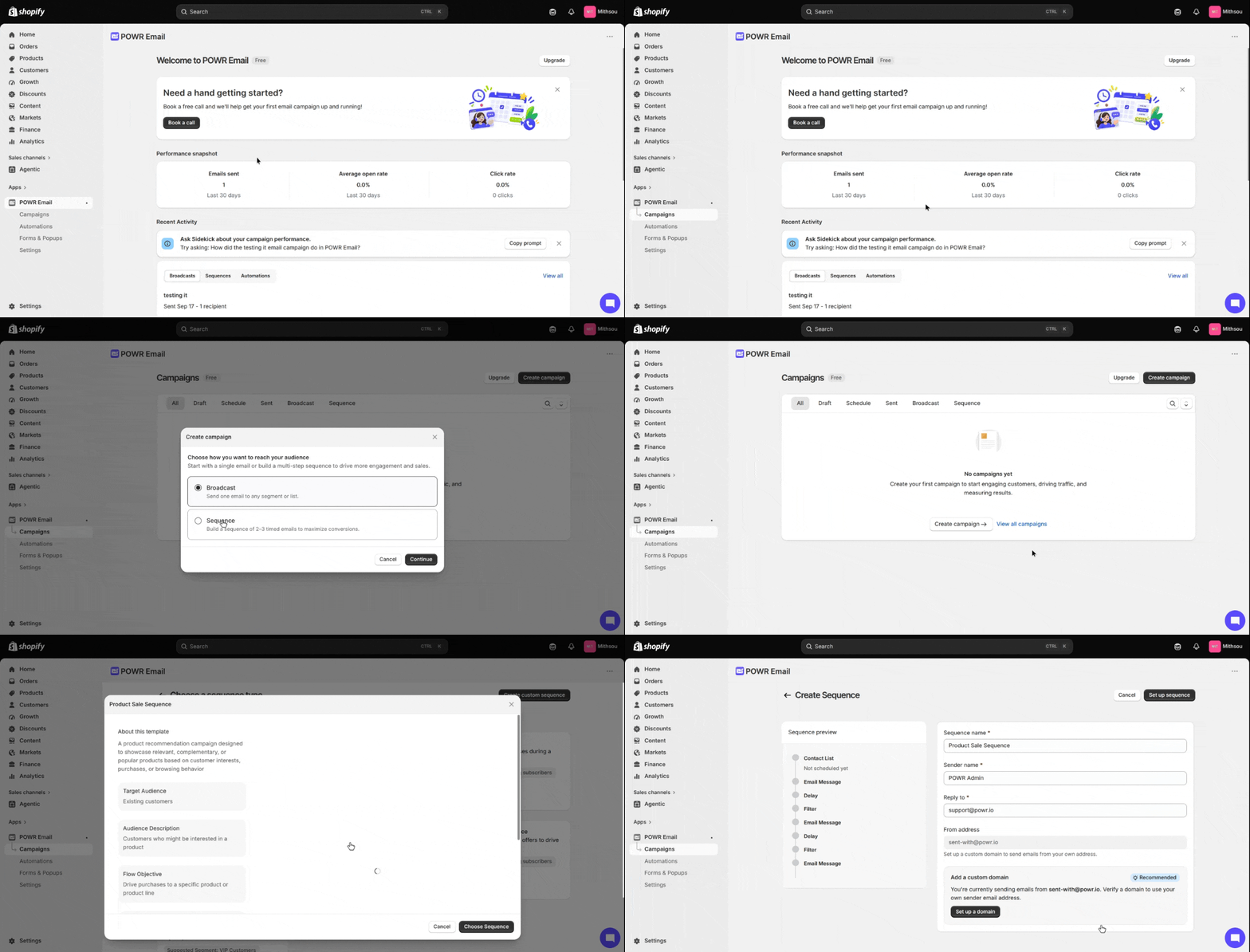
Presets come pre-filled with suggested emails, timing, and filters so you have a starting point. You can change any of it.
Automations
Automations run continuously. The trigger is a customer entering a segment: every time someone qualifies, the automation sends to them.
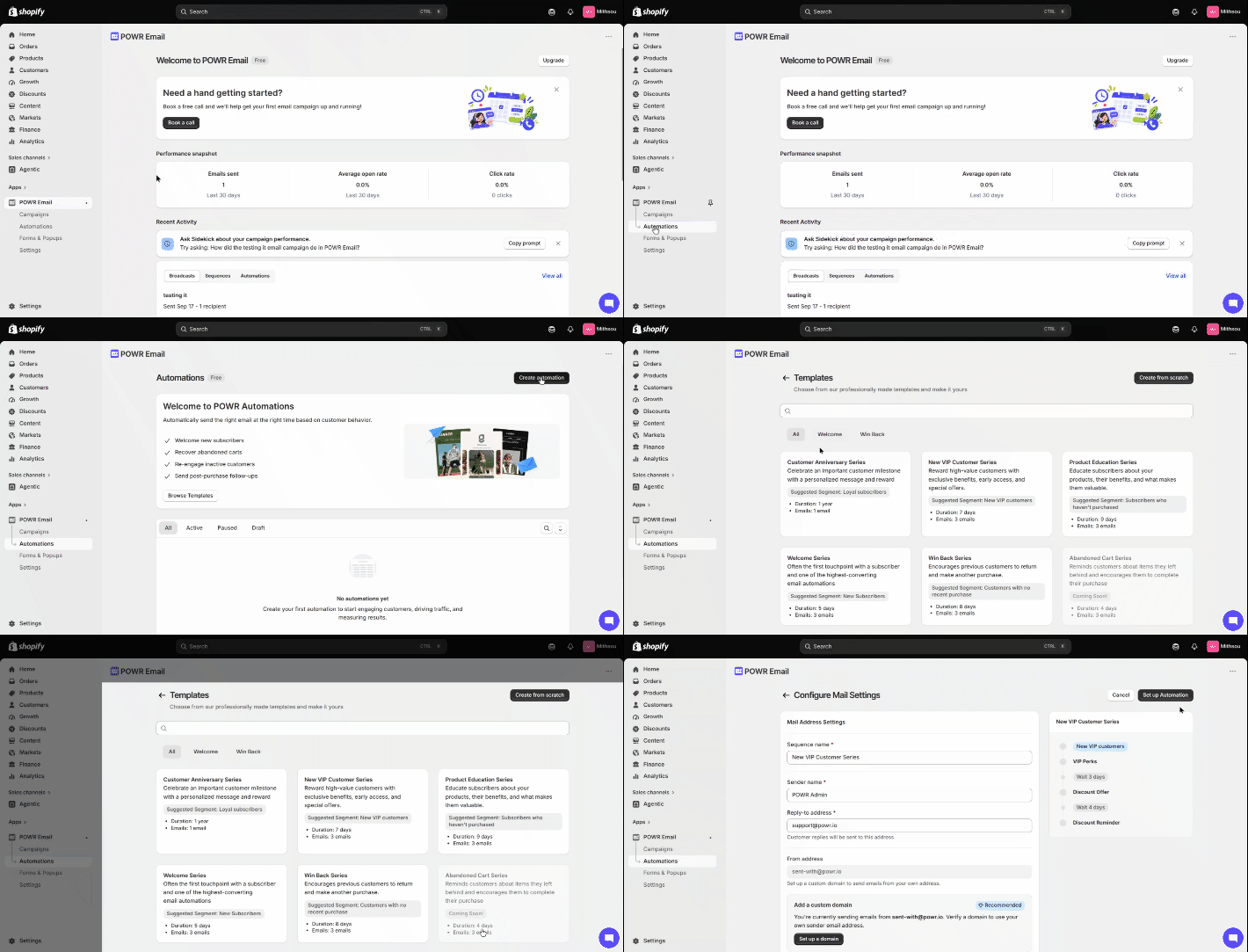
In Automations, create one from a preset or from scratch. Presets include Welcome, Win Back, Product Education, and New VIP Customer.
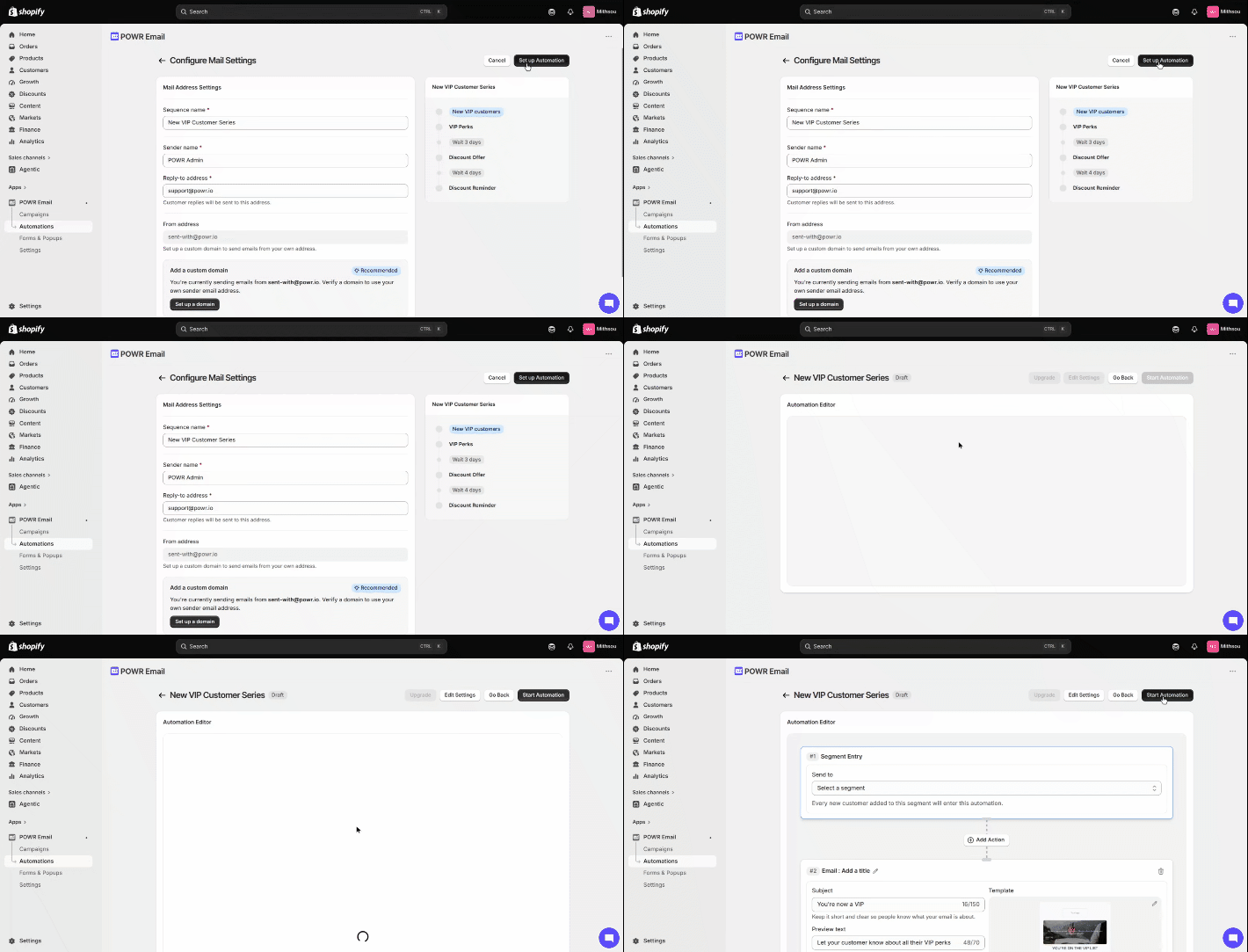
In the Automation Editor, set your segment entry, emails, timing, and filters:
Email. Subject, preview text, and design.
Delay or Schedule. Wait times in days, hours, and minutes, or a set schedule.
Filter. Rules that decide who continues, such as "did not click email," applied to a specific email in the flow.
Turn it on. Once live, it runs on its own. You can view its performance and edit, pause, duplicate, or delete it at any time.
Good to know
You can filter on email behavior today (opened, clicked, did not click), applied to a specific email in the flow.
Filtering by purchase data is planned but not available yet.
Sequences and automations are built around your Shopify segments, so keep your segments and tags up to date.