Sending a campaign: recipients and segments
Once your email is built, you choose who receives it and send.
Choosing recipients
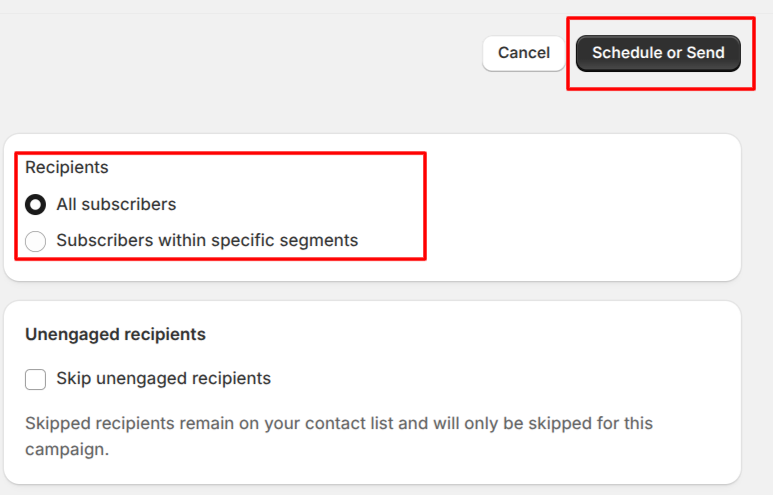
All subscribers. Everyone marked as subscribed to email marketing.
Specific segments. A subset of your list, drawn from your Shopify segments, for example customers who haven't purchased or who have purchased more than once.
You can select more than one segment. Recipients are anyone who falls into any segment you choose.
Who gets automatically excluded
Before a send, POWR Email filters out contacts an email will fail for. Anyone who has hard bounced, unsubscribed, reported spam, or failed a validation check is excluded automatically. This protects your sender reputation.
Only subscribed contacts appear
A customer has to be marked as subscribed to email marketing in Shopify Customers to show up as a recipient. See Collecting more emails with forms and popups for how customers opt in.
Send or schedule
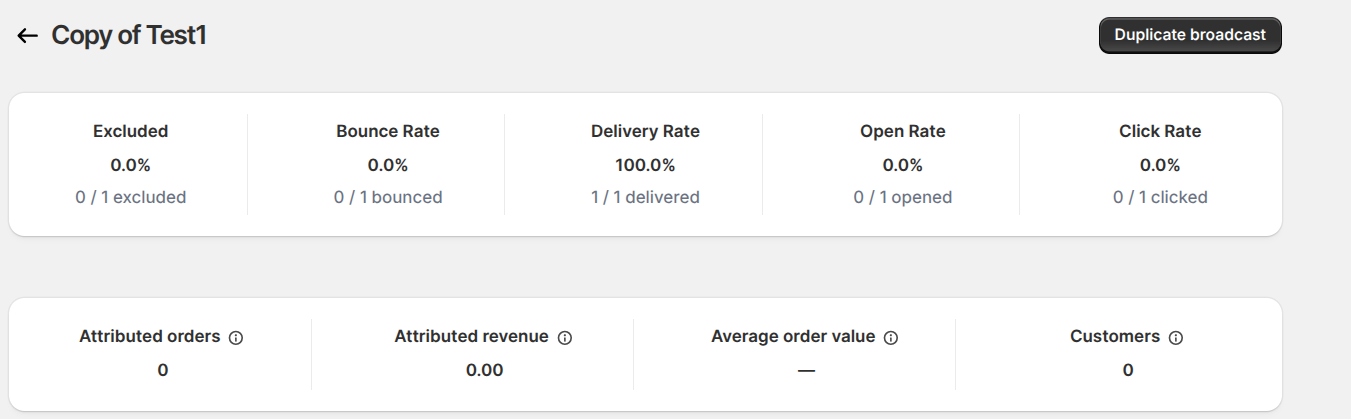
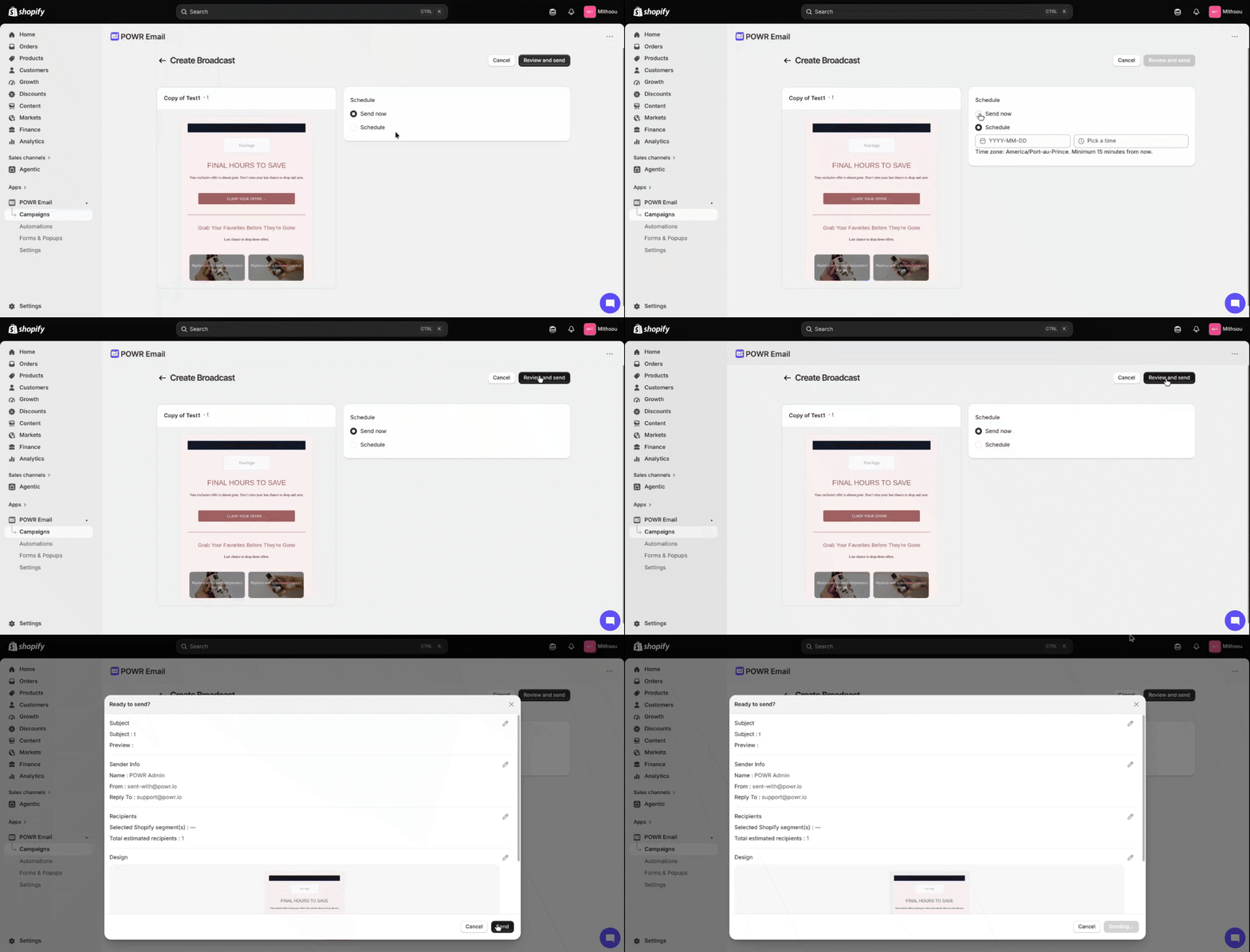
Review your campaign, then choose Schedule or Send: send now, or schedule for later. After sending, you land on the analytics screen.
Duplicating a campaign
From the analytics screen, duplicate a campaign to copy the email and its settings, make quick changes, and send again.