To change the color of label text please follow the steps below:
1. Open app settings
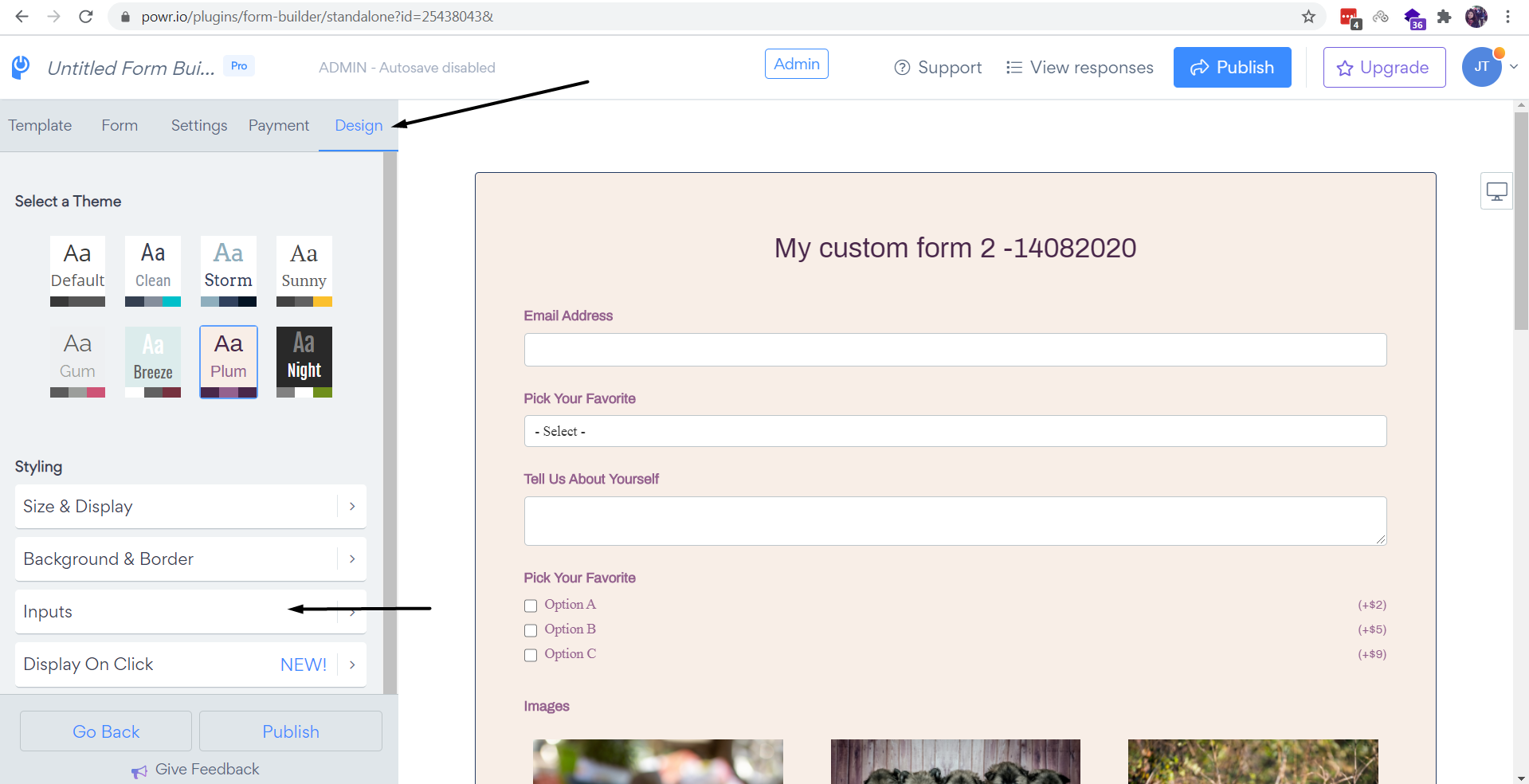
2. Press on "Design" > Inputs section
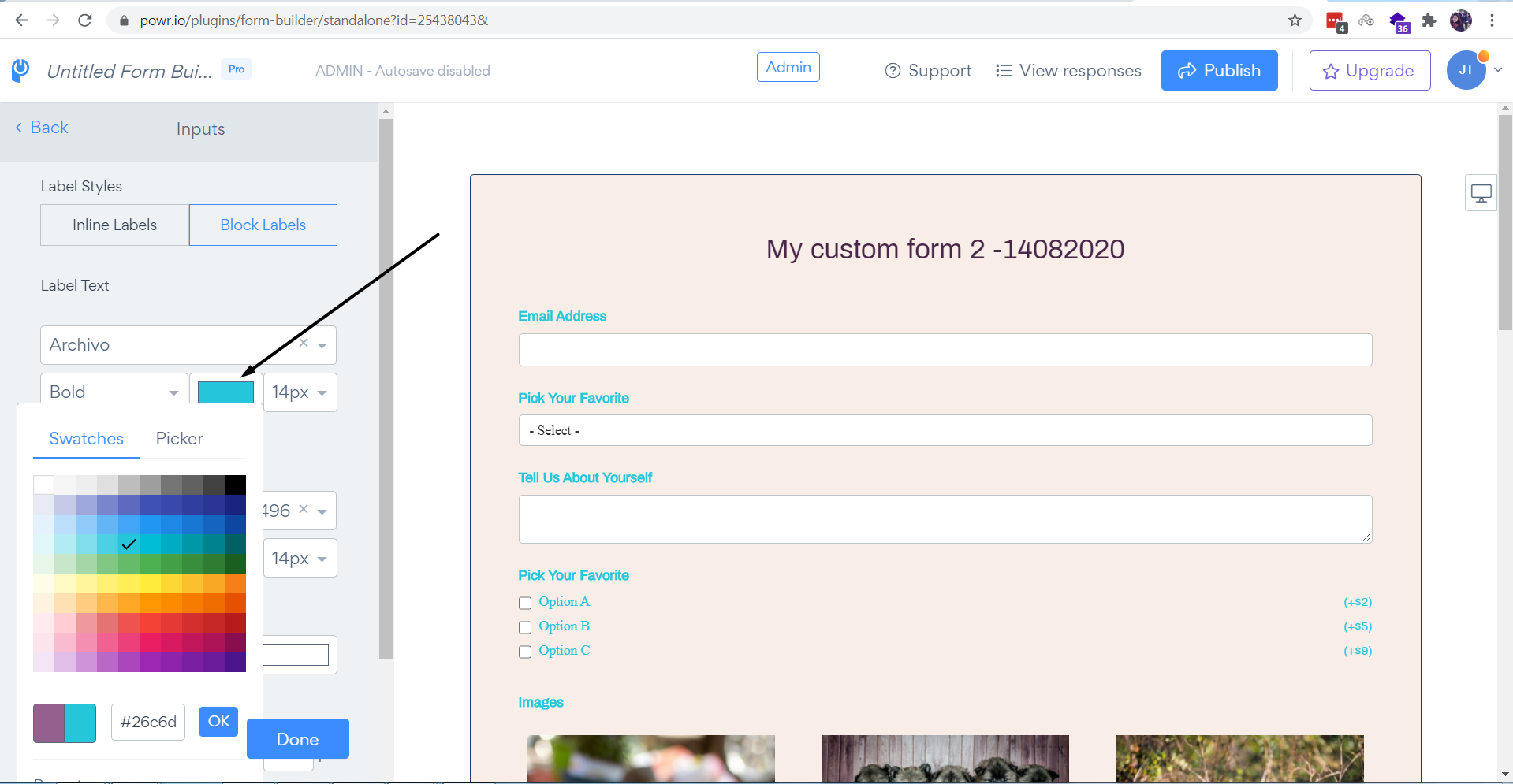
3. Please select the color and make sure to hit on "Publish" button to save the changes:

To change the color of label text please follow the steps below:
1. Open app settings
2. Press on "Design" > Inputs section
3. Please select the color and make sure to hit on "Publish" button to save the changes:
Comments
0 comments
Please sign in to leave a comment.