
Stripe: Manually Create Subscription for a Buyer
If a user sent you a one-time payment using Stripe, you can manually create a subscription for the user from within your Stripe dashboard.
Here is a gif showing where you can do that in your Stripe dashboard:
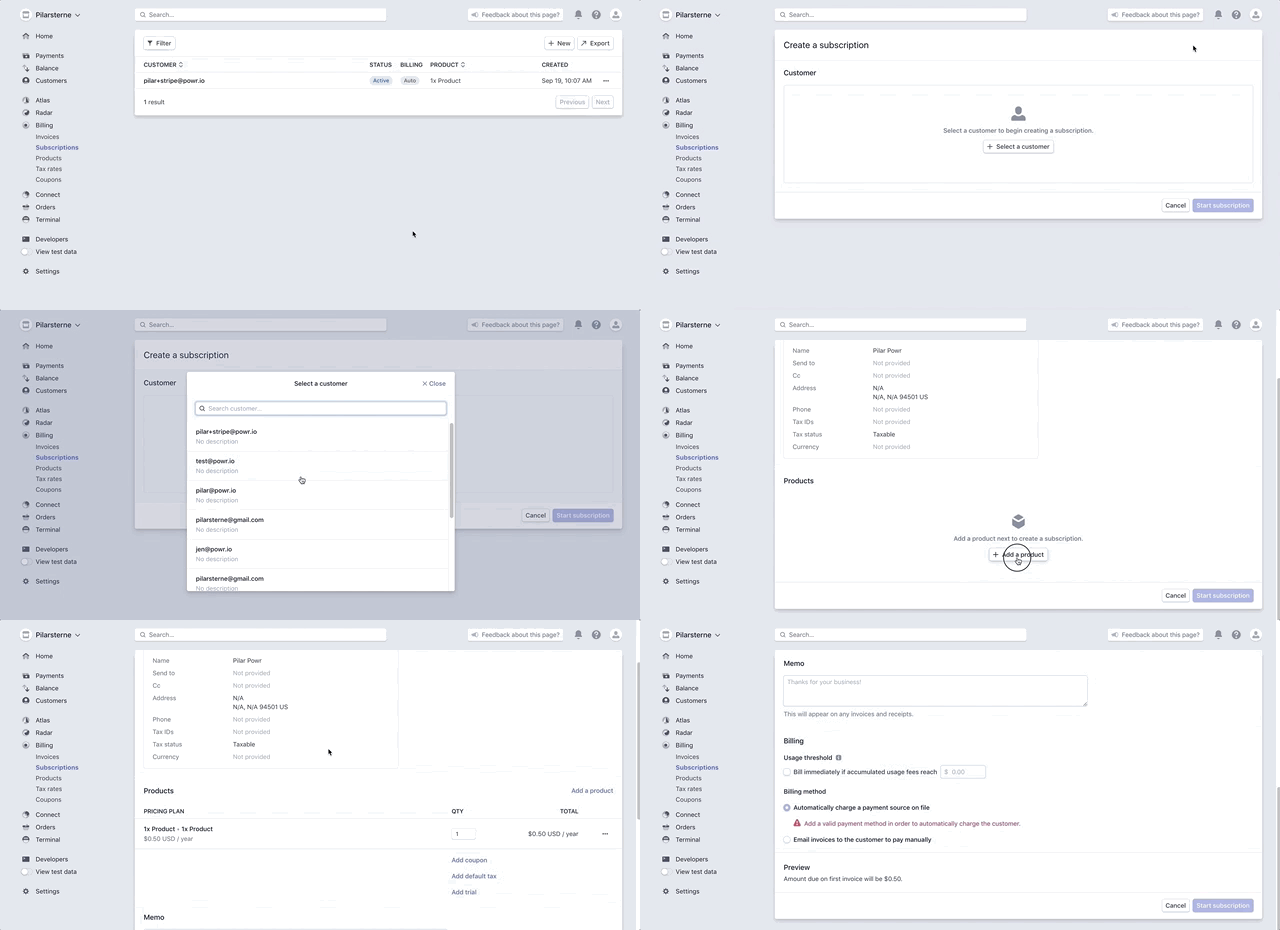
In your Stripe account,
- Go to Billing > Subscriptions
- Click Create New
- Select a customer who previously sent you a one-time payment
- Select a product that you wish to subscribe the customer to
- Choose a payment method (depending on your settings, you may have to start with it sending an invoice to the customer instead of it auto-charging the customer)
Your customer will then be billed or receive an invoice at the frequency specified in the original product.