How to set up Product Info in eCommerce
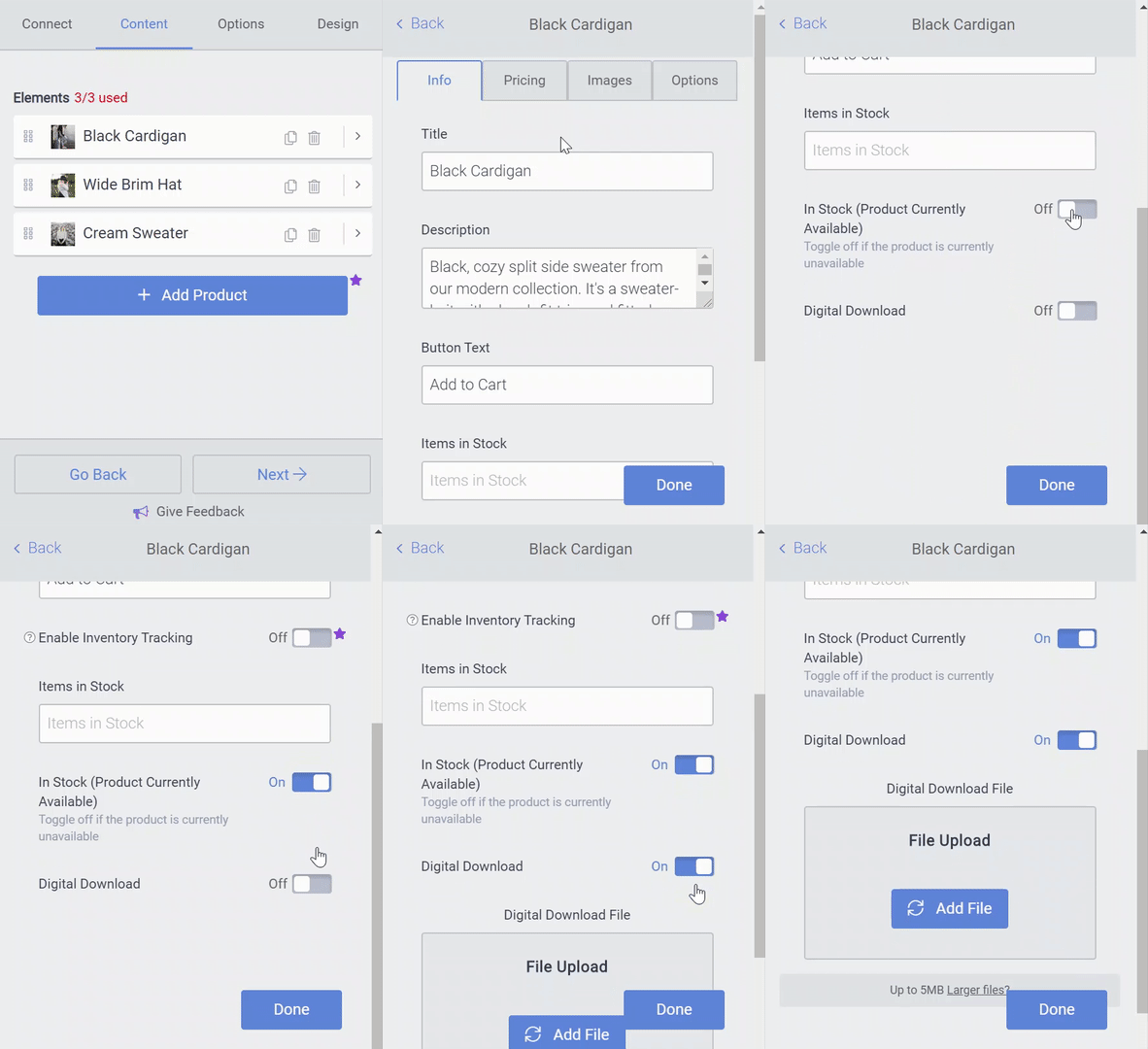
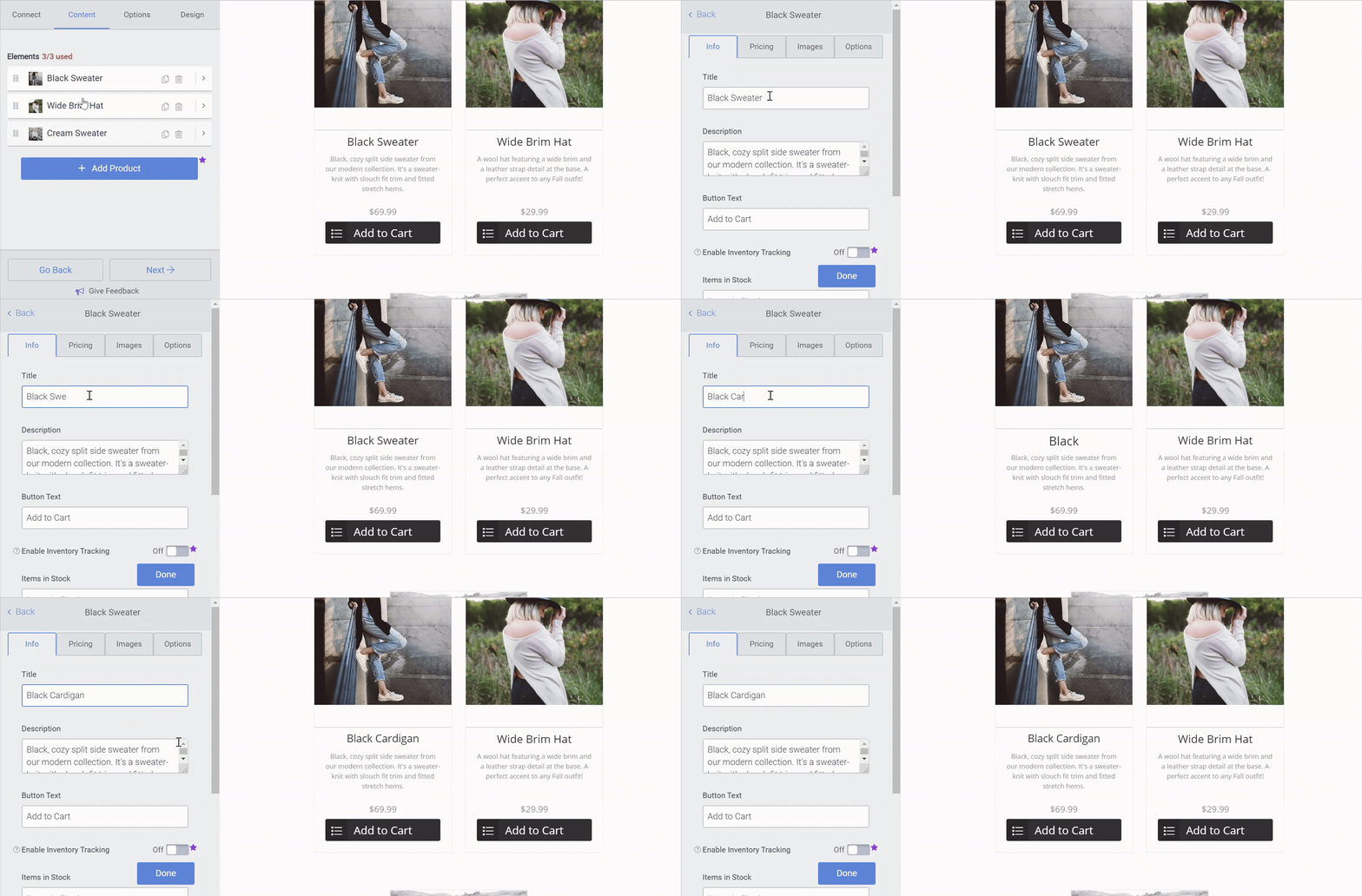
Information on each product lives in a submenu under that product, labeled Info.
Product info includes the name of the product, space for a description, and the text that is displayed on the button beneath the product.
Out of Stock - You can also set whether a product is out of stock in the Info menu, which will "gray-out" that particular product and prevent customers from adding it to their shopping cart.
Digital Download - If your product is a digital download, for instance a song or file, you can turn on the Digital Download option, which will allow you to upload the file which will be delivered to customers. Learn more about setting up Digital Downloads.