
How to Change Currencies in POWR Payment Apps
Various POWR apps let users take payments directly through our apps. Payments can be set up using PayPal or Stripe in POWR Form Builder, PayPal Button, eCommerce, and Price Table, to name some examples.
You can display your preferred currency in all of those apps. To select a default currency, follow these instructions:
Form Builder
In your POWR editor, go to Payment > Product Details > Currency and select your preferred currency from the dropdown.
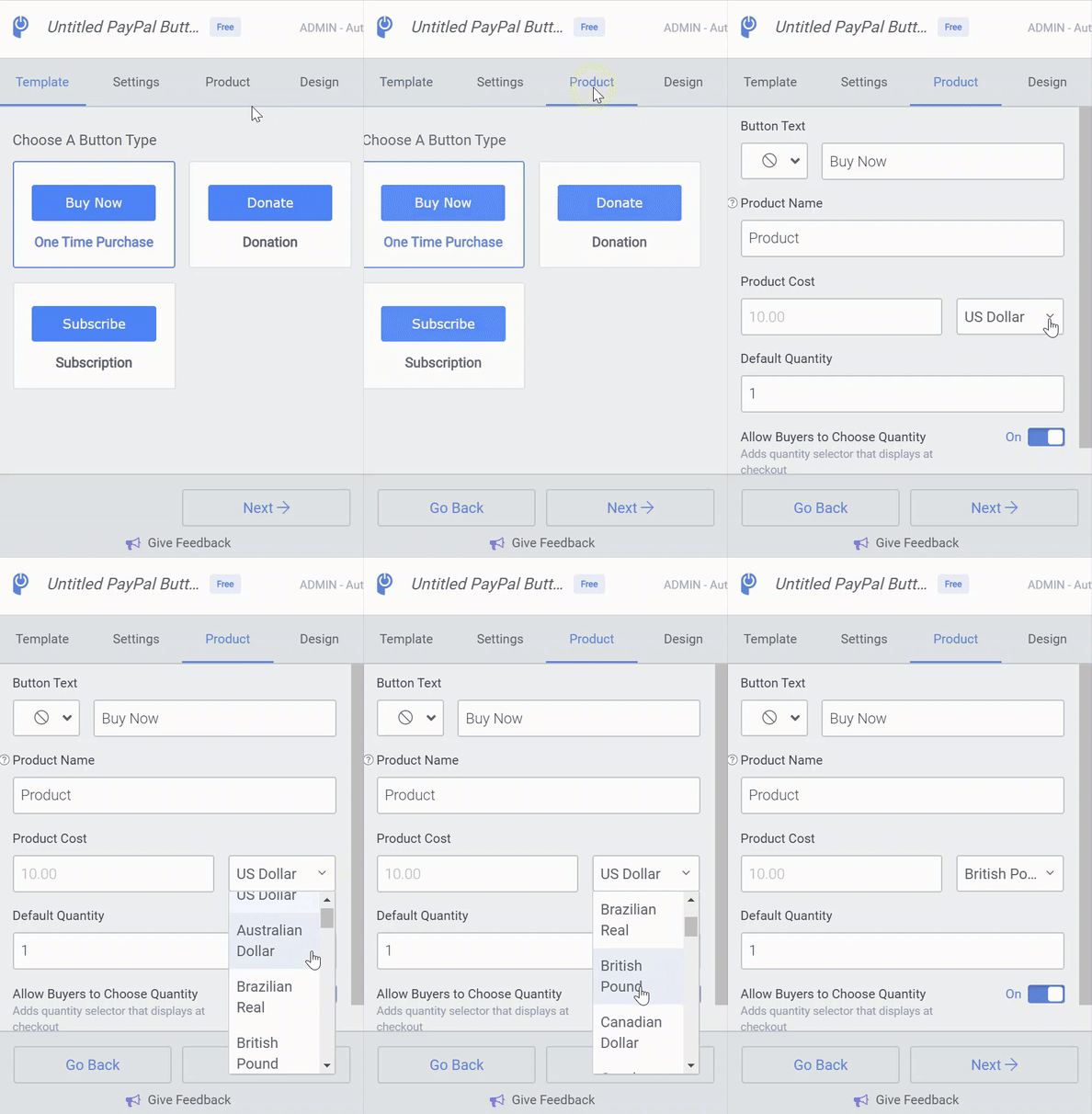
PayPal Button
In your POWR editor, go to Product > Product Cost and select your preferred currency from the dropdown.
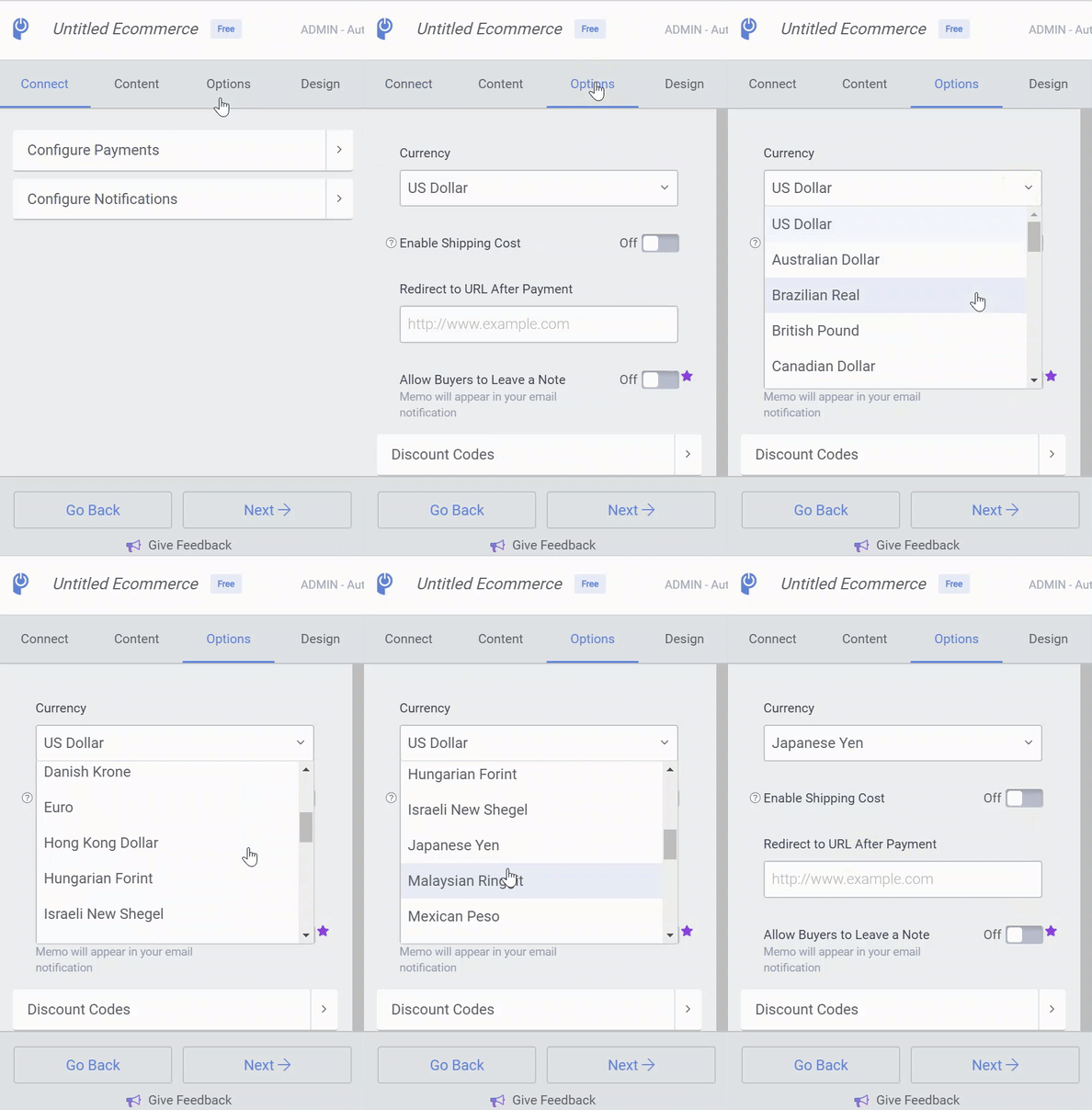
eCommerce
In your POWR editor, go to Options > Currency and select your preferred currency from the dropdown.
Example: POWR Settings - PayPal Button
Example: POWR Editor - eCommerce
Available Currencies
POWR apps support all currencies that are available through the respective payment processor (PayPal or Stripe). All common currencies, such as US Dollar, British Pound, and Euro, are supported in both payment APIs.
For a full list of currencies supported by PayPal, please refer to this article: What currencies does the PayPal Commerce Platform support?
For a full list of currencies supported by Stripe, please refer to this article: Supported Currencies