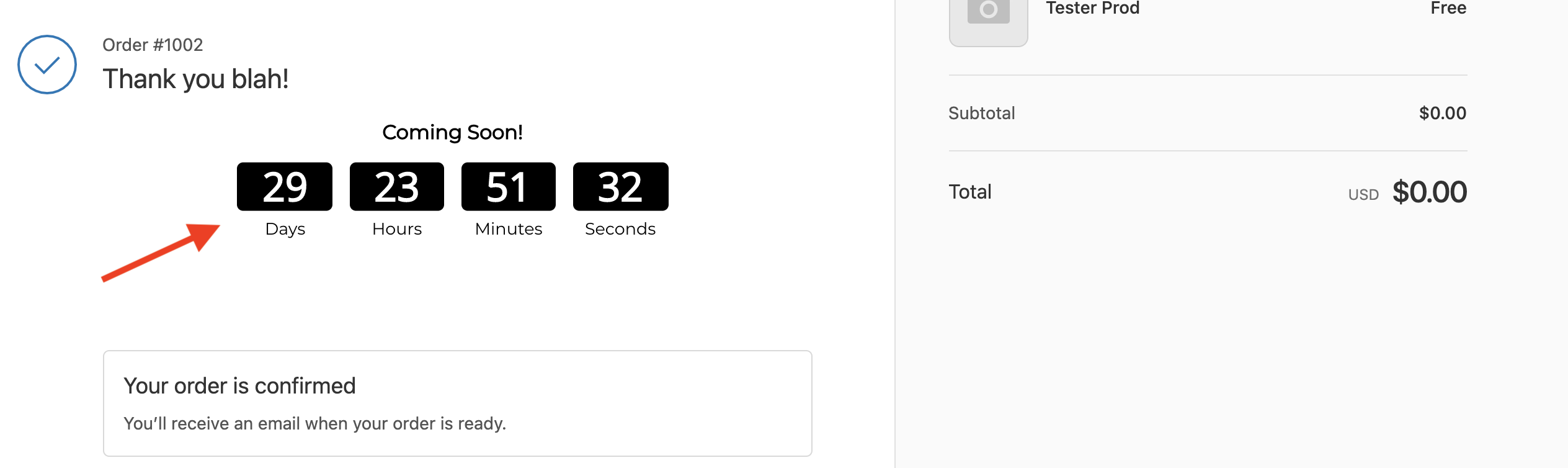
How to install apps to the Order / Checkout Confirmation Page
Shopify displays an order confirmation page to customers after they complete a transaction. It is easy to install most POWR apps to this page by following a few directions.
Shopify does not officially support installing scripts to this page, but does offer this unofficial guide detailing how to do so: https://help.shopify.com/en/manual/orders/status-tracking/customize-order-status/add-conversion-tracking
To install a POWR App:
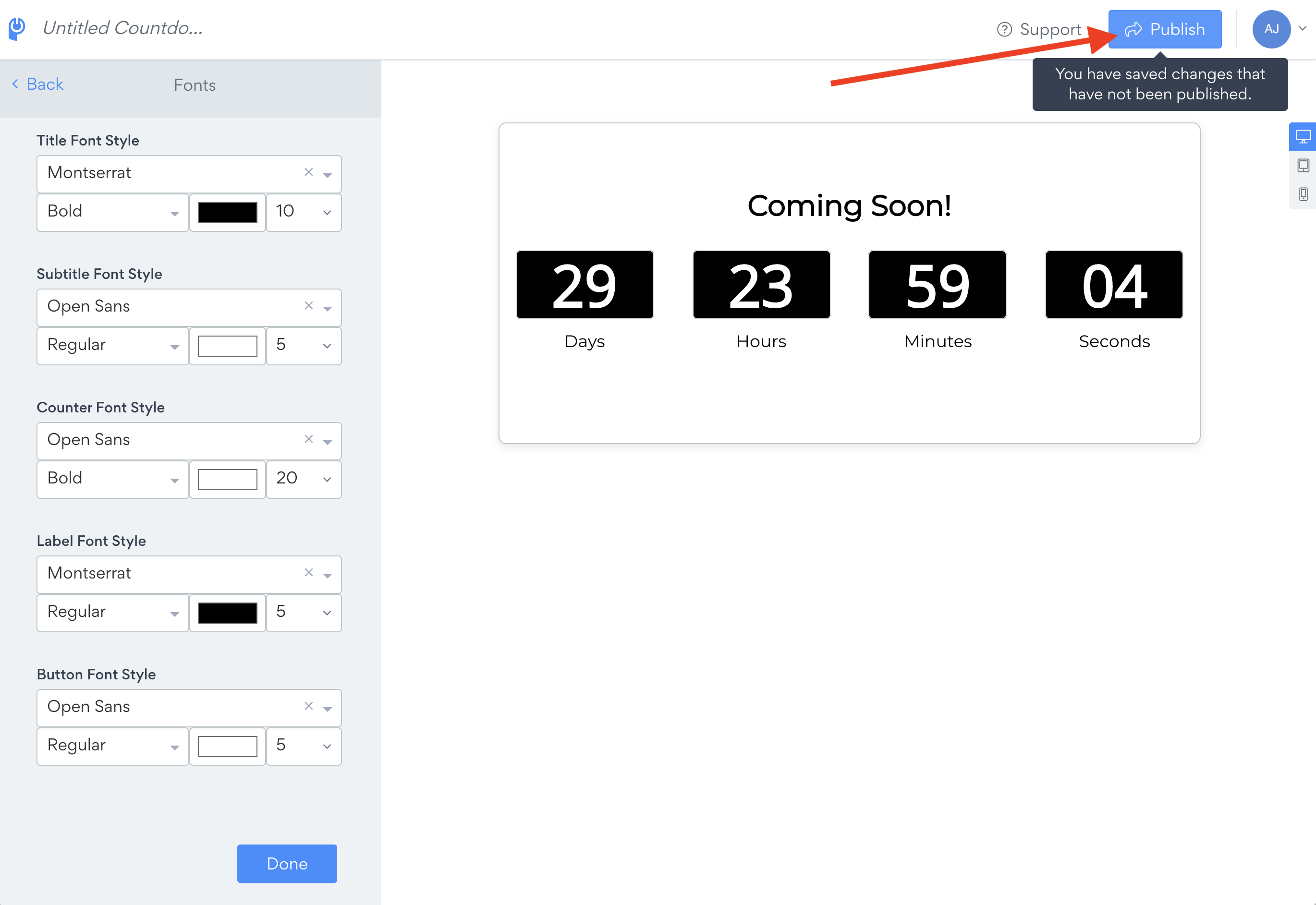
Click "Publish" in the app editor to navigate to the install screen
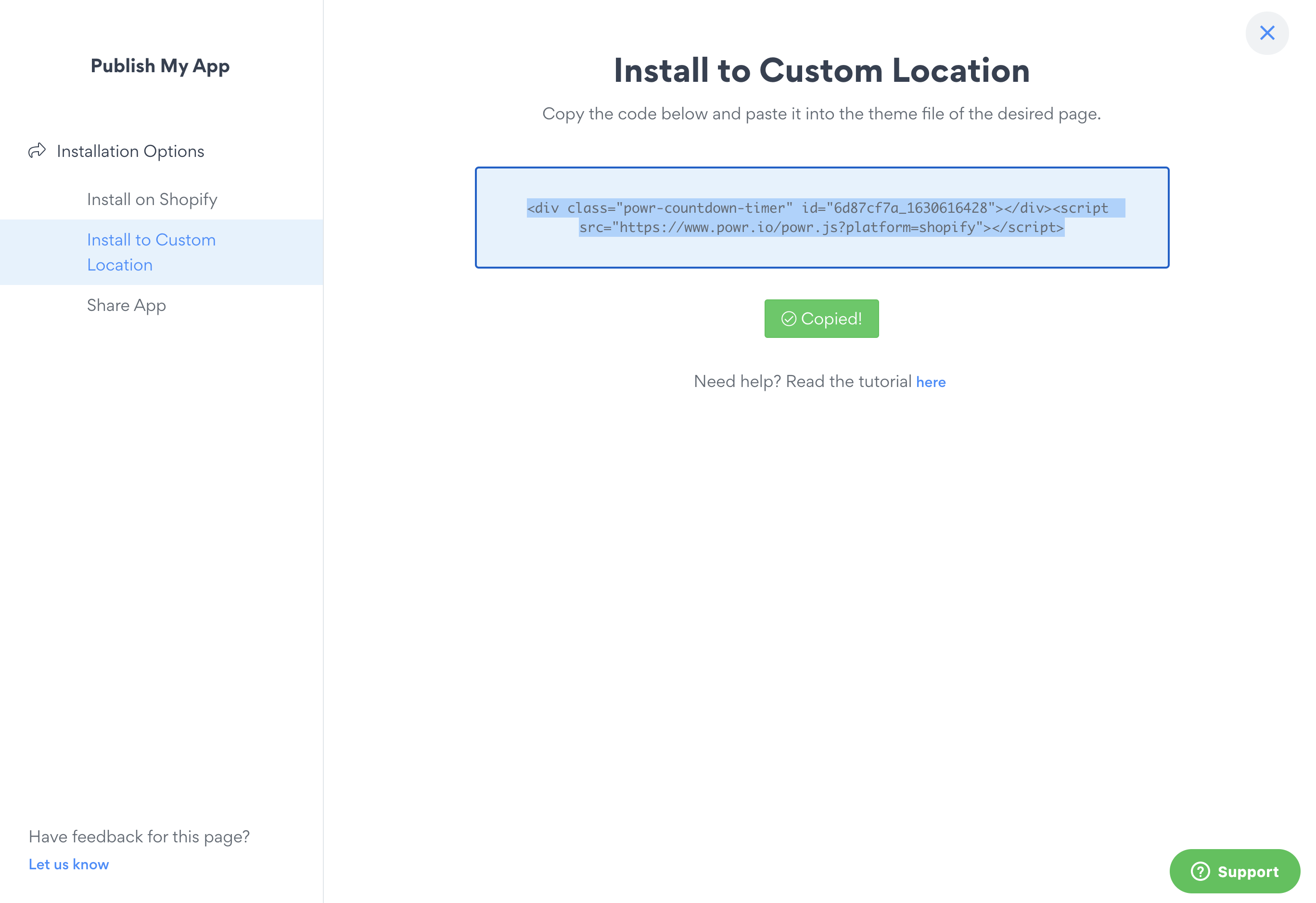
Select "Install to Custom Location" and copy the installation code
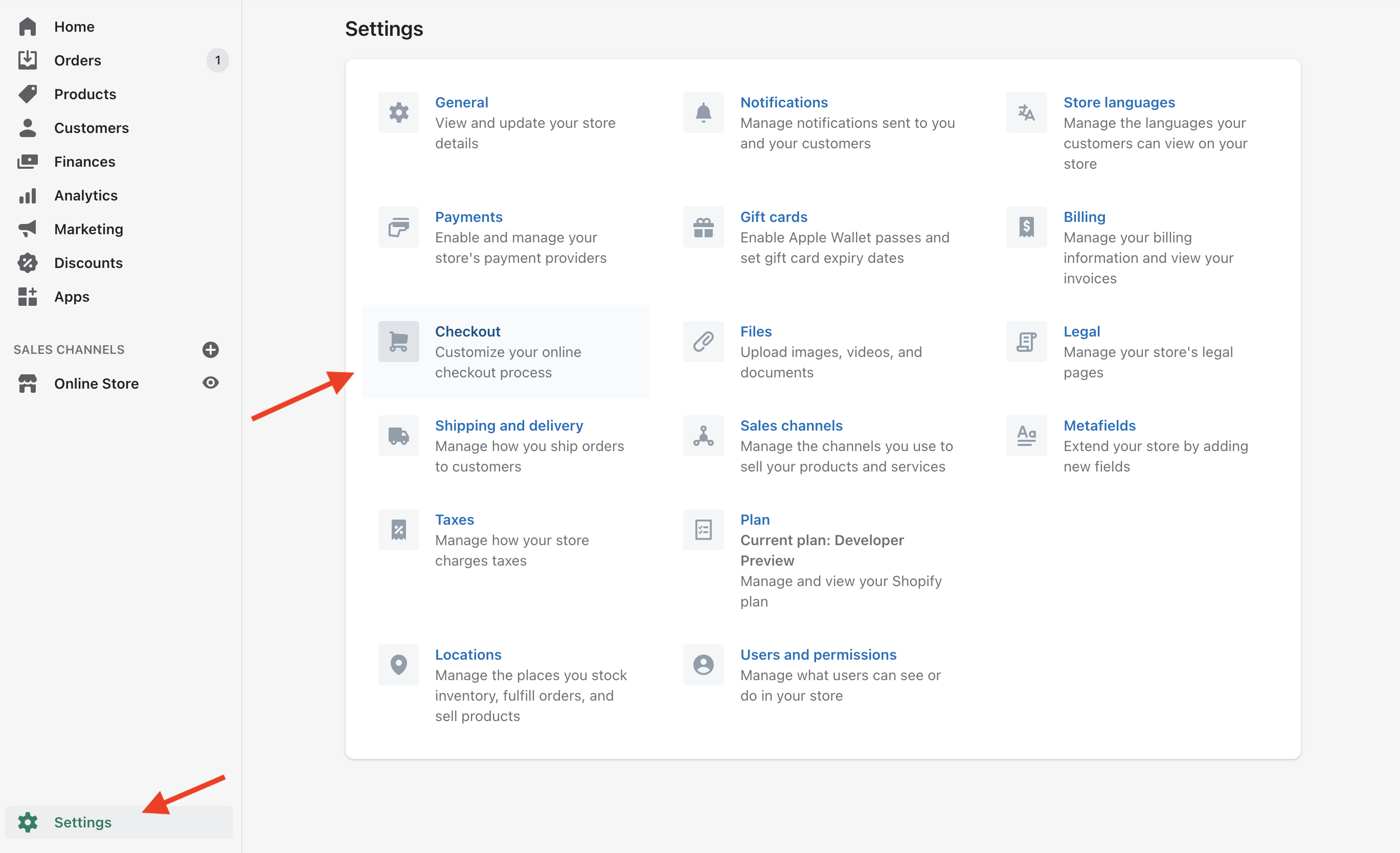
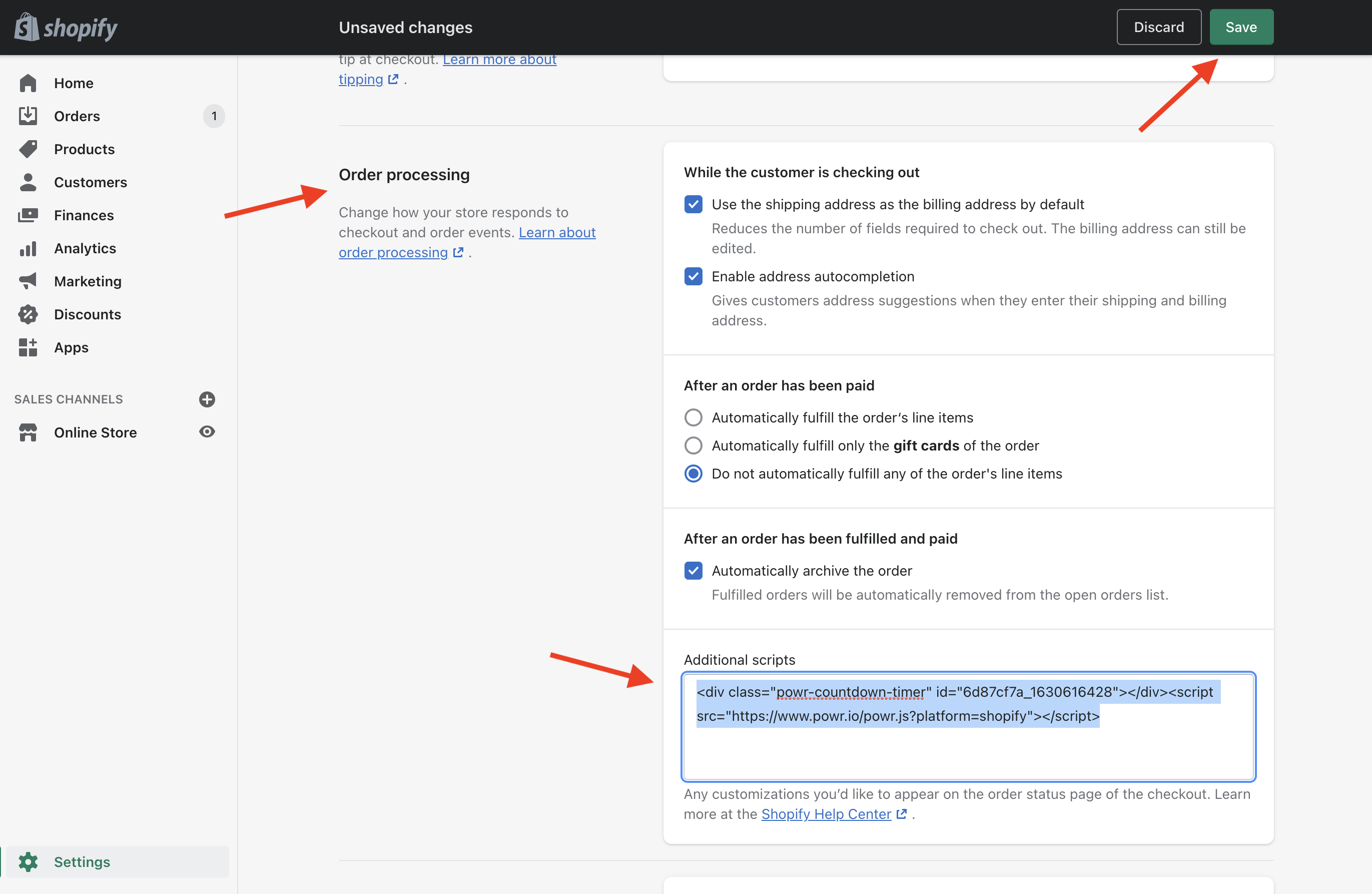
In Shopify, navigate to "Settings" -> "Checkout"
In the section "Order Processing" paste the POWR install code from your app, and select "Save" at the top of the page
Your app should now appear near the top of your order confirmation page!