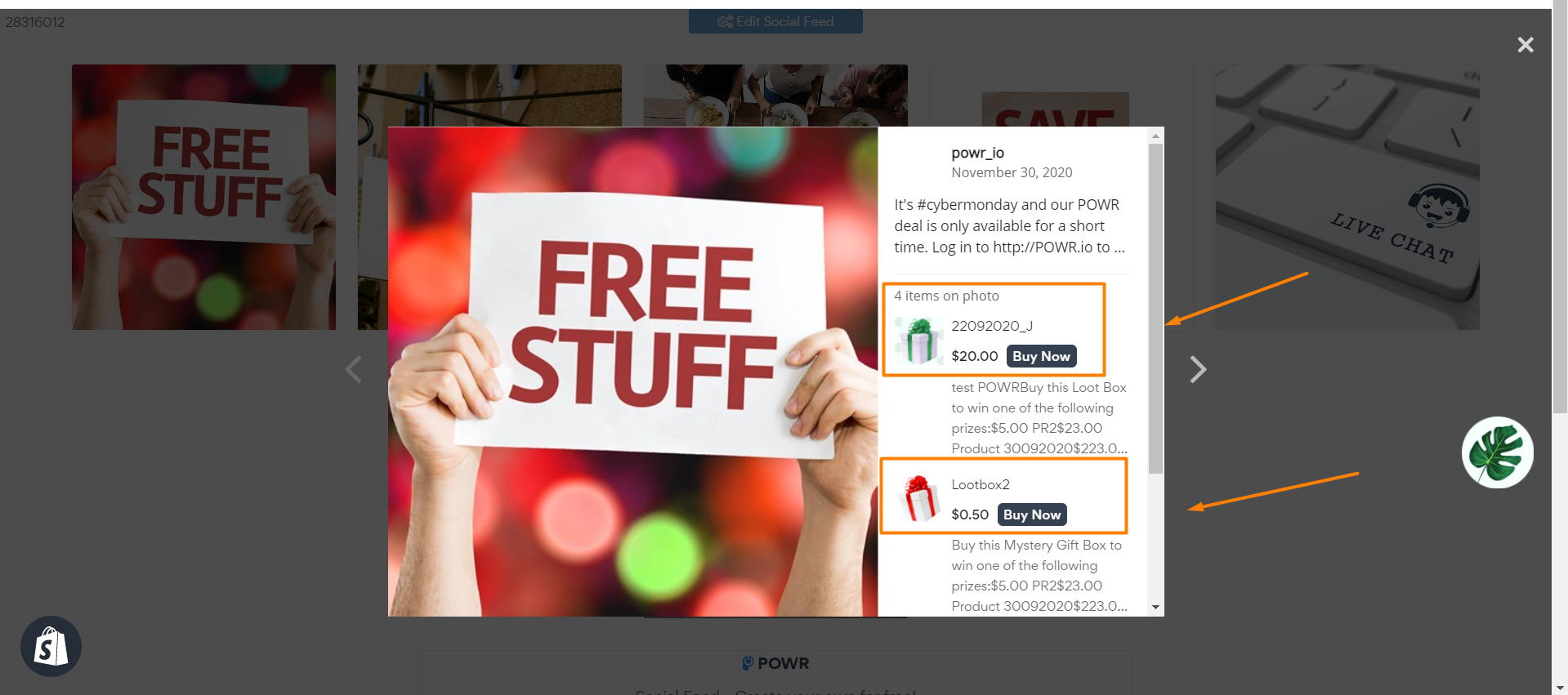
How to display "Buy Now" button in Shoppable Instagram feed?
Please open app settings and follow the steps below:
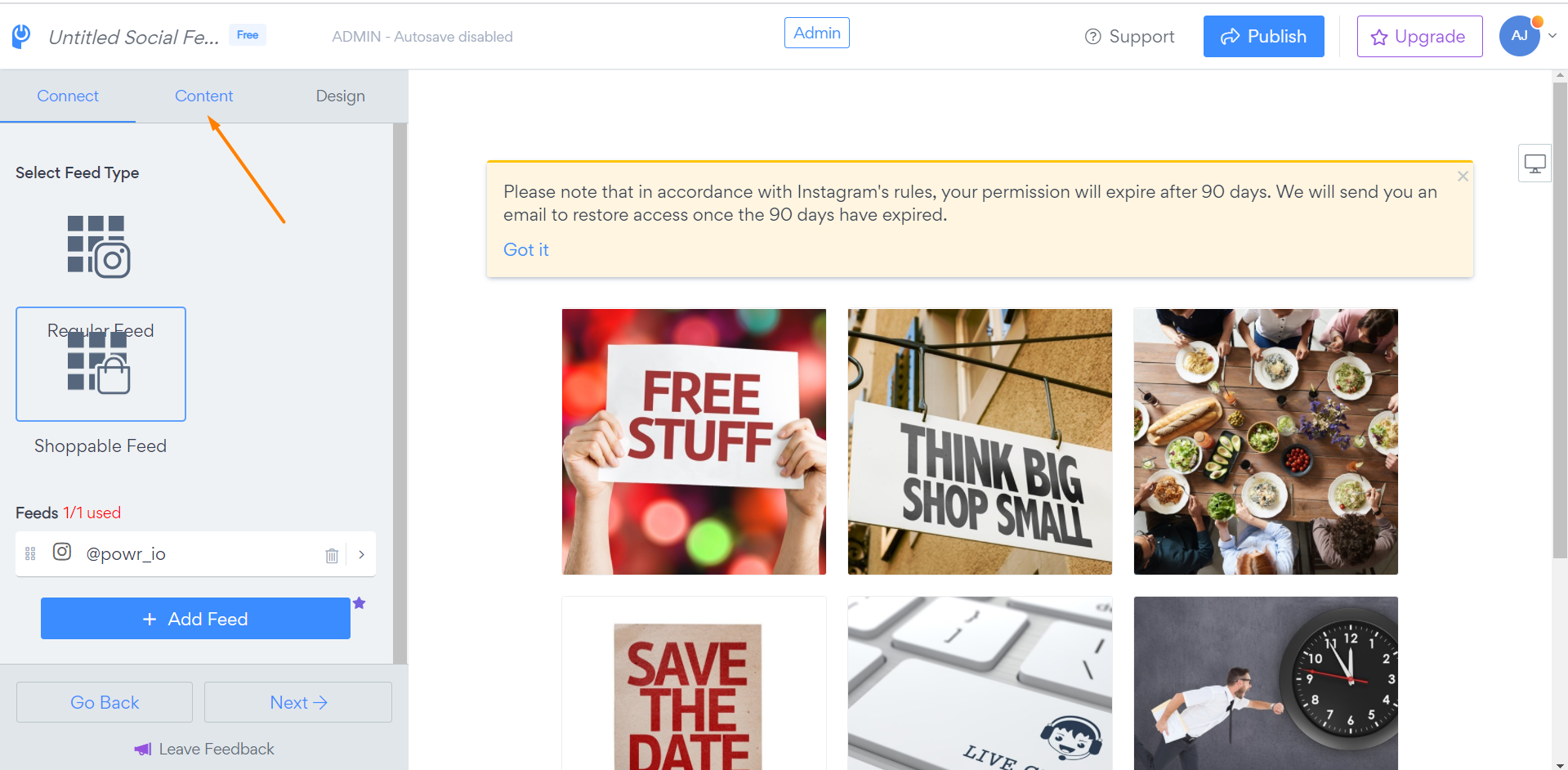
1. Click on "Content" tab:
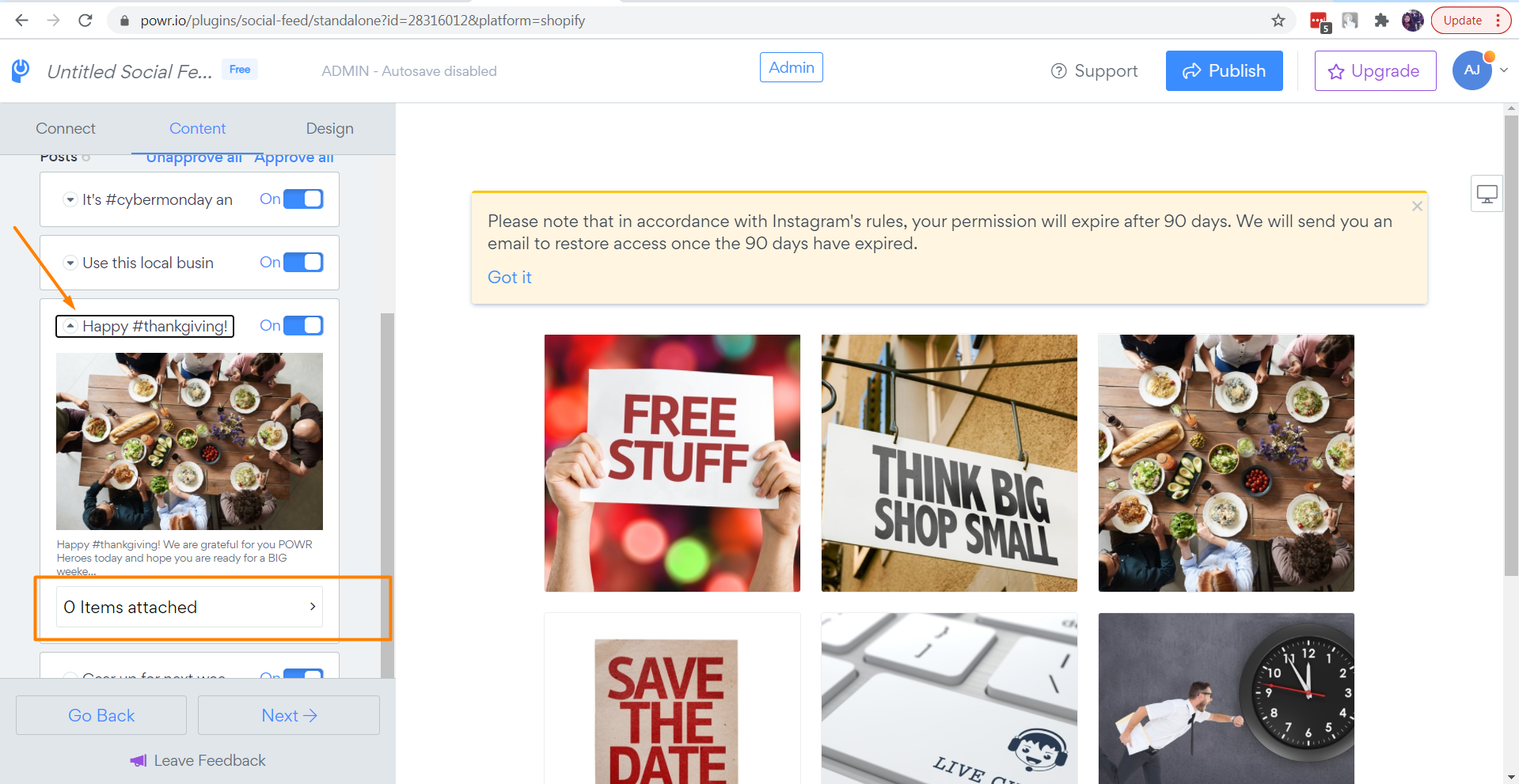
2. Open one of the posts and click on "0 items attached" section:
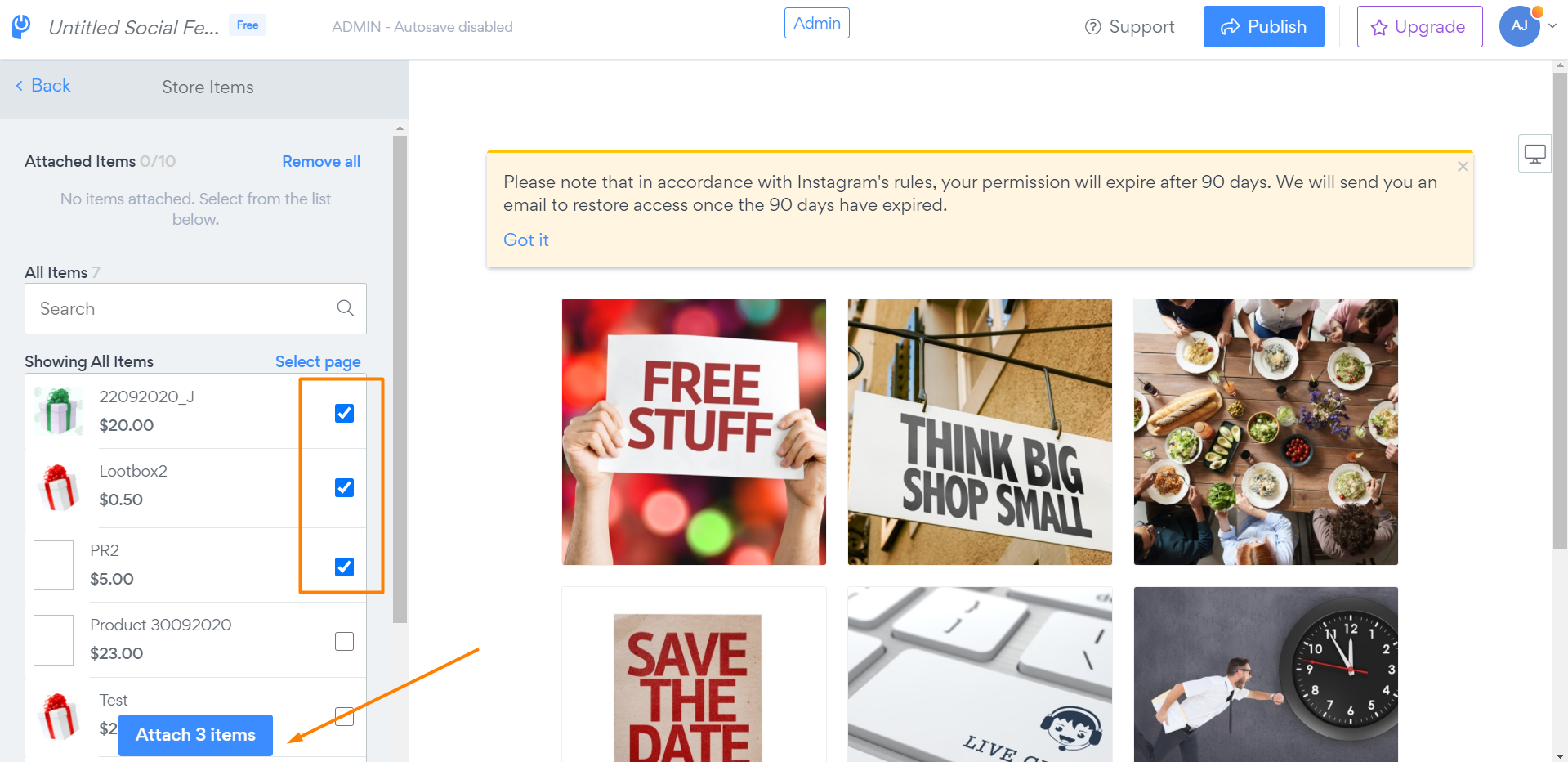
3. Select the items you need and press on "Attach 3 items" button below:
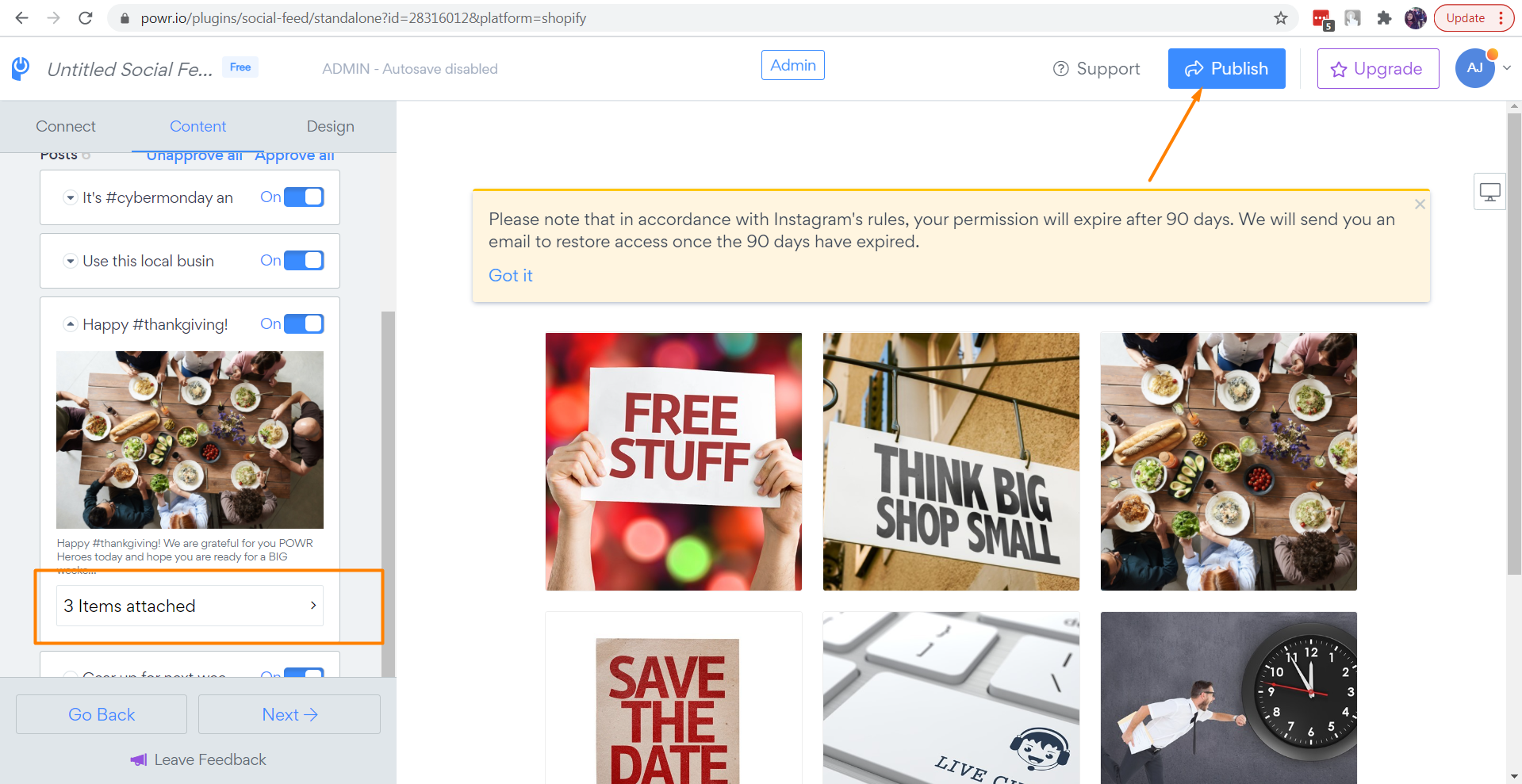
4. You will see that selected items were attached to your post. Please click on the "Publish" button to save changes.
Please check your website to see the "Buy Now" buttons appear on your feed: