
Adding POWR to a Shopify Homepage Section
If you'd like to add POWR to a specific section of your home page, you can place the POWR shortcode directly in an index Liquid section inside the home page theme editor in two steps:
Step 1: Find the POWR app code
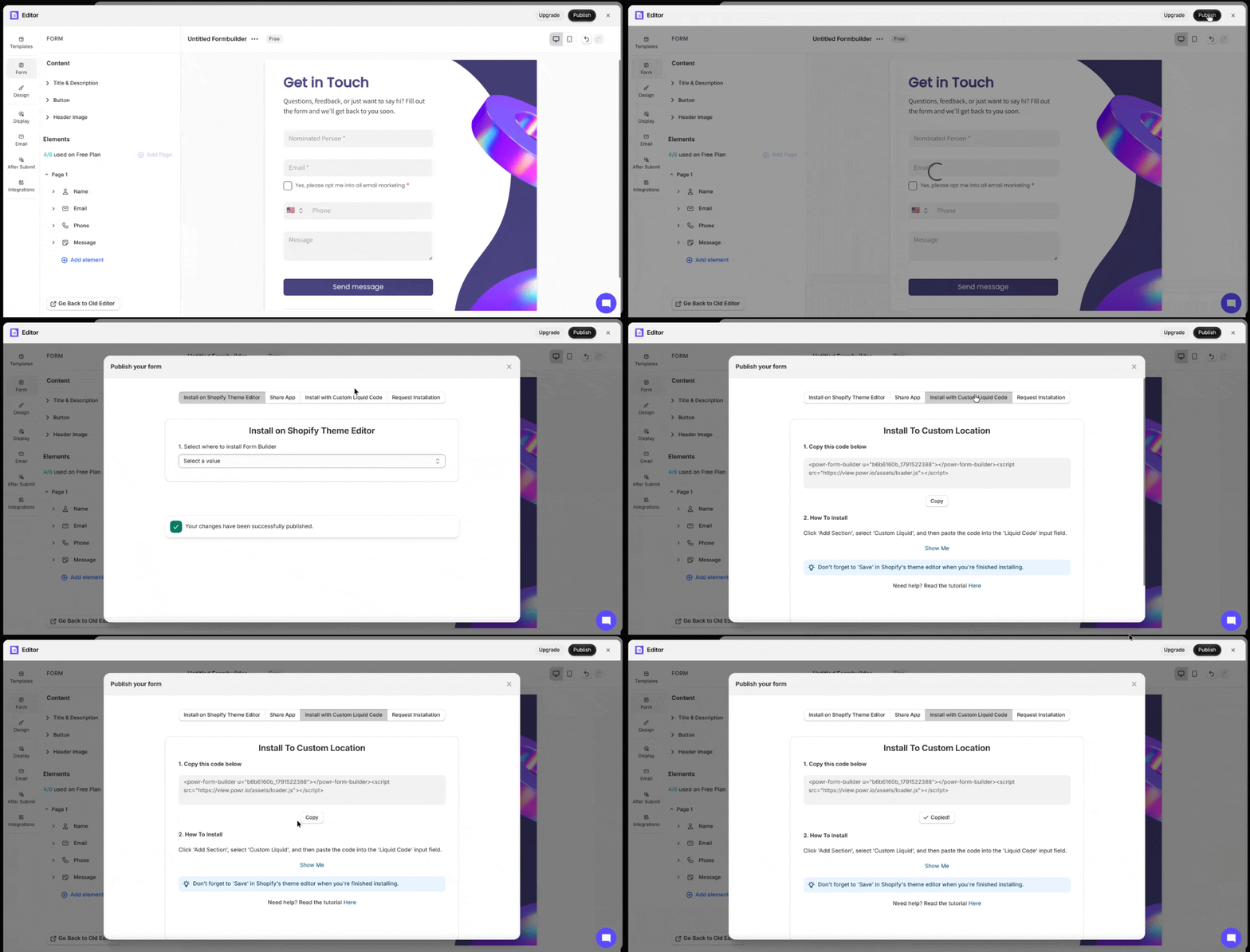
Open your app editor and click the Publish button on the top right
Choose Install with Custom Liquid and copy the code you see
Step 2: Add the code to your page
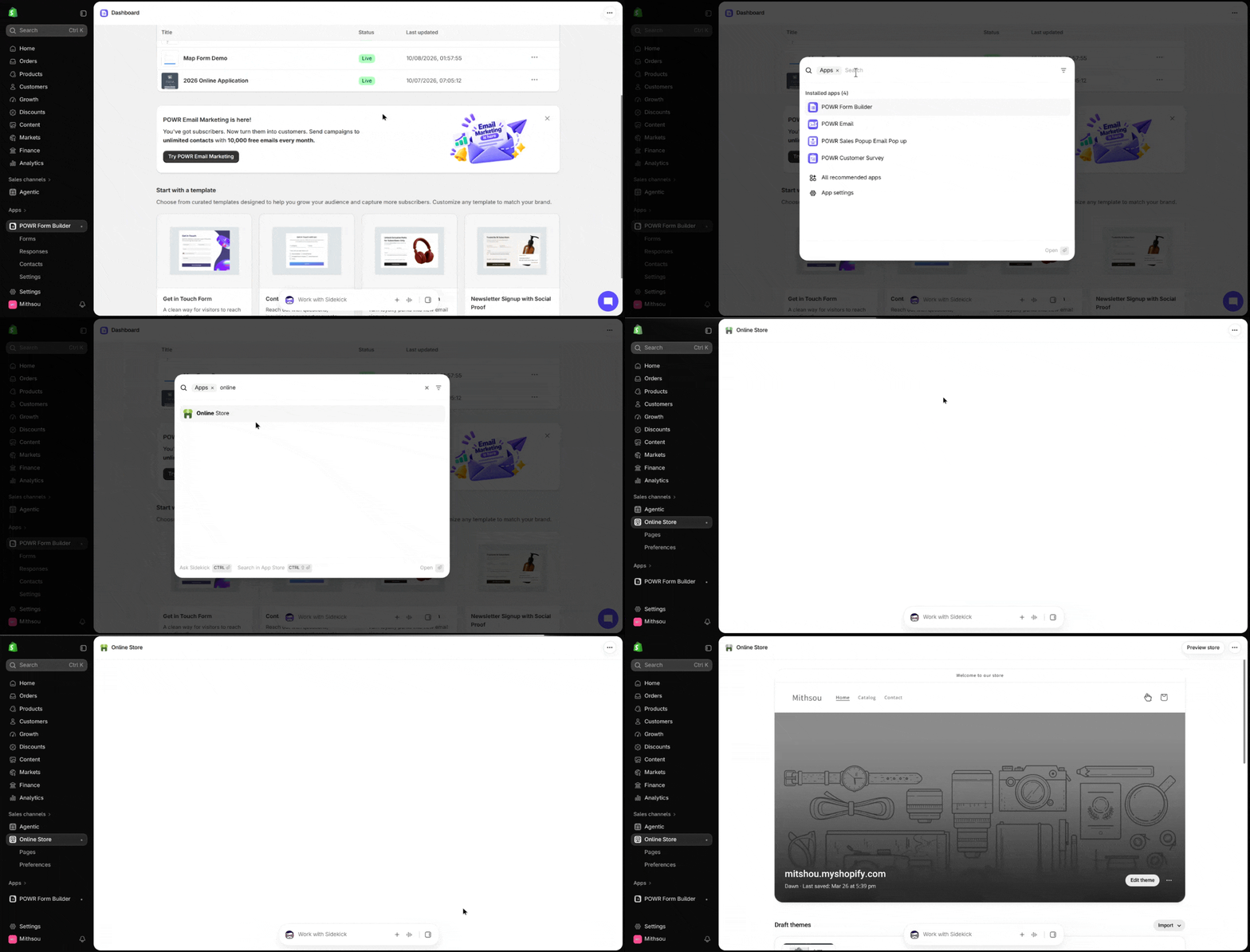
In your Shopify admin, go to Online Store > Themes > Edit Theme code
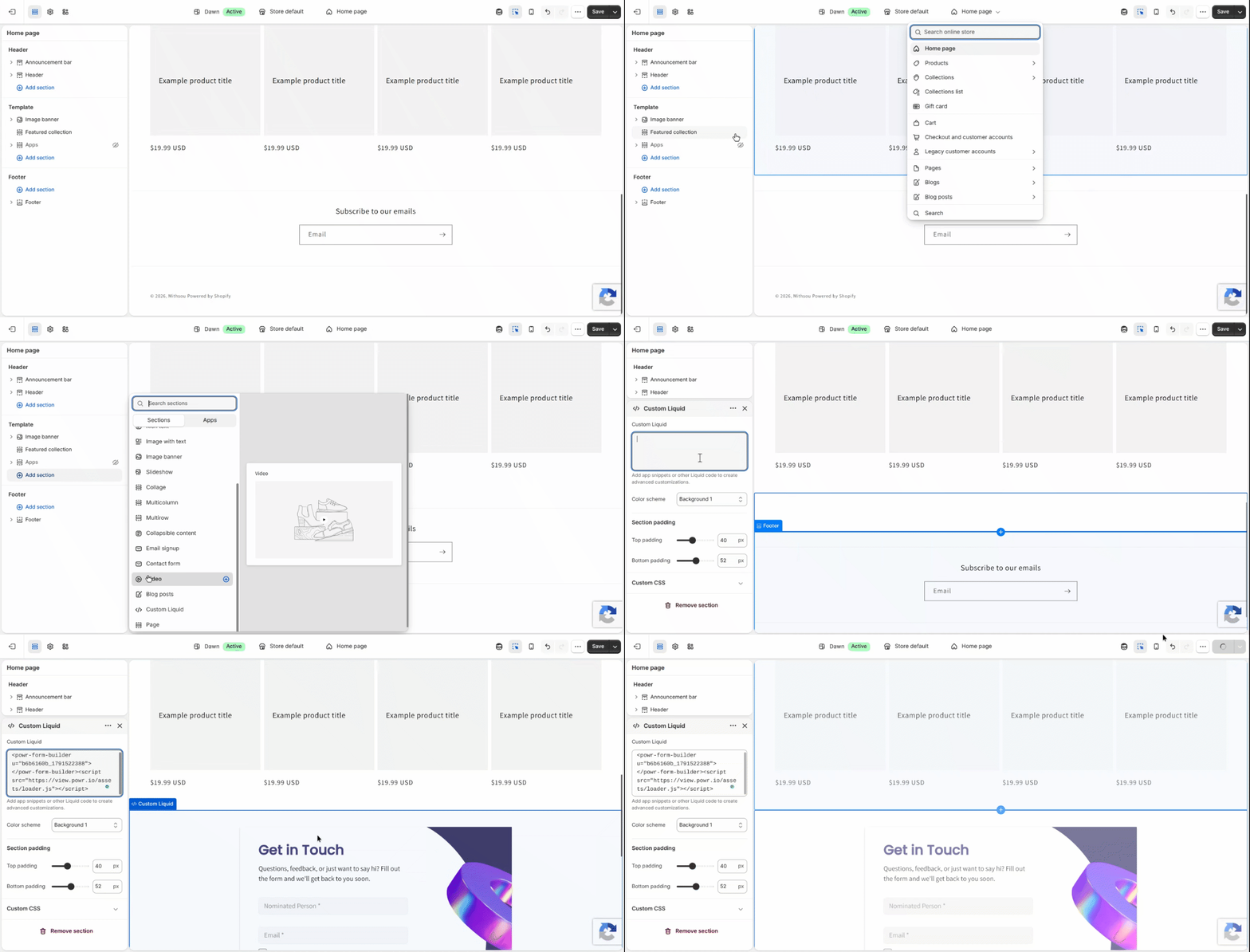
Open the home page editor
Find the location where you want the POWR app to display, and add a Custom Liquid section there.
Place the POWR app code in your custom Liquid section.
Preview/Save your changes.
Need More Help?
If you need any help or have any questions about our Form Builder, our support team is happy to help.
Contact our support team
When contacting us, you'll be prompted to authenticate your email by signing in, and a confirmation code will be emailed to you. This helps ensure our support team's reply will be delivered to you without issue.
For more information about available features, visit our Pricing page