
How do I send confirmation emails/Autoresponder to people who complete my form?
To set up a confirmation email your form must have an email element. To set this up:
- Make sure your form contains an Email Address element.
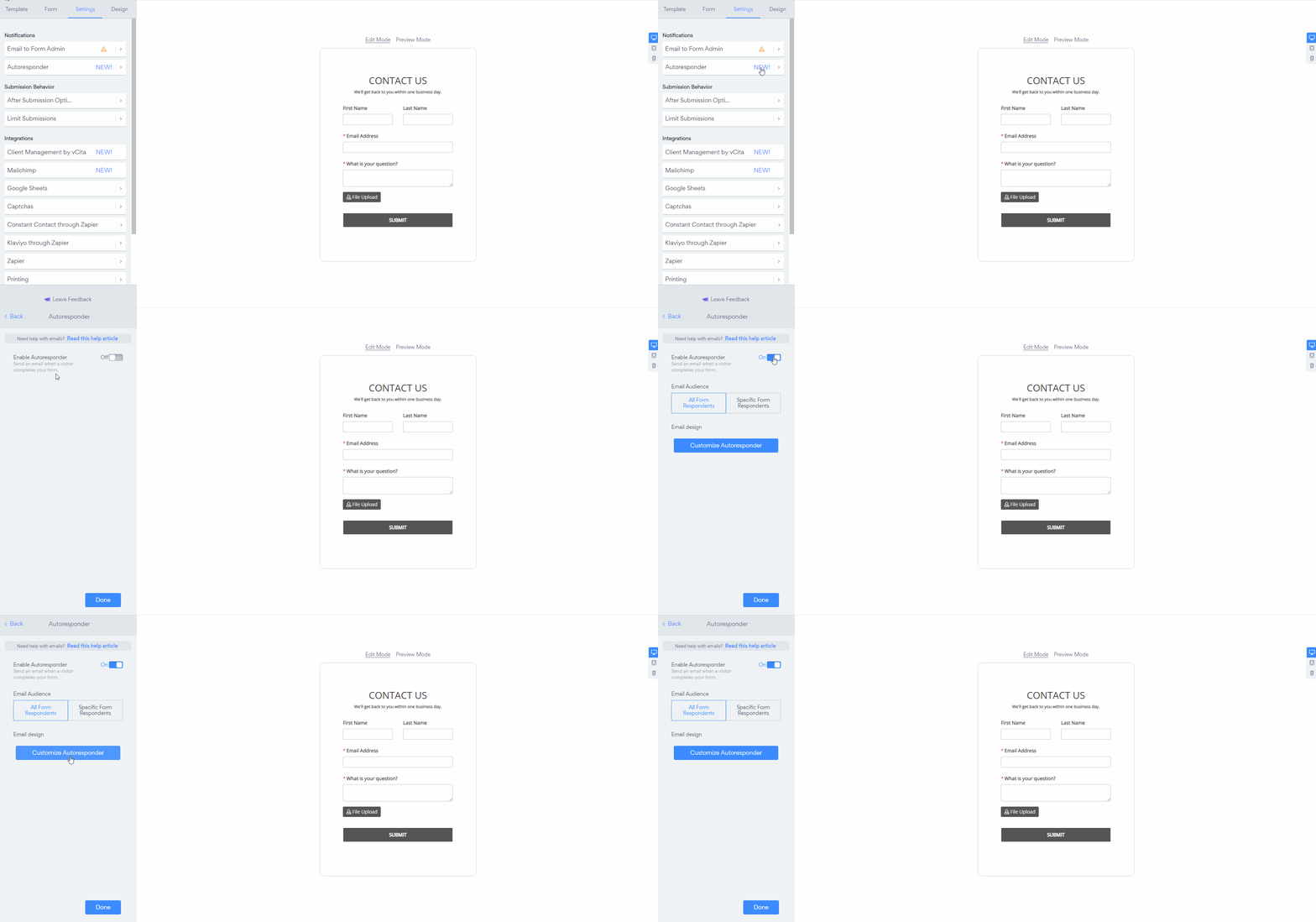
- Open the Settings panel, and select Autoresponder.
- Toggle on Enable Autoresponder.
- The form will now trigger a default email, with a summary of the form submission. To customize the content and design of the automatic email, Click the Customize Autoresponder button.
You will then be redirected to our Email Editor where you can design your email, save your email and you're set! The email will send to all form respondents. Click here for more information on our Email Editor.
(right-click - open image in new tab - to see in a full window**)**
Note: If payment is required on your form, payment must be completed for the confirmation email to be sent.