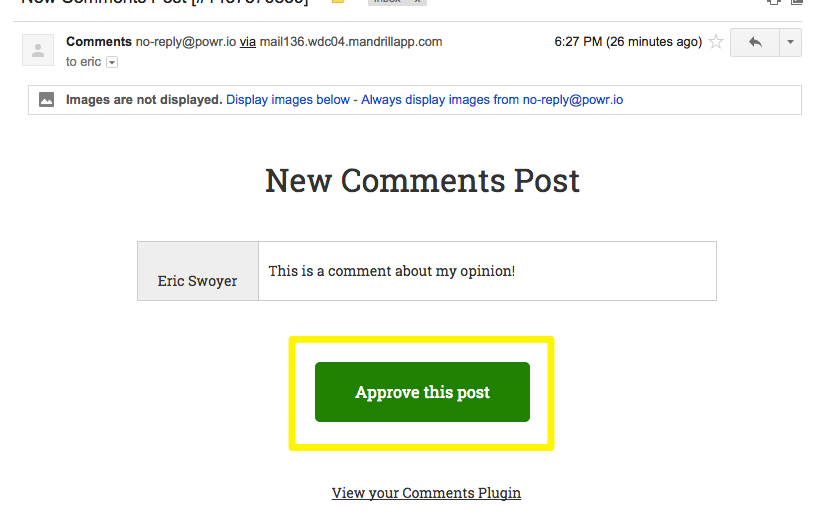
Email Alerts from POWR Comments
POWR Comments can let you know when a new comment or rating is posted with Email Notifications.
Note: This is a premium feature.
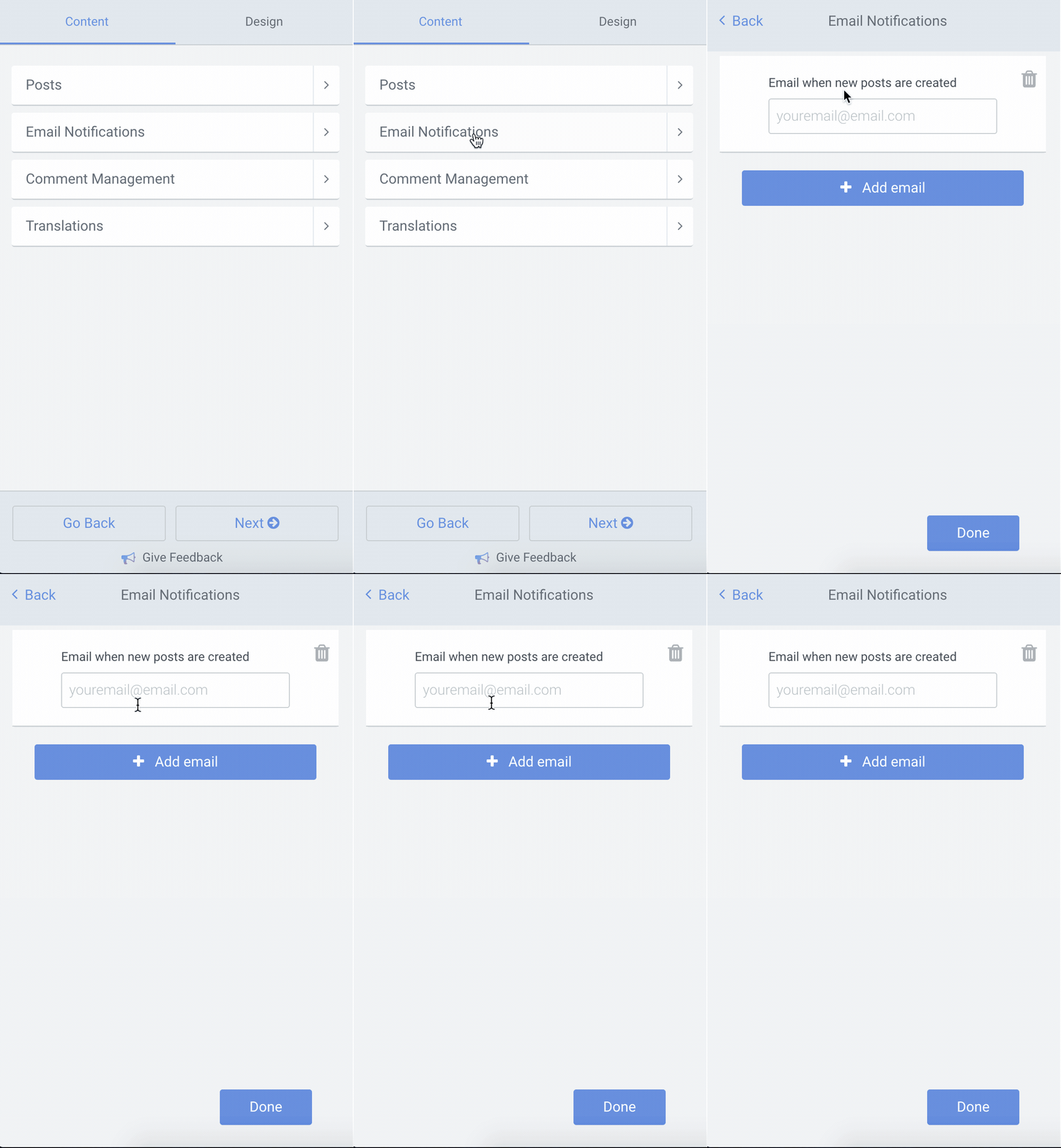
Turn On Email Notifications
- Go to the Content tab
- Click Email Notifications
- Click Add email
- Enter your email address in the field provided
What to Expect
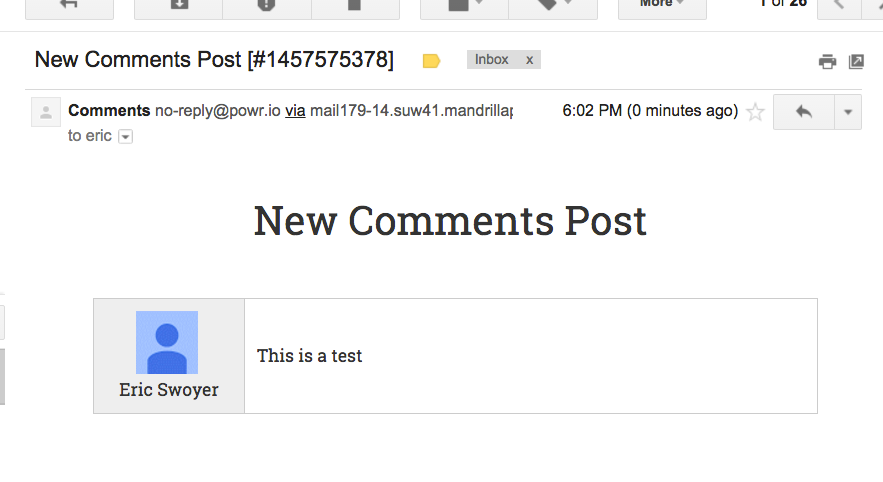
When someone posts a comment or rating, you'll receive this email from no-reply@powr.io.
We recommend adding this address to your email contacts in advance.
Manual Approval
If you've enabled manual approval for new comments and ratings under Posts >
Require my approval before comments are posted, you can approve new posts directly from your email inbox.