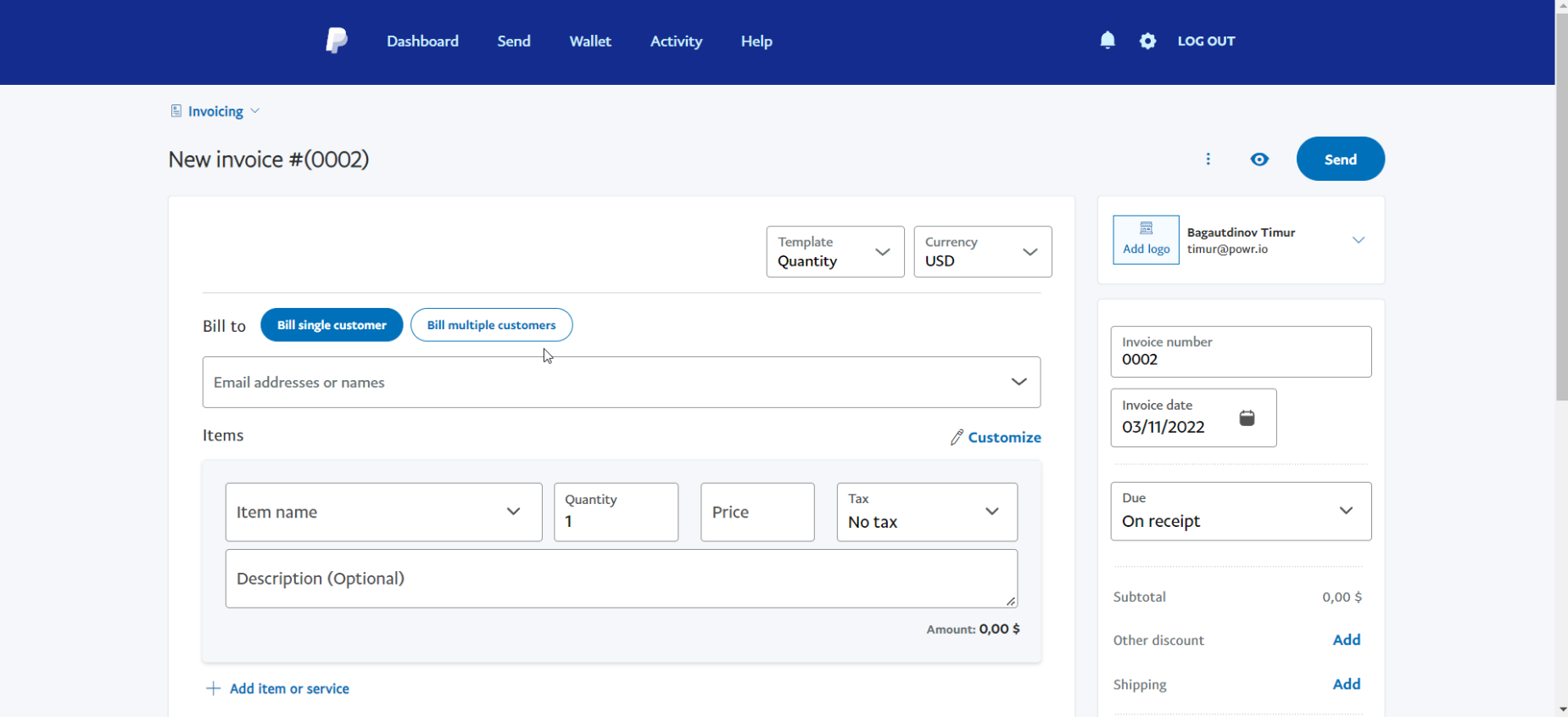
How to send PayPal invoice to your customer after they have completed your form
Please follow the next steps:
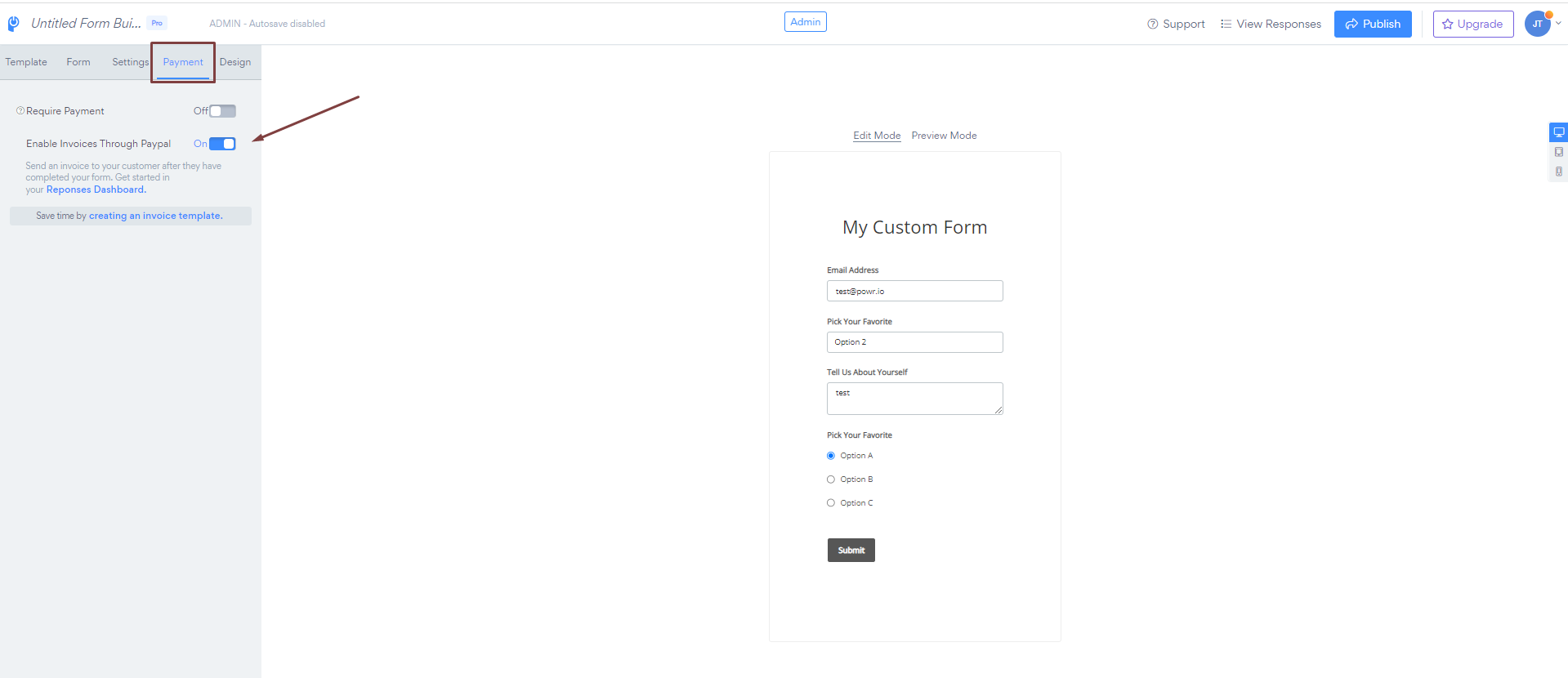
1. Please open app settings > Open "Payment" tab > Toggle on "Enable invoices through PayPal"
*Open the image in a new tab to enlarge it
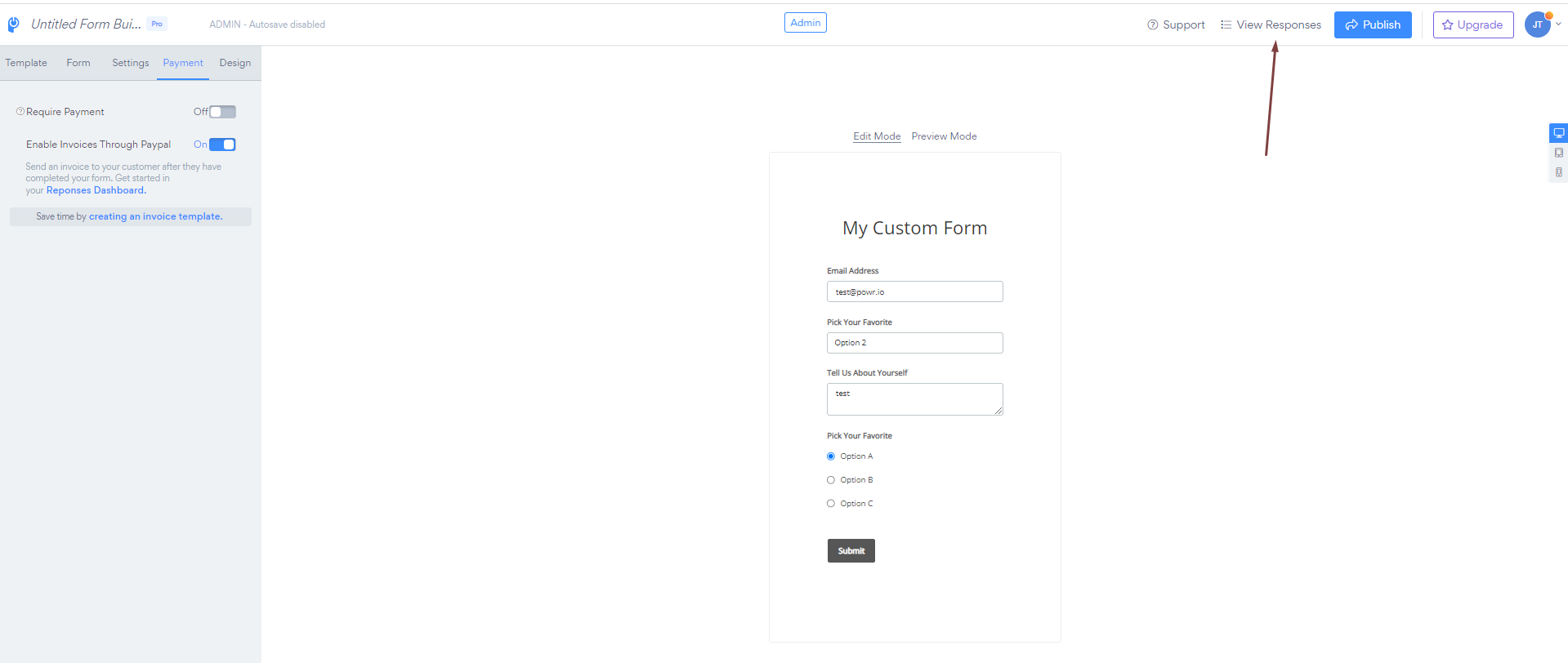
2. "Publish" the changes.
Once the customer submits the form:
1. Open app settings
2. Click on "Response Dashboard"
*Open the image in a new tab to enlarge it
3. Click on the "Create Invoice" button
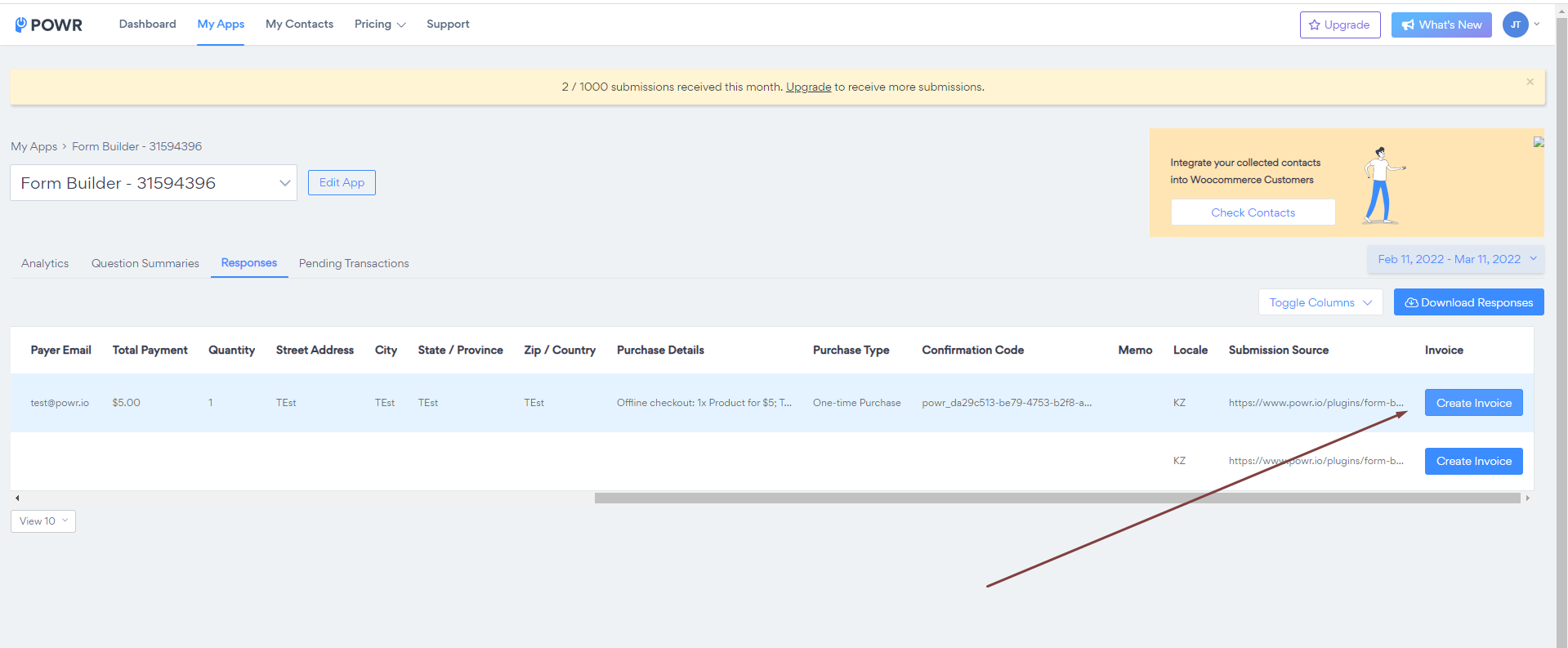
4. You will be redirected to your PayPal account to customize and "Send" the PayPal invoice
*Open the image in a new tab to enlarge it