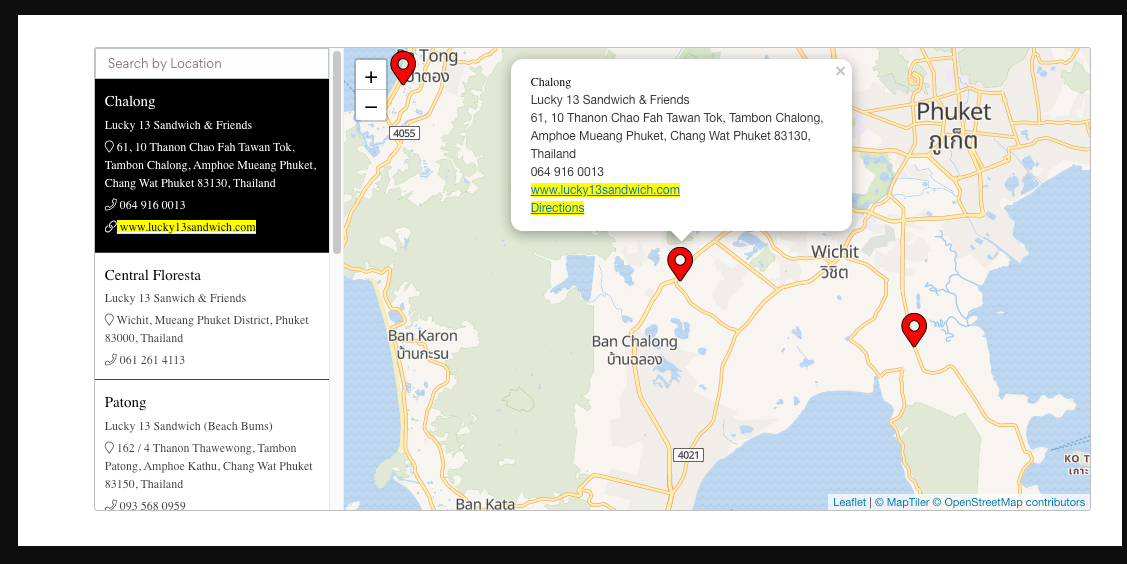
Adding hyperlinks and text colors in Map locations
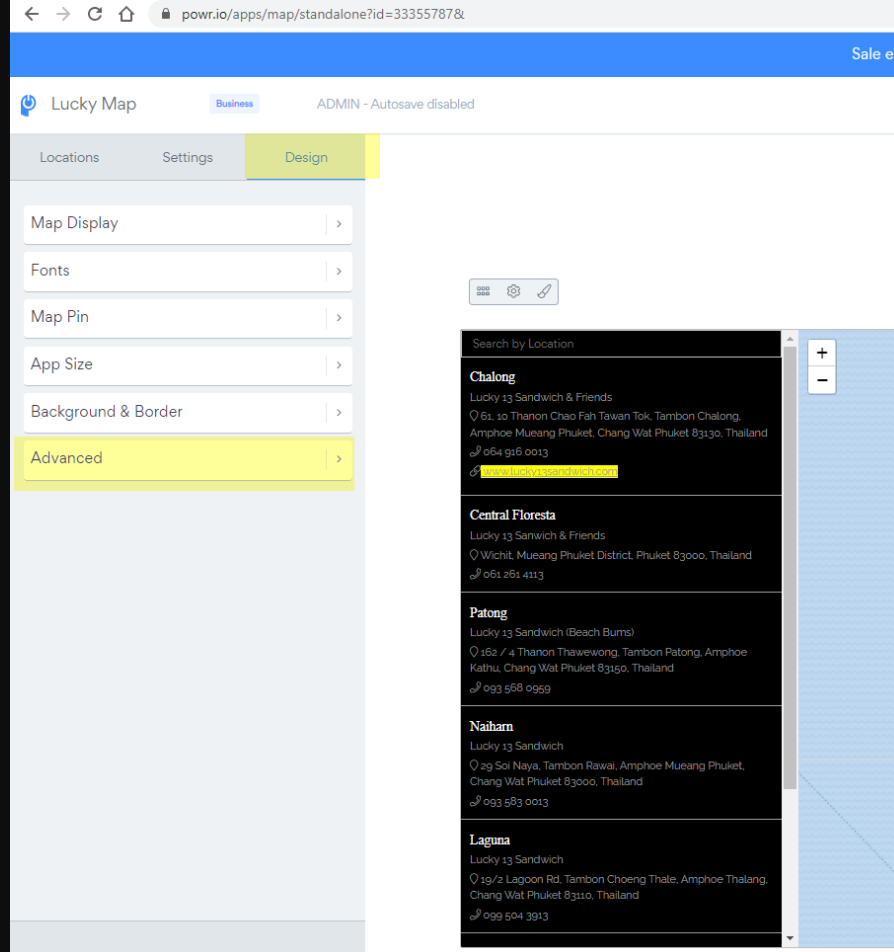
1. Open the app 2. Go to 'Design' > "Advanced" > "Custom CSS" 3. Add custom CSS and save changes by clicking 'Publish'
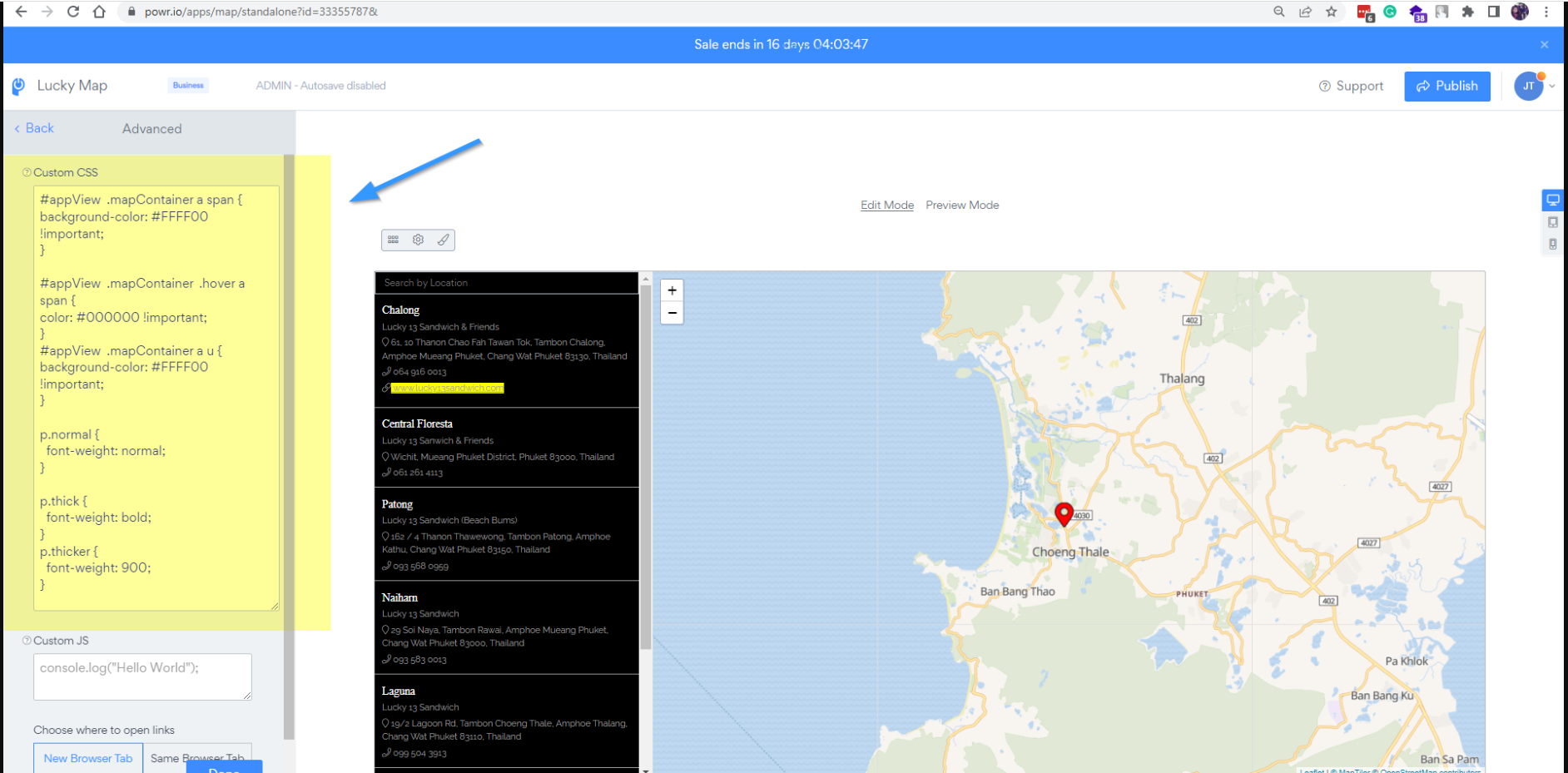
Example: of CSS used in image above
#appView .mapContainer a span { background-color: #FFFF00 !important; }
#appView .mapContainer .hover a span { color:#000000!important; } #appView .mapContainer a u { background-color: #FFFF00 !important; }
p.normal { font-weight: normal; }
p.thick { font-weight: bold; } p.thicker { font-weight: 900; }
*Example of the Map app with CSS code: https://www.powr.io/map/i/33355787#page