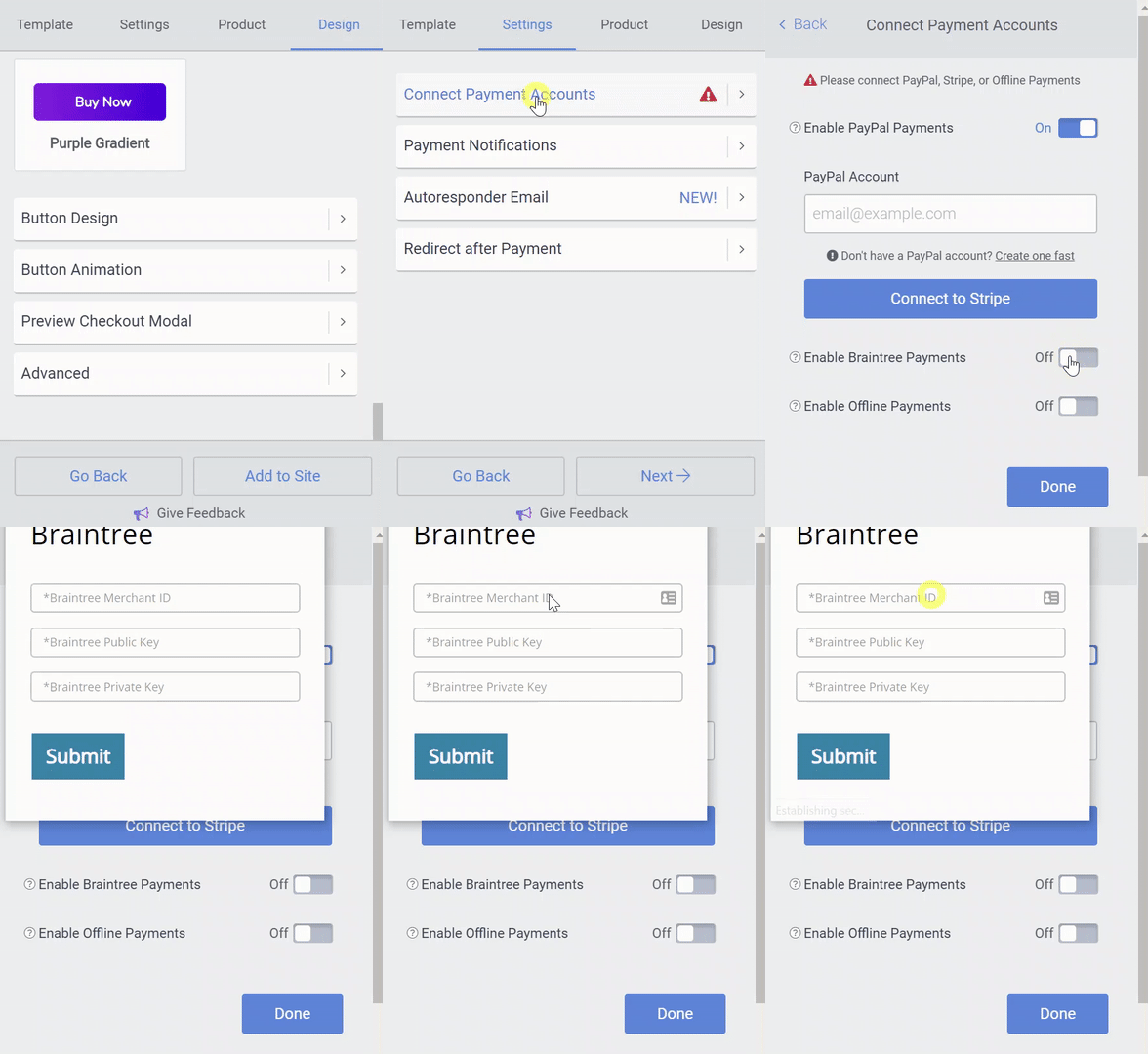
Accept Braintree Payments in Payment Button
Braintree Payments
Braintree is a company owned by PayPal that makes it easy to accept credit card payments through an application like POWR.
You can sign up for a free Braintree account here. Braintree charges transaction fees that are similar to Stripe's fees but lower than PayPal's fees.
Connect Braintree to Payment Button
To get started, follow these steps:
- Open your Payment Button Editor.
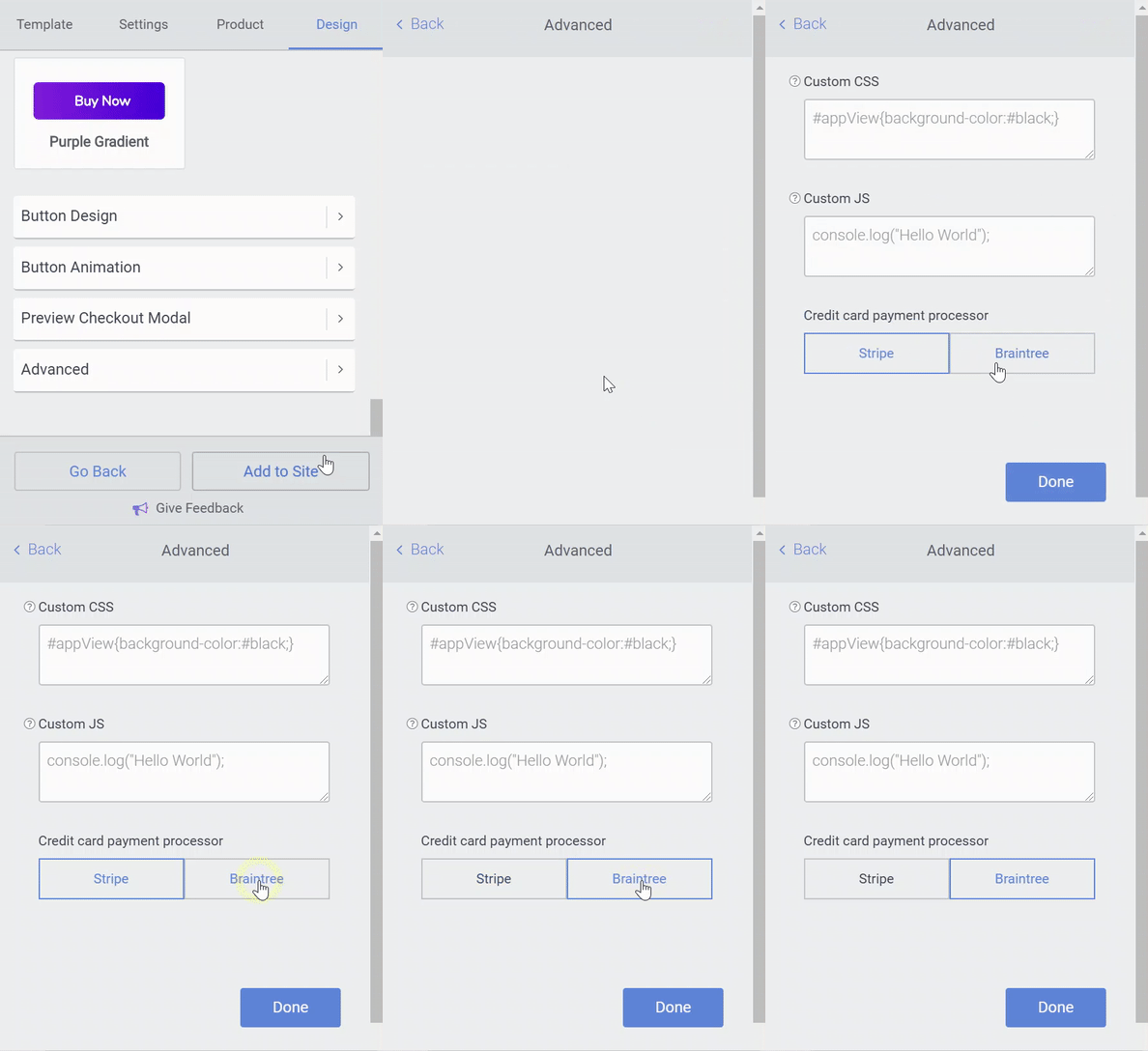
- Go to Design > Advanced > Credit Card Payment Processor.
- Select Braintree.
- Go back to the Settings > Connect Payment Accounts tab.
- Toggle on Allow Braintree Payments.
- Enter your Braintree account details in the modal that pops up.
- Once you are done, save your Payment Button.