How to add Options to a Payment Button
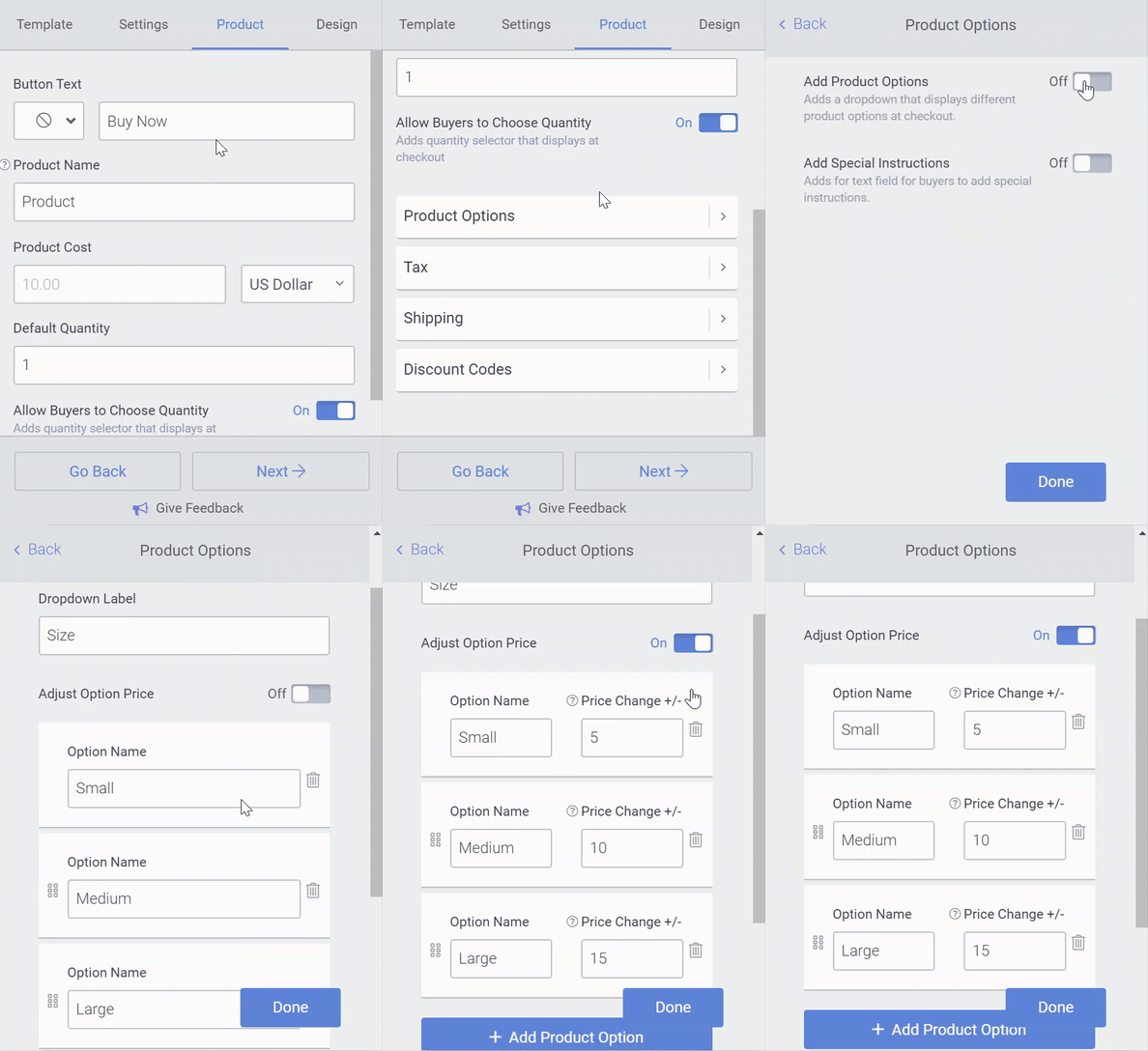
You can add different options to a Payment Button (this is a Starter Feature) by following these steps:
- Open the POWR Editor and go to the Content section
- Open Product Options
- Toggle on Add Product Options
- Now you can add different prices for each option by toggling on Adjust Option Price field next to the Option Name.