
Which languages does POWR support?
POWR supports multiple languages across the editor, app content, and customer support to help you create and manage our plugins in the language you’re most comfortable with.
🌍 Editor Languages
The POWR Editor is available in 12 languages, including: English, French, Spanish, Portuguese, Italian, Dutch and more.
How to Change Your Editor Language:
Click your profile icon at the top right of the POWR Dashboard.
Select My Account.
Under Preferred Language, choose your desired language from the dropdown.
Scroll down and click Save.
Your POWR Editor will now appear in the selected language.
📝 Languages in App Content
You can create content in any language within POWR apps — simply type it in your desired language when customizing your elements.
⭐️ Forms
You can input any language when labeling your form fields.
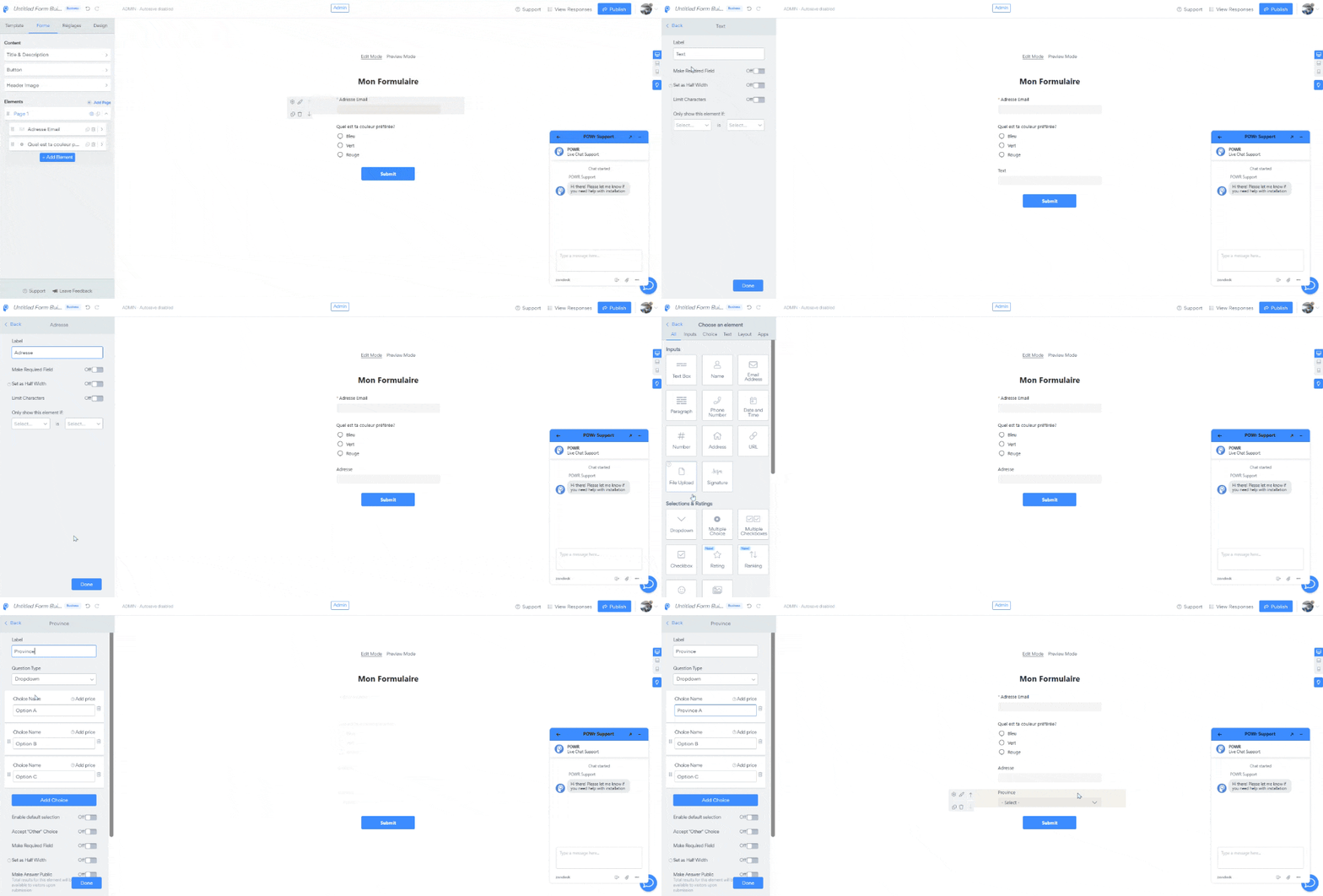
Note: The Address element cannot currently be translated. As a workaround, you can use Text box and Dropdown fields to create a custom address section.
⭐️ Galleries & Sliders
Add your own captions and text descriptions in the language of your choice.
System Text in Apps
Some system-generated text (such as default error messages or button labels) may not yet be translated. Our team are aware and actively working to push an update with a fix very soon.
💬 Languages in Support
You're welcome to reach out to POWR Support in the language you prefer — we’ll do our best to respond in the same language to ensure a smooth and helpful experience.
Our team typically responds within 2 hours. Feel free to Contact us here → any time you need assistance.