
View/Export Form Responses (Wix)
To view and export your form responses in the Wix Editor, follow these steps:
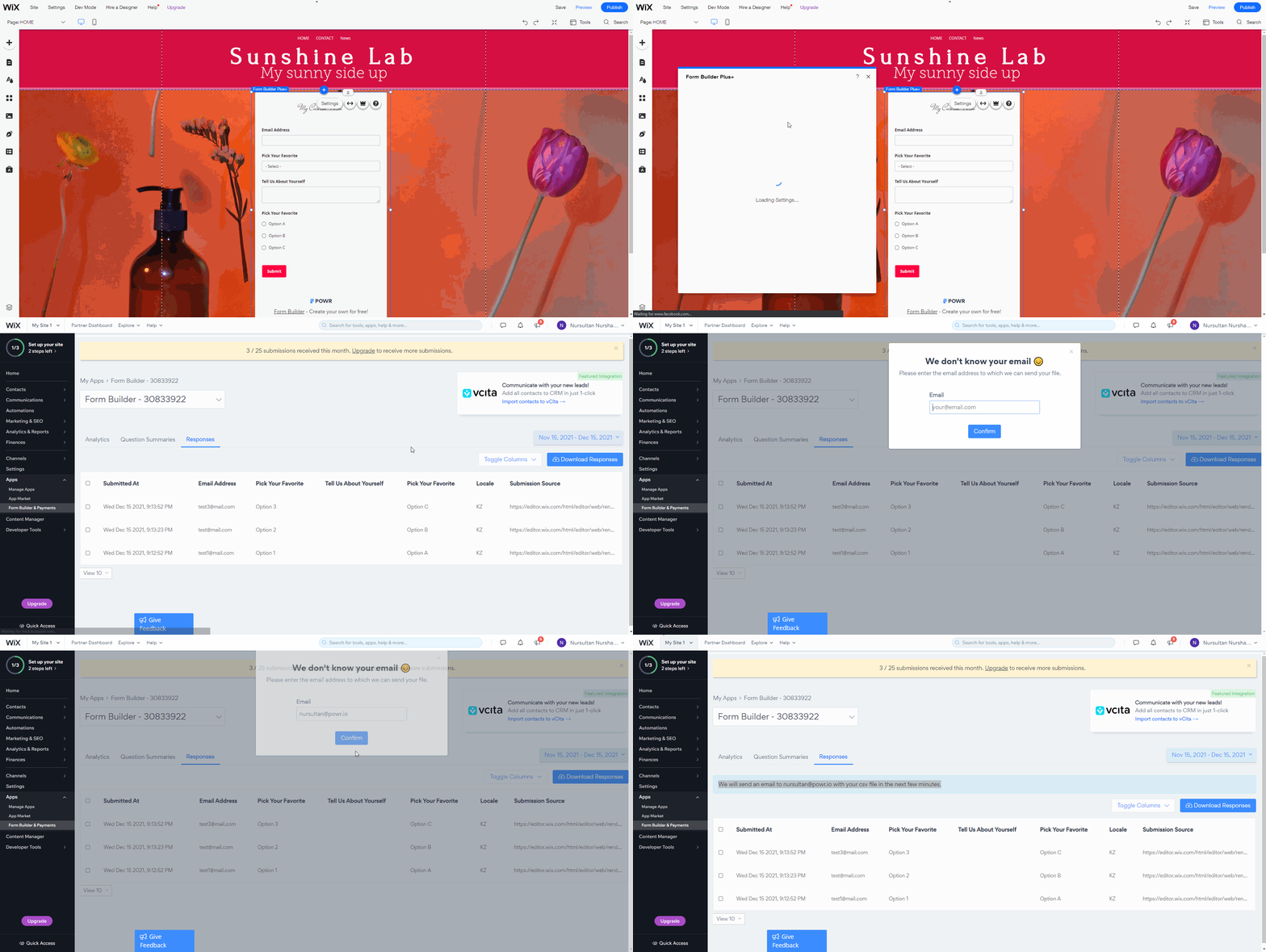
In the Wix Editor, open your Form Builder App Settings.
Click on View Form Responses, you'll be redirected to Responses Dashboard
To export form responses, click on the Download Responses button on the right side of the window, enter the email address to which you want to send responses, and click Confirm
Note ⚠️: You can access your Form Responses Dashboard via the Apps panel on the left inside your Wix Account.
(right-click - open image in new tab - to see in a full window**)**
Please note ⚠️: Responses are downloaded in CSV format by default. If there are a lot of responses it may require some time to get them on email, if one download job started then you could see the message "We are running another export request for this app, please check your email or try again in one hour." In this case please try again in an hour, the download button will be reset in 1 hour.