
Using Google Fonts in POWR Apps
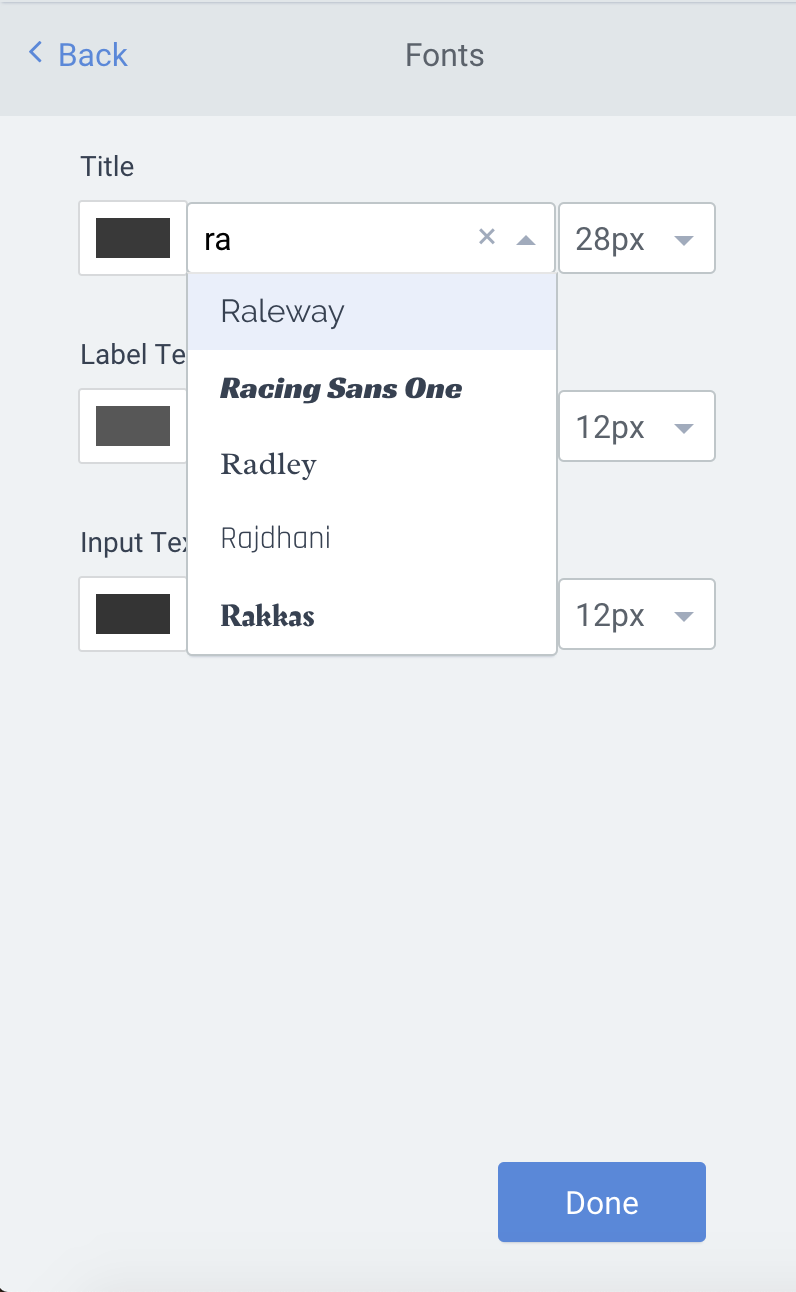
You can use any of the 800+ fonts available in the Google Fonts Library in your POWR apps. This gives you access to a wide variety of professional, modern fonts such as:
Raleway
Montserrat
Lato
Roboto
Open Sans
Oswald
Merriweather
Playfair Display
Nunito Sans
Concert One
...and many more!
How to Add a Google Font to Your POWR App
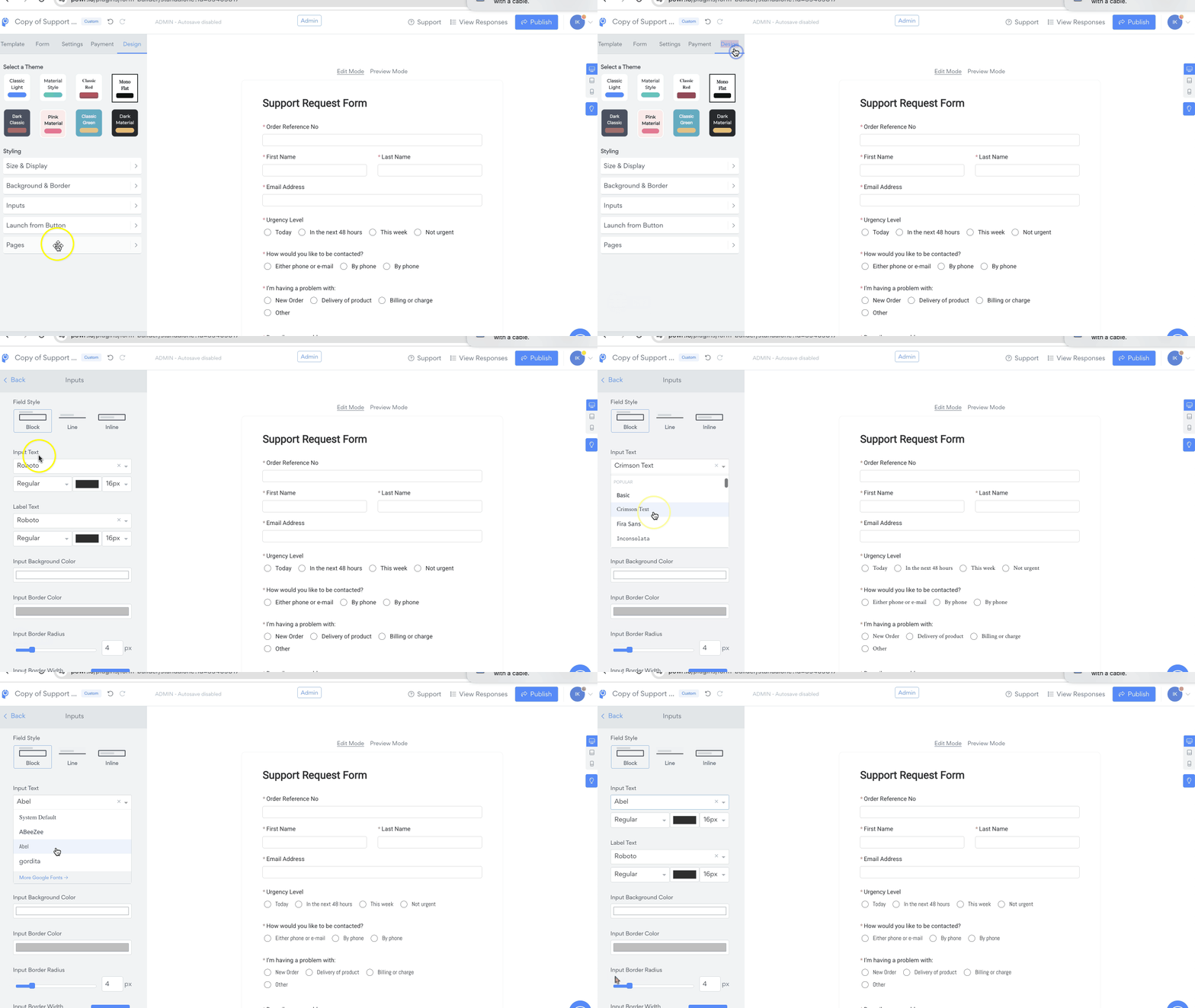
Open the POWR Editor for your app.
Select the Design tab.
Open Inputs.
Start typing the name of the Google Font you'd like to use.
When it appears in the list, click to select it.
Your app will update instantly to display the selected font.
Important Notes
Only fonts offered directly through the official Google Fonts Library are available in POWR apps.
If you want to use a custom font that is not in Google Fonts, make sure you have the proper license. Then follow the steps in this guide: Using Custom Fonts in POWR Apps
💡 FAQ
Can I use any font from Google Fonts?
Yes! Any font listed in the Google Fonts Library can be used in your POWR app.
Why isn’t my font showing up?
Make sure you’re typing the font name correctly in the font selector. If it still doesn’t show up, it may not be supported or available in POWR at this time.
Can I upload my own font?
Yes. If you have the correct font license, follow this article to upload a custom font: Using Custom Fonts in POWR Apps
New to POWR?
POWR apps work seamlessly on all major platforms including Shopify, Wix, Squarespace, and more. 🎉 Explore all POWR apps and get started for free