
Review badge installation on Bigcommerce store
What is a Product Review Badge?
Product Review Badge is a rating badge that appears on your product description or catalogue page.
⚠️ At this time, POWR Product Reviews is only compatible with Shopify and Bigcommerce.
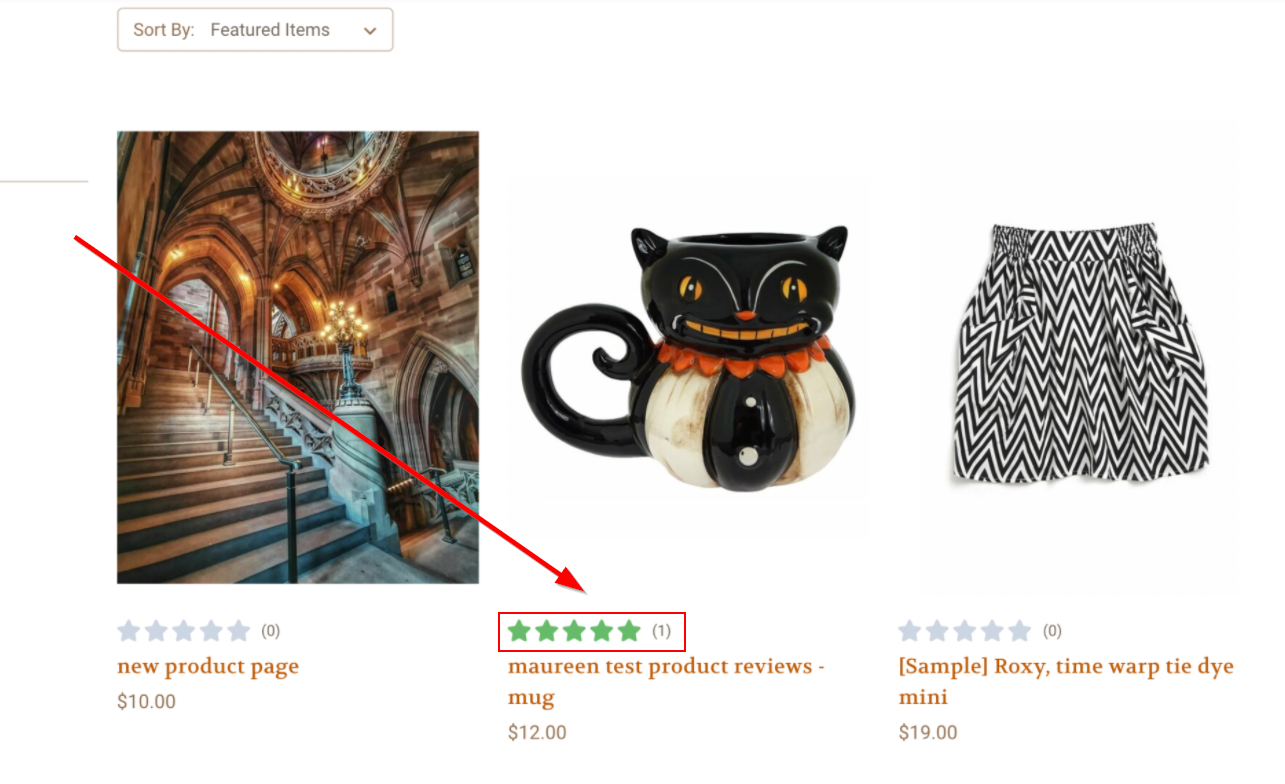
How to install review badge on Bigcommerce product or catalogue pages?
⚠️ At this time, only manual installation is available.
1. Add Product Review App to your Shopify Store. Learn how to install it on Bigcommerce here.
Learn more how to install on Shopify here app here.
2. Edit your POWR Product Reviews app and press the publish button in the upper right corner.
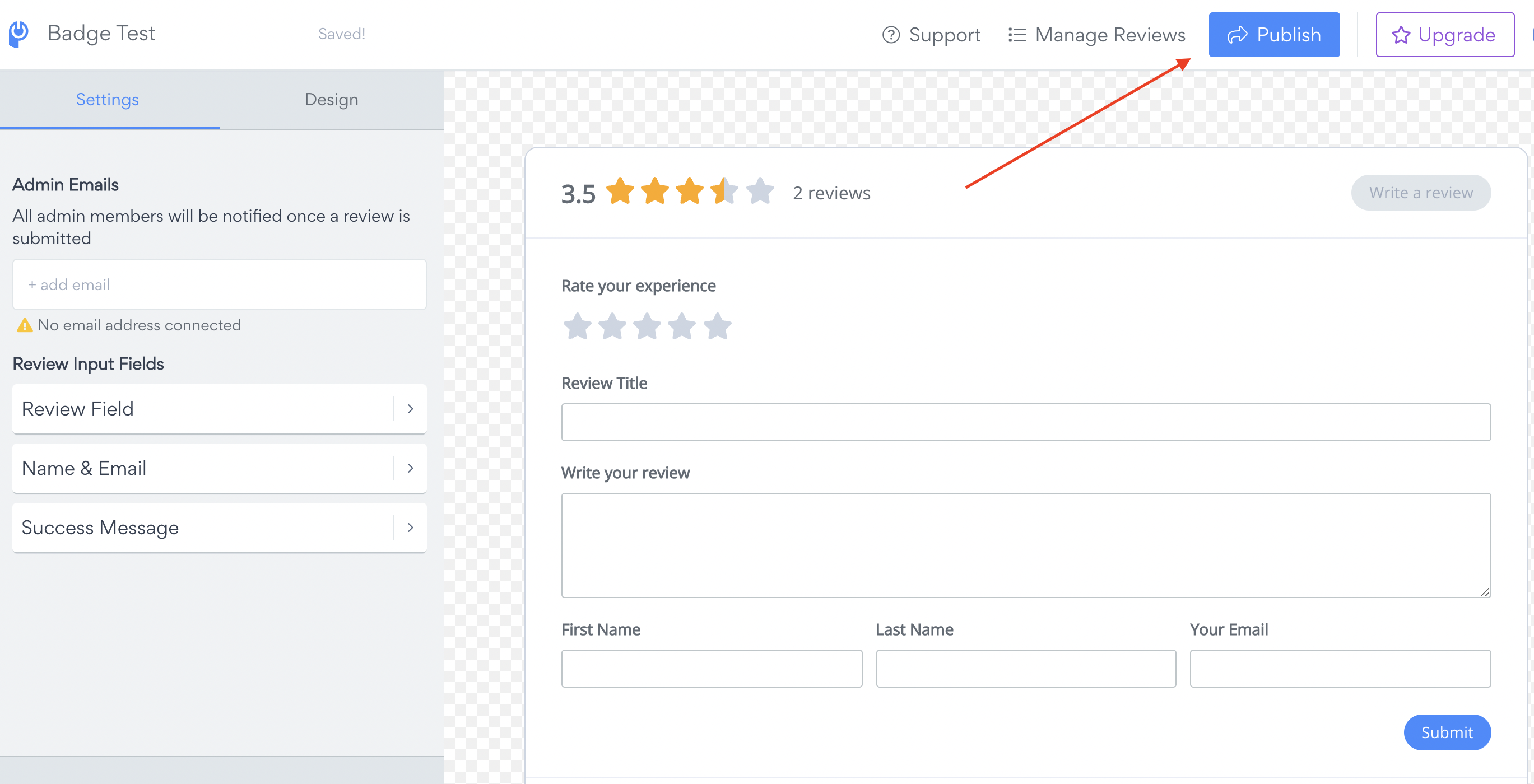
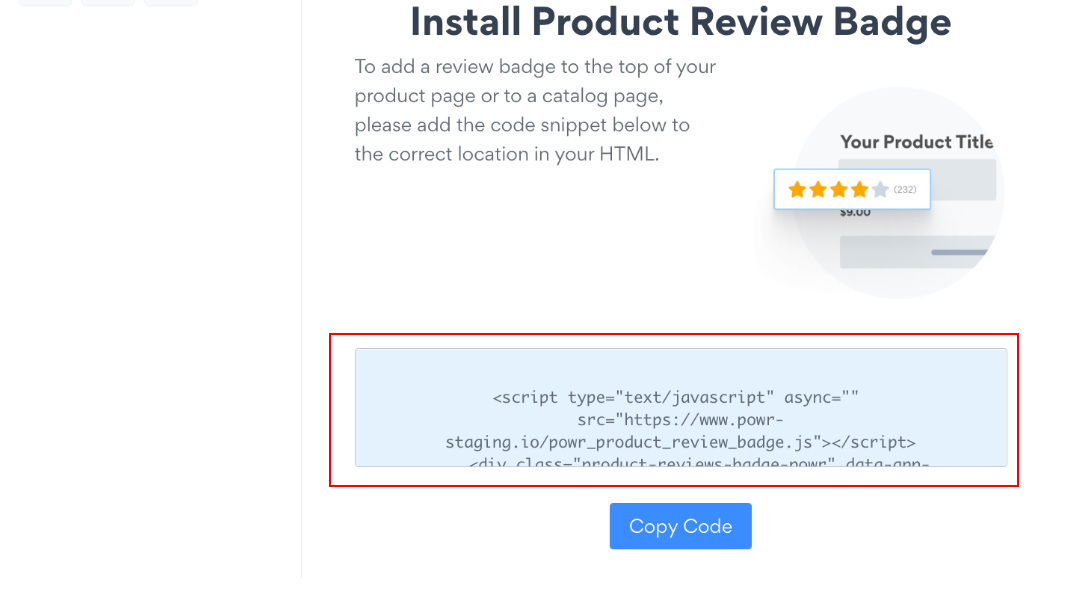
3. Copy the Product Review Badge Snippet.
To add a badge you’ll need to access your dashboard link.
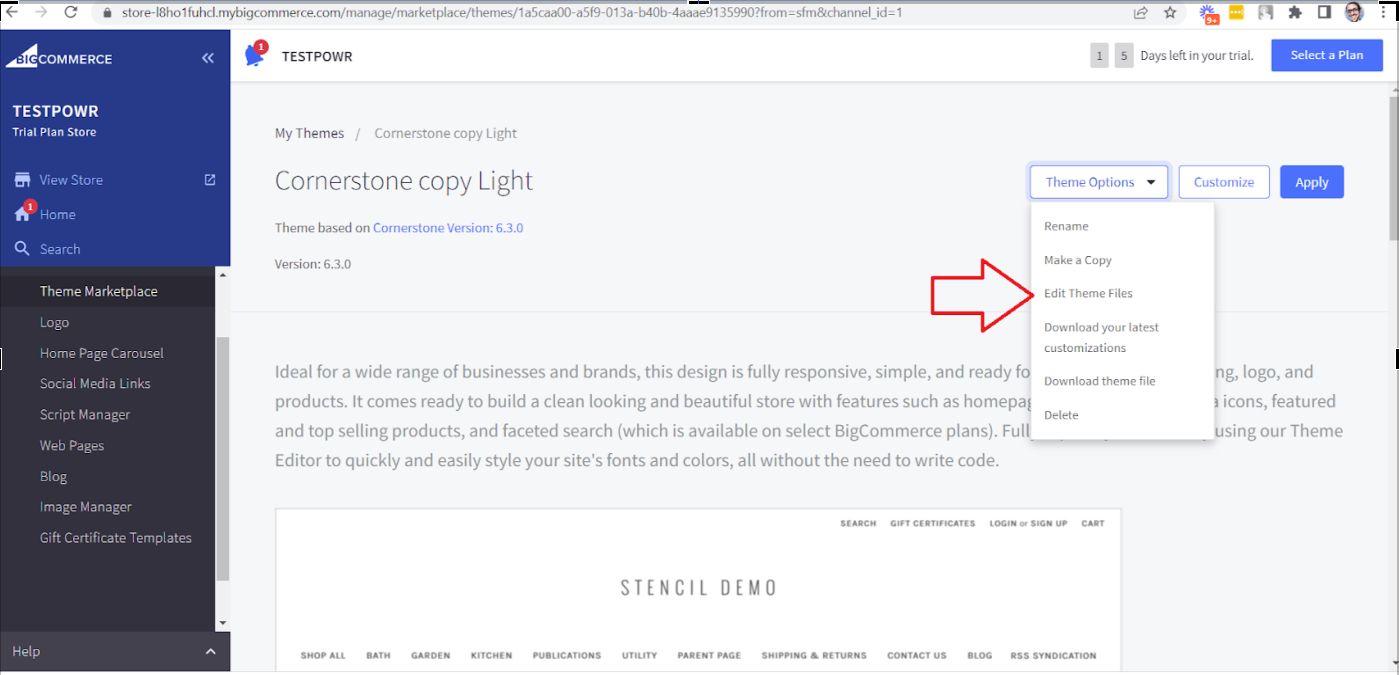
Go to Home > Storefront
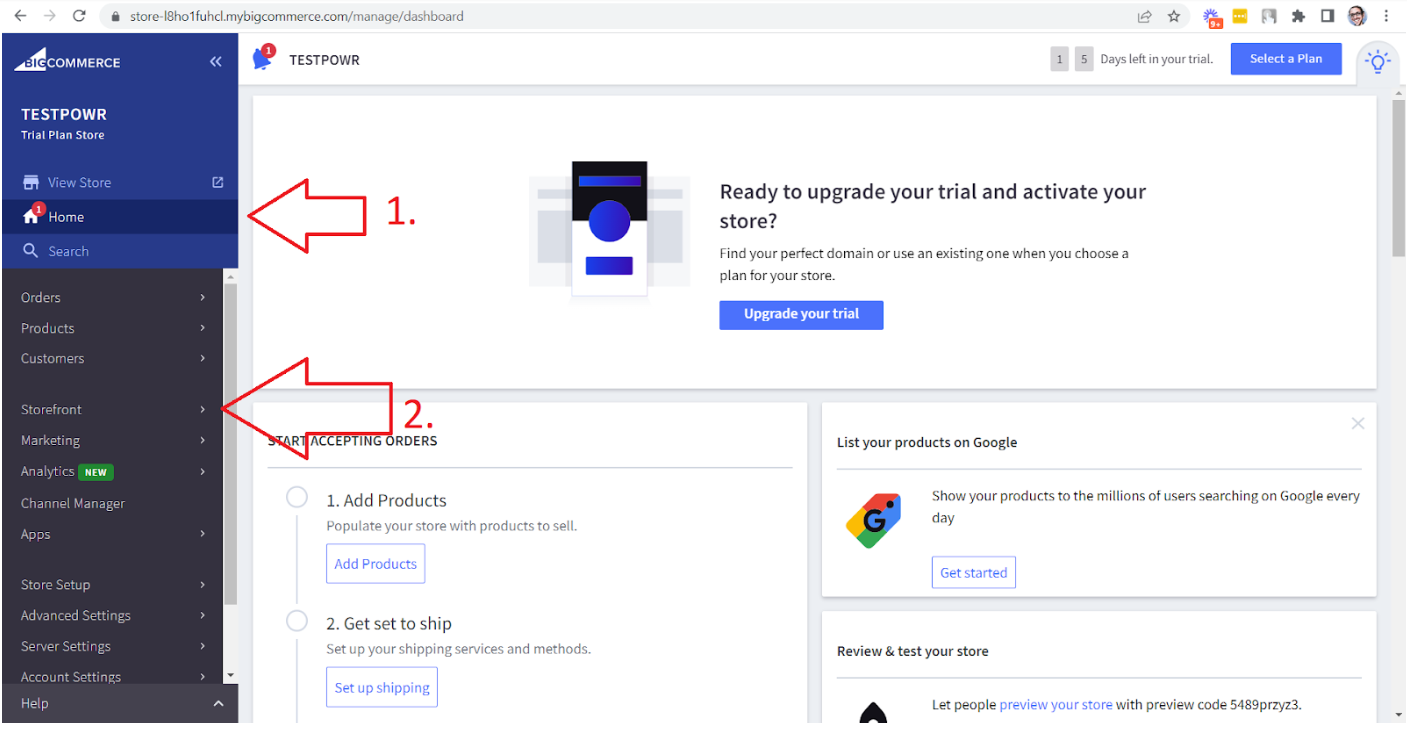
Click on Advanced > Edit Theme files. Please be advised that theme should be have a backup copy for that.
For installation on Catalogue page please find Card.html in Templates > Components > Products > card.html
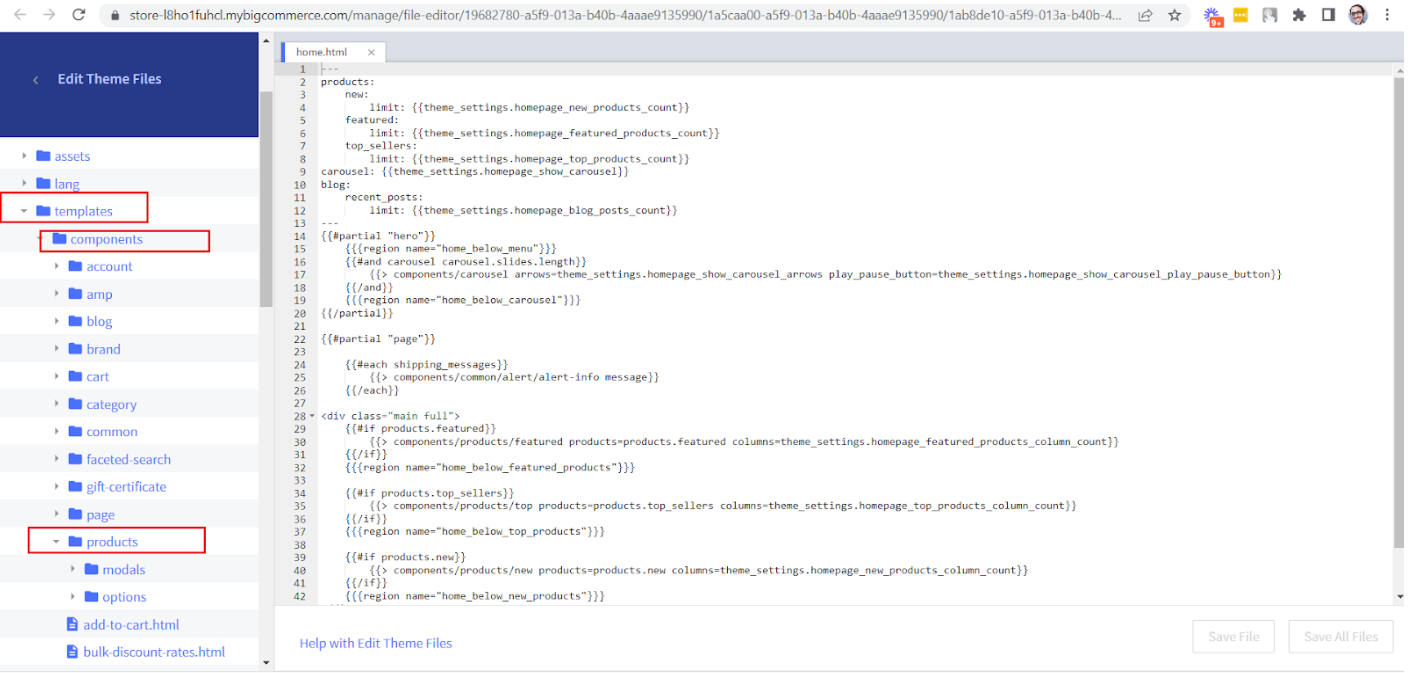
Add script right after this div <h4 class="card-title">(sometimes this could be h3), save changes and refresh your store.
Script should be looking like that