How to make transparent backgrounds
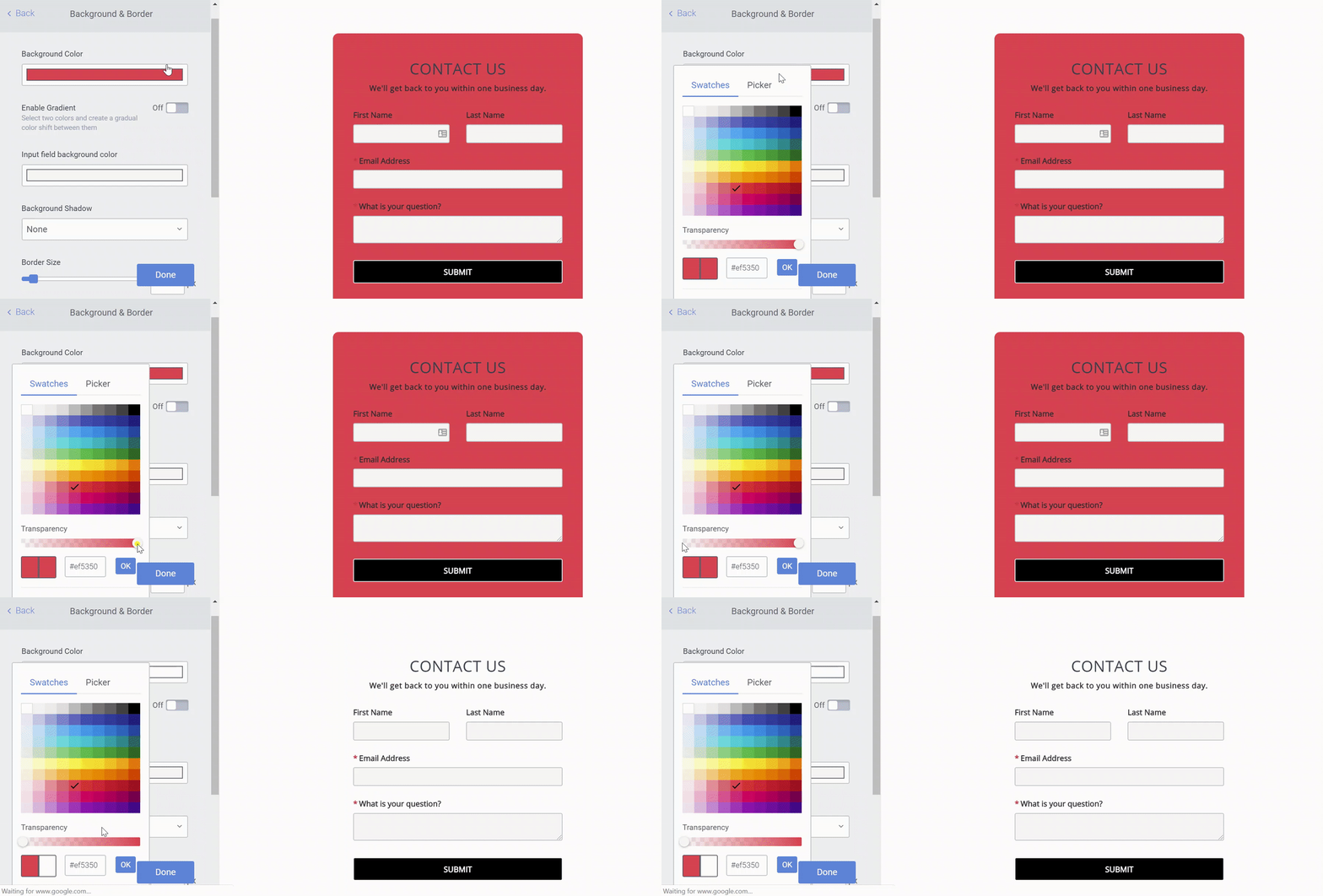
To make the background of your app transparent:
- Open the POWR Editor (or App Settings in Wix)
- Go to Design > Background & Border
- Select Background Color
- Slide the Transparent toggle all the way to the left

To make the background of your app transparent: