
How to install POWR on NationBuilder
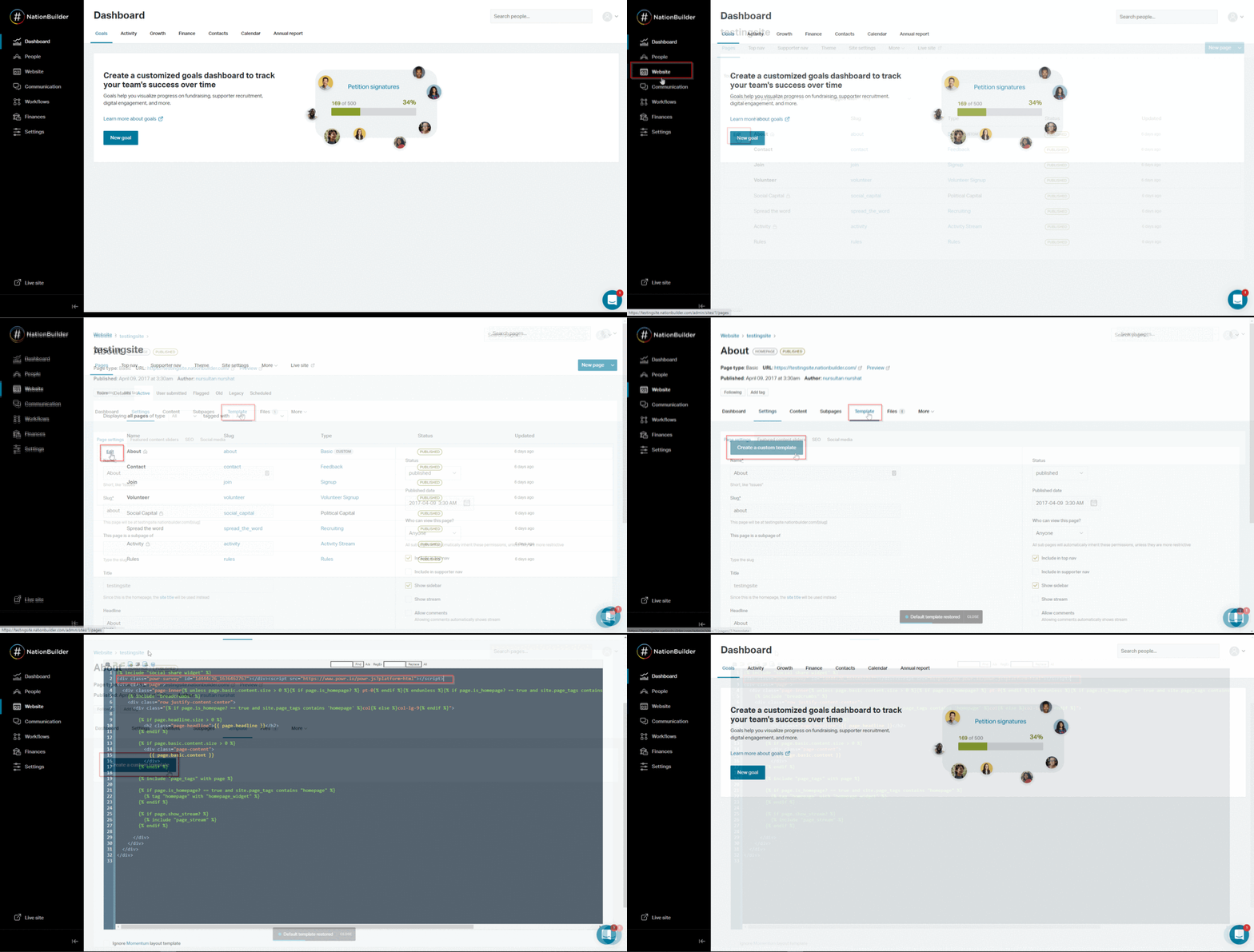
To install POWR apps to Nationbuilder please follow the next steps:
- Go to the NationBuilder dashboard > Website
- Choose a page where you want to install the app and click Edit
- Go to the Template tab and create a custom template
- Paste the app embed code to the template you created, click Save and publish changes
(click right click - open image in new tab - to see in a full window**)**
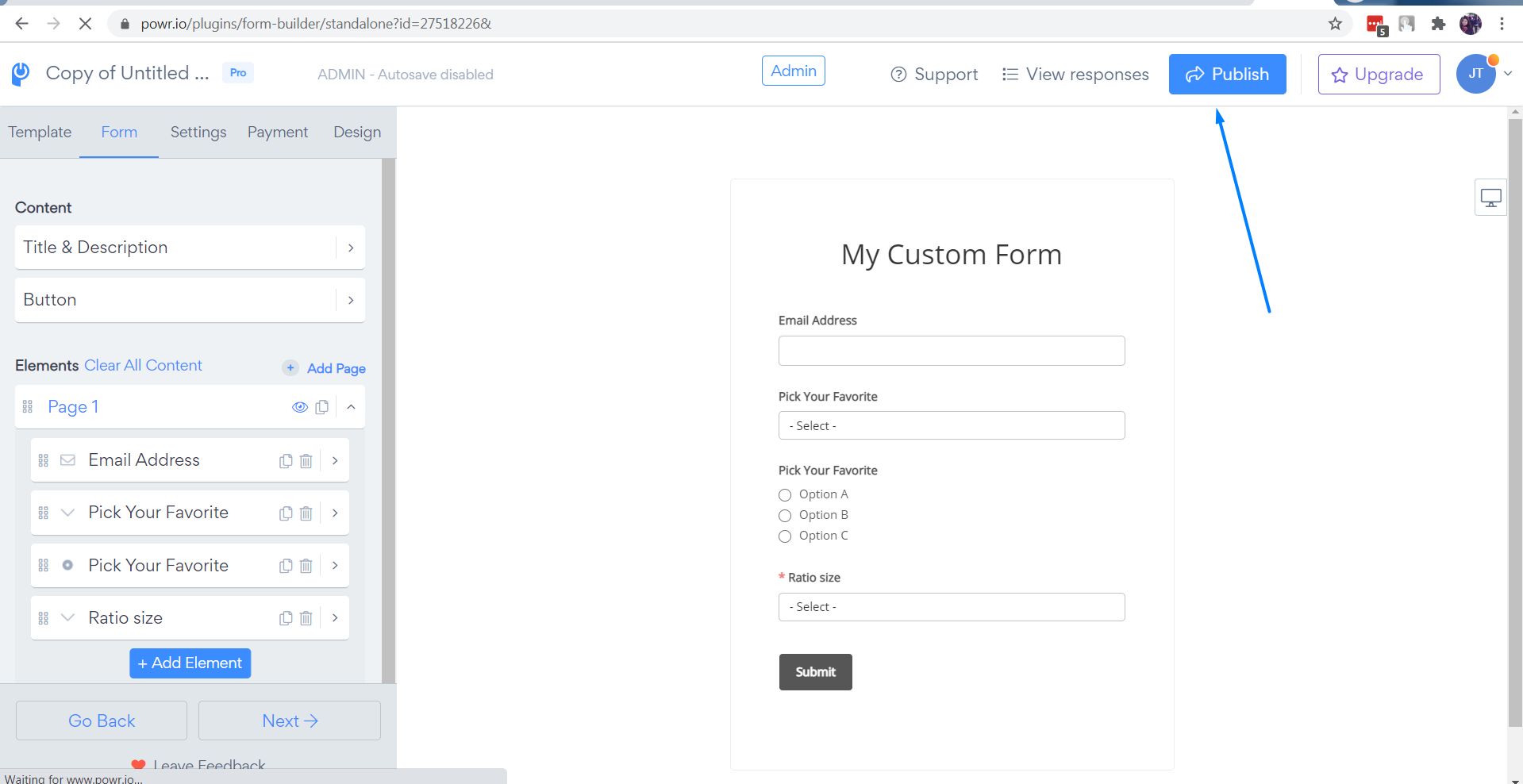
To generate embed code of the app, please:
1. Press the "Publish" button
2. Copy the code.