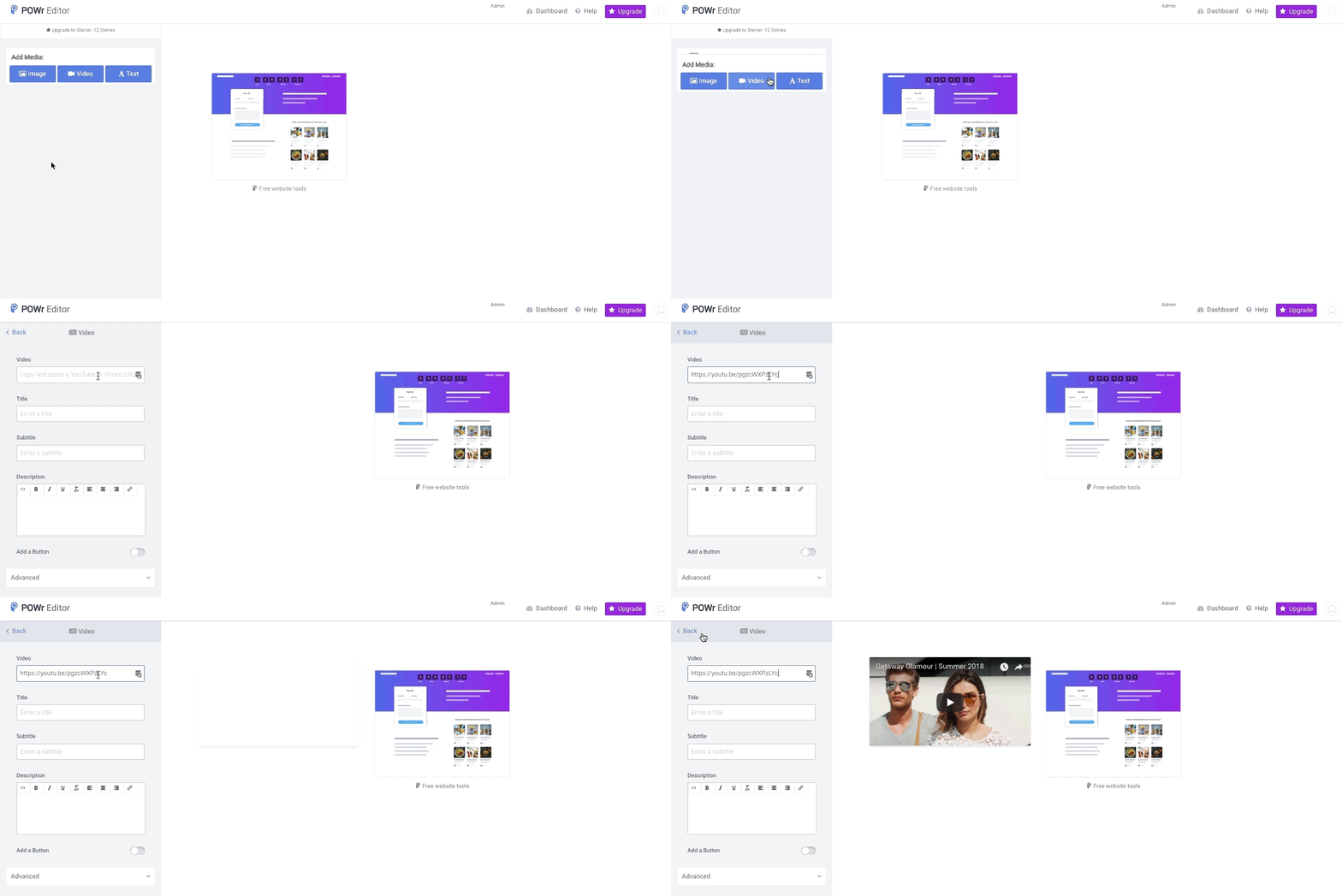
How to add videos to POWR Sliders and Galleries
You can add videos to a POWR Slider or Gallery directly from YouTube or Vimeo.
- Visit the video on YouTube or Vimeo, and copy the URL.
- Open the POWR Editor (or App Settings in Wix)
- Create a new Video entry.
- Paste the URL of your video into the field provided.
Videos must by publicly viewable to display in POWR Apps.
Note: It is not currently possible to add self hosted videos.