How to Add Captions to POWR Sliders
Captions are a great way to add context to your photos or videos in POWR Sliders. Adding and managing captions is pretty straightforward.
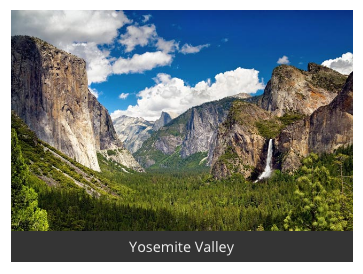
In this example, the caption is Yosemite Valley.
Adding a Caption
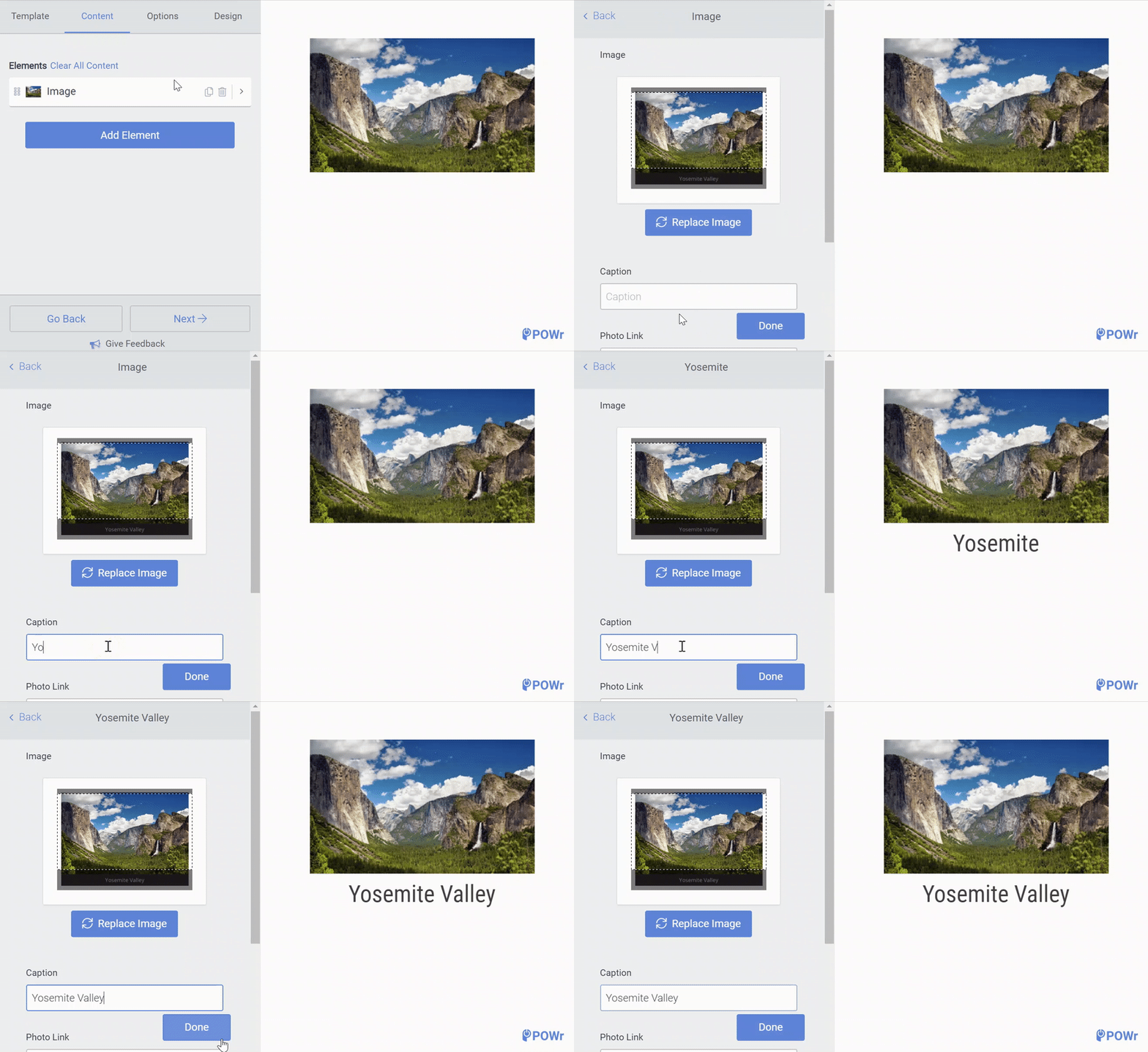
Adding captions to an Image, Video, or Multi slide is easy. Go to the Content section and select the image. Then, type your caption into the Caption box.
Note: Captions cannot be added to Banner or Event slides.
Display Captions
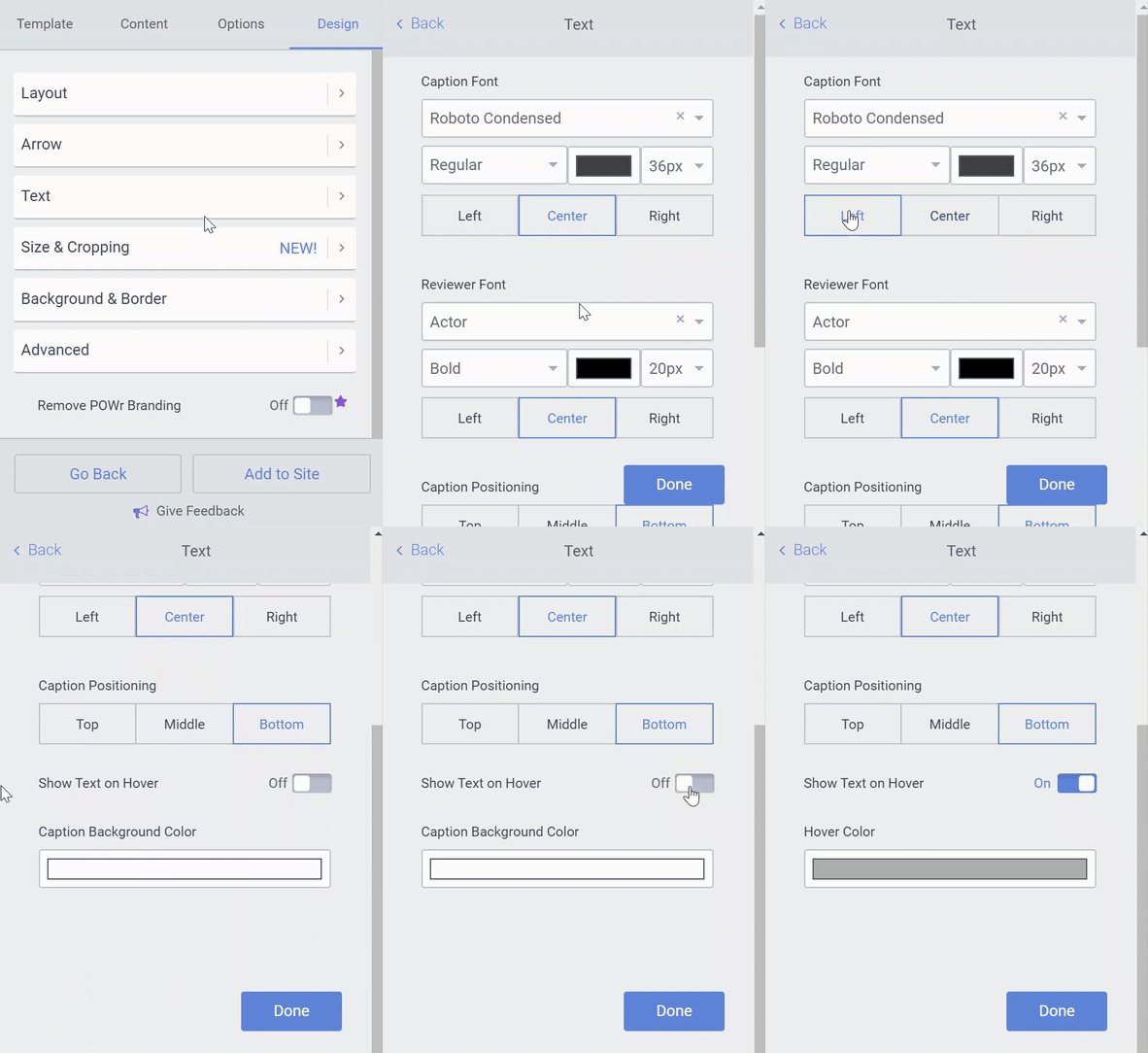
Captions can be displayed continuously, or only when your visitor hovers over the slide.
This can be controlled by going to Design > Text > Show Text on Hover
Position of Captions
You can also choose where your captions will appear on slides. Go to Design > Text. You can control horizontal position by select Left, Center, Right under Caption Font, and vertical position with Caption Positioning.