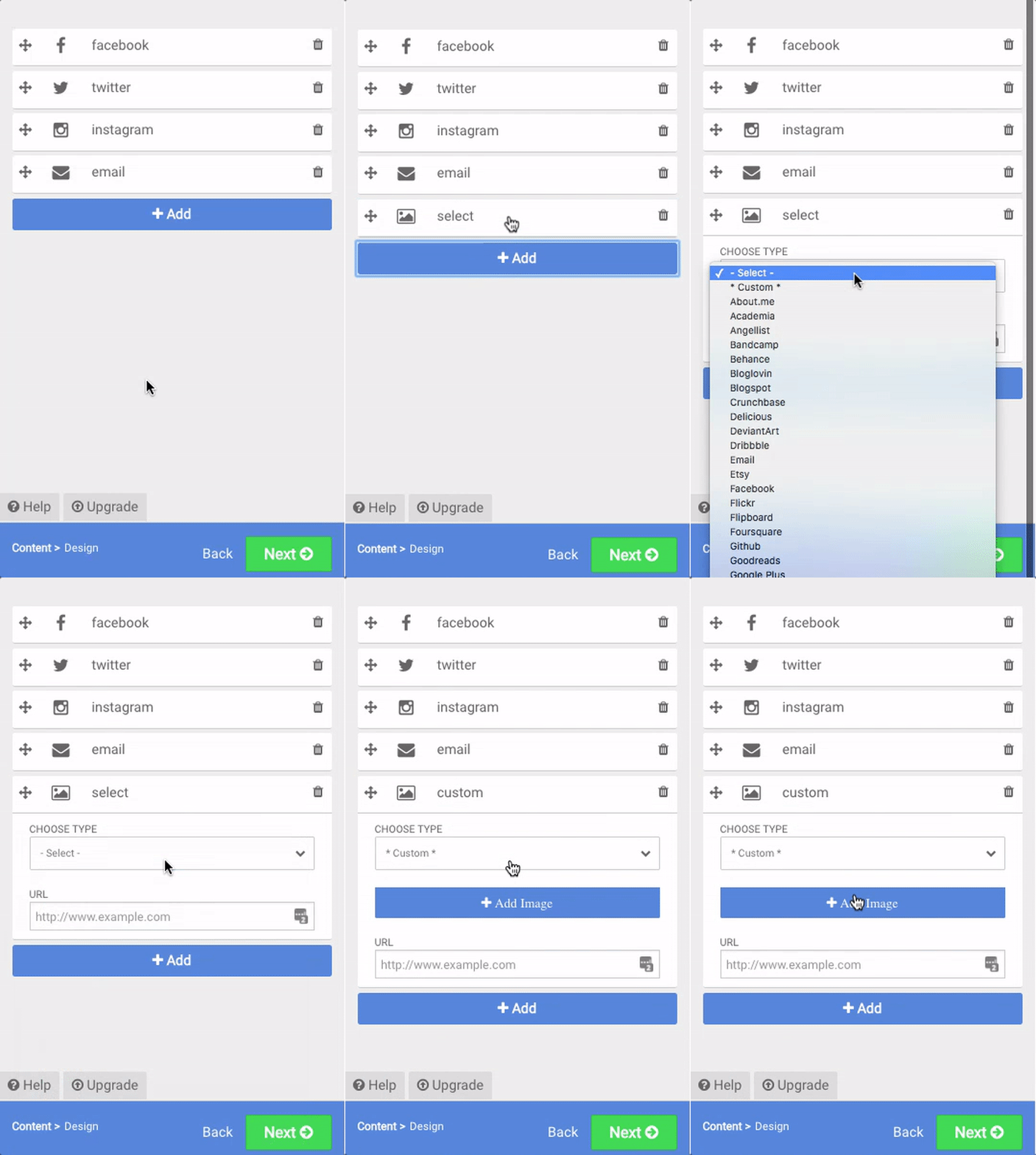
How to Add Custom Social Media Icons
You can now use any image to create a custom icon in POWR Social Media Icons.
- Open POWR Editor (or App Settings in Wix)
- Click +Add to add a new icon
- Select Custom from the dropdown menu
- Add an image from your computer.
The image will appear as a new icon in your set of social media icons.
Note: This is a Premium feature
To check out the features and pricing for all POWR apps, kindly refer to the following link: https://www.powr.io/pricing
Make sure to choose Social Media Icons in the dropdown menu to see the corresponding price table.