
How do I update my payment details?
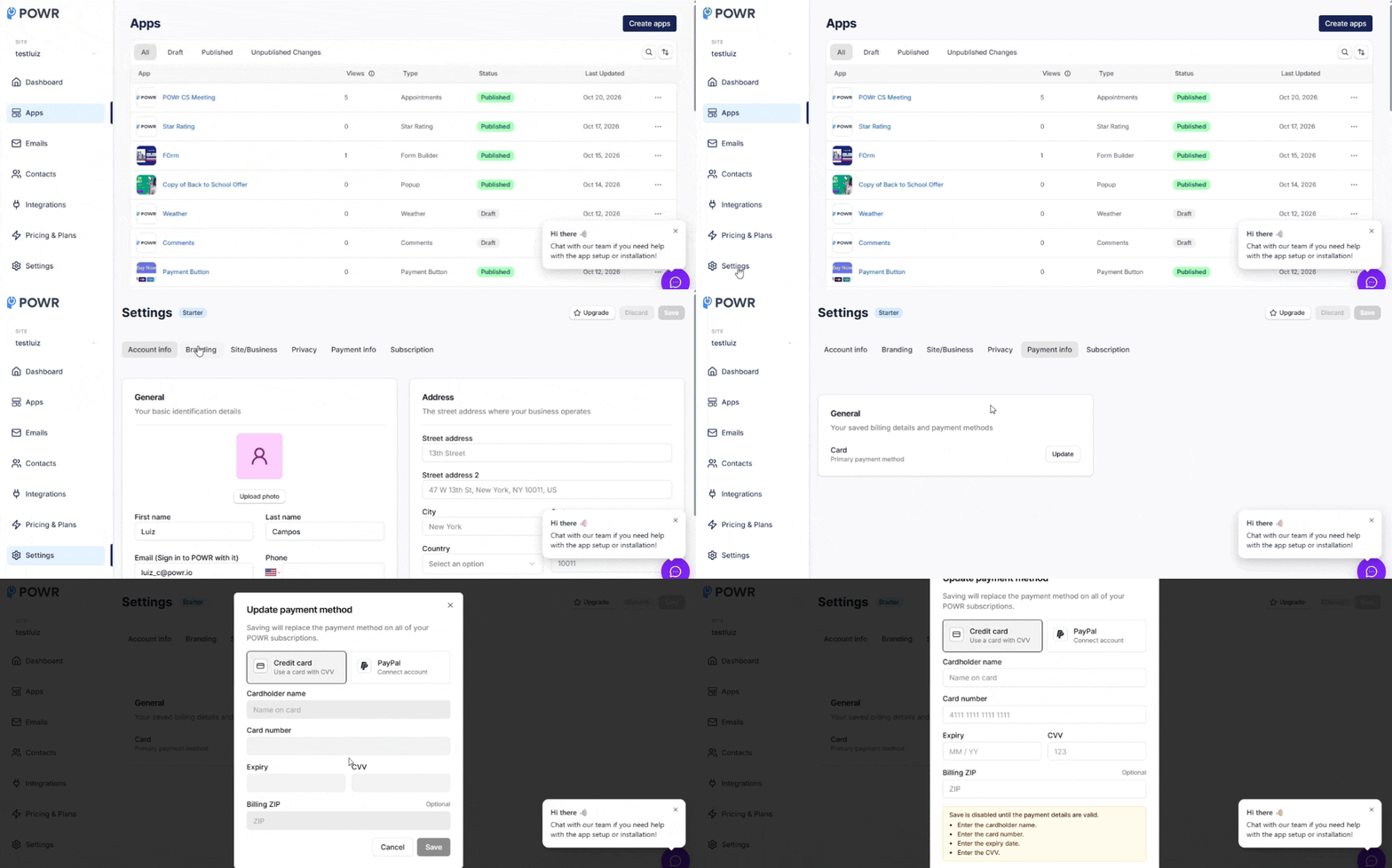
To update your payment details, follow these steps:
Log in to your account at powr.io
Click on Settings
Click on the Payment Info tab.
Click the Update button.
I've already updated my details; why are you still emailing me about failed charges?
Our system attempts to make a payment only every few days. If you just updated your details, the most recent payment attempt may have been before you updated them. Please give it another few days.
Need Help?
If you need any help or have any questions about our Form Builder, our support team is happy to help.
👉 Contact our support team
When contacting us, you'll be prompted to authenticate your email by signing in, and a confirmation code will be emailed to you. This helps ensure our support team's reply will be delivered to you with no issues.
For more information about available features, visit our Pricing Page:
https://www.powr.io/pricing