
Sync your POWR Popup or Form with Shopify Customers
If you're running a Shopify store and using POWR Popup or Form Builder to collect customer information, you'll be happy to know that you can sync your submissions directly with your Shopify Customers list. This powerful integration means that every time a visitor fills out your form or submits their details through your popup, their information is automatically added to your Shopify customer database — no manual importing or copy-pasting required. Whether you're growing your email list, capturing leads or collecting sign-ups, syncing with Shopify Customers keeps everything connected and your customer data always up to date. In this article we'll show you exactly how to set it up in just a few easy steps.
⚠️ Please note that this integration is available only for Shopify users who installed our app through the Shopify app store. In order to see My Contacts in POWR, you must be logged in your Shopify store.
To activate this integration, please follow the steps below:
1. Install POWR Form or Popup on your Shopify store.
Go to the Shopify App Store. Search for POWR Popup or POWR Form Builder.
In the app listing, click on 'Add app'.
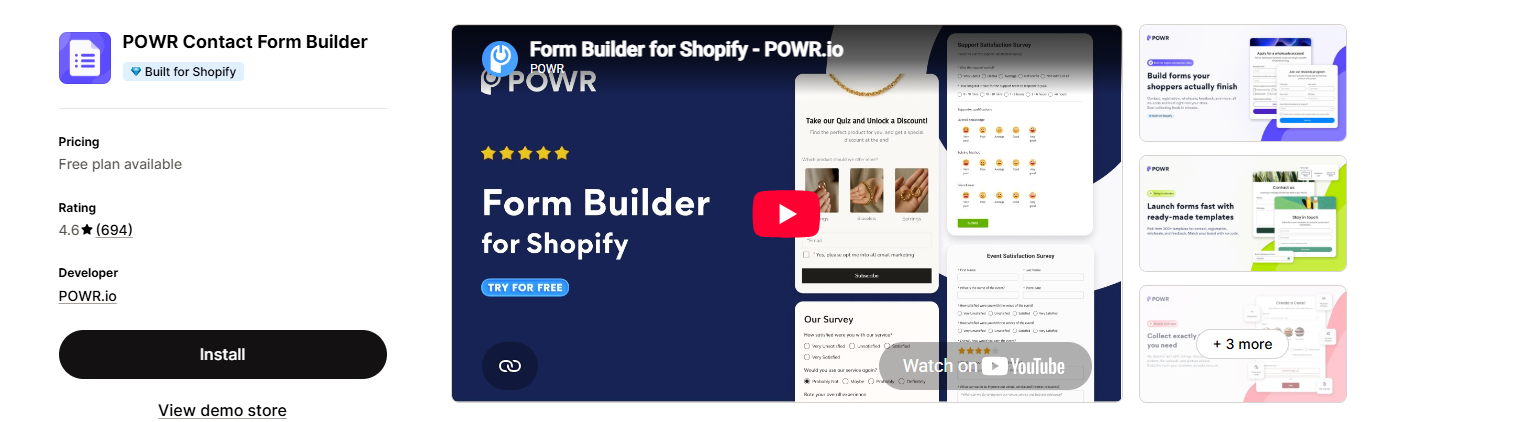
2. Customize the app and add an email field
To sync contacts to My Contacts in POWR, your form or Popup must include an email field. This is required for the integration to capture and store contact information correctly.
Click on Add Element in your form or Popup editor
Select Email Address from the list of available elements
Click Save Changes to apply
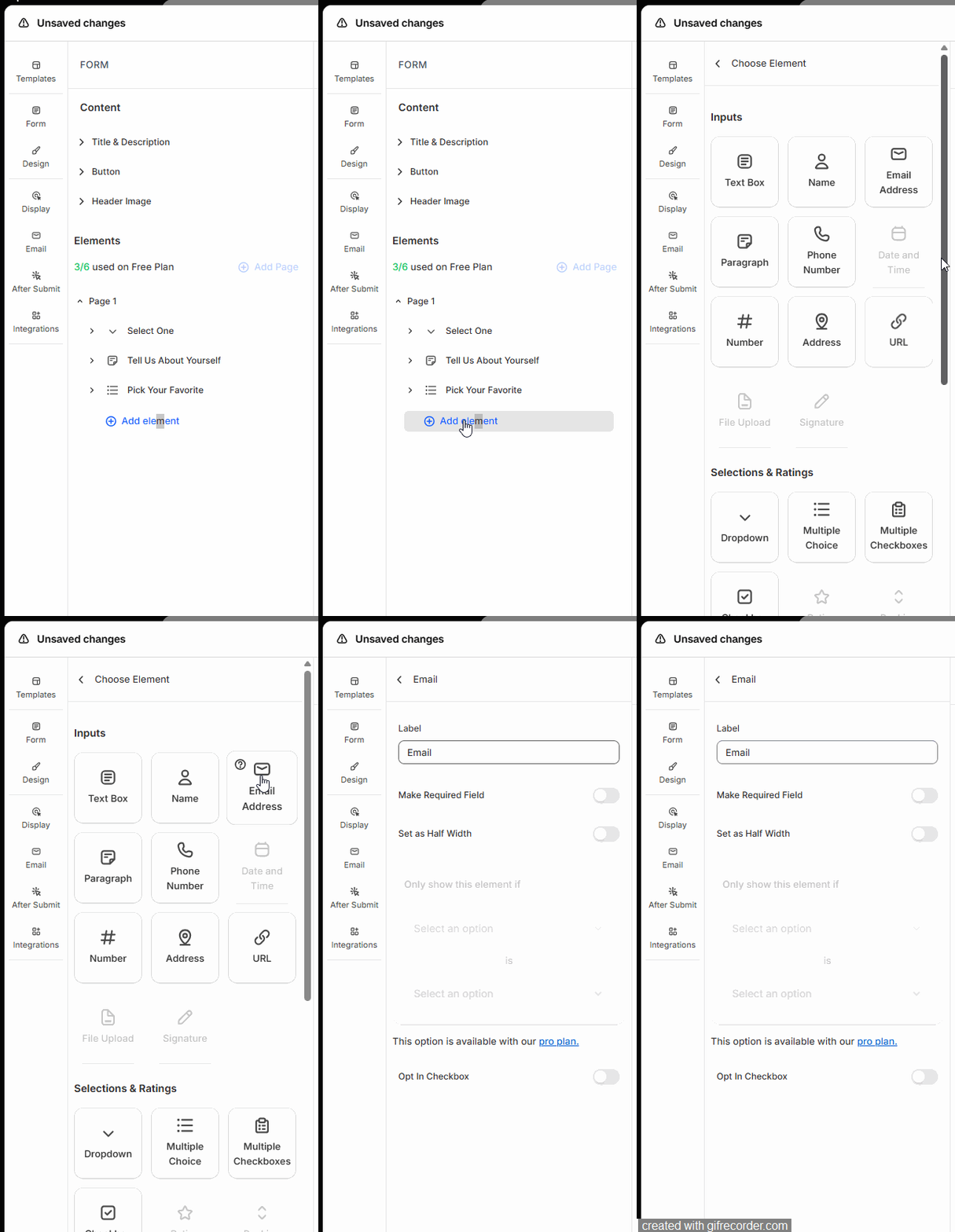
3. Complete integration
In your POWR Form Builder or POWR Popup app, navigate to Integrations and select the Shopify Customers integration. Once connected you'll have the option to sync all existing contacts or only new contacts going forward — simply choose the option that best suits your needs.
Save changes and Publish the app.
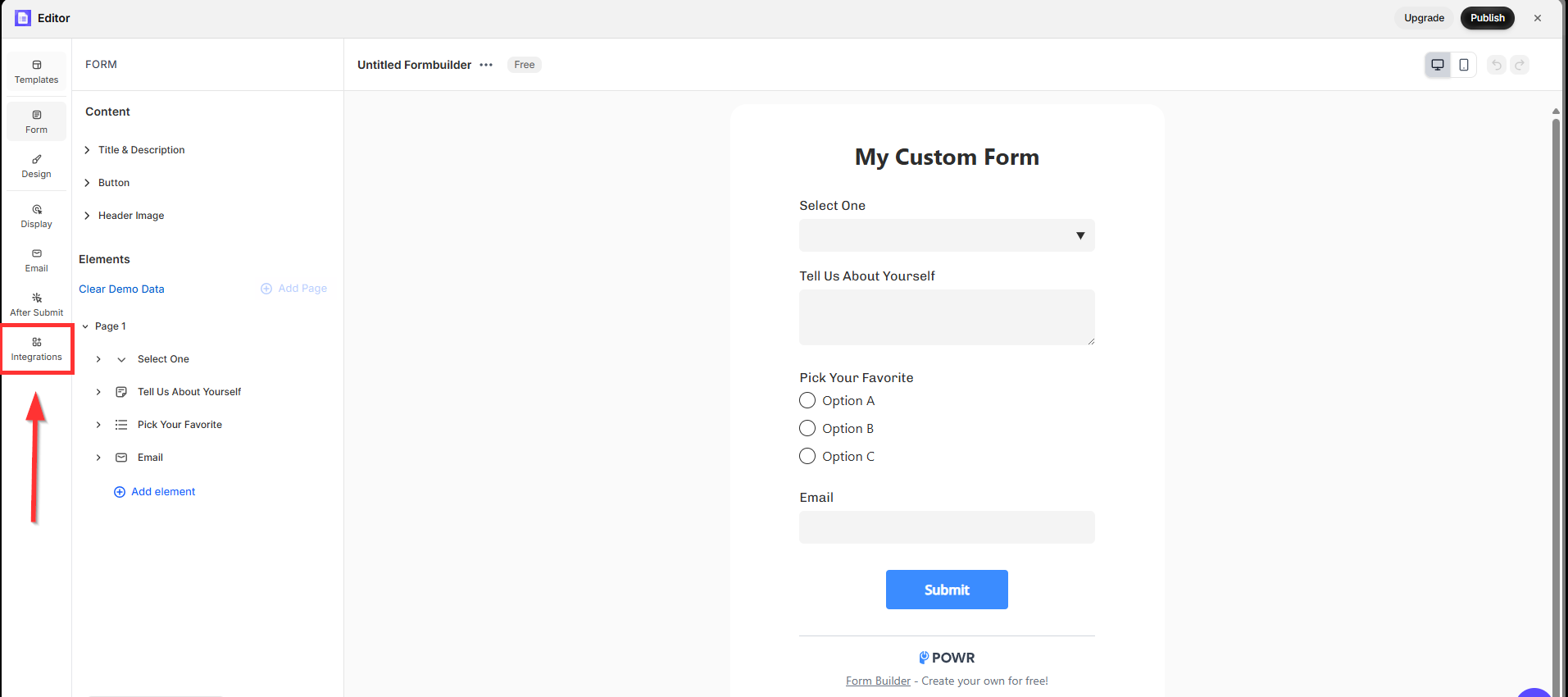
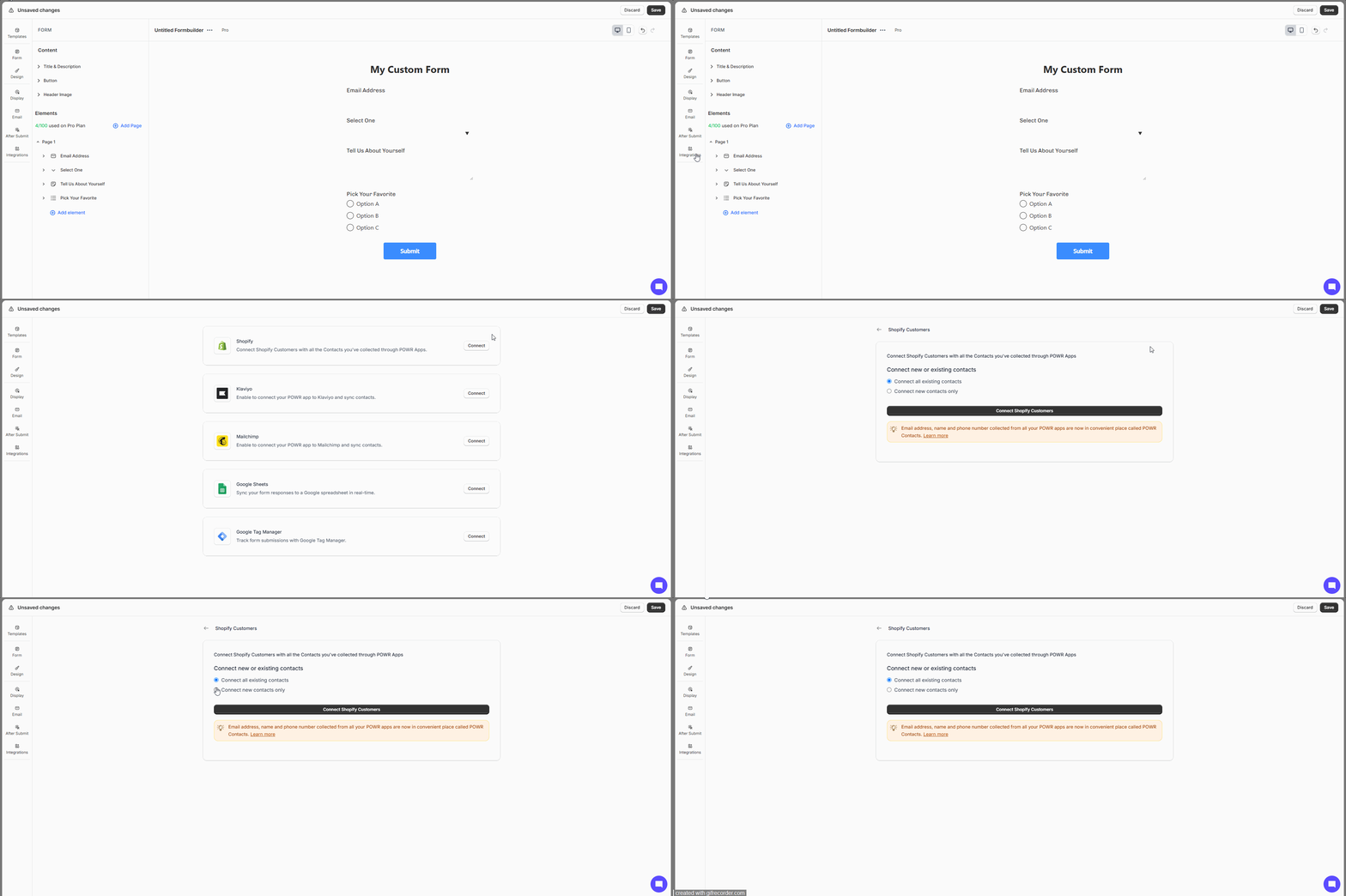
To verify your synced contacts, navigate to the Customers section in your Shopify Admin where all contacts successfully synced through the POWR integration will be listed.
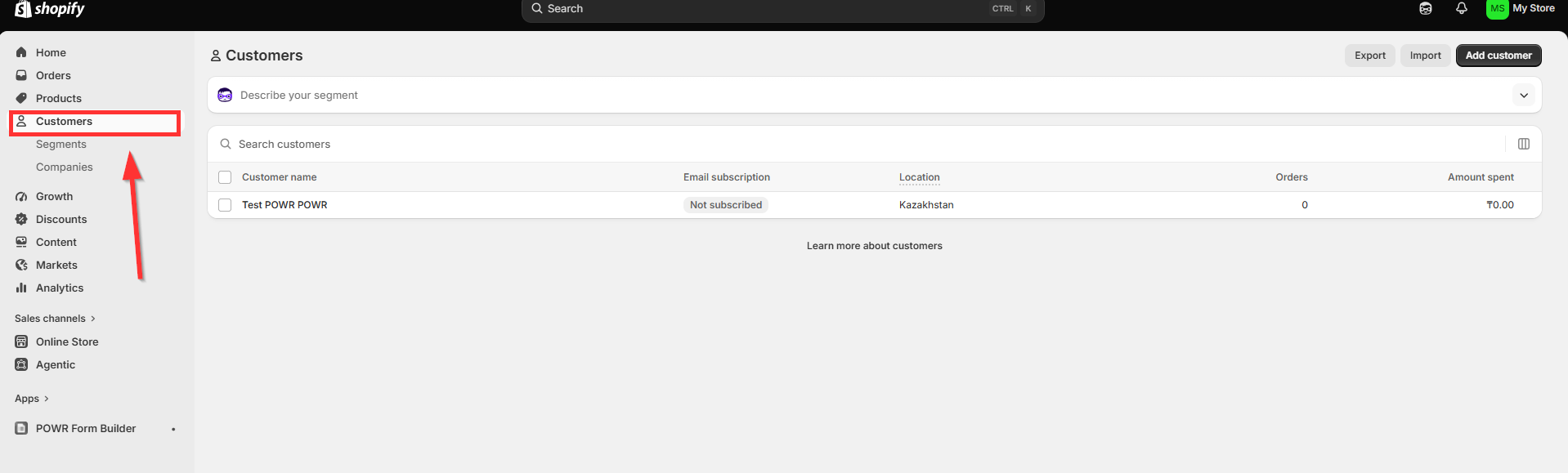
⚠️Please note that POWR can only manage contacts that have been added through our integration. Any existing Shopify contacts that were created outside of POWR will not be affected, modified or deleted by this integration.
For more information on how to manage your customer list in Shopify, please refer to Shopify's official guide: Importing and Exporting Customers
Syncing your POWR Popup or Form with Shopify Customers is a simple but incredibly effective way to keep your customer database growing automatically with every new submission. Once connected you'll never have to worry about manually transferring contact information between platforms again — it all happens seamlessly in the background so you can focus on running your business. If you run into any trouble setting up the integration or have any questions along the way, our support team is always here and happy to help!
Need Help?
If you need any help or have any questions about POWR app, our support team is happy to help.
Contact our support team
When contacting us, you'll be prompted to authenticate your email by signing in, and a confirmation code will be emailed to you. This helps ensure our support team's reply will be delivered to you with no issue.
For more information about available features, visit our Pricing Page:
https://www.powr.io/pricing